
Your server is ageing. The warranty has gone. Remote staff complain that systems feel slow outside the office. Your finance lead wants predictable spend. Your compliance obligations keep getting heavier. And every IT provider you speak to gives you the same useless answer: “it depends”.
That’s not good enough.
For most UK SMEs, the on premise vs cloud decision isn’t a technical debate. It’s a business decision about cash flow, control, resilience, compliance, and how much operational burden your team can carry. If you run a manufacturing business, a legal practice, or a financial firm, the wrong choice doesn’t just create friction. It creates downtime, audit risk, and expensive workarounds.
The market has already shifted. In the UK, 47% of enterprises used cloud computing services in 2023, up from 37% in 2021 according to the ONS-based data cited here. That doesn’t mean every business should move everything into the cloud. It means the baseline has changed, and keeping everything local by default now needs a stronger business case than it did a few years ago.
If part of your operation includes customer-facing platforms or software delivery, it also helps to understand adjacent decisions such as hosting solutions for online products, because infrastructure choices rarely sit in one neat box.
Table of Contents
- Choosing Your IT Foundation On Premise vs Cloud
- What Are On-Premise and Cloud Infrastructures
- Calculating the True Total Cost of Ownership
- Comparing Security and UK Compliance Realities
- Evaluating Performance Scalability and Resilience
- The Hybrid Cloud Model A Best-of-Both-Worlds Solution
- A Framework for Choosing Your Path and How We Can Help
Choosing Your IT Foundation On Premise vs Cloud
A managing director in manufacturing usually notices the problem when the server starts dictating business decisions. A legal partner notices it when file access for remote staff becomes awkward and risky. A financial firm notices it when compliance reviews raise uncomfortable questions about access control, backup integrity, and data handling.
That's the core on premise vs cloud question. Are you building IT around the business, or forcing the business to work around old infrastructure?
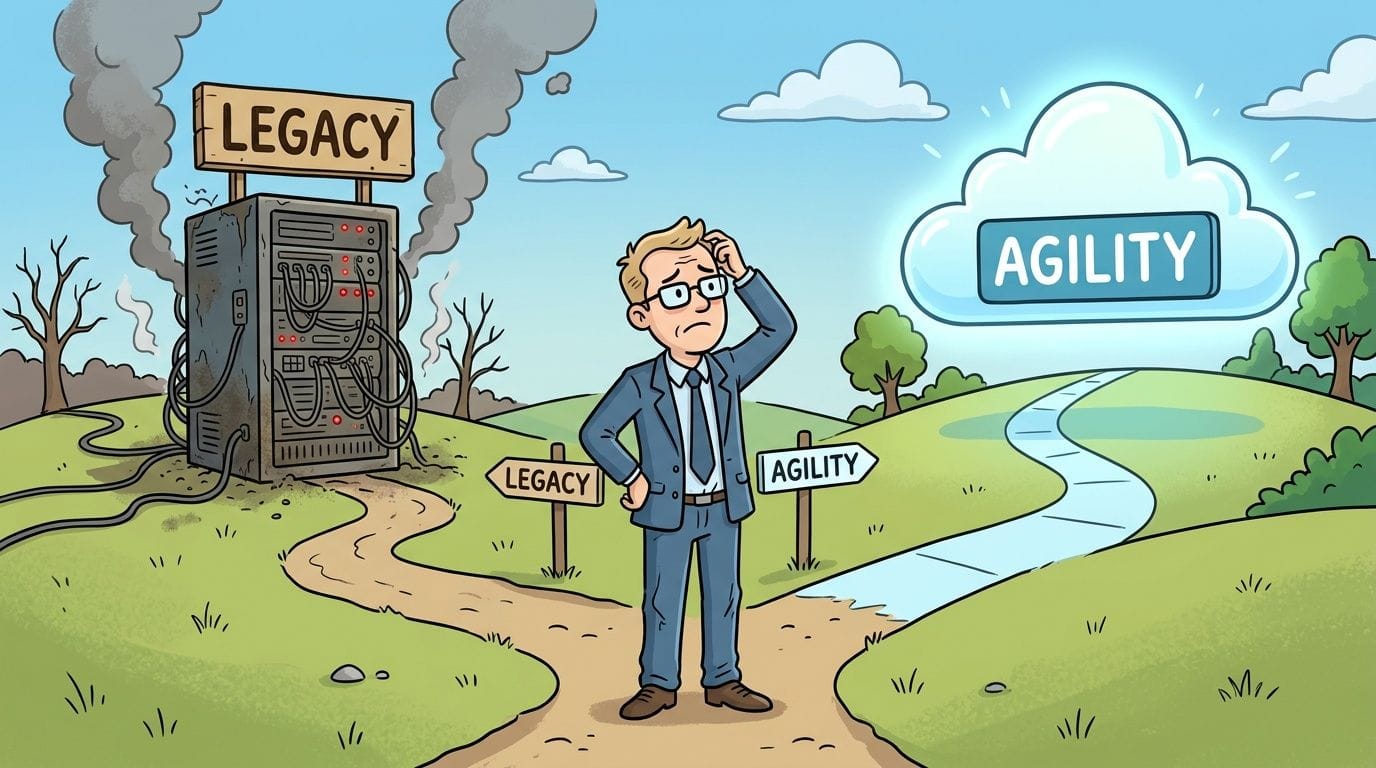
The choice isn’t ideological. It’s practical. On premise gives you direct ownership and tighter physical control. Cloud gives you flexibility, easier scaling, and less dependence on ageing hardware in a cupboard at the back of the office. Hybrid often gives you the best answer if you operate under GDPR, FCA expectations, or sector-specific client requirements.
Here’s the direct view. If you’re a growing SME with multiple sites, remote users, or collaboration-heavy workflows, cloud should be your default starting point. If you run stable legacy applications, highly predictable workloads, or systems that are difficult to re-platform, modernised on-premise can still make sense. If you’re in legal or financial services and need strong control without giving up modern tools, hybrid is usually the smartest path.
Keep this simple: choose the model your team can manage securely and support consistently, not the one that sounds most sophisticated in a sales deck.
A good decision starts with ownership of the trade-offs. Cost. Risk. Recovery. Governance. Staff time. Procurement pain. Vendor dependency. None of those disappear just because someone says “cloud-first”.
What Are On-Premise and Cloud Infrastructures
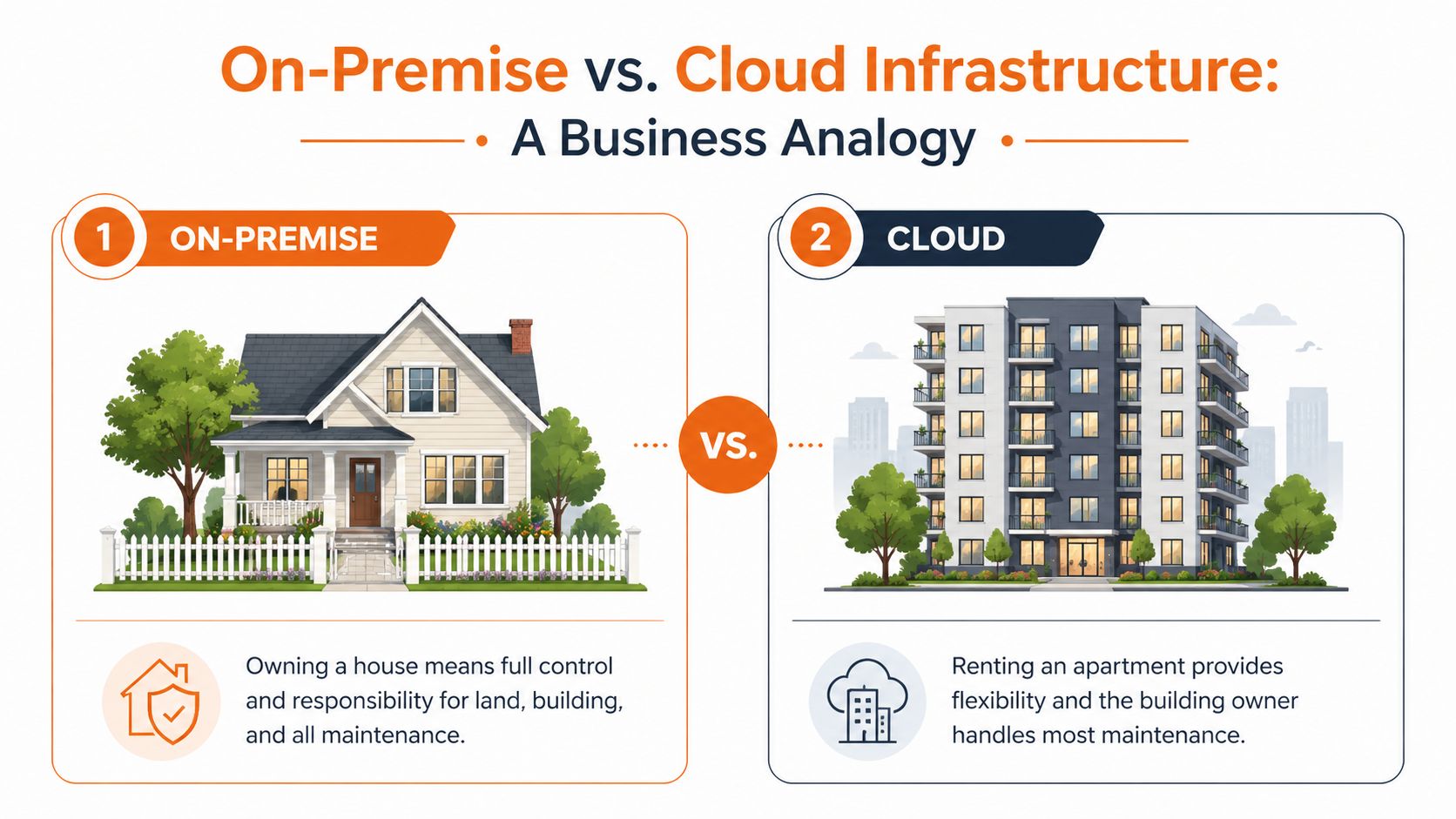
On-premise infrastructure means your business owns or directly controls the hardware and software stack used to run your systems. That usually includes servers, storage, networking, firewalls, backup devices, and the physical environment they sit in. If something fails, your team or managed IT provider fixes it. If capacity runs short, you buy more.
Cloud infrastructure means you rent computing resources from a provider instead of housing and maintaining them yourself. That can include virtual servers, storage, Microsoft 365, hosted desktops, backup platforms, or line-of-business applications delivered as a service. You still own the data, the user access rules, and the governance decisions. You do not own the underlying estate.
Ownership and responsibility
This distinction matters because the risk sits in different places.
With on-premise, control is higher, but so is operational burden. Your business is responsible for patching, hardware replacement, resilience design, environmental controls, backup testing, and physical security. For a manufacturer with plant-floor systems, that can be sensible if low-latency local access is tied to production. For a legal or financial firm, it can also support strict data handling requirements, but only if the environment is managed properly and documented well enough to satisfy GDPR accountability and FCA expectations around operational resilience.
With cloud, the provider runs the underlying platform. Your business still has to configure identities, access controls, retention, device security, and monitoring. That shared responsibility model catches SME owners out all the time. A misconfigured Microsoft 365 tenant is still your problem, even if the servers belong to someone else.
Cost model and operational reality
The buying model is different, but the bigger difference is where complexity shows up.
On-premise usually means capital spend up front, followed by support contracts, warranty renewals, power, cooling, licensing, and periodic refresh projects. Cloud shifts much of that into monthly operating spend. That helps cash flow, but poor governance can produce waste through oversized services, unused licences, weak backup choices, and duplicated tools. If you want a clearer view of how hosted platforms can reduce day-to-day infrastructure strain, review these benefits of cloud infrastructure for business.
If you are planning a move, this cloud migration cost calculator is a useful starting point for scoping likely migration effort. Use it as a planning tool, not a budget approval tool. However, the true cost depends on cleanup work, legacy dependencies, and how much support your team needs after cutover.
A short walkthrough helps make the distinction clearer:
What this means for a UK SME
On-premise is usually the better fit when you rely on legacy applications, fixed workloads, specialist equipment, or strict local control over data and uptime.
Cloud is usually the better fit when your staff work across sites, depend on remote access, need faster deployment, or want to avoid the risk of ageing hardware becoming a business continuity problem.
Hybrid is often the right answer for UK firms in manufacturing, legal, and financial services. It lets you keep sensitive or hard-to-move systems under tighter control while shifting email, collaboration, backup, and user-facing services into cloud platforms that are easier to support.
If your infrastructure choice increases audit pressure, recovery risk, or dependence on one overstretched internal IT person, it is the wrong choice. Managed support reduces that exposure and gives you a clearer line of accountability.
Calculating the True Total Cost of Ownership
A £12,000 server quote looks manageable. Five years later, the business has also paid for replacement parts, backup software, firewall renewals, power, warranty extensions, emergency callouts, and hours of staff time spent keeping ageing systems alive. That is the cost model that matters.
Too many on premise vs cloud comparisons stop at CapEx versus monthly subscription. For a UK SME, that is lazy analysis. You need a TCO view that includes hidden operational spend, audit exposure, downtime risk, and the cost of carrying the wrong design for your sector. That matters even more in manufacturing, legal, and financial firms, where disruption, retention rules, and access control quickly turn a cheap decision into an expensive one.
As noted in this discussion of cloud vs on-premises cost trade-offs, direct infrastructure costs are only part of the picture. Ongoing support effort, resilience planning, and lost productivity often decide whether the model is affordable in practice.
A quick comparison for decision makers
| Cost Factor | On-Premise (Estimated 5-Year Cost) | Cloud (Estimated 5-Year Cost) |
|---|---|---|
| Server and storage hardware | High upfront capital spend | Usually included in service fees |
| Installation and refresh cycles | Your responsibility | Provider-managed at infrastructure level |
| Power, cooling, rack space | Ongoing local cost | Usually built into subscription pricing |
| Internal IT time | Higher for maintenance and troubleshooting | Higher for governance and vendor management |
| Backup and disaster recovery | Separate tools and processes often needed | Often easier to integrate, but not always fully included |
| Scalability | New purchases and deployment effort | Faster to expand or reduce |
| Software licensing | Can be fragmented and renewal-heavy | Often bundled, but needs review |
| Surprise charges | Failure events, emergency replacement, consultancy | Data egress, overprovisioning, duplicated services |
Use a cloud migration cost calculator to test assumptions before you commit to a migration. Do not treat it as a final budget.
What on-premise really costs
On-premise cost starts long before a server goes live and continues long after it is paid off.
You are funding hardware refresh cycles, UPS batteries, storage growth, warranty renewals, backup testing, patching, monitoring, and physical security. If your file server supports a legal practice, you also need to account for retention controls, recovery testing, and the administrative effort needed to satisfy GDPR accountability requirements. If you run a manufacturing site, you may need local resilience for production systems and specialist support for kit that cannot be moved easily. If you operate in financial services, FCA expectations around operational resilience mean unsupported or poorly documented infrastructure creates a governance problem, not just an IT problem.
Support is a budget line, whether you admit it or not. If one internal IT person is covering servers, users, backups, vendors, and incidents, your estate is under-supported. For a practical benchmark, review this guide on how much outsourced IT support costs for UK businesses.
Practical rule: if on-premise only looks cheaper because staff time, outage risk, and refresh planning are missing from the spreadsheet, the comparison is wrong.
What cloud really costs
Cloud reduces some costs and shifts others. That is why SMEs overspend on it.
The usual pattern is predictable. A firm buys Microsoft 365, adds hosted desktops for a few users, keeps an old line-of-business server on-site, pays for third-party backup, duplicates security tooling, and leaves inactive licences in place because nobody owns monthly review. The bill rises gradually. The design gets messier. Six months later, leadership blames cloud, when the problem is poor governance.
A better cost model starts with overlap. During migration, many businesses pay twice for the same capability while old and new environments run side by side. They also pay for cleanup work that should have happened years earlier, such as removing stale data, consolidating licences, and fixing identity sprawl. In regulated sectors, that cleanup is not optional. GDPR data minimisation, legal retention duties, and FCA oversight all push you towards tighter control of where data sits, who can access it, and how recovery is tested.
Cloud can still be the right financial choice. It often is. But only if you set ownership rules, review consumption monthly, and design around workload fit rather than pushing every system into the same model.
A proper TCO model should answer five blunt questions:
- What are you paying to keep old systems alive?
- Who owns patching, support, and incident response?
- What does one day of disruption cost your business operationally?
- Are you paying twice during transition because old and new estates overlap?
- Which workloads belong on-site, which belong in cloud, and which should sit in a hybrid design to meet GDPR or FCA expectations without overspending?
If you cannot answer those clearly, you do not have a cost model. You have a guess.
Comparing Security and UK Compliance Realities
A solicitor stores client files on a server in the office because it feels safer. A manufacturing firm keeps production systems on-site because internet outages would stop the line. A small financial adviser moves email and documents to Microsoft 365, then assumes the provider handles security for them. All three can end up exposed for the same reason. Weak governance.
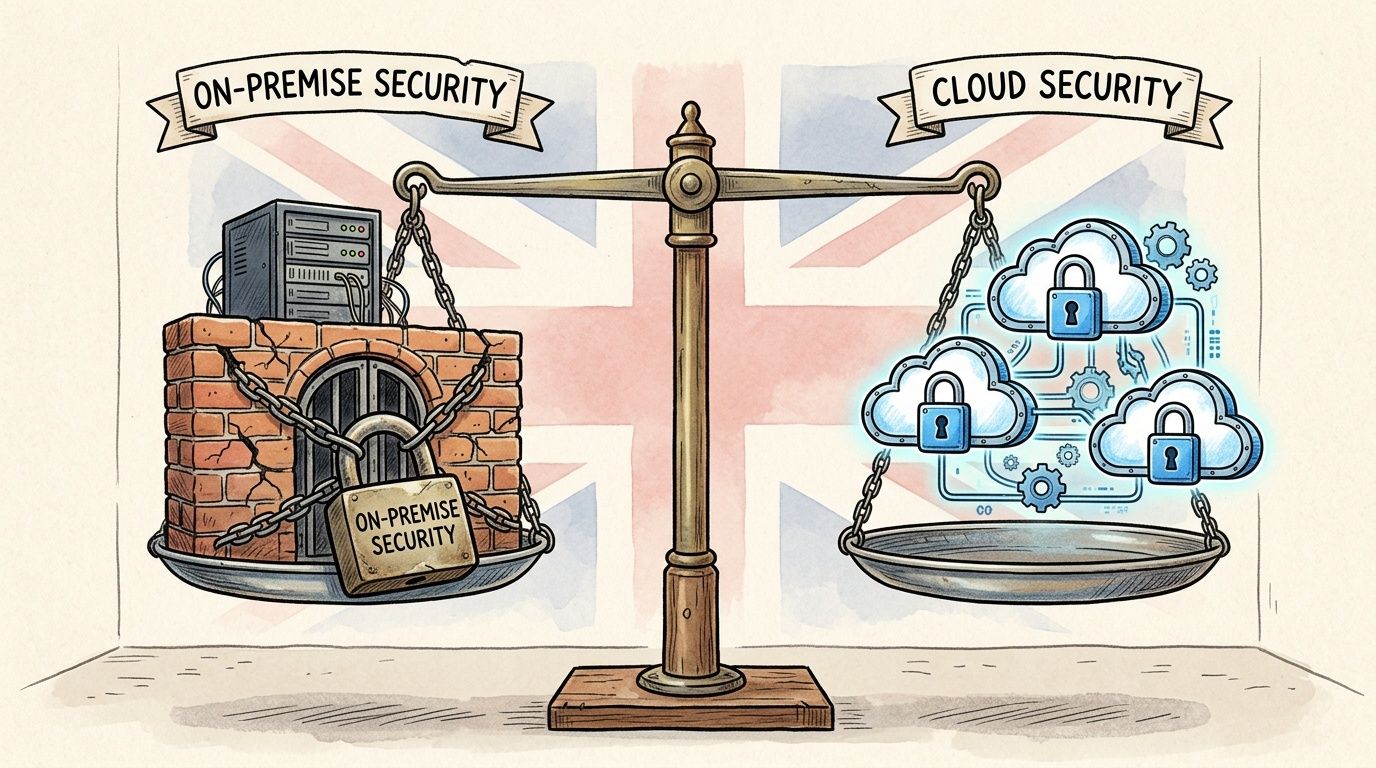
Security depends on how well you control identity, patching, backups, monitoring, and user access. It does not depend on whether the server sits in your comms room or in Azure. On-premise gives you direct control of systems. It also gives you direct responsibility for every missed patch, failed backup test, expired certificate, and poorly secured firewall rule.
Cloud changes the risk. It does not remove it. In cloud estates, the common failures are misconfigured permissions, weak multi-factor authentication, poor tenant setup, unmanaged devices, and no one checking audit logs. The platform may be well secured. Your configuration may not be.
For UK SMEs, the key question is simple. Which model can you govern properly every month, not just during procurement or migration?
That matters more in regulated sectors. Under the UK GDPR and Data Protection Act 2018, you need lawful processing, appropriate technical and organisational measures, access control, retention discipline, and a clear breach response process. In financial services, the FCA expects firms to manage outsourcing risk, maintain operational resilience, and show proper oversight of third parties and important business services. Legal firms face the same pressure from client confidentiality duties, file retention rules, and the commercial damage that follows a breach.
This is why a hybrid model often makes more sense than a pure on-premise or pure cloud stance. Keep latency-sensitive production systems, specialist legacy applications, or tightly controlled data stores where they are easiest to govern. Use cloud services for collaboration, remote access, and workloads that benefit from stronger built-in tooling. The right split is driven by risk, recovery needs, and regulation, not ideology.
Data location still needs careful handling. If you are deciding where regulated or sensitive information should sit, this guide to data sovereignty and data security in the UK is a useful reference.
A security model that stands up to scrutiny usually includes:
- Identity controls such as multi-factor authentication, least privilege, and role-based access
- Endpoint protection across laptops, desktops, mobile devices, and servers
- Logging and monitoring that someone reviews and acts on
- Backups with recovery testing, including off-site or immutable copies
- Clear policies for retention, access, file sharing, and incident response
- Managed support to handle patching, alert triage, supplier coordination, and security reviews
Managed support deserves more attention than it usually gets. Many SME breaches are not caused by advanced attackers. They happen because no one owns the basics day to day. In practice, a well-managed cloud tenant is often safer than a neglected server cupboard. A well-run on-premise estate can still be the right answer for a plant system, a case management platform, or a finance application that should not be moved.
If you run a legal, manufacturing, or financial business, stop asking whether cloud is secure. Ask who is responsible for controls, how recovery is tested, where regulated data sits, and whether your architecture would stand up to an auditor, insurer, or client due diligence review.
Evaluating Performance Scalability and Resilience
Performance questions are where opinion gets replaced by operational reality. Some workloads need local consistency. Others need flexibility. If you confuse those two, you either overspend on hardware or lock yourself into systems that can’t move as the business changes.
Where on-premise still wins
On-premise is often strong for stable, predictable, performance-sensitive workloads. Manufacturing businesses with legacy ERP, shop-floor systems, or machinery integrations sometimes need low-latency local access and don’t want core production tied to internet dependence. If a workload barely changes and the application wasn’t built for cloud, forcing migration can create more pain than benefit.
You also get direct control over hardware allocation. That matters when one critical line-of-business system needs guaranteed resources and you don’t want to redesign the application around a new platform.
Still, resilience is the catch. Local performance is one thing. Local resilience is another. To build proper failover on-premise, you need backup infrastructure, tested recovery, secure off-site copies, and a plan that works when the office itself is unavailable.
Where cloud pulls ahead
Cloud wins when demand changes, users are distributed, or business growth is hard to forecast. You can add services faster, support remote staff more cleanly, and avoid the stop-start procurement cycle that comes with buying and deploying physical kit.
That flexibility is valuable for multi-site firms, seasonal businesses, and any organisation rolling out Microsoft 365, hosted desktops, or new collaboration workflows. It also changes the resilience conversation. Recovery options are usually easier to design when your data, systems, and users aren’t all dependent on one physical location.
If resilience is a strategic concern, review what modern disaster recovery services should include. The key point is simple. A backup you’ve never restored is not a resilience strategy.
Here’s a practical way to understand this:
| Business need | Usually stronger fit |
|---|---|
| Stable legacy application with local dependencies | On-premise |
| Rapid staff growth across multiple sites | Cloud |
| Remote access and collaboration | Cloud |
| Production-critical local system with limited change | On-premise |
| Backup and recovery across locations | Cloud or hybrid |
| Mixed estate with old and new applications | Hybrid |
Buy on-premise for consistency. Buy cloud for elasticity. Use hybrid when your estate includes both.
The Hybrid Cloud Model A Best-of-Both-Worlds Solution
For many UK SMEs, hybrid isn’t a halfway house. It’s the adult answer.
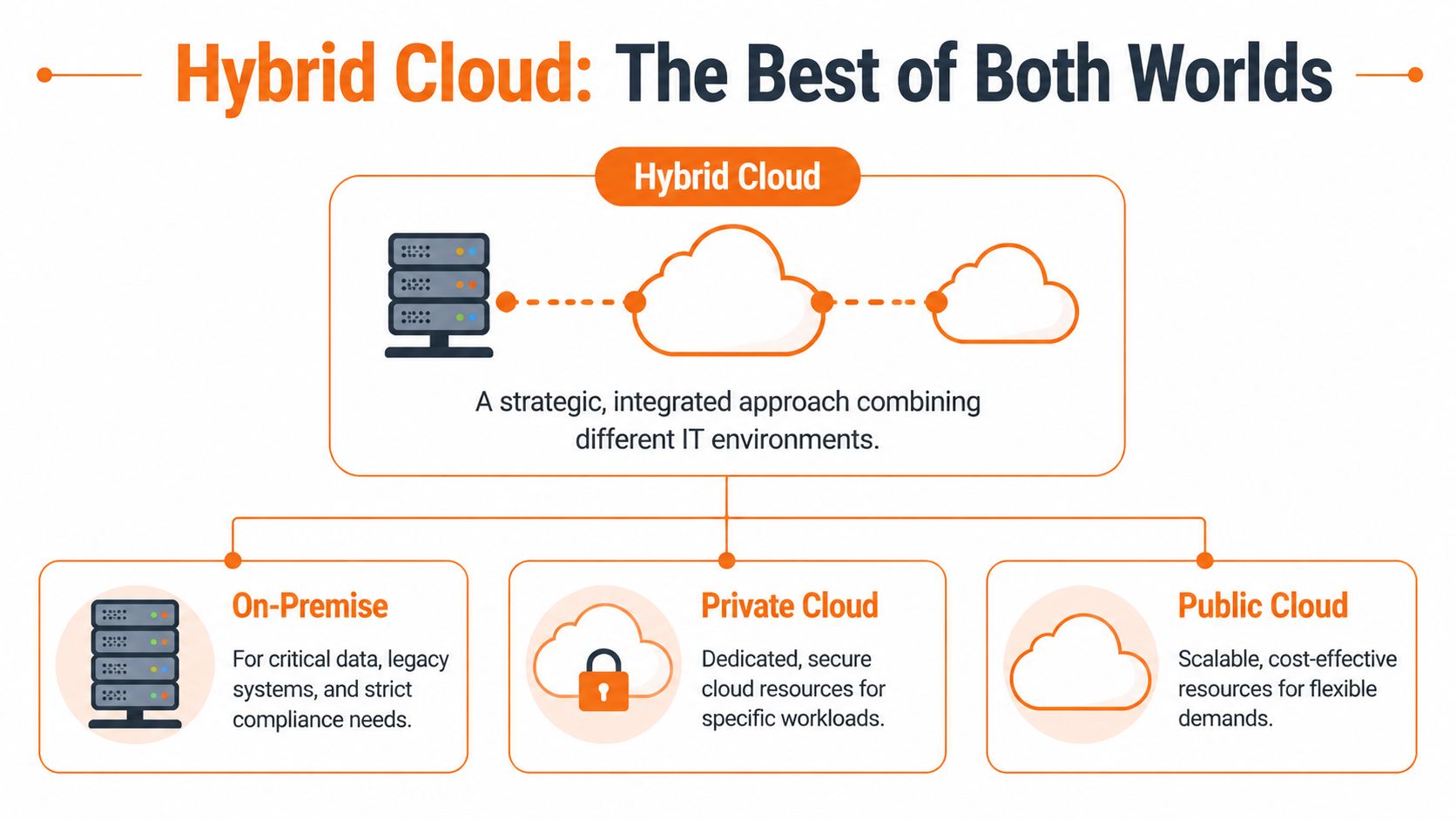
A significant problem for legal and financial firms is that too much advice still treats regulation as a crude binary. Keep everything on-premise and you’re safe. Move to cloud and you’re exposed. That view misses how modern businesses operate. As noted in this discussion of cloud, on-premise, and hybrid architecture for regulated sectors, the bigger gap is understanding how hybrid designs can meet GDPR and FCA requirements while still improving efficiency.
How to split workloads properly
A good hybrid design starts with classification, not technology.
Ask which data and systems fall into these groups:
- Highly regulated and business-critical. Client matter files, sensitive financial records, legacy databases, production systems with local dependencies.
- Collaboration and productivity. Email, Teams, document collaboration, remote access, hosted desktops.
- Recovery and continuity. Backups, replicated workloads, failover services, archived data.
- Elastic or temporary demand. Test environments, short-term projects, burst capacity, external access portals.
From there, the architecture becomes more obvious. Sensitive or awkward legacy workloads may stay on-premise. Commodity collaboration services belong in the cloud. Backup and disaster recovery often sit best off-site. Temporary workloads shouldn’t force permanent hardware purchases.
Where hybrid fits best
A legal firm might keep tightly governed case management data in a controlled environment while using Microsoft 365 for email, document collaboration, and secure remote work. A financial services business might retain specific systems for governance reasons while moving user productivity and resilience tooling into cloud services. A manufacturer might keep plant-linked applications local but push backup, reporting, and remote access outward.
That’s the value of hybrid. It lets you modernise without pretending every workload has the same needs.
Use this rule set:
- Keep systems local if latency, legacy integration, or regulatory control makes that sensible.
- Put user-facing productivity in the cloud if staff mobility and collaboration matter.
- Move recovery away from the primary site.
- Standardise identity and security controls across both sides.
- Avoid split ownership where nobody knows who is responsible for incidents.
Hybrid works well when it’s designed intentionally. It fails when businesses drift into it accidentally through years of disconnected purchases.
If your current estate already includes Microsoft 365, local file servers, VPN access, and a separate backup platform, you may already be hybrid. A key question is whether it’s organised and governed, or just improvised.
A Framework for Choosing Your Path and How We Can Help
Forget the vendor slogans. Start with your operating reality.
Choose on-premise if
Choose on-premise when your core systems are stable, hard to replace, and closely tied to local operations. That often applies to manufacturing firms with legacy ERP or production-linked systems. It also fits businesses that need very direct control over certain datasets and are willing to carry the operational overhead properly.
On-premise is a serious option only if you’re also serious about support, backup, patching, monitoring, documentation, and recovery testing. If you want the control without the discipline, don’t do it.
Choose cloud if
Choose cloud when your business needs agility more than hardware ownership. If your staff work across sites, need reliable remote access, collaborate heavily, or you expect change in headcount or services, cloud usually makes more sense.
Cloud is also the cleaner option when you want to stop tying business continuity to one office location. If your phone system is part of that change, this business phone system guide is useful because telephony decisions often sit alongside wider infrastructure modernisation.
Choose hybrid if
Choose hybrid when you have a mix of constraints. That’s common in legal, financial, and established engineering businesses. Hybrid is usually right when you need to preserve some local systems, satisfy specific governance requirements, and still give users modern productivity and resilience.
Here’s the decision checklist I’d use with any SME owner:
- Workload shape. Are your core systems stable, or do they change often?
- Compliance pressure. Are you dealing with GDPR, FCA expectations, client audits, or industry-specific controls?
- Team capacity. Can your people support infrastructure properly, or are they already stretched?
- Downtime tolerance. What happens operationally if systems are unavailable?
- Growth pattern. Are you adding staff, locations, or services?
- Cash flow preference. Do you want capital ownership or operating flexibility?
- Recovery requirement. Can you recover cleanly if the site, not just the server, goes down?
If you answer those, the right model becomes much clearer.
The final recommendation is straightforward. Don’t choose purely on cost, and don’t choose purely on fear. Choose the model that your business can secure, govern, recover, and scale without constant firefighting. For many UK SMEs in manufacturing, legal, and financial services, that means a carefully designed hybrid estate, not a simplistic all-or-nothing move.
If you want a clear recommendation based on your systems, compliance obligations, and budget, speak to Blowfish Technology. Their team supports SMEs across the North West and wider UK with managed IT, cybersecurity, cloud services, Microsoft 365, backup, disaster recovery, VoIP, and compliance-led infrastructure planning. With over 25 years’ experience, sub-20-second average call waits, 75% same-day ticket resolution, and 98% within SLA, they can help you choose the right on-premise, cloud, or hybrid model and then run it properly.

The Blowfish Technology team. Managed IT, cloud services, software development and connectivity for North West businesses since 1999.