
A trustee meeting is due to start in ten minutes. The fundraising team is mid-campaign. Someone can't access Microsoft 365. Shared files won't open. The finance lead is asking whether donor records are safe, and nobody in the room can answer with confidence.
That situation is more common in charities than many boards like to admit. Small teams often carry a patchwork of ageing laptops, volunteer-run fixes, a cloud tenancy nobody fully owns, and backup arrangements that sound reassuring until someone needs to restore data. When money is tight, IT gets treated as something to revisit later. The problem is that “later” usually arrives during a funding deadline, a cyber incident, or a service interruption that affects beneficiaries.
For a modern charity, technology isn't separate from the mission. It underpins governance, finance, fundraising, service delivery, and internal accountability. In England and Wales alone, the Charity Commission reported 169,886 charities on the register as of 31 March 2024, with a combined annual income of about £88.3 billion and 1.14 million trustees involved in oversight, according to this overview of charity IT needs. That scale explains why dependable systems matter so much across the sector.
The same is true for faith-based and community organisations with similar pressures around donations, records, and volunteer coordination. If your board is also thinking about finance systems and integrating church giving solutions, the underlying lesson is the same. Donations, compliance, and day-to-day operations now depend on joined-up systems rather than isolated tools.
That's why many organisations move away from reactive fixes and towards a structured managed IT support approach in the UK. Value isn't just getting help when something breaks. It's building an IT foundation that protects the charity's ability to keep working.
Table of Contents
- Introduction
- Why Generic IT Support Fails Most Charities
- The Core Components of Managed IT for Charities
- Navigating Data Protection and Compliance Requirements
- Funding Your Technology and Maximising Your Budget
- How to Choose the Right IT Support Partner
- Your Implementation Roadmap and Measuring Success
- Conclusion
Introduction
A charity rarely notices IT when it's working well. Staff log in, volunteers join remotely, donation pages stay live, and trustees receive accurate reporting on time. Trouble starts when one weak point cascades into several. An expired licence blocks access. A laptop with no proper device management goes missing. A shared mailbox becomes the only place key information lives.
For boards, that creates a governance problem as much as a technical one. Trustees are responsible for oversight, yet many charities still operate with unclear ownership of admin accounts, inconsistent backups, and no tested recovery process. Those aren't edge cases. They're signs that technology has grown faster than the controls around it.
The practical shift is to stop viewing IT as a list of purchases and start treating it as operational infrastructure. That means asking a different set of questions. Who controls access? How quickly can critical systems be restored? What happens if a fundraiser leaves and takes informal knowledge with them? Which tools genuinely support the mission, and which only add cost?
Good charity IT doesn't start with buying more tools. It starts with deciding what the organisation cannot afford to lose.
A smaller charity doesn't need enterprise complexity. It does need clarity, resilience, and support that fits its size. That is the difference between surviving from one incident to the next and running a service people can rely on.
Why Generic IT Support Fails Most Charities
Generic IT support usually works well enough for simple break-fix jobs. A printer won't connect. A laptop needs replacing. An email profile is corrupted. Those things matter, but they're not the heart of charity risk.
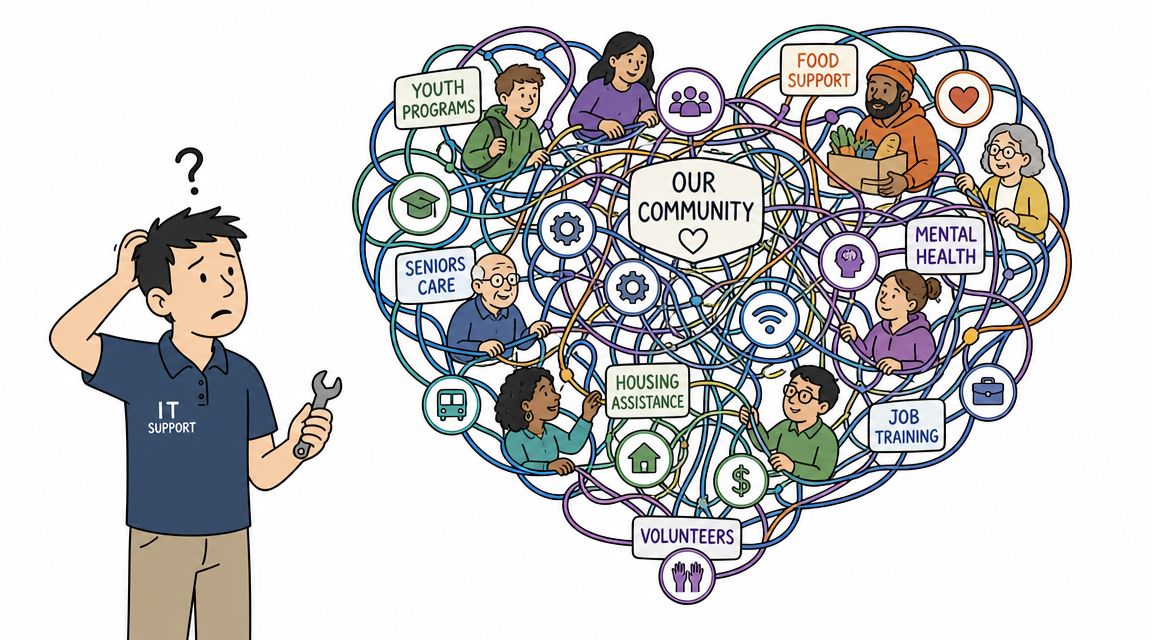
The problem is that a charity's operating model is rarely standard. Staff may work across offices, homes, outreach sites, and events. Volunteers may need limited access to systems without seeing sensitive records. Donor data, beneficiary information, and trustee documents often sit in the same cloud ecosystem, but they shouldn't be governed in the same way.
Where the mismatch shows up
A generic provider often focuses on tickets, devices, and licences. A charity needs someone who also understands operational realities such as these:
- Funding cycles affect contracts: A rigid support agreement may not suit an organisation whose headcount changes with projects and grants.
- Volunteer turnover creates access risk: Accounts must be reviewed and removed promptly, not left active because “someone might need them again”.
- Safeguarding and confidentiality shape permissions: Staff supporting beneficiaries shouldn't have broad access merely because it's easier to set up.
- Fundraising systems need protection: A slow or insecure donation journey has a direct impact on income.
That last point matters more than it used to. A 2024/25 YouGov survey found that 57% of UK adults had donated to charity in the previous 12 months, and online and contactless giving have become major parts of how supporters give, as noted in this summary of current charity giving behaviour. Once giving moves online, uptime and security stop being back-office concerns. They become fundraising controls.
False economy is still economy lost
A cheaper provider can look sensible on paper. Then an incident happens and the hidden gaps appear. Nobody has documented Microsoft 365 permissions. Multi-factor authentication is inconsistent. Devices are supported, but nobody is monitoring whether backup jobs are completing or whether a leaver still has access to shared data.
Generic support also tends to struggle with priorities. A charity doesn't just need “support for users”. It needs support ranked by mission impact. If the donation platform, finance access, or case records go down, that should trigger a different response than a non-critical desktop issue.
Practical rule: If your provider can tell you how many tickets they close but can't explain how they protect donor data and restore cloud services, they're supporting equipment, not the charity.
Strong it support for charity work is context-aware. It recognises that trustees need assurance, staff need simplicity, and budgets need discipline. A provider that understands that balance is usually cheaper in the long run than one that only fixes what's already broken.
The Core Components of Managed IT for Charities
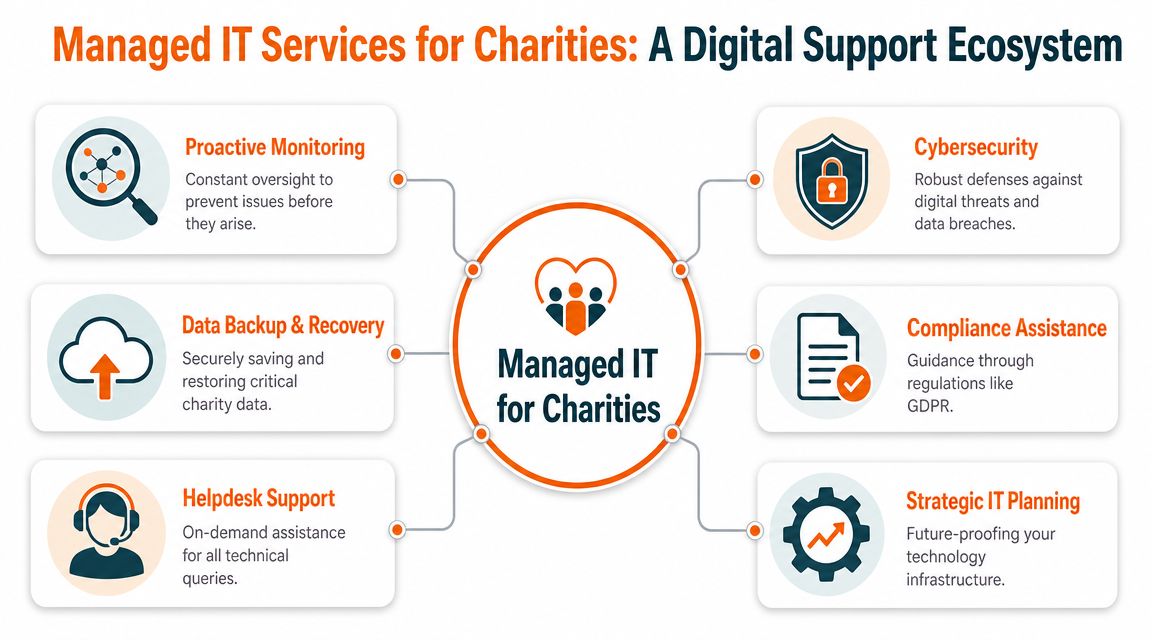
The easiest way to understand managed IT is to think of it as a building. If one layer is weak, the whole structure becomes harder to trust. Many charities buy individual tools over time, but the safer approach is to build the stack deliberately.
A typical UK charity setup is usually organised around five operational layers: helpdesk support, cybersecurity, cloud systems management, backup and recovery, and hardware or network support, with a Microsoft 365-centred model aligned with Cyber Essentials being a common fit for UK organisations, as explained in this guide to charity IT services.
The five layers that matter
| Layer | What it covers | What works | What tends not to work |
|---|---|---|---|
| Helpdesk | User issues, account access, day-to-day faults | Clear response routes and staff who know the environment | Relying on one internal “tech person” for everything |
| Cybersecurity | Identity protection, endpoint controls, phishing defence | MFA, controlled admin rights, device standards | Shared logins and informal exceptions |
| Cloud systems | Microsoft 365 or Google Workspace administration | Managed users, groups, licences, and permissions | Letting settings drift over time |
| Backup and recovery | Protection for email, files, and key systems | Separate, tested, versioned backups | Assuming cloud data is automatically recoverable |
| Hardware and network | Laptops, routers, Wi-Fi, office setup | Standard device builds and supported equipment | Mixed devices with no baseline |
What each layer looks like in practice
Helpdesk should feel straightforward to staff. They need to know where to go, what counts as urgent, and who owns a problem from start to finish. The strongest support desks also spot recurring issues and remove the root cause instead of resetting the same password-shaped problem every week.
Cybersecurity is where many charities either overcomplicate things or underdo them. You don't need a shelf full of niche products to be safer. You do need basic controls done well: multi-factor authentication, endpoint protection, limited admin access, and user awareness.
Cloud management matters because most operational drift now happens inside Microsoft 365 rather than on an on-premise server. Mailboxes, Teams, SharePoint permissions, and former staff access all need active management. “Set up once and leave it” is one of the most expensive habits in charity IT.
The overlooked layers
Backup and recovery deserve more attention than they usually get. Many boards ask whether data is backed up. Fewer ask whether anyone has proved that data can be restored quickly enough to keep services running.
Hardware and network support also sound less strategic than they are. If staff are using unsupported laptops, weak Wi-Fi, or a broadband setup with no resilience, service quality drops and support effort rises. Standardising equipment often saves money because it reduces troubleshooting time and replacement guesswork.
A tidy stack beats a clever stack. Charities usually gain more from consistency and control than from advanced features they won't use.
When these layers are in place together, technology becomes easier to budget for, easier to govern, and far less dependent on individual staff knowledge.
Navigating Data Protection and Compliance Requirements
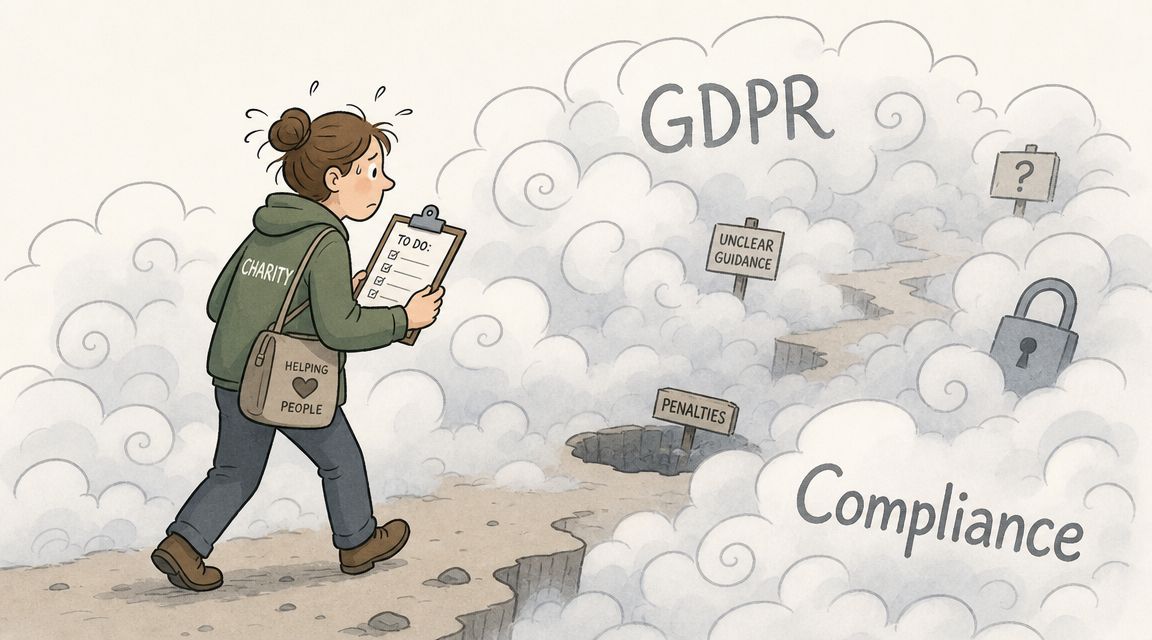
Most trustees don't need a technical explanation of GDPR. They need to know whether the charity can show due diligence if something goes wrong. This is the definitive compliance test.
Charities often hold two particularly sensitive categories of information at the same time. One is donor data, including contact details, giving history, and financial information linked to payment processes. The other is beneficiary data, which may involve personal or highly confidential records. Those datasets carry different risks, but both demand strong access control, retention discipline, and reliable recovery.
Compliance is an operational habit
A charity doesn't become compliant because it has a policy document in a shared folder. Compliance shows up in everyday technical decisions:
- Identity control: Staff should only access the systems and files they need.
- Leaver management: Accounts must be removed or restricted promptly when roles change.
- Device oversight: Charity data shouldn't sit unmanaged on personal or outdated machines.
- Retention discipline: Files and mailboxes shouldn't be kept forever because storage feels cheap.
The most common weakness is identity sprawl inside Microsoft 365. Admin rights get handed out casually. Shared mailboxes become unofficial archives. Teams and SharePoint sites accumulate broad permissions that nobody revisits. Over time, the risk isn't only breach exposure. It's the inability to explain who had access to what.
The wider issue is that cyber security is a board matter, not just an IT one. The Charity Commission has warned trustees to treat cyber security as a governance issue, and resilience after a Microsoft 365 compromise remains a critical gap for many charities, as discussed in this charity-focused note on cyber resilience. If a tenant is compromised, the board needs confidence that mail, files, and user access can be restored without losing vital donor or beneficiary data.
Backup is part of compliance
A lot of organisations still think of backup as a technical utility. It isn't. It's evidence of responsible stewardship. If your charity can't recover records, communications, and operational files after ransomware, human error, or account compromise, the problem quickly becomes legal, reputational, and operational at the same time.
Discussions concerning UK data sovereignty and data security prove valuable for trustees. They push the conversation beyond “do we have backup?” and towards “where is data held, who controls it, and how would we recover it under pressure?”
Questions trustees should ask
| Trustee question | Strong answer sounds like | Weak answer sounds like |
|---|---|---|
| Who has admin access? | Named roles, reviewed regularly | “A few people” |
| Can we restore Microsoft 365 data? | Yes, from tested backup with defined process | “Microsoft keeps it in the cloud” |
| How do we remove access for leavers? | Documented offboarding checklist | “We usually remember” |
| How do we prove good practice? | Policies linked to technical controls and reviews | “We have a policy somewhere” |
If a charity cannot explain its access model and recovery process in plain English, it probably isn't in control of them.
That's why compliance work should never be treated as paperwork alone. It lives in permissions, backups, devices, and everyday decisions about how staff use systems.
Funding Your Technology and Maximising Your Budget
Most charities don't have the luxury of buying everything at once. The better approach is to fund technology in layers, beginning with the controls that reduce the most operational risk.
For small to medium-sized organisations, the first spending priority is rarely the most exciting item on the list. It's usually secure identity, managed Microsoft 365, backup, endpoint protection, and dependable support. Those controls don't create flashy board papers, but they stop small failures from becoming expensive ones.
Where to spend first
A useful budgeting order looks like this:
Protect access first
Secure accounts, enforce MFA, and make sure admin rights are tightly controlled.Stabilise Microsoft 365
Clean up users, licensing, shared mailboxes, Teams, and SharePoint permissions.Add proper backup
Cloud collaboration without tested recovery leaves a major gap.Standardise devices
Fewer device types usually means less support overhead and better security.Only then add enhancements
Phone systems, workflow tools, and specialist apps matter, but they shouldn't come before core resilience.
Build the board case around mission protection
Trustees rarely approve IT spend because they enjoy technical detail. They approve it when the business case is framed properly. That means linking every investment to a practical outcome: fewer interruptions, lower cyber risk, better donor confidence, easier remote work, cleaner audits, and less staff time lost to avoidable faults.
A helpful way to present this is to separate must-haves, should-haves, and later-phase improvements. That prevents the whole discussion from collapsing into a false choice between “buy everything” and “buy nothing”.
If your fundraising plan includes events as well as digital channels, operational reliability matters there too. Teams planning campaigns often look for ideas such as golf tournament fundraising ideas, but those efforts still depend on secure devices, dependable connectivity, and systems that keep supporter data organised.
Boards usually back IT spending when it's presented as risk control with service benefits, not as a shopping list of products.
There's also a practical point many charities overlook. Software discounts and nonprofit programmes can reduce licensing costs, but lower software pricing doesn't remove the need for administration, security, and support. Cheap licences without clear ownership often create a false sense of savings.
How to Choose the Right IT Support Partner
Choosing an IT partner isn't mainly about finding the provider with the longest service catalogue. For most charities, the harder question is whether the provider can right-size support. Too little support leaves serious gaps. Too much support wastes money that should be going to frontline work.
That trade-off matters because the UK charity sector is overwhelmingly small, with the vast majority of organisations reporting income below £100,000, and the practical priority is a minimum viable support stack covering security, backup, and compliance without unnecessary spend, as noted in this discussion of charity support priorities.
A simple checklist helps. The best MSP for a charity is rarely the one that says yes to everything. It is usually the one that knows what can wait, what cannot, and what the board will need visibility over.
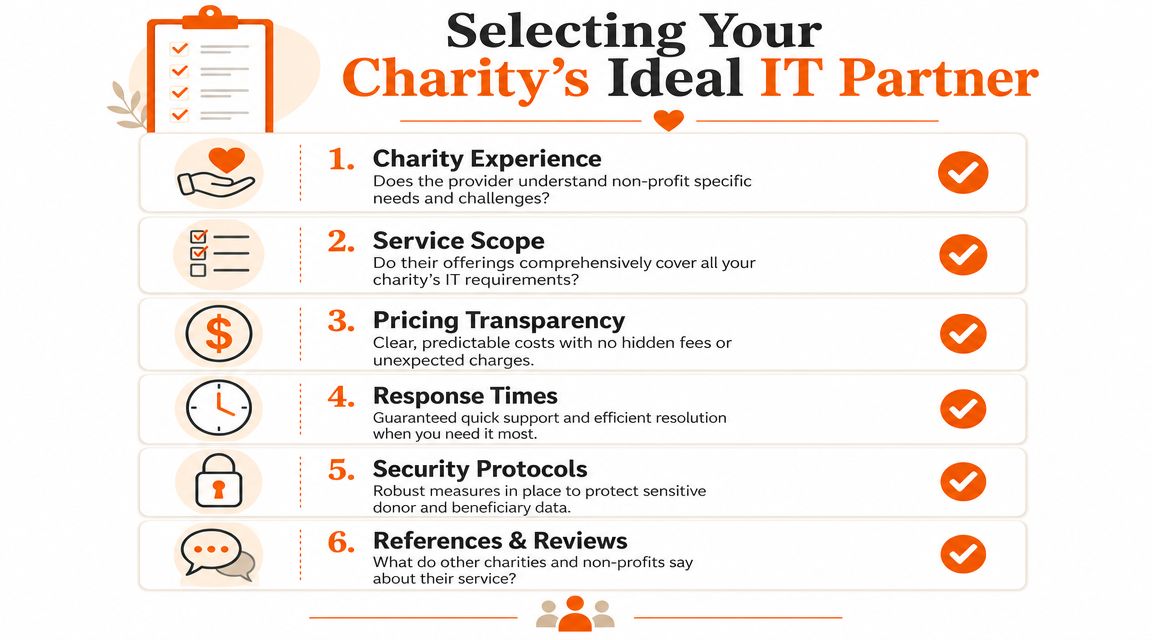
Questions worth asking every provider
Do you support charities or organisations with similar governance pressure?
Experience matters less as a badge and more as proof they understand trustees, funding constraints, leavers, volunteers, and role-based access.How do you handle Microsoft 365 security and recovery?
You want a plain-English answer covering MFA, privilege control, backup, and incident response.What is included in support, and what triggers extra charges?
Pricing should be predictable. Ambiguity usually turns into surprise invoices.How do you onboard and document the environment?
If they can't explain how they take control cleanly, support quality will depend too heavily on individual engineers.How do you report to leadership?
Trustees need usable reporting, not just technical ticket summaries.
A related lesson appears in other sectors with volunteer leadership and mixed technical confidence. For example, teams comparing HolyJot for church management often face the same challenge: choosing tools and partners that fit the organisation they are, not the one a vendor wants them to become.
A detailed buyer's view also helps when reviewing how to choose IT support more broadly, especially if your board wants a structured shortlist process.
Compare providers on fit, not claims
After the basics, compare providers side by side.
| Decision area | Better sign | Warning sign |
|---|---|---|
| Scope | Clear definition of what they manage and what they advise on | Everything sounds included until contract stage |
| Security | Talks about identity, backup, recovery, device controls | Talks mostly about antivirus and passwords |
| Support model | Named escalation paths and practical priorities | Generic promises with no ownership |
| Pricing | Simple monthly structure | Low entry price with vague extras |
| Communication | Regular reviews in business language | Technical reports with no decision value |
A good provider should be comfortable telling a charity not to buy something yet.
That answer often signals maturity. Providers who understand it support for charity work know that trust is built through sensible prioritisation, not upselling.
Your Implementation Roadmap and Measuring Success
Once a charity chooses a provider, the next concern is usually disruption. Staff worry about change. Trustees worry about risk. Good onboarding reduces both by replacing guesswork with a visible sequence.
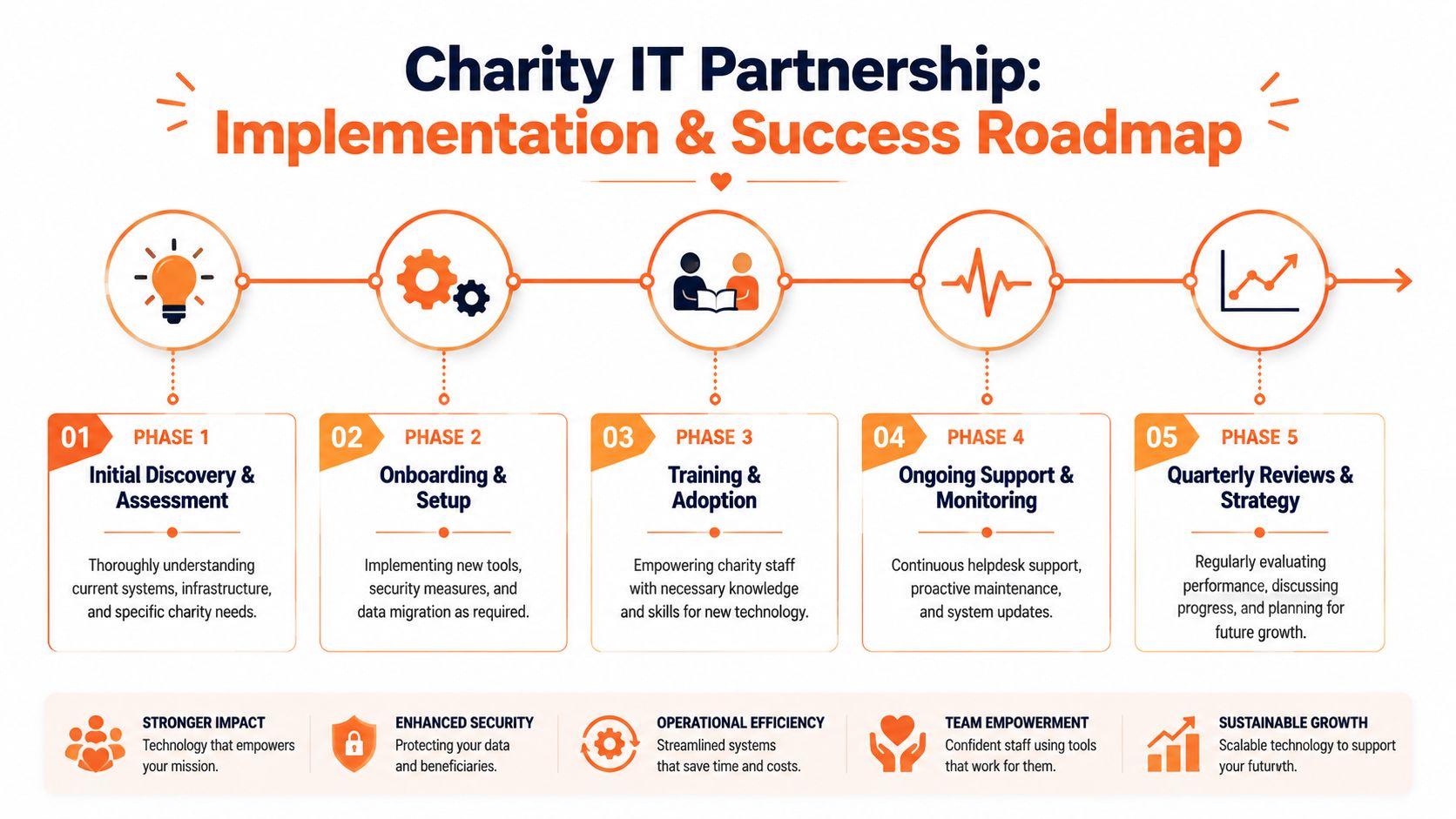
A practical rollout sequence
Most effective implementations follow a pattern:
Assessment
Review devices, users, admin access, Microsoft 365 settings, backup status, and critical risks.Control and clean-up
Secure admin accounts, enforce baseline policies, and remove obvious gaps such as stale accounts or unmanaged devices.Backup and resilience setup
Put recovery controls in place and confirm that restores are testable.User onboarding and training
Staff need simple guidance on logins, MFA, file access, and how to ask for help.Ongoing review
Revisit risks, licensing, support trends, and future priorities at regular intervals.
For charities with growing services, a broader technology roadmap for business growth can help trustees connect IT decisions to operational plans rather than treat support as a separate workstream.
What success should look like
Success isn't “the MSP is very technical”. It is more concrete than that.
- Critical issues are resolved quickly
- Staff know how to get help
- Access rights are controlled and reviewed
- Backups are tested
- Leadership receives clear, useful reporting
- Technology planning happens before emergencies
Service Level Agreements should reflect those outcomes. A charity should pay attention to response for urgent incidents, time to resolution, communication during outages, and accountability for recurring issues. Uptime matters, but so does whether the provider can explain business impact in terms staff and trustees understand.
The best SLA is the one a non-technical trustee can read and still use to challenge poor service.
That's when an IT partnership starts to mature. Support becomes less about firefighting and more about giving the organisation a stable platform for service delivery, fundraising, and compliance.
Conclusion
Charities don't need extravagant IT. They need dependable IT, governed properly and matched to the realities of limited budgets, sensitive data, and public trust. That's why strategic it support for charity work is best treated as mission assurance.
The right partner helps the board make disciplined choices. Protect access, secure Microsoft 365, back up what matters, standardise support, and measure outcomes that affect real services. When those foundations are in place, staff can focus less on workarounds and more on the people and causes they exist to serve.
If your organisation needs a clearer, more resilient approach to managed services, Blowfish Technology can help you assess risk, prioritise the right support stack, and build an IT foundation that protects your data, your team, and your mission.

The Blowfish Technology team. Managed IT, cloud services, software development and connectivity for North West businesses since 1999.