
If you're running a law firm in Chester, a finance practice in Liverpool, or a manufacturing business across multiple North West sites, the security pressure probably feels familiar. Microsoft 365 is central to daily work, staff are hybrid, suppliers need access, and every new connection seems to add another risk. Most businesses don't have a security team sitting in a room watching alerts all day, but the threats keep arriving anyway.
That's where managed it security services start to make business sense. Not as another software purchase, and not as a vague promise of "better protection", but as a practical way to reduce risk, support compliance, and keep operations moving when attackers, mistakes, or outages hit.
Table of Contents
- What Are Managed IT Security Services An Analogy for Business Leaders
- The Core Components of a Modern Security Service
- Key Benefits for SMEs and Regulated Sectors
- Navigating Compliance and Certification with a Partner
- Understanding Pricing Models and Calculating Your ROI
- Checklist for Choosing the Right MSSP in the UK
- From Plan to Protection Your Next Steps
What Are Managed IT Security Services An Analogy for Business Leaders
Think of your premises. You could fit better locks, install cameras, and hand out keycards. That's useful, but it still leaves you relying on someone in the business to watch the feeds, review incidents, reset access, and decide what to do when something looks wrong.
Managed it security services are the digital version of hiring a professional security firm instead of just buying locks.

Buying tools versus buying an operation
A lot of SMEs already own security products. They have antivirus, a firewall, Microsoft 365 controls, maybe multi-factor authentication. The gap is usually not the existence of tools. It's whether anyone is actively managing them, correlating signals, spotting suspicious behaviour early, and responding properly.
That's the difference between reactive IT support and managed security.
- Reactive support deals with visible problems. A laptop won't boot. An account is locked. Email has stopped syncing.
- Managed security looks for hidden problems before they become operational ones. It hunts for unusual sign-ins, suspicious device activity, risky configuration drift, and signs that an attacker is moving across systems.
- Good providers combine both views so the business doesn't end up with one team fixing symptoms and another team missing the cause.
Practical rule: If your current provider only gets involved after a user reports an issue, you have support coverage. You don't yet have a security operation.
What an MSSP actually does
A Managed Security Service Provider, or MSSP, takes ongoing responsibility for defined parts of your cyber defence. That usually includes monitoring, alert handling, containment, reporting, and guidance on security controls. In plain English, they don't just install protection and walk away. They stay involved.
For business owners, the most useful way to judge this is simple. Ask, "Who is watching, who decides, and who acts when something suspicious happens at 2am on a Sunday?"
If the answer is vague, you probably need a stronger model.
Businesses reviewing outsourcing options often struggle with where operational responsibility should sit. That's why guidance on strategic cyber security decisions is worth reading before signing anything. The right model isn't always full outsourcing. Sometimes it's a shared arrangement where your internal IT team keeps control of day-to-day systems while the security partner runs detection and response.
For a more general view of where managed support fits around security, this explainer on what a managed service provider does gives useful context.
Why the distinction matters
Legal, financial, and manufacturing businesses don't just need uptime. They need trust. Client data, supplier access, production continuity, and audit readiness all depend on controls working properly every day, not just after a problem has already spread.
That is what you're buying with managed it security services. Not a pile of licences. A working security function.
The Core Components of a Modern Security Service
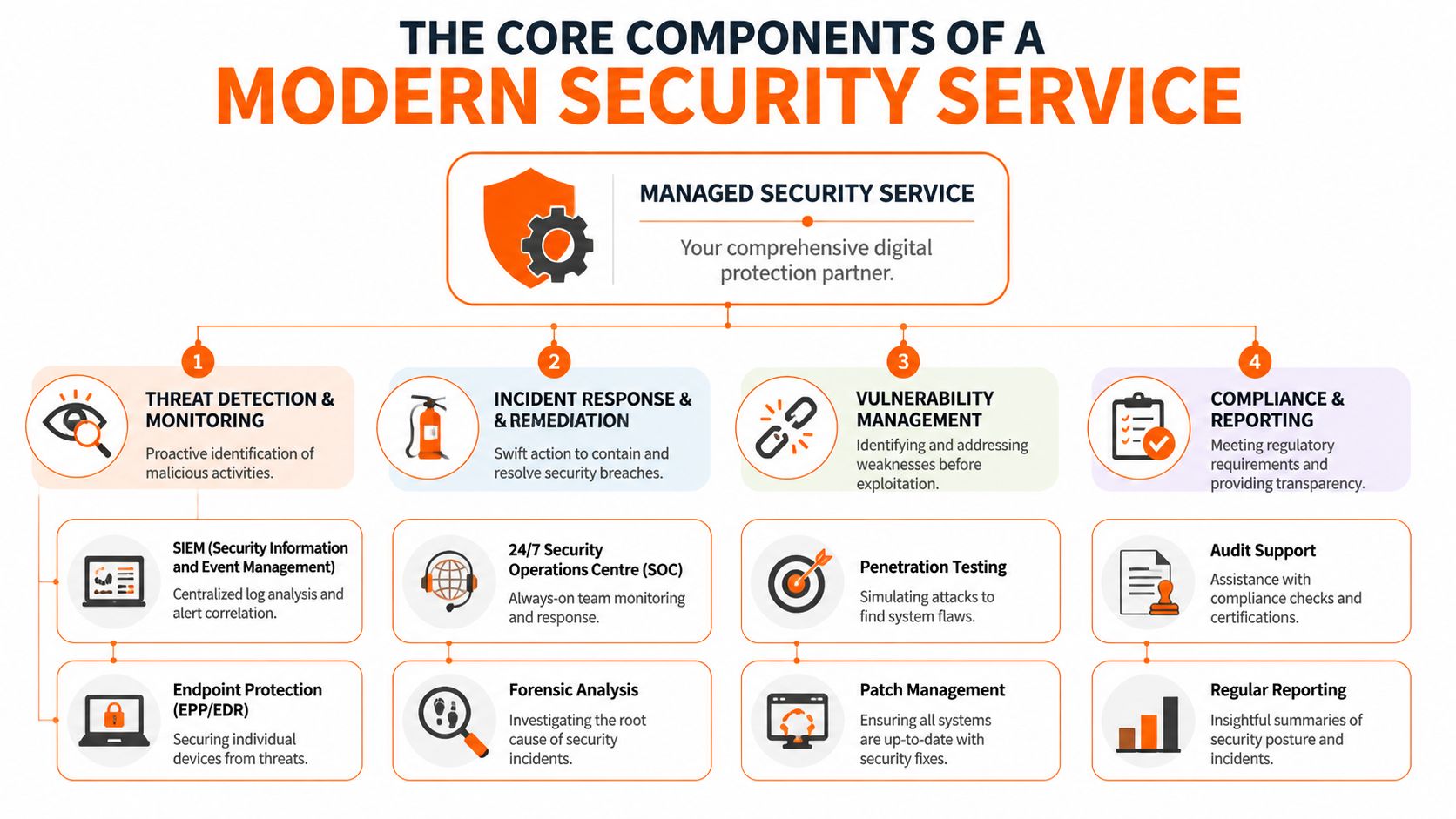
A strong service isn't one product. It's several layers working together so you can detect, investigate, and contain problems quickly without drowning your team in noise.
SOC as the control room
The Security Operations Centre, or SOC, is the control room. It collects signals from firewalls, endpoints, cloud platforms, identity systems, and security tools, then puts trained analysts around that flow of data.
Without a SOC function, alerts tend to land in separate dashboards that no one checks consistently. With a SOC, someone is responsible for deciding what matters, what can wait, and what needs action now.
For SMEs, that matters because attackers rarely announce themselves with one obvious event. They leave a trail. A suspicious login, an unusual process on a laptop, a rule change in Microsoft 365, or repeated failed authentication attempts. A SOC joins those dots.
MDR and EDR on the devices that matter
If the SOC is mission control, Managed Detection and Response, usually built around EDR, is the guard on each machine. It watches laptops, desktops, and servers for behaviours that basic antivirus often misses.
Practical improvement manifests through these services. Services using AI-powered MDR can reduce breach detection times from an industry average of 181 days to as low as 51 days, while cutting false positives by up to 73%, according to Vectra's overview of managed IT security services.
That doesn't mean every business gets identical outcomes. It means continuous monitoring changes the game. Instead of relying on a user to notice that "something feels off", the service looks for evidence directly on the endpoint.
If you want a more specific example of this layer, managed EDR services for business endpoints are one of the clearest building blocks to examine.
The fastest way to waste money in security is to buy detection tooling without a response process behind it.
Identity and cloud monitoring
A lot of modern attacks start with credentials, not malware. The attacker logs in, blends in, and uses legitimate tools badly. That's why identity monitoring matters as much as endpoint monitoring now.
Good managed services watch sign-in behaviour, privilege changes, impossible travel, risky admin actions, and account abuse across environments such as Microsoft 365 and Azure AD. In regulated firms, this helps with both security and audit evidence because the provider can show what happened, when, and what was done about it.
Vulnerability management and patch discipline
Some of the most avoidable incidents begin with a known weakness left open too long. Vulnerability management is the disciplined process of finding weak spots and closing them before someone else uses them.
A sensible provider will usually include:
- Vulnerability scanning to identify exposed systems, weak configurations, or outdated software
- Patch management so critical fixes are applied in an organised way
- Prioritisation based on business risk, not just technical severity
- Remediation guidance that tells your team what to fix first and why
User awareness and reporting
Technology catches a lot, but staff still make decisions every day that affect security. Someone clicks a link, approves a sign-in prompt, shares a file, or trusts a fake supplier email.
The best managed services don't treat users as the problem. They train them, test them, and give management clear reporting. That turns security from a hidden technical function into something the business can govern.
Key Benefits for SMEs and Regulated Sectors
The commercial case for managed it security services is stronger than it was a few years ago because the risk is higher and the cost of doing nothing is more visible. For UK SMEs, which account for 99.9% of all businesses, the average cost of a single data breach reached £10,299 in 2023, while the NCSC reported a 52% increase in cyber incidents, according to Mordor Intelligence's UK security managed services market overview.
For a smaller business, that isn't an abstract security discussion. That's cash, disruption, management time, and customer confidence.
Why owners and directors care
The biggest gains usually land in three places.
| Business pressure | What managed security changes |
|---|---|
| Unplanned financial exposure | Replaces one large unknown with a more controlled operating cost |
| Specialist skill gaps | Gives access to analysts, tools, and processes most SMEs can't build alone |
| Operational fragility | Improves the chance of finding and containing an issue before it spreads |
What works well in regulated and industrial environments
In legal and financial firms, the obvious concern is sensitive information. A breach isn't just an IT problem. It can become a client trust problem within hours. Managed security helps by tightening access control, monitoring identity misuse, and producing cleaner reporting for management and auditors.
Manufacturing has a different pain profile. There, the priority is often continuity. If ransomware or account compromise interrupts production planning, supplier coordination, or remote site access, the impact quickly moves from IT into operations. Businesses with mixed environments, older equipment, and multiple locations benefit from someone keeping an eye on weak points continuously rather than relying on periodic clean-ups.
Owner's view: The question isn't whether your business is "big enough" for managed security. The real question is whether you can absorb the disruption when a small mistake turns into a major incident.
Why in-house alone often falls short
Most SMEs don't need a full internal security department. They need consistent coverage, experienced judgement, and enough structure that alerts don't sit unseen. That's hard to achieve when one internal IT manager is also dealing with printers, new starters, telecoms, Microsoft 365 admin, and supplier requests.
For regulated and industrial sectors, managed security is often the practical middle ground. You keep business control, but you stop relying on stretched internal staff to do specialist security work in the gaps between everything else.
Navigating Compliance and Certification with a Partner
For many UK SMEs, compliance is the point where security stops being optional. A customer asks for evidence. A tender requires Cyber Essentials. A larger client wants assurance that your controls aren't informal. That's when managed security starts paying for itself in a different way. It makes the path to certification much more achievable.
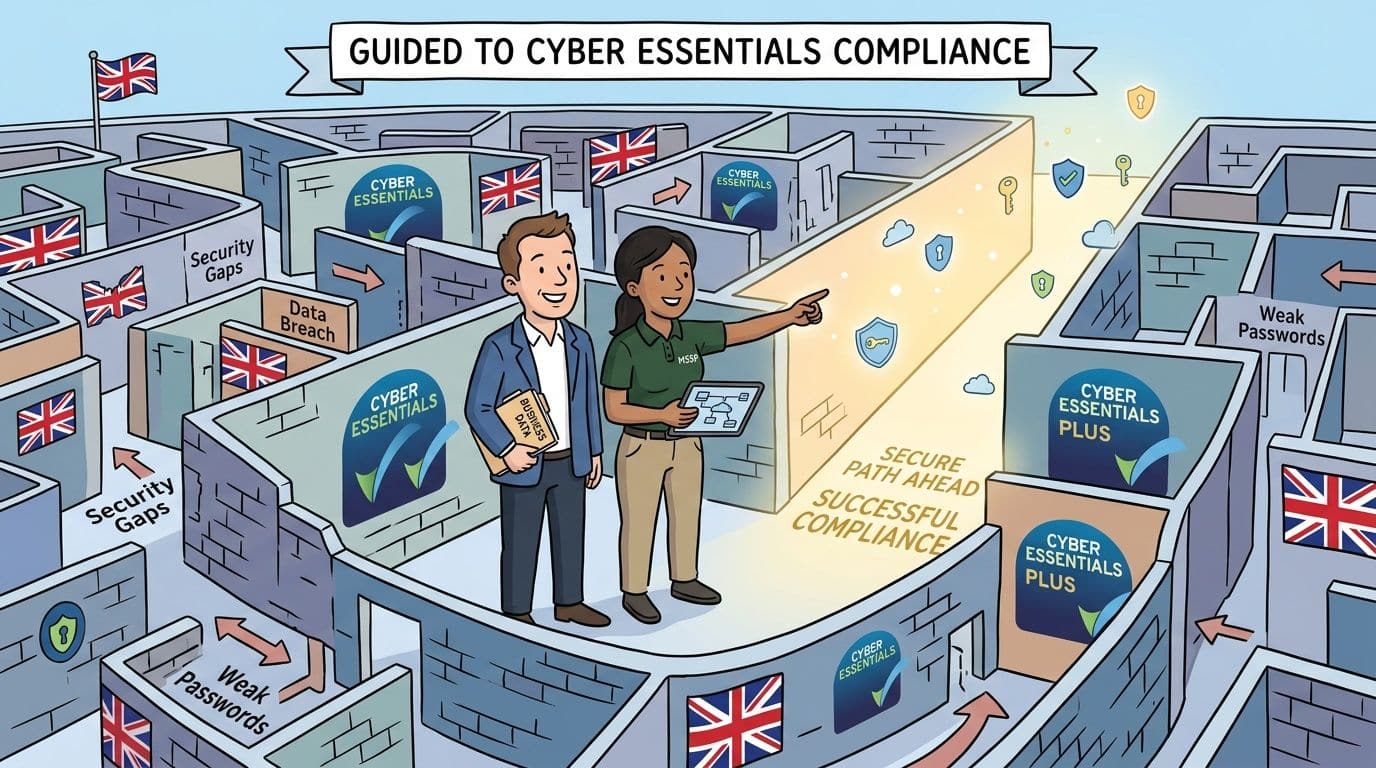
The gap is especially clear in industry. The 2025 UK Cyber Security Breaches Survey found that 43% of North West SMEs in manufacturing suffered phishing incidents, yet only 22% have achieved Cyber Essentials Plus, as noted in UnderDefense's review of managed cybersecurity services. That tells you something important. Risk is already present, but certified resilience often lags behind.
How managed security supports Cyber Essentials
Cyber Essentials and Cyber Essentials Plus aren't mysterious if you break them into operational habits. The challenge is making those habits consistent across users, devices, and sites.
A capable partner usually helps in areas such as:
- Access control so staff only have the permissions they need
- Patch and update discipline to keep supported software current
- Endpoint protection across business laptops, desktops, and servers
- Configuration hardening for Microsoft 365, firewalls, and remote access
- Evidence gathering so assessments don't turn into a scramble
That last point is often underestimated. Plenty of businesses have some of the right controls but can't prove they're applied consistently.
Compliance is easier when someone owns the process
Legal and financial businesses often add another layer because cloud platforms, retention rules, and customer requirements all intersect. If you're running regulated workloads in AWS or similar environments, this primer on understanding AWS regulatory requirements is useful background before you start mapping controls.
Managed security also helps with the human side of compliance. Someone has to translate technical settings into board-level language. Someone has to keep the remediation list moving. Someone has to decide what must be fixed now and what can be scheduled.
Here's a useful overview of the wider certification journey:
Where businesses get stuck
The failures are usually predictable.
- They treat certification as a one-off project when it needs ongoing control
- They buy tools without policy alignment so the audit trail stays weak
- They leave ownership unclear between internal staff, outsourced IT, and leadership
- They underestimate identity risk in Microsoft 365 and cloud admin accounts
A good partner reduces that friction. Not by promising magic, but by turning broad compliance requirements into a repeatable operating model.
Understanding Pricing Models and Calculating Your ROI
Security pricing gets murky when providers bundle tools, monitoring, support hours, and compliance help into one figure. That doesn't mean pricing is impossible to assess. It means you need to understand what the unit of charge is and what work is included.
The common pricing models
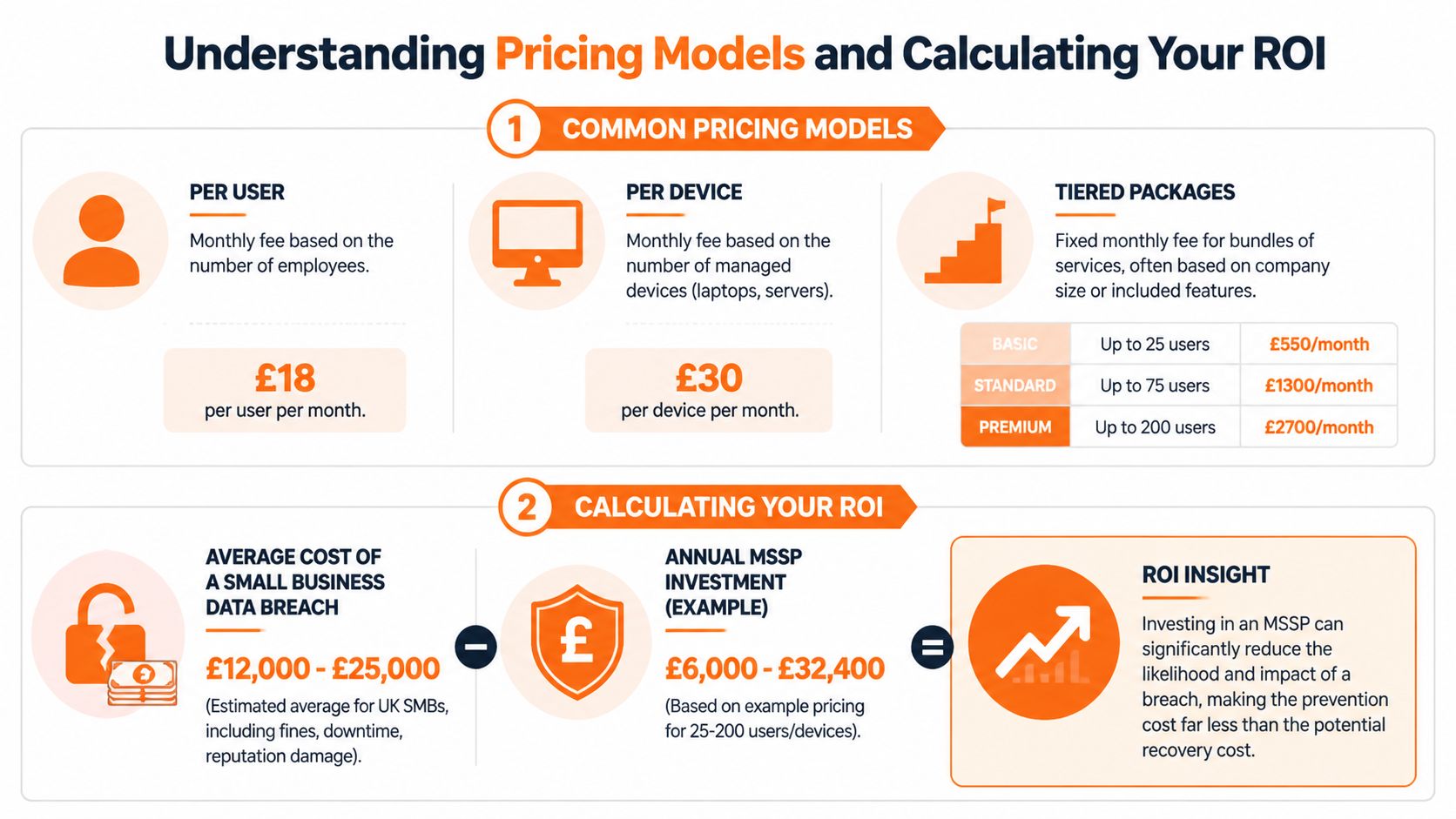
Most managed it security services for SMEs fall into a few patterns.
| Model | Best fit | Watch out for |
|---|---|---|
| Per user | Microsoft 365-heavy businesses with predictable headcount | Shared devices and server coverage can be unclear |
| Per device | Environments with lots of endpoints, servers, or workshop machines | Costs can rise quickly in mixed estates |
| Tiered package | Firms that want budget certainty and a defined service bundle | Some tiers hide exclusions in incident response or reporting |
The right model depends on how your business operates. A legal practice with a straightforward user base may prefer per-user pricing. A manufacturer with shared terminals, production devices, and site infrastructure may need a more specialized approach.
If you want a broader commercial benchmark for outsourced IT spend before drilling into security, this guide on how much outsourced IT costs is a sensible starting point.
What ROI really looks like
ROI in security isn't just "did we have a breach or not?" That's too simplistic. The better question is whether the service lowers likely impact, reduces management overhead, and avoids the hidden cost of trying to build specialist capability internally.
One useful benchmark from the UK market is this. 52% of UK firms report insufficient cybersecurity expertise, and transparent MSSP pricing models can deliver 20-30% cost reductions compared with building and maintaining an equivalent in-house security team, according to ProServeIT's discussion of embedded managed security.
Security ROI often shows up as avoided chaos. Fewer urgent incidents. Less time spent interpreting alerts. Cleaner audits. Better decisions about what actually needs fixing.
A practical finance test
When reviewing proposals, ask your provider to separate these cost areas:
Core monitoring and response
What is covered every month, and what triggers extra charges?Tooling and licences
Are EDR, identity monitoring, DNS filtering, and reporting included or added separately?Compliance support
Is Cyber Essentials preparation part of the service or a project fee?Incident handling
If a serious event occurs, is remediation included up to a threshold?
Procurement teams often compare services more effectively when pricing is broken into understandable units. Even though it isn't a security article, this guide to CI pricing for teams is a good example of the kind of transparent packaging buyers should expect from any recurring service.
One provider option in the North West market is Blowfish Technology, which combines managed EDR, ITDR, DNS filtering, user awareness training, and Cyber Essentials support within a broader managed IT model. The important point isn't the brand. It's whether the scope, responsibilities, and commercial model are clear enough for your business to govern properly.
Checklist for Choosing the Right MSSP in the UK
Most provider selections go wrong in one of two ways. Either the business buys on price and discovers key services aren't included, or it buys a technically impressive service that doesn't fit how the company works.
The better approach is to run a disciplined shortlist and ask direct questions.
Questions that reveal the real service
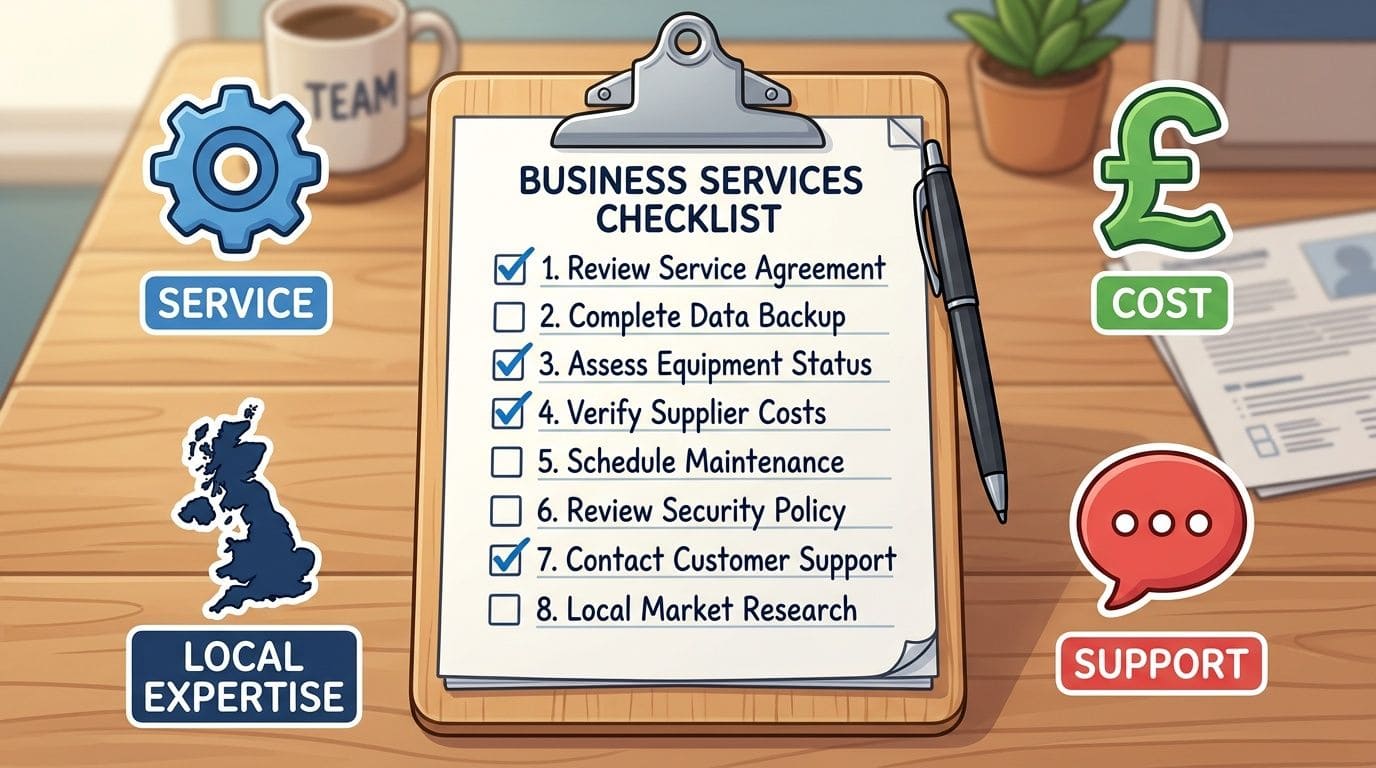
Use this as a working checklist in meetings.
Who is doing the monitoring
Are analysts UK-based, and who handles alerts outside normal office hours?What exactly is being covered
Endpoints only, or also Microsoft 365, identity, DNS, firewalls, and cloud workloads?How do you respond to incidents
Will they isolate a device, disable an account, contact your team, or only raise a ticket?What experience do you have in our sector
Legal, financial, and manufacturing firms face different pressures. The provider should understand the difference.How do you support compliance
Ask how they help with Cyber Essentials, evidence collection, access control, and policy alignment.What does reporting look like
Board-friendly summaries are just as important as technical detail.
Questions with a North West lens
For many SMEs, geography still matters. You may not need someone on-site every week, but local accountability matters when an outage or security event affects operations.
Ask these as well:
| Question | Why it matters |
|---|---|
| Can you provide on-site support in the North West if required? | Some incidents need physical access or face-to-face coordination |
| How do you protect UK data sovereignty requirements? | This affects compliance and customer assurance |
| What are your guaranteed response times? | You need measurable expectations, not vague promises |
| How do you work with existing IT staff or third parties? | Shared responsibility must be clear before an incident |
If you want a broader buying framework before narrowing into security specifics, this guide on how to choose IT support helps structure the decision.
Don't ask only what tools the provider uses. Ask who takes responsibility when those tools raise an alert at the worst possible moment.
Red flags worth taking seriously
Some warning signs are easy to miss in sales conversations.
- Overuse of jargon usually hides weak process
- Unclear boundaries create disputes during incidents
- No compliance vocabulary is a bad sign for regulated businesses
- One-size-fits-all packages rarely suit multi-site or mixed-environment firms
- Reporting focused only on ticket counts tells you very little about actual risk
A good MSSP should sound organised, not theatrical. You want clear ownership, plain language, sensible escalation, and enough flexibility to fit the way your business runs.
From Plan to Protection Your Next Steps
The path from exposed to resilient is usually less dramatic than people expect. It starts with clarity. What are you protecting, where are the weak points, and who is responsible when something goes wrong?
Two common examples show why this matters.
A small law firm may already have decent Microsoft 365 controls, encrypted laptops, and a capable outsourced IT provider. The missing piece is often continuous oversight of identity risk, suspicious sign-ins, and evidence for compliance. In that case, managed security gives the firm more than protection. It gives partners confidence that client data is being handled with proper operational discipline.
A manufacturer has a different problem. Shared devices, remote access, supplier connections, and production pressures create lots of small openings. There, the priority is often containment. If ransomware or account compromise starts somewhere in the estate, the business needs fast detection, clear escalation, and the ability to isolate the issue before it disrupts operations more widely.
Start with three steps:
Run a simple internal risk review
List your critical systems, sensitive data, key users, remote access points, and the places where a single mistake would hurt most.Test your current provider against the checklist above
If answers are vague, delayed, or tool-focused rather than responsibility-focused, that's useful information.Get a specialist security assessment
A good consultation should clarify risks, controls, scope, and priorities without forcing you into an oversized package.
If your business needs a clearer view of its current cyber risk, Blowfish Technology offers managed IT and security support for North West SMEs, including regulated and industrial organisations that need practical help with endpoint protection, identity security, compliance, and day-to-day resilience.

The Blowfish Technology team. Managed IT, cloud services, software development and connectivity for North West businesses since 1999.