
“Modern workplace” is a phrase vendors reach for when they want to sell you another subscription. Strip it back and it is four practical things: how your people sign in, how their devices are managed, how colleagues collaborate on site and at home, and what rules decide who reaches which system. Get those right and the business notices. Get them wrong and you have bought a licence refresh with a fashionable name.
For a North West SME of 20 to 200 people, the stakes are concrete. Around 46% of small businesses reported a breach in the past year, and phishing was the most disruptive type for 69% of those affected. Two-factor authentication sits at 47% adoption and VPNs at 36%, even though cloud backups, firewalls and password policies each reach roughly three-quarters of firms. The gap is identity and access control.
This analysis walks through what a modern workplace actually means, then identity, managed devices, collaboration and conditional access in turn. It covers what changes day to day, why North West context shapes the design, how to judge a project before you sign, the risk case, the AI angle, and where to start this quarter.
What “Modern Workplace” Actually Means (and What It Does Not)
“Modern workplace” is a vendor label. Most North West SMEs have been sold one as a licence bundle with a new name, not as a change to how the business works.
Strip the phrase back and four parts remain: identity, managed devices, collaboration and conditional access. Everything else is packaging.
Why the label persists is simple. It maps onto a real shift from per-device IT support to per-person, per-identity support, which matters more when staff move between office, home and client sites, because the person stays the same while the machine changes.
The argument here is straightforward: a modern workplace programme should start from how the business actually works, whether hybrid, site-based or regulated, and be judged on licence waste removed, device onboarding time and access control strength.
What follows is an analysis of what changes day to day for a 20 to 200 person firm. It is not a product pitch or a licensing comparison.
Figures referenced later come from the Cyber Security Breaches Survey 2025/2026 on GOV.UK. Its published summary does not set out the business size bands, so check the full report before quoting any figure at face value.
Start with the first part, identity.
Part One: Identity, or How Your Team Actually Signs In
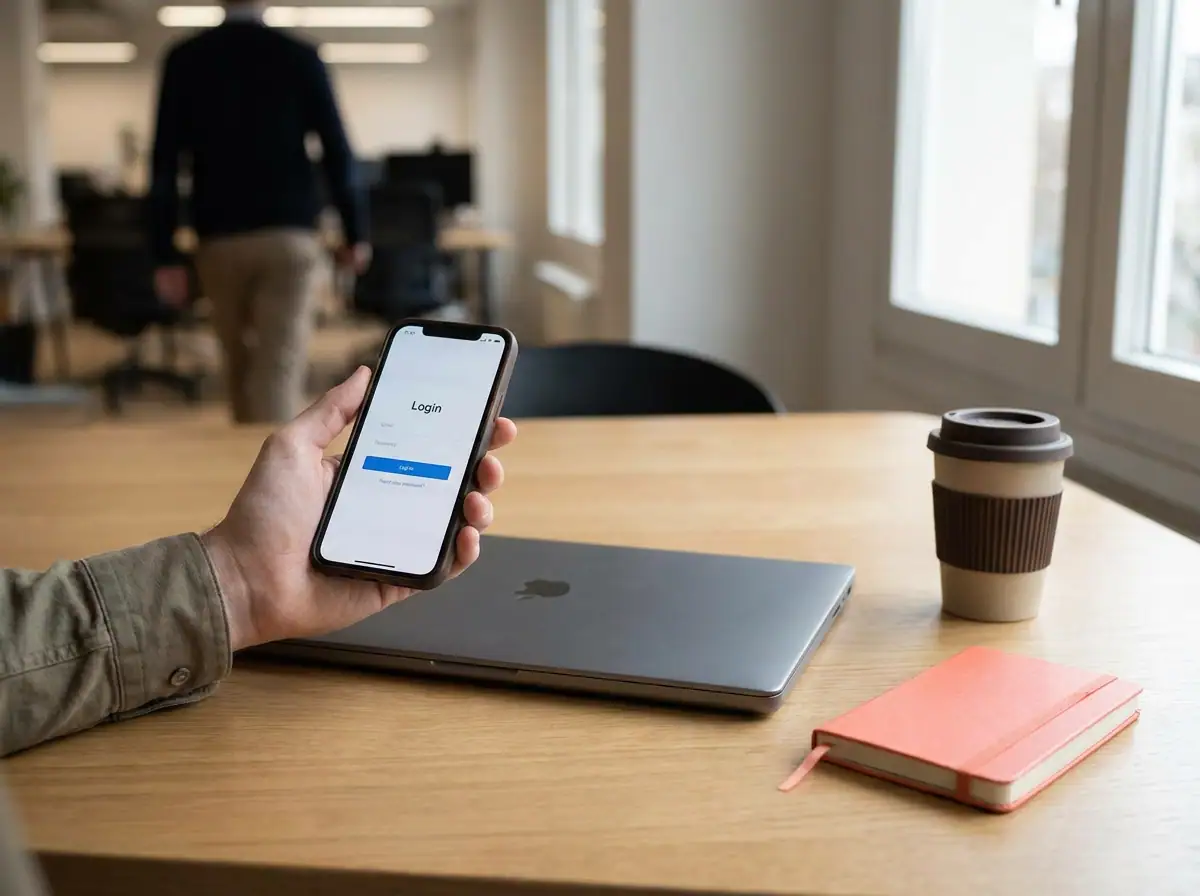
Identity is now one account per person, not a local Windows login tied to a desk. It follows staff onto a work laptop, a phone or a shared site terminal, with one password and one sign-in. Day to day, that means self-service password reset and a single view of who can reach email, files, line of business apps and the finance system.
For a 20 to 200 person firm, joiners and leavers expose the gain fastest: one identity makes onboarding and offboarding one action rather than five. The trade-offs are real. Someone must own admin rights, shared mailboxes and generic accounts need a policy, and older on-premises systems may integrate or need a workaround.
The NCSC identity and access management guidance is a sound starting point. After rollout, identity hygiene still needs maintaining. That is where Blowfish Technology’s managed IT support and cyber security work, including EDR and threat hunting, helps SME teams keep access tidy, and a disciplined approach to passwords supports it. Part Two moves on to the devices that identity signs in on.
Part Two: Managed Devices and the Real Cost of Onboarding
Once identity is settled, the next question is what people sign in from.
The shift is straightforward: instead of IT building a laptop by hand, the device configures itself from a profile the moment the employee first switches it on. Device management then covers operating system patching, antivirus and endpoint detection and response, encryption, application deployment, and the ability to lock or wipe a lost laptop remotely.
Most North West SMEs run a mixed estate: Windows laptops for office and hybrid staff, shared devices on site, and phones and tablets that may or may not fall in scope. Agree that boundary early, using the NCSC Cyber Essentials requirements for IT infrastructure as a reference point.
Onboarding time is the fairest test of the whole project. Measure unboxing to productive employee before and after. No external benchmark should be quoted, because build complexity and local connectivity vary so widely.
Device management is only as good as what sits underneath it. Cloud backup, infrastructure, managed Wi-Fi and, for some firms, a UK hosted desktop carry the weight when a device is lost, replaced or rebuilt.
Collaboration is the next layer, and it depends on this foundation holding.
Part Three: Collaboration That Works Hybrid and On Site
Managed devices set the foundation; collaboration is what the team feels daily. In a Microsoft modern workplace, that means shared files, calendars, calling and meeting rooms, not a chat app bolted onto a file server.
For hybrid staff, files open from home without a VPN, versions stop multiplying as email attachments, and meetings work from a kitchen table or site cabin. For field teams, it means job sheets, drawings and client records on a phone, where signal quality decides whether a visit finishes on site. That is where connectivity, leased lines and hosted phone systems earn their place.
One governance question gets skipped: where data physically sits, who can share it externally, and whether the tool meets your regulatory obligations. In the Cyber Security Breaches Survey 2025/2026, only 51% of businesses had specific rules for storing and moving personal data files, and 14% held personal data without anonymisation or encryption.
Data rules and collaboration belong in the same conversation, including cloud, local or hybrid? decisions about where files live. Conditional access comes next.
Part Four: Conditional Access as the Rulebook
Collaboration tools are only as safe as the sign-in behind them.
Conditional access is the rulebook for that sign-in. It is a set of if-then rules that decide whether access is granted, based on who the person is, which device they are on, where they are, and how sensitive the system is.
For a North West SME, that might mean finance systems that open only from a managed device, admin consoles that demand a second factor, and sign-ins from unfamiliar countries being blocked.
The gap here is real. Two-factor authentication stood at 47% and VPN use at 36% in the Cyber Security Breaches Survey 2025/2026, making identity and access the clearest weakness in otherwise well-controlled businesses.
The trade-off is honest: rules set too tight drive staff to shadow IT and fill the helpdesk queue. Start with a few high-value rules and grow them.
Conditional access is the front door. Blowfish Technology’s cyber security service, covering EDR and threat hunting, is what sits behind it.
What Actually Changes Day to Day for a 20 to 200 Person Firm
With the rules set, the day-to-day difference is easiest to see as a before and after. Before: a new starter waits days for accounts; a leaver’s access lingers; a forgotten password becomes a helpdesk call; a laptop left on a train causes a scramble; and a client document request while you are off site means ringing the office. After: the new starter signs in on day one, access is removed in one action, password reset is self-service, the laptop is locked or wiped remotely, and the document opens from a shared library.
Time returns to the business as fewer manual account changes, fewer machine rebuilds and fewer “who has the file?” conversations. New discipline is required: staff must follow sign-in rules, keep second factors working and stop routing work through personal cloud accounts.
Technology does not fix process. With no owner for access decisions or no data rules, those become the real blocker. Where internal IT is drowning in these tickets, co-managed IT services can share the load. Measure the categories in your own firm rather than assuming a number.
Why North West Context Changes the Design
A design built for a Manchester city-centre desk will not survive contact with a North West estate. Commuters across Preston, Manchester and Liverpool often split a week three ways: home, client site and office. Devices leave the building, so access rules must follow the person, not the desk.
Manufacturers, construction, logistics and trade firms bring shared terminals, shift patterns and patchy mobile signal that a desk-based rollout ignores. Those handling legal, health, financial or personal data need evidence of who accessed what, which makes access logging a requirement rather than an extra. Most 20 to 200 person firms also carry a decade of hardware, a legacy line of business application and at least one supplier insisting on its own login. The plan must absorb all three.
Connectivity varies street by street, so test real line performance using published coverage data such as Ofcom’s Connected Nations 2025 before rollout, and make sure support commitments in your IT support SLA guide for North West businesses match what each site can actually deliver.

How to Judge a Modern Workplace Project Before You Sign
Before signing a modern workplace project, test four commitments. Licence waste: ask which tiers you pay for today, which features go unused, and the target cost per user per month after rollout, with reasoning documented. Device onboarding: measure your current unboxing-to-productive time, then fix how it will be re-measured against that same baseline. Refuse generic benchmarks. Access control: put expected go-live controls in writing: second-factor authentication for everyone, restricted admin rights, and rules for sensitive systems. Exit terms: confirm who owns the tenant, licences and configuration if you change provider, a common regret for SMEs. If you are planning a broader move, our cloud migration planning for North West businesses guide sets out the sequencing. Run a fifteen-minute self-assessment: can you revoke a leaver’s access the same day? Are shared accounts unique and auditable? Are unmanaged devices blocked from business data? Do data rules cover storage and sharing? If gaps are unclear, talk it through with Blowfish’s managed IT team.
The Risk Context That Makes This Worth Doing
That checklist is only worth running if the underlying risk justifies the effort. The Cyber Security Breaches Survey 2025/2026 found that 43% of UK businesses experienced a breach in the last 12 months, rising from 42% of micro and 46% of small firms to 65% of medium and 69% of large ones. The survey’s published summary does not define those size bands, so map them to a 20 to 200 person firm with care.
Phishing is the threat that matters most here: 38% of respondent businesses were affected, and 69% of those rated it their most disruptive breach. That is precisely the exposure identity controls and second factors are built to blunt.
The basics are well covered, with cloud backups, firewalls, password policies and restricted admin rights all around 73% to 74%. Two-factor authentication sits at just 47%, which is where the marginal gain lies. Ransomware fell to 1% of participants from 3% in each of the two preceding years, welcome news but no reason to deprioritise access control.
Verify every figure against the full GOV.UK survey, published 30 April 2026, before publication, and source onboarding or cost claims from your own records.
The AI Angle: Adoption Is Outrunning Access Control
That access-control gap is about to be tested. About a third of businesses use, are adopting or are considering AI, yet only 24% of that group had practices in place to manage AI risks, and roughly a third planned none. AI is a new area of the Cyber Security Breaches Survey, so treat these figures as direction of travel.
It lands in a modern workplace project because AI tools are reached through the same identity, devices and sign-in rules. Weak conditional access is weak AI governance.
For a 20 to 200 person firm, the questions are practical: which AI tools are approved, what data is allowed into them, who reviews the answers, and whether each tool inherits your access controls or sits outside them.
That is a small set of decisions, not a programme, which fits a firm with no compliance team. The challenges to manage are easier when identity, cloud backup and threat detection sit underneath. Blowfish’s cyber security and cloud services teams maintain those controls, so AI use starts from a governed platform rather than a personal account.
Where to Start This Quarter
If a modern workplace project cannot show what changed in licence spend, device onboarding time and access control, it was a licence refresh with a fashionable name.
Three actions for this month:
- Decide one identity question: second factors for everyone, plus a review of who holds admin rights.
- Baseline device onboarding time, from unboxing to a productive employee.
- List every licence tier and user count before you renew anything.
The next twelve months run in order: identity and access first, device management second, collaboration and connectivity third, with AI rules set alongside whichever comes first. Design all of it from how your business works, whether that is hybrid, site-based or regulated, rather than from a vendor template.
Blowfish Technology is a North West managed IT and technology services provider founded in 2012, delivering managed IT support, cyber security, cloud services, telecoms and connectivity. Talk to us about sequencing your own programme.
In short:
- Measure licence spend, onboarding time and access control.
- Start with identity.
- Set AI rules early.
Conclusion
A Modern Workplace for a North West SME is not a licence refresh. It changes how people sign in, how devices are onboarded, how teams collaborate, and how access is controlled. Measure licence spend, onboarding time, and access control so progress is visible. Start with identity, then device management, collaboration and connectivity, with AI rules set early. Design around how your business actually works, whether hybrid, site-based or regulated.
The next step is to talk to Blowfish Technology about sequencing your own programme. Founded in 2012, Blowfish Technology is a North West managed IT and technology services provider delivering managed IT support, cyber security, cloud services, telecoms and connectivity. Use that foundation to make every change measurable, governed and useful, then begin this quarter with one identity decision.
Frequently Asked Questions
What does 'modern workplace' actually mean?
The post says the phrase is a vendor label, but in practice it comes down to four parts: identity, managed devices, collaboration and conditional access. Everything else is packaging. It reflects a shift from per-device IT support to per-person, per-identity support, which matters when staff move between office, home and client sites.
What is the first step in a modern workplace project?
Start with identity. Identity means one account per person rather than a local login tied to a desk. It follows staff across devices and gives one sign-in, self-service password reset, and a single view of who can reach email, files, line of business apps and the finance system. For a 20 to 200 person firm, one identity also makes joiners and leavers a single action.
How should a business judge a modern workplace project before signing?
Test four commitments: licence waste (which tiers you pay for, which features go unused, and the target cost per user per month), device onboarding (measure current unboxing-to-productive time and re-measure against that same baseline), access control (second-factor authentication for everyone, restricted admin rights and rules for sensitive systems, in writing), and exit terms (who owns the tenant, licences and configuration if you change provider).
Why does the post say the access control gap matters?
In the Cyber Security Breaches Survey 2025/2026, two-factor authentication stood at 47% and VPN use at 36%, while cloud backups, firewalls and password policies each reached roughly three-quarters of firms. The post calls identity and access the clearest weakness. Phishing was the most disruptive breach type for 69% of affected businesses, and identity controls and second factors are built to blunt that exposure.
What should a North West SME do first this quarter?
The post recommends three actions this month: decide one identity question (second factors for everyone, plus a review of who holds admin rights), baseline device onboarding time from unboxing to a productive employee, and list every licence tier and user count before renewing anything. The next twelve months should run as identity and access first, device management second, collaboration and connectivity third, with AI rules set alongside whichever comes first.
