
Monday morning starts badly. Staff can't open shared files, Microsoft 365 looks wrong, the line-of-business system won't authenticate, and someone in accounts says a ransom note has appeared on screen. At that point, nobody cares whether backups exist in theory. They care about what gets restored first, who makes the call to take systems offline, how clients are informed, and how quickly the business can operate again.
That's where most UK SMEs get caught out. They've bought backup software, maybe even passed a basic security checklist, but they haven't built a recovery process that works under pressure. In regulated sectors, that gap shows up fast. Auditors ask for evidence. Clients ask how you protect service continuity. Insurers ask what was tested, by whom, and when.
A useful disaster recovery plan isn't a binder on a shelf. It's a working set of decisions, contacts, restore steps, and test records that people can use during a messy real incident. If you're looking at how to create a disaster recovery plan for a legal practice, manufacturer, finance firm, or growing multi-site SME, the hard part isn't writing headings in a template. It's turning resilience into a routine.
Table of Contents
- Why Your Business Needs More Than Just Backups
- First Assess Your Risk and Business Impact
- Building Your Core Disaster Recovery Plan Document
- Choosing Your Recovery Strategy and Tooling
- Activating Your Plan Through Testing and Runbooks
- Meeting Compliance and Maintaining Your Plan
Why Your Business Needs More Than Just Backups
A backup is only one component of recovery. If ransomware lands on a file server, a backup might preserve the data, but it doesn't answer the operational questions that matter in the first hour. Which systems are isolated first? Who decides whether to fail over or restore? How do staff work if identity services are unavailable? What do you tell clients if email is affected?
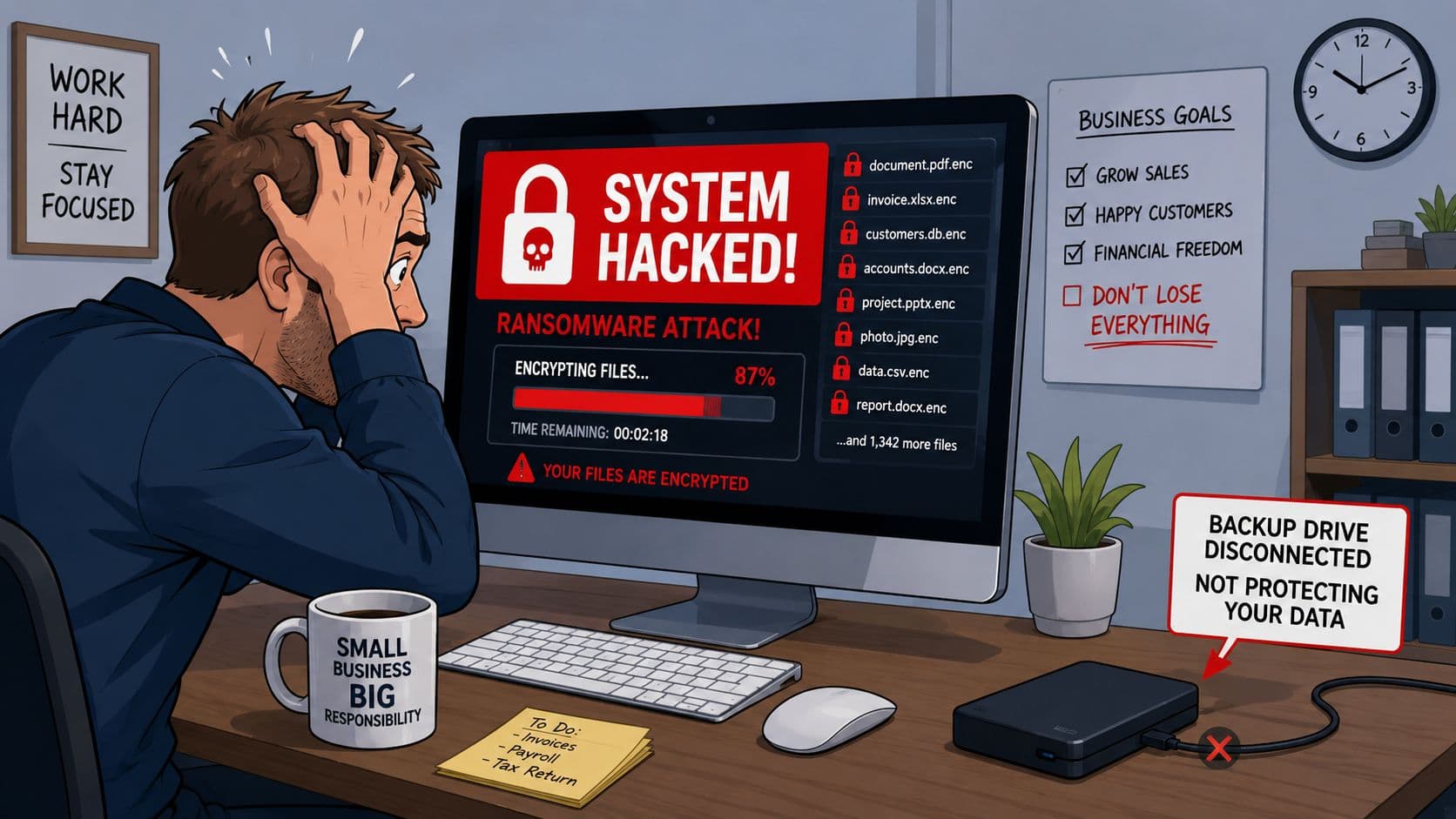
For UK SMEs, this isn't an edge case. The UK Government's Cyber Security Breaches Survey 2024 found that 50% of UK businesses reported a cyber security breach or attack in the previous 12 months, rising to 70% for medium-sized businesses, according to this summary of the survey findings. That's why disaster recovery planning now starts with cyber disruption, not just fire, flood, or hardware failure.
Backups don't create order
A business can have copies of data and still fail to recover cleanly. The usual reasons are familiar:
- No restore order: Teams try to recover everything at once, instead of restoring the systems that let the business function.
- No named decision-maker: People wait for approval because nobody knows who can declare an incident.
- No communication plan: Staff hear conflicting instructions, clients hear nothing, and suppliers keep working on assumptions.
- No validation: Restores complete technically, but applications still fail because permissions, identities, or integrations weren't checked.
Practical rule: If your backup strategy doesn't tell your team what to do in the first hour of an incident, it isn't a disaster recovery plan.
There's also a false sense of comfort in old backup jobs that show “successful” in a dashboard. Success doesn't always mean recoverable, current, or complete. If you're relying on ageing or poorly tested backups, this guide on how outdated backups could leave you exposed is worth reading.
Recovery is about service continuity
A proper plan links technology recovery to business operations. In practice, that means the finance team needs access to the accounting system, fee earners need document access, production staff need line-of-business systems, and management needs a way to communicate with staff and customers. Recovery has to be sequenced around those outcomes.
That's why learning how to create a disaster recovery plan properly matters. It moves the conversation from “do we have backups?” to “can we restore the right services, in the right order, with the right people involved?”
First Assess Your Risk and Business Impact
Most weak disaster recovery plans fail before the document is even written. The business never defined what matters most, what depends on what, or how much downtime it can tolerate. So the plan ends up vague, technical, and impossible to execute.
A robust DR plan starts with a formal business impact analysis to establish service recovery requirements. UK guidance from the National Cyber Security Centre recommends organisations classify critical services, map dependencies, and define maximum tolerable downtime (RTO) and data loss (RPO) before documenting restore procedures, as outlined in this disaster recovery planning guidance.
Start with business impact, not technology
A business impact analysis, or BIA, is a structured way to decide what hurts most when systems stop. Don't begin with servers and backup appliances. Begin with business services.
For a legal firm, that might include case management, document access, email, and secure remote working. For a manufacturer, it might be ERP, production scheduling, stock control, and connectivity between sites. Ask each department what stops them trading, serving clients, or meeting regulatory obligations.
Use questions like these:
- Which activity must return first: Billing, production, client communications, or document access?
- What's the consequence of downtime: Missed orders, missed court deadlines, inability to process payments, or loss of operational oversight?
- Who depends on the service: Internal teams, clients, suppliers, or remote users?
- What's the manual workaround: Can the team continue on paper or in a spreadsheet, and for how long?
Build an inventory that includes dependencies
Once you know the critical services, list the technology that supports them. Many SME plans often become too shallow at this stage. They record the main application but miss the hidden dependencies that make recovery possible.
A realistic inventory should include:
- Core business applications: Practice management, ERP, CRM, finance systems, production software.
- Data locations: File servers, SharePoint, Microsoft 365, databases, user devices, cloud platforms.
- Infrastructure services: Identity, DNS, internet connectivity, firewalls, virtual hosts, remote access tools.
- Third parties: Hosted providers, telecoms vendors, software suppliers, outsourced support, broadband carriers.
Don't write “restore server”. Write “restore domain services first, then line-of-business application, then user access, then printing and non-critical shares”.
That level of detail prevents the common mistake where a team restores an application before the services it relies on are available.
Set RTO and RPO targets that mean something
This is the part many firms skip because the terms sound technical. They aren't.
RTO, or Recovery Time Objective, is the maximum acceptable downtime.
RPO, or Recovery Point Objective, is the maximum acceptable data loss measured by time.
If your accounts package has an RPO of four hours, you're saying the business can tolerate losing up to four hours of data entered before the incident. If your case management system has an RTO of two hours, you're saying it needs to be back within that time.
Here's a simple working example.
| Business System | Example RPO (Max Data Loss) | Example RTO (Max Downtime) | Criticality |
|---|---|---|---|
| Microsoft 365 email | 4 hours | 4 hours | High |
| File server for active client or production data | 1 hour | 4 hours | High |
| Finance system | 8 hours | 1 business day | Medium |
| CRM system | 8 hours | 1 business day | Medium |
| Archive data repository | 24 hours | 2 business days | Low |
These are examples, not universal targets. The right values depend on the cost of downtime, client commitments, and regulatory pressure. If you need help putting a cost lens on those decisions, Blowfish's article on the real cost of an hour's IT downtime for a North West business is a useful prompt for internal discussions.
Building Your Core Disaster Recovery Plan Document
Once the impact analysis is done, you can write the actual plan. At this stage, many businesses either overcomplicate things with too much theory or underwrite them with a one-page checklist that won't survive a real incident. A good plan sits in the middle. It's detailed enough to run from, but concise enough to read under pressure.
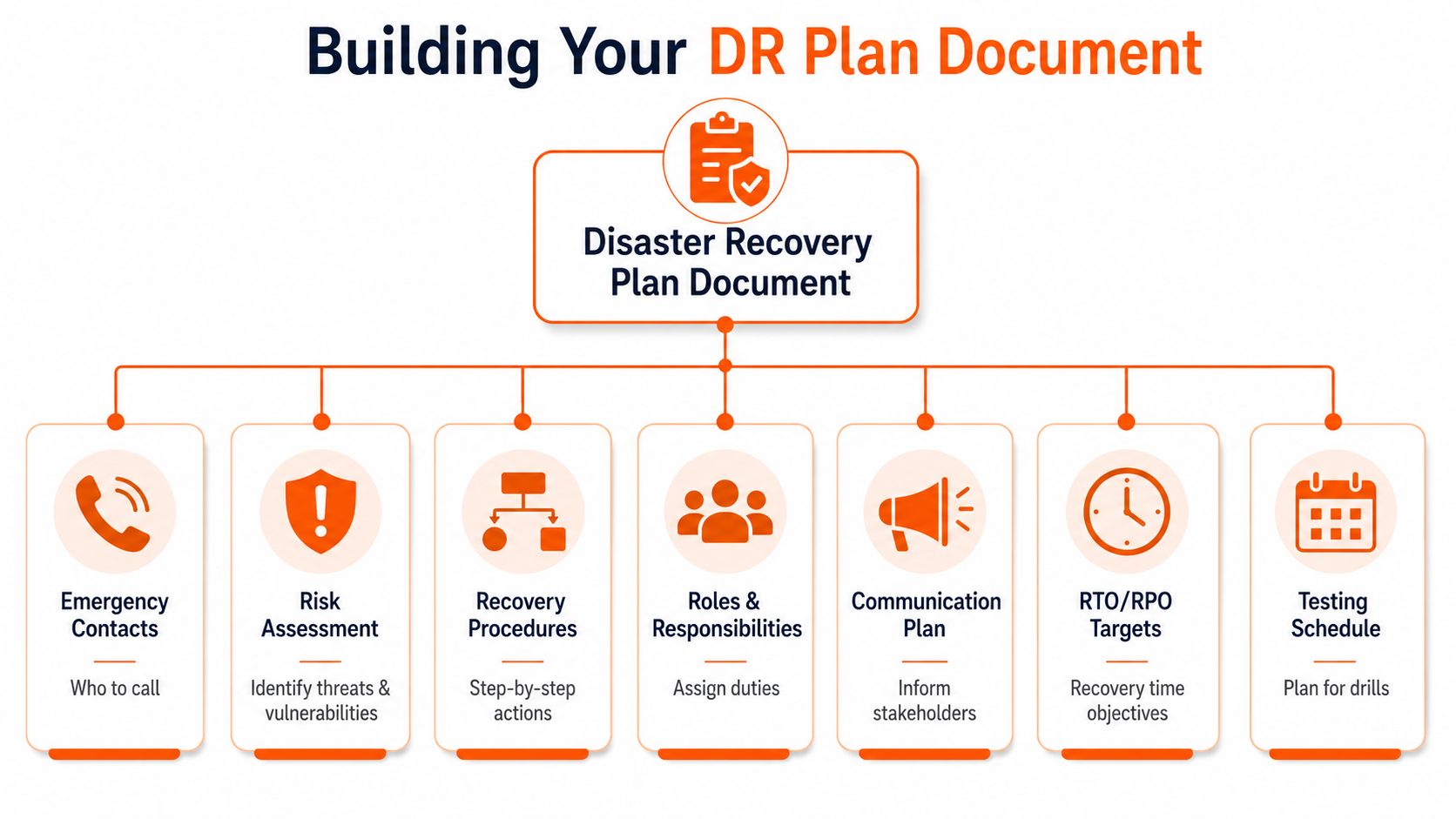
Microsoft's UK guidance says organisations should define roles and responsibilities, identify the systems and data in scope, and set recovery goals such as RTO and RPO before documenting failover procedures. The same guidance recommends plans specify which services recover first, who can declare a disaster, how communications are handled, and what automated or manual steps are required to restore service in sequence. It also recommends that disaster recovery plans for multi-region workloads be reviewed regularly, ideally every six months, in this Microsoft disaster recovery guidance.
Define command and control clearly
When systems are down, confusion wastes time. Your plan needs a clear chain of authority.
Include these named roles:
- Incident lead: The person who coordinates the response and keeps the picture together.
- Disaster declaration authority: The person, or small group, authorised to say “this is now a DR event”.
- Technical recovery owners: Staff or providers responsible for specific platforms.
- Business representatives: Department contacts who confirm whether restored services are usable.
- Alternates: If the primary person is unavailable, someone else must step in immediately.
For SMEs, one person often wears multiple hats. That's fine, as long as it's deliberate and documented.
Document recovery order and communications
The recovery sequence should reflect business priorities, not technical preference. Start with what enables everything else. In many environments, that means identity, connectivity, backup access, and core infrastructure before user-facing applications.
Your communications section should answer practical questions:
- How will staff be contacted if email is affected?
- Who informs clients and key suppliers?
- Who speaks to regulators, insurers, or legal advisers if required?
- Where is the approved contact list stored if primary systems are unavailable?
A concise stakeholder matrix works well here.
| Audience | Owner | Method | Trigger |
|---|---|---|---|
| Staff | Operations lead | Phone, SMS, collaboration tool | Service outage confirmed |
| Key clients | Account owner or director | Phone, approved email template | Service impact to client work |
| Critical suppliers | IT lead or procurement | Phone, supplier portal | Third-party dependency affected |
If you want an additional external perspective on structure, this expert guide to IT resilience is a useful companion. It helps SMEs sense-check whether their document covers operational realities, not just infrastructure.
Keep the plan usable under pressure
The strongest DR plans are easy to use. They usually include:
- An incident summary page: Key contacts, declaration criteria, and first actions.
- System recovery run sheets: One per platform or service.
- Vendor details: Contract references, support numbers, escalation paths.
- Access requirements: Admin accounts, MFA method, privileged access process.
- Evidence log: A place to record decisions, timestamps, and restoration milestones.
A disaster recovery plan should read like an operations playbook, not a policy essay.
Write plainly. Remove jargon where you can. If a junior engineer, office manager, or senior partner can't follow the sequence, the plan needs work.
Choosing Your Recovery Strategy and Tooling
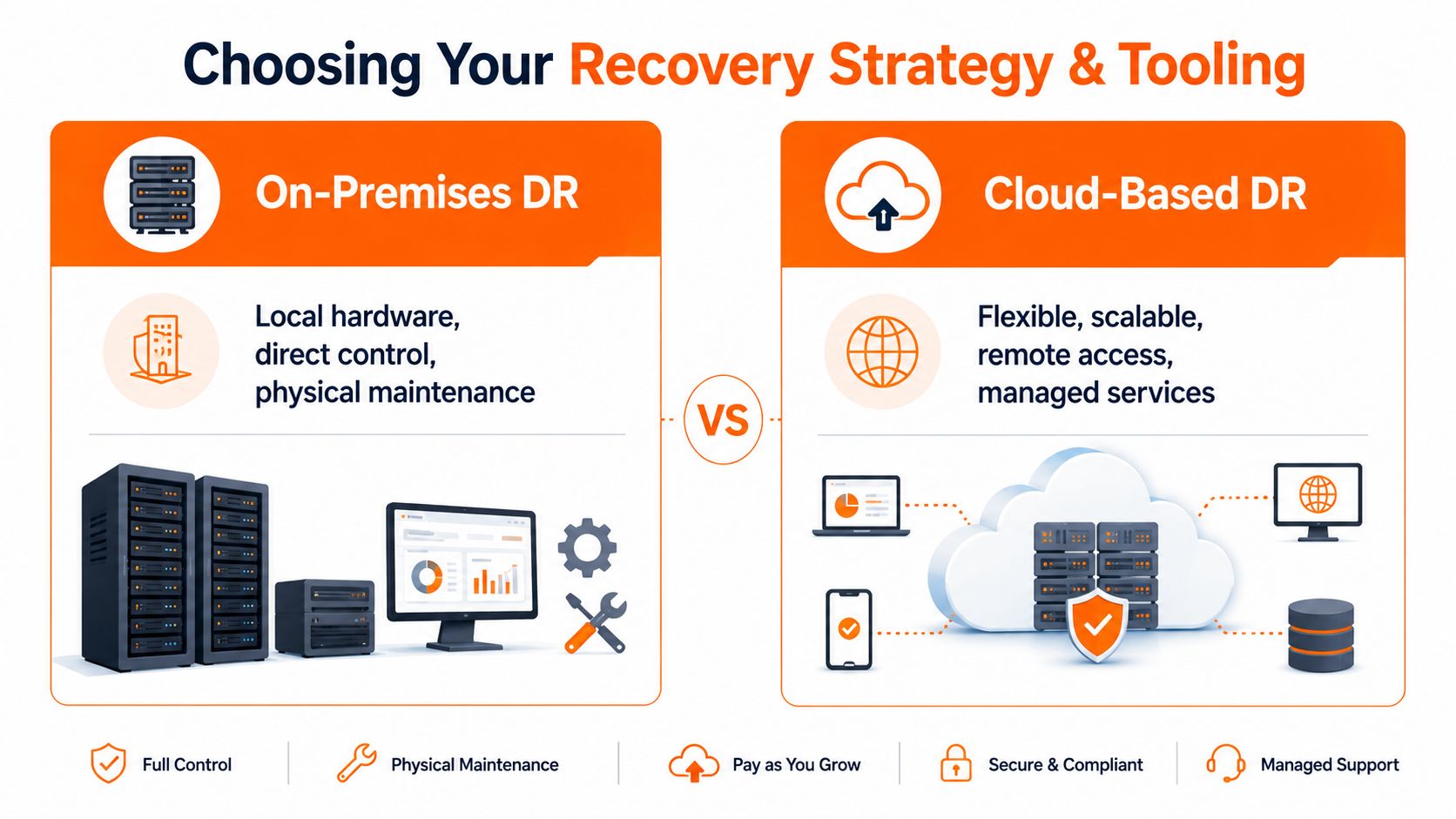
Recovery strategy is where budget, risk, and operational reality collide. UK SMEs rarely have unlimited internal resources, so the right answer isn't always the most technically elegant one. It's the option that meets the business requirement without creating a maintenance burden nobody can sustain.
On-premises recovery
This is the traditional model. You keep backup infrastructure, local storage, and sometimes spare hardware on-site or at a secondary location.
It can work well when:
- Large data sets need fast local restore
- Internet connectivity is limited or unstable
- Certain workloads must stay close to production systems
- Internal IT staff can maintain the platform properly
The drawbacks are usually operational. Hardware ages. Storage fills up. Firmware and backup software need ongoing care. If the same site houses both production and recovery assets, a single incident can affect both.
Cloud-based recovery
Cloud recovery reduces the dependency on local hardware and can simplify off-site resilience. This approach often fits SMEs that need flexibility, remote access, and a more manageable operating model.
Cloud-led recovery is often attractive where:
- Users are spread across offices or work remotely
- Core services already depend on Microsoft 365 or hosted platforms
- The business wants off-site recovery without maintaining a second location
- Testing needs to happen without major disruption to the office
The caution here is that “in the cloud” doesn't automatically mean “recoverable”. You still need documented recovery order, protected identities, tested restores, and clear ownership of third-party services.
Hybrid recovery for real-world SMEs
Most SMEs end up with a hybrid model because that reflects the actual state of their IT. They may have cloud email and collaboration, a line-of-business application on a local server, remote staff, and a few critical devices on-site. In that environment, the strategy needs to cover multiple recovery paths without becoming fragmented.
A sensible hybrid approach often includes:
- Local backup for quick operational restore
- Off-site immutable or isolated copy for cyber incidents
- Microsoft 365 backup for email, files, and collaboration data
- Documented recovery path for both servers and cloud services
- A failover method for the most critical workloads
For businesses comparing options, this guide to business backup solutions for SMEs helps frame the trade-offs in plain language.
One practical route is to use a managed service rather than building and maintaining everything internally. For example, Blowfish Technology provides managed backup and disaster recovery services, including Microsoft 365 backup and managed DR support, which can suit SMEs that need recovery capability without a large in-house infrastructure team. That isn't the only model available, but it's often the more realistic one for regulated firms that need documented oversight as well as working tooling.
The right strategy is the one your team can maintain, test, and explain to an auditor without hesitation.
Activating Your Plan Through Testing and Runbooks
A written plan is only a set of assumptions until you test it. That's the point where hidden dependencies, missing permissions, stale contacts, and unrealistic timings start to show. For most SMEs, the issue isn't that they don't care about testing. It's that they assume testing has to mean a dramatic full-environment failover that disrupts the week.
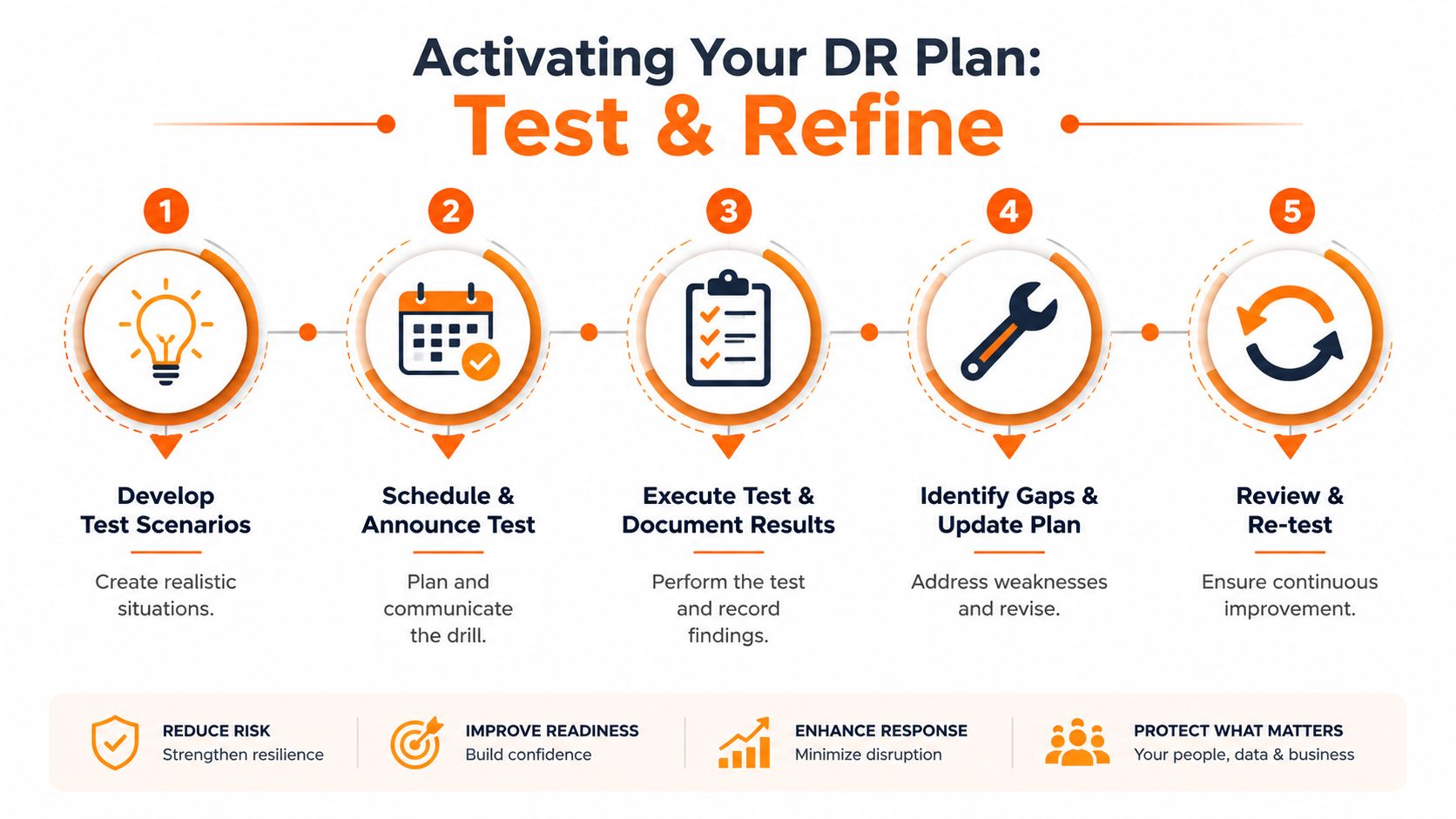
A more practical approach is to test in layers. That matters because testing and maintenance are often underserved in DR planning, and guidance increasingly emphasises that plans must be reviewed and exercised regularly, as discussed in this UK-focused resilience article.
Turn procedures into runbooks
The main plan gives the overall structure. Runbooks give the exact steps for a specific scenario.
Examples include:
- Ransomware recovery runbook
- Microsoft 365 outage response runbook
- Server hardware failure runbook
- Site connectivity loss runbook
- Line-of-business application restore runbook
A useful runbook is short, ordered, and explicit. It should say who starts the process, what pre-checks are required, where recovery data lives, what success looks like, and how to escalate if a step fails.
Include details like:
- Trigger for use
- Named owner and alternate
- Dependencies that must exist first
- Step-by-step actions
- Validation checks
- Rollback or fallback actions
- Evidence to capture
Choose tests your team can actually run
Not every exercise needs to be technical. Start with the level your business can support consistently.
Tabletop exercise
Walk through a scenario in a room with decision-makers, IT, and business owners. Useful for validating roles, declaration criteria, and communications.
Restore test
Recover selected files, mailboxes, databases, or virtual machines into a safe test location. Useful for proving backup integrity and access rights.
Scenario test
Pick a realistic event, such as a compromised admin account or a failed host server, and execute the documented runbook up to an agreed point.
Here's a useful explainer before you build your own process:
Record what failed and fix it
The value of a test is in the findings, not the theatre. Every exercise should produce actions.
Use a simple post-test review:
- What worked as documented
- What didn't match reality
- Which dependency was missed
- What took too long
- Which contact, credential, or supplier detail was out of date
- What changed in the plan afterwards
An untested DR plan usually fails in ordinary ways. Wrong contact list, missing MFA device, unclear authority, or restore steps written for a system that no longer exists.
For SMEs with lean teams, a modest but regular test cadence beats an ambitious annual exercise that never happens.
Meeting Compliance and Maintaining Your Plan
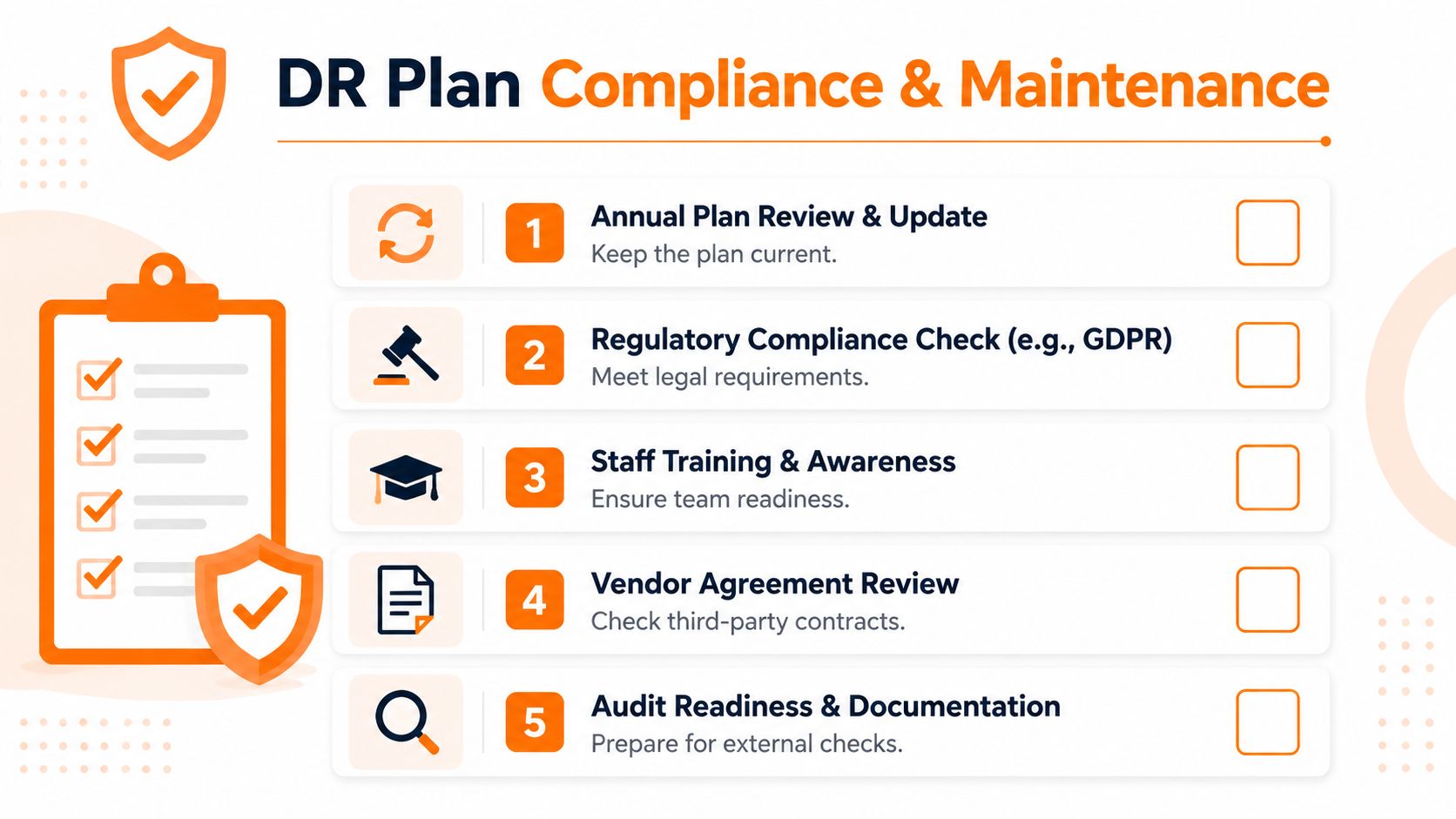
In regulated sectors, a disaster recovery plan isn't just an internal safety net. It becomes evidence. Clients want reassurance that service interruption won't become data loss or unmanaged downtime. Auditors want proof that controls are assigned, reviewed, and tested. Certification schemes look for process, ownership, and staff awareness, not just technology purchases.
Use the plan as audit evidence
A mature plan helps demonstrate that the business has thought through resilience in an organised way. That's useful for Cyber Essentials conversations, broader client due diligence, and sector-specific reviews.
Good evidence usually includes:
- Current plan version and approval
- Named owners and alternates
- Defined systems in scope
- Documented recovery objectives
- Test records and corrective actions
- Supplier and dependency register
- Staff awareness or training notes
For businesses handling personal data, resilience also overlaps with broader governance. Staff need to understand their role in incidents, reporting, secure handling, and communications. Practical awareness work matters, and GDPR training for staff often supports the wider compliance picture.
Set a review rhythm and stick to it
A plan goes stale faster than most firms expect. New staff join. Admin accounts change. Software is migrated. Offices move. Suppliers are replaced. If the plan isn't updated, the next test exposes the drift.
A workable maintenance cycle for SMEs usually includes:
- Review after major change: New system, office move, provider switch, or merger activity.
- Periodic contact check: Confirm phone numbers, escalation routes, and ownership.
- Runbook updates after each exercise: Fix what the test exposed immediately.
- Formal scheduled review: Use a recurring management checkpoint so maintenance doesn't depend on memory.
This is where many businesses improve just by being disciplined. The technology may already be acceptable. The documentation and maintenance process are what often lag.
Train people, not just systems
Plans fail when the only person who understands them is on leave, in a meeting, or no longer with the company. Recovery capability needs to sit with a small group, not one hero.
Train the people who will act:
- Directors and senior managers should know declaration thresholds and client communication duties.
- Operational leads should understand workarounds and service priorities.
- Technical staff or providers should own runbooks and validation steps.
- End users should know where to get instructions during an incident.
Compliance gets easier when resilience becomes routine. Reviews are scheduled, runbooks are updated, staff know their role, and evidence is already there when someone asks for it.
A disaster recovery plan that is written, tested, maintained, and tied to real business services does more than reduce disruption. It signals that the organisation is run properly.
If your business needs a practical disaster recovery plan that can stand up to real incidents, audits, and day-to-day operational pressure, Blowfish Technology can help you assess risk, document recovery priorities, strengthen backups, and put a workable testing process in place for your environment.

The Blowfish Technology team. Managed IT, cloud services, software development and connectivity for North West businesses since 1999.