
A 45-person engineering firm in the North West can run on one internal IT manager for a while. Then a server issue lands during a tender deadline, a phishing email reaches the finance team, a new starter waits days for access, and the same manager is expected to fix everything while planning the next technology project. At that point, keeping IT in-house isn't automatically cheaper. It may just mean the business is carrying more operational risk than it can see.
Business IT services are the external skills, systems and operating discipline that keep technology dependable. They include the helpdesk, network, Microsoft 365 environment, security controls, connectivity, devices, backups and recovery process behind daily work. The decision isn't whether to buy a longer list of tools. It's whether each important business risk has a named owner and a tested response.
Table of Contents
- What Business IT Services Actually Mean for a Modern SME
- The Core Categories of Business IT Services Explained
- Matching Business IT Services to Real SME Problems
- How UK MSP Pricing Models Really Work
- Why Regulated Sectors Need a Different IT Services Approach
- A Practical Checklist for Choosing an IT Services Partner
- Common IT Services Pain Points and How to Solve Them
- Pulling It Together and Choosing Your Next Step
What Business IT Services Actually Mean for a Modern SME
A managed provider should reduce the number of technology decisions landing on the owner or an overstretched internal employee. That means monitoring systems before users report failures, applying patches, controlling access, managing suppliers and documenting how the business recovers after an incident. A useful explanation of the wider MSP role is available in what a managed service provider does.
This is different from a one-off project. A Microsoft 365 migration moves workloads, but it doesn't automatically manage user permissions afterwards. A new firewall improves the network design, but it doesn't guarantee that someone reviews alerts or renews support. Software licensing gives the business a subscription, not a complete operating model.
Start with the risk, not the catalogue
Ask four questions before you assess any proposal:
- Downtime: What stops people working, and how quickly can the provider restore service?
- Breach: Which controls prevent unauthorised access, and who responds when an alert appears?
- Compliance: What evidence can the business produce for a client, auditor or regulator?
- Growth: Can the environment support new users, sites and applications without repeated disruption?
Each answer points towards a service. A recovery plan addresses downtime after a major failure. Identity controls and user training reduce breach exposure. Audit logging and access reviews support compliance. Cloud architecture and managed connectivity remove friction when the business expands.
Practical rule: If a provider can't explain the business risk behind a service, treat it as a feature being sold rather than an outcome being managed.
Telecoms also belongs in this conversation. Hosted voice, mobile connectivity and business internet can be operationally critical, so it makes sense to review managed telecom services alongside IT rather than leaving communications with an unrelated supplier. The objective is accountability across the working environment, not merely a larger invoice.
The UK market shows that managed support is now an established operating model. Government research identified over 11,000 UK MSP firms, with estimated MSP-related revenue of £52.6 billion, employment of 294,340 people and gross value added of £29.1 billion. Those figures place managed IT firmly inside the country's professional-services economy, rather than treating it as an emergency substitute for an internal team. (UK Government research on managed service providers)
The Core Categories of Business IT Services Explained
MSP proposals use familiar labels, but the labels hide important differences. A good buyer asks what the provider will do each week, what evidence it will produce and what remains outside scope.
| Service Category | What It Actually Does |
|---|---|
| Managed IT support | Runs the helpdesk, monitors systems, applies patches, manages devices and coordinates suppliers. |
| Cloud services | Designs and manages Microsoft 365, Azure, identity, migrations and cloud governance. |
| Backup and disaster recovery | Creates recoverable copies, protects retention and tests restoration after deletion, failure or attack. |
| Cybersecurity | Protects endpoints, email, identities and networks, then triages and responds to suspicious activity. |
| Connectivity | Supplies and manages broadband, leased lines, SD-WAN and failover between offices and cloud services. |
| Telecoms | Operates hosted VoIP, mobiles, call routing and contact-centre functions. |
| Hosted desktops | Delivers managed desktops and applications from a hosted environment for consistent remote and multi-site access. |
Managed IT support is the daily control layer. It should include a defined helpdesk, remote assistance, monitoring, patching, device standards and escalation. Vendor management matters too. Otherwise, your MSP may fix the local symptom while a connectivity or software supplier owns the underlying fault.
Cloud services need more than mailbox administration. A capable team will manage identity, conditional access, permissions, device enrolment, application dependencies and migration planning. Microsoft 365 and Azure can simplify access to business applications, but poor governance can leave excessive permissions and unmanaged data in place.
Backup is about recovery, not synchronisation. The provider should state retention, administrative separation, recovery objectives and test frequency. If nobody has restored a file, mailbox or workload under controlled conditions, the business doesn't know whether the backup is usable.
Cybersecurity combines controls and response. Endpoint detection, email filtering, multi-factor authentication, DNS filtering, password management, awareness training and incident workflows should work together. Connectivity keeps offices and cloud applications available, while failover reduces dependence on one circuit. Telecoms protects voice availability and customer contact. Hosted desktops standardise applications and user environments, but they make identity, connectivity and recovery design even more important.
Operational data also needs ownership. Businesses with distributed suppliers may need inventory syncing with Premier Broadband or similar integration work so that service information stays consistent across systems. For cloud architecture principles, the benefits of cloud infrastructure for business provides useful context, but the commercial question remains the same: what risk does the architecture remove?
These categories commonly sit within one managed contract. That can be efficient, provided the scope distinguishes routine service, security operations, projects, licences and third-party charges.
Matching Business IT Services to Real SME Problems
Start with the failure your business can't afford, then work backwards. A firm that says it needs “better IT” hasn't defined a buying requirement. A firm that says “a compromised account must not stop payroll, client work or production” has a decision to make.
| SME Problem | Services That Address It | Expected Outcome |
|---|---|---|
| Downtime and unreliable access | Managed support, hosted desktops, connectivity failover, backup and disaster recovery | Faster diagnosis, consistent access and a tested route back to service |
| Cyber risk | Managed endpoint protection, identity security, email filtering, training and response | Fewer avoidable exposures and clearer containment when an alert appears |
| Compliance pressure | Access control, audit logging, patch records, retention policies and tested backups | Evidence that controls operate, rather than a collection of written policies |
| Growth friction | Cloud services, standardised devices, connectivity and hosted applications | Faster onboarding, simpler site launches and fewer one-off configurations |
Downtime often starts with ordinary friction: slow logins, unstable remote access, a failing device or an application that depends on one person's knowledge. Managed support addresses the immediate fault, while hosted desktops and resilient connectivity can remove recurring causes. Recovery services matter when prevention fails.
Cyber risk needs a layered response because no single product covers identity theft, phishing, malicious attachments and lost data. The UK Cyber Security Breaches Survey 2025 found that 43% of businesses experienced a cyber security breach or attack in the previous 12 months, and phishing affected 37% in the survey period. The point for an SME owner isn't to buy every security tool. It's to make sure identity, users, devices, email, backups and incident response have been designed as one system.
Compliance is an evidence problem. A policy that nobody can support with access reviews, patching records and recovery tests won't satisfy a demanding client. Growth is a repeatability problem. If each new employee or office requires a bespoke build, the business pays for its own lack of standards.
If you can't name the risk, you're probably buying features rather than outcomes.
How UK MSP Pricing Models Really Work
Price structures shape provider behaviour, so don't compare quotes by the monthly figure alone. Ask what the model counts, what it excludes and what happens when your workforce or device estate changes.
| Pricing Model | What Is Usually Included | Common Hidden Costs | Best Fit For |
|---|---|---|---|
| Per user | Support, user administration and agreed security or cloud services | Shared accounts, contractors, extra licences, project work and after-hours support | Office-based teams with predictable user numbers |
| Per device | Support for laptops, desktops, servers or production devices | Unmanaged devices, mobile equipment, security tooling and replacement hardware | Manufacturing, engineering and shift-based environments |
| All-inclusive bundle | A fixed service wrapper covering agreed support and selected tools | Security tiers, backup capacity, projects, onsite visits and telecoms commitments | SMEs that value budget predictability and clear scope |
Per-user pricing is easy to understand when every employee uses a standard set of services. It becomes less attractive when contractors, seasonal staff or shared workstations create unusual demand. Per-device pricing can suit a factory or workshop, but it may understate the complexity of identity, applications and remote access. Fixed bundles look clean, yet some providers place advanced security, extra backup capacity or out-of-hours work outside the bundle.
A professional services firm with 25 people might receive a low per-user quote covering helpdesk and Microsoft 365 administration, a per-device quote that adds endpoint management separately, and an all-inclusive quote with security and backup included. The third quote may look higher, but it could be cheaper once the first proposal's security licences, recovery service and project charges are added. Conversely, a broad bundle may include tools without the testing or reporting needed to prove they work.
Review these contract points before comparing totals:
- Minimum commitments: Check whether you pay for a fixed user count after staff numbers fall.
- Renewal terms: Find auto-renewal dates and the notice period needed to leave.
- Price changes: Identify index-linked rises and any licence pass-through mechanism.
- Project boundaries: Require a written definition of what routine support includes.
- Exit obligations: Check Microsoft and telephony commitments, data export and transition assistance.
A practical overview of how much outsourced IT costs can help frame the conversation, but your own scope determines the useful comparison.
Why Regulated Sectors Need a Different IT Services Approach
A legal practice, financial firm, engineering business or manufacturer shouldn't select an MSP using the same criteria as an unrestricted office. Confidentiality, client requirements, tender conditions, operational technology and regulatory scrutiny change the definition of acceptable service.
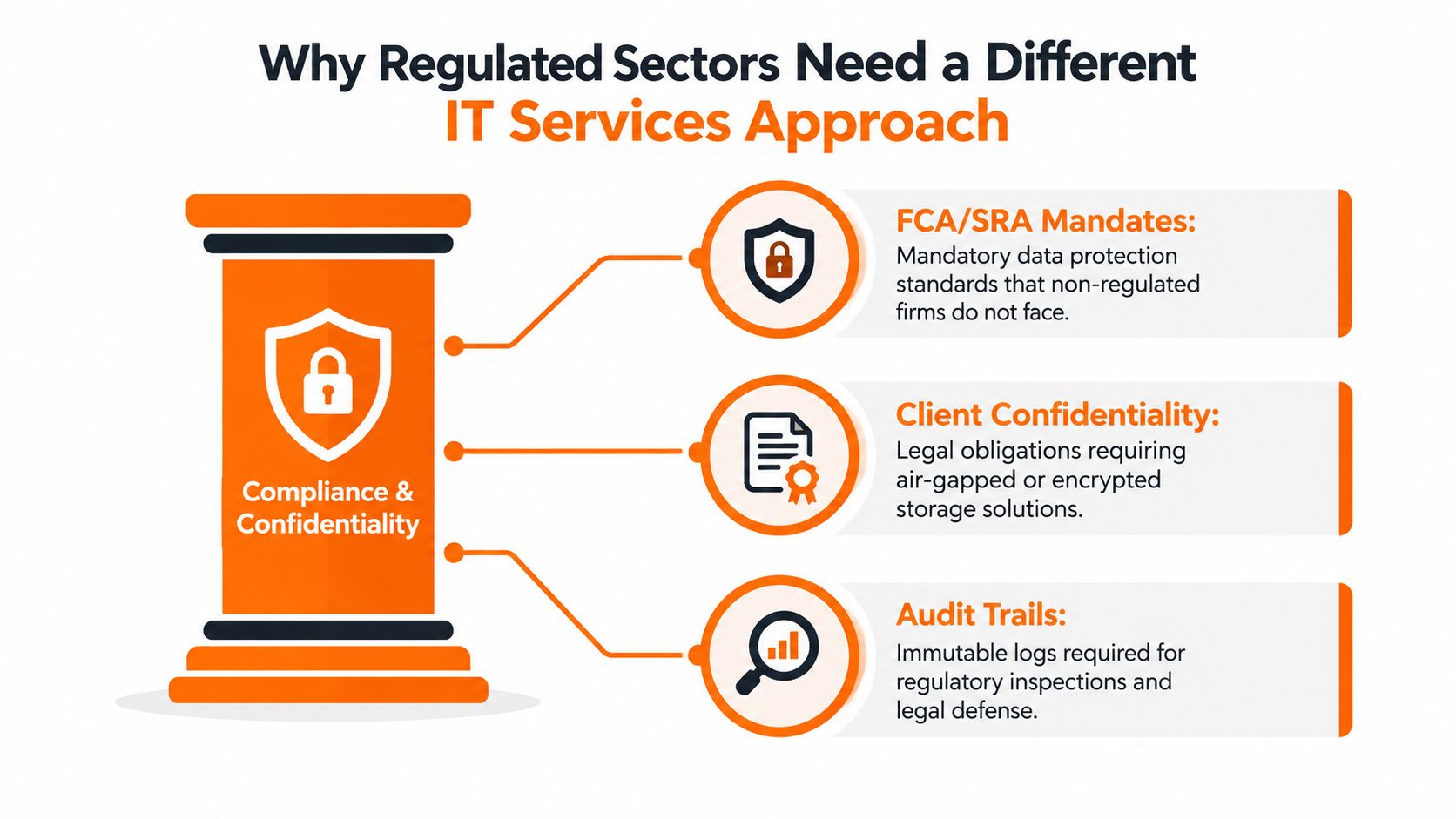
A solicitor may need to demonstrate controlled access to matter data and a defensible audit trail. A financial-services firm may need documented identity controls, incident procedures and evidence that suppliers are governed. Engineering and manufacturing firms can face tender expectations around security certification while also managing the boundary between office IT and operational technology.
The evidence should exist before a client or auditor asks for it:
- Asset records: The business knows which devices, applications and services it operates.
- Patching evidence: Reports show whether important updates were applied and exceptions were managed.
- Backup tests: Restoration has been attempted and the result is recorded.
- Incident procedures: Staff know who makes decisions, who communicates and how containment starts.
- Third-party assurance: Certifications such as Cyber Essentials Plus or ISO 27001 may support buyer confidence where appropriate.
The cyber environment makes this discipline harder to postpone. The UK Government's 2025/2026 survey recorded breaches or attacks among 43% of businesses, rising to 65% of medium-sized businesses and 69% of large businesses. It also found that micro businesses represented 81% of the business population and small businesses 16%, which reinforces the need for repeatable controls that smaller teams can operate economically. (UK Cyber Security Breaches Survey 2025/2026)
For regulated work, a generalist provider may keep endpoints running while missing governance gaps. A sector-aware partner should provide documented procedures, policy templates, audit-ready reporting, an accountable escalation path and engineers who understand confidential workflows or production dependencies. The IT support approach for financial services firms illustrates the kind of sector-specific conversation buyers should expect.
The cheapest proposal is rarely the lowest-risk proposal. Compare the evidence, responsibilities and recovery assumptions, not just the response-time headline.
A Practical Checklist for Choosing an IT Services Partner
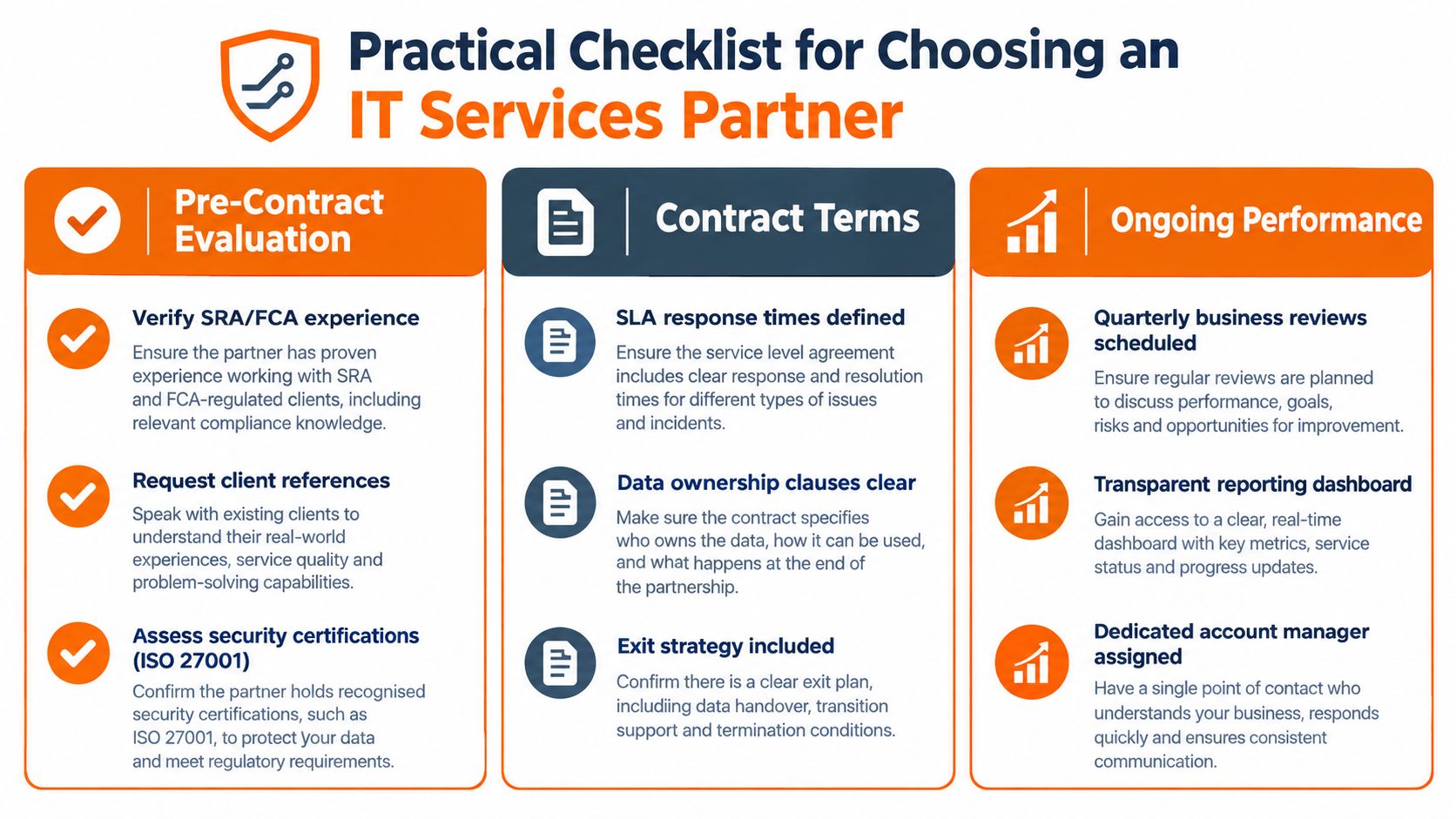
Treat the first meeting as due diligence, not a sales presentation. Ask the provider to show how it would understand your environment, control risk and report performance after the contract begins.
Pre-contract evaluation
Ask for proof rather than assurances. Check relevant accreditations, insurance, references from businesses with comparable confidentiality or production requirements, and a written onboarding plan. If the provider claims experience with regulated sectors, ask what evidence it produces and which senior person owns that capability.
The onboarding plan should show discovery, risk identification, remediation, documentation and handover. A provider that starts by installing tools without understanding assets, identities and dependencies is creating future uncertainty.
Contract terms
Your agreement should answer operational questions in plain language:
- Service levels: What response and resolution targets apply to critical, high and routine incidents?
- Scope: Which users, devices, locations, applications and security controls are covered?
- Change control: How are non-standard requests assessed, approved and priced?
- Data ownership: Who owns configurations, documentation, logs and backup data?
- Exit rights: How will the provider return data, credentials and documentation if you leave?
- Liability: Which party carries responsibility for supplier failure, data loss and unauthorised access?
Don't accept “best effort” language where the business needs a measurable commitment. A service level should also explain how the provider reports missed targets and what escalation follows.
Ongoing service quality
The relationship needs management after implementation. Require a named account manager, regular service reviews, a technology roadmap and reporting that covers patching, backup status, security events, recurring incidents and outstanding risks. You should know how to reach a senior engineer when a routine ticket becomes a business-critical issue.
Vague answers before signature usually become vague accountability after signature.
The right partner won't promise that technology never fails. It will show how the team detects failure, communicates clearly, restores service and prevents the same issue returning.
Common IT Services Pain Points and How to Solve Them
Buying support doesn't fix a weak operating model. Many SMEs change provider and keep the same problems because they purchase tools without correcting accountability, scope or commercial incentives.
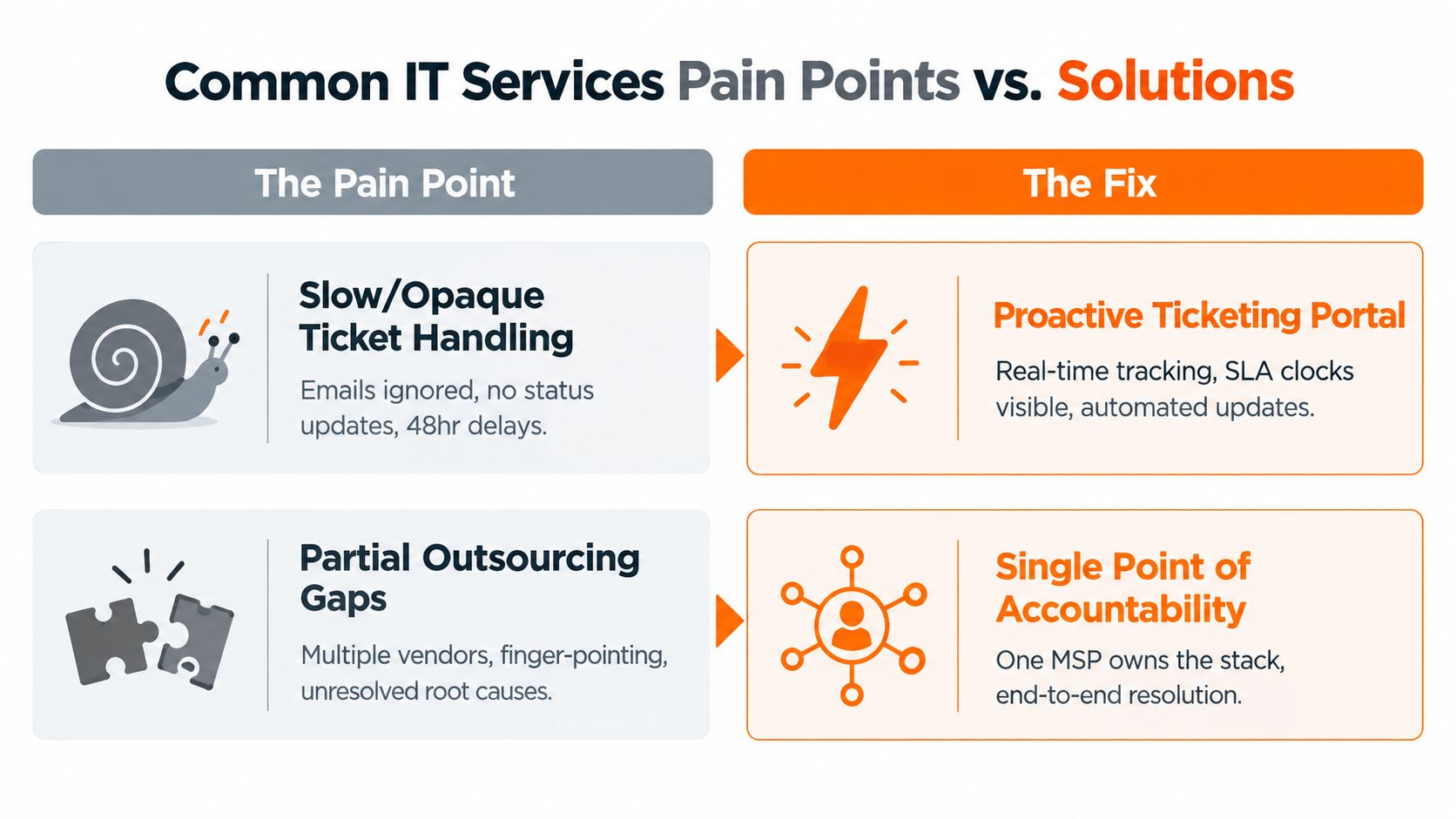
Slow or opaque ticket handling
Users shouldn't have to chase an update to find out whether anyone owns an incident. The fix is a visible ticket process with severity-based targets, status updates, clear escalation and a service review that analyses repeated failures. A portal isn't enough if engineers don't keep it current.
Partial outsourcing and finger-pointing
One supplier manages Microsoft 365, another handles broadband and an internal employee manages devices. When a user can't connect to an application, each party can blame the others. Keep one accountable technical owner for the stack, even where specialists remain involved.
Tool sprawl
A provider can add endpoint software, backup tools, password platforms and security dashboards until nobody understands the estate. Consolidate around a documented standard, record ownership and remove overlapping controls. More products don't automatically produce more resilience.
Break-fix pricing
If the provider earns more whenever something breaks, the commercial model is misaligned with prevention. A managed service should reward monitoring, patching, standardisation and reliable operation rather than treating every recurring fault as a new charge.
Chaotic onboarding
Inherited environments often lack diagrams, asset records, administrator ownership and recovery documentation. Insist on a defined onboarding period with discovery, urgent remediation and documentation milestones. The provider should show what it found, what it fixed and what remains exposed.
The strongest diagnostic is simple. Ask your current or prospective MSP to identify the top unresolved risks, the owner of each risk and the next review date. If it can't, the business has purchased activity without governance.
Pulling It Together and Choosing Your Next Step
Business IT services are not a product catalogue. They're a set of controls mapped to the four risks that matter most to an SME owner: downtime, breach, compliance and growth.
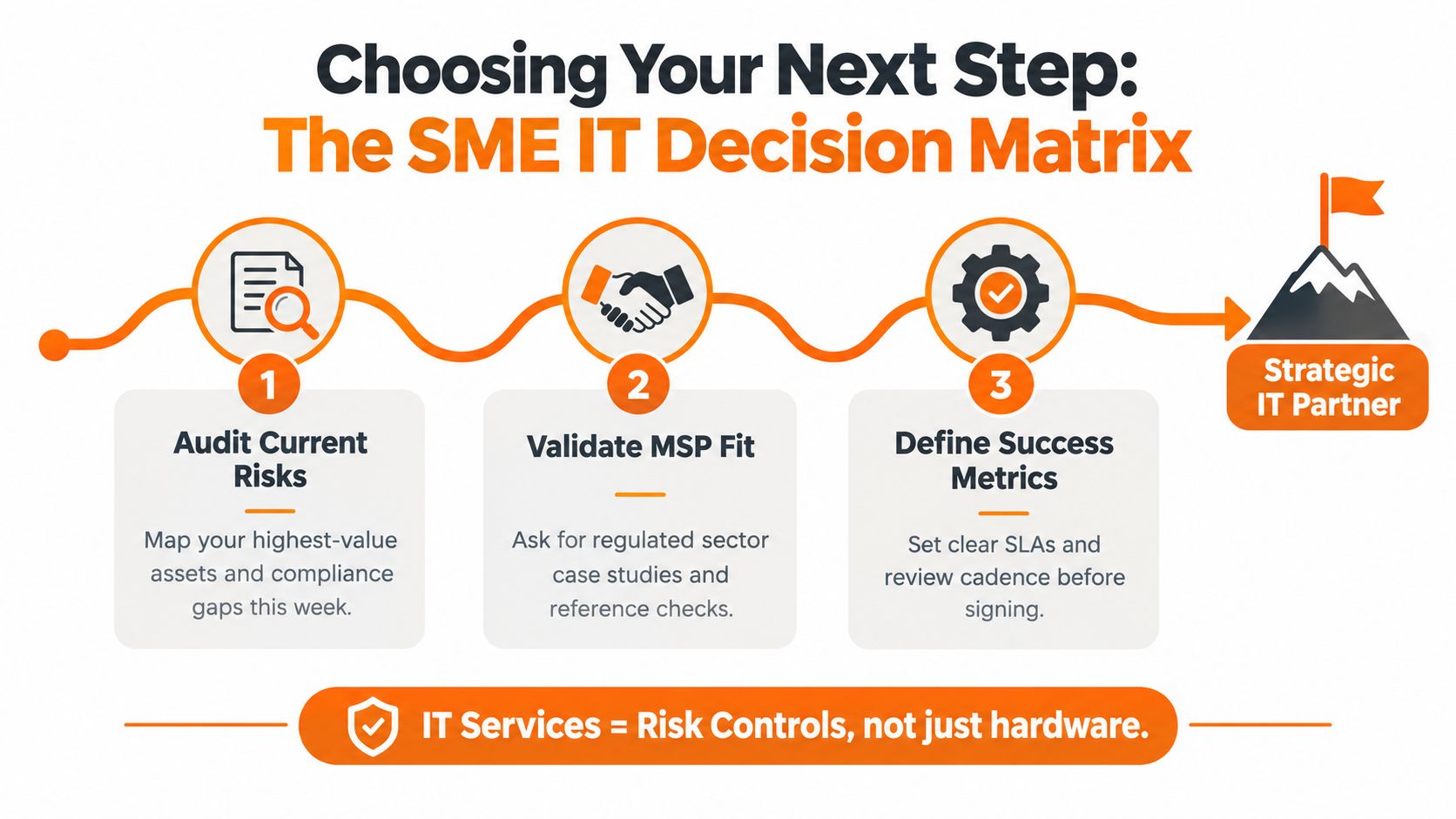
Use this decision sequence:
- Audit current exposure. List the systems and information the business relies on, then record failure points, access weaknesses, compliance gaps and recovery assumptions.
- Choose accountability deliberately. Decide which services need one operational owner and which genuinely require a specialist. Don't create a supplier maze merely because individual quotes look cheaper.
- Define success before procurement. Put response targets, recovery expectations, reporting obligations, onboarding milestones and review dates into the selection process.
Request a discovery session and insist on a written scope tied to named service levels. Validate references from businesses in your sector, ask to see an onboarding plan and agree how performance will be reviewed. If a full move feels too large, define a controlled first phase with measurable outcomes for the first 90 days, such as documented assets, tested recovery, closed critical access gaps and transparent ticket reporting.
The next action is straightforward. Ask two or three providers to assess the same risks using the same information, then compare ownership and evidence rather than headline price.
Blowfish Technology provides managed IT support, cloud services, telecoms, backup and disaster recovery for North West SMEs and regulated organisations, with engineer-led support and structured technology planning. Visit Blowfish Technology to request a discovery conversation focused on your risks, service scope and next practical step.
