
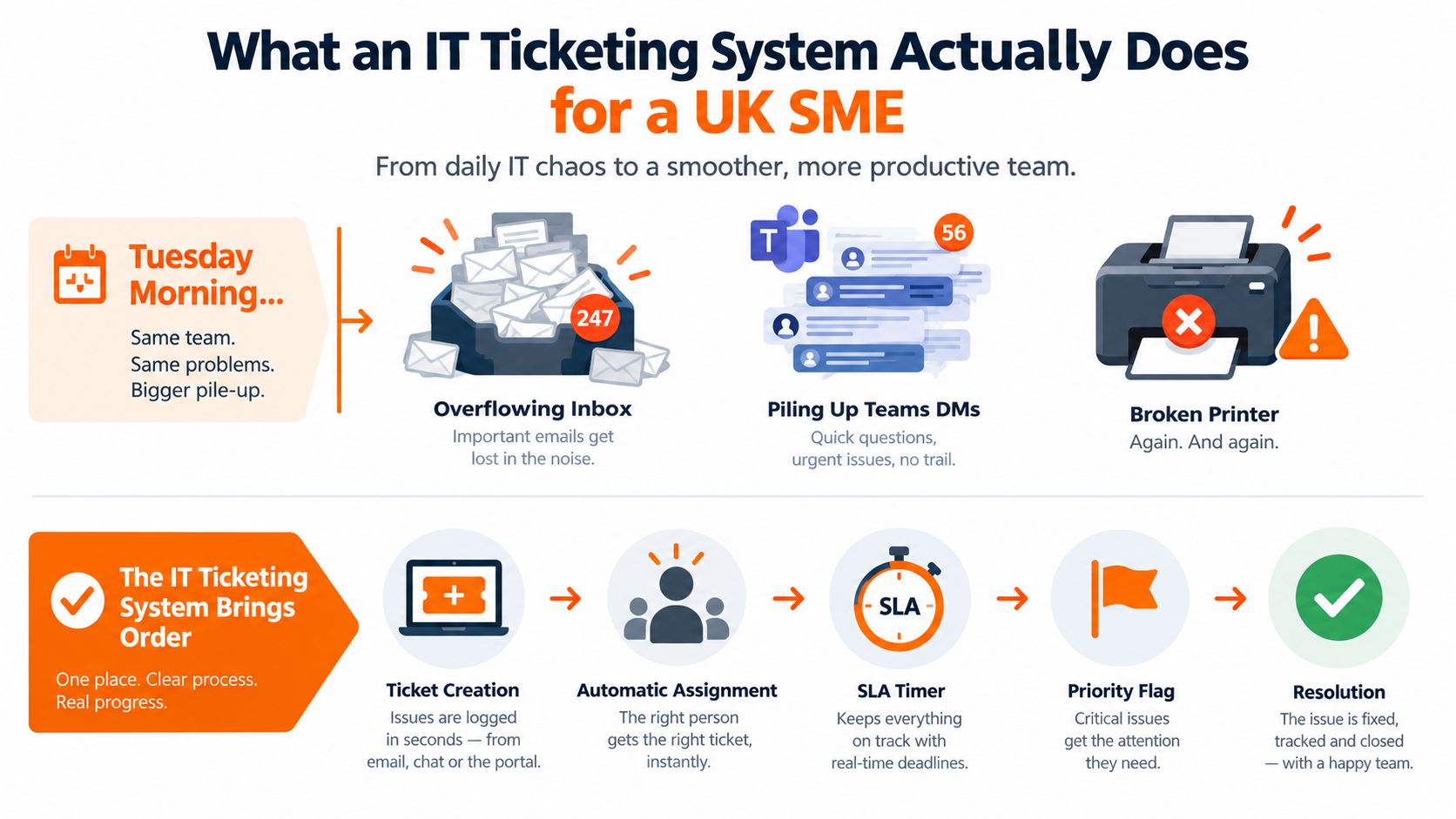
Tuesday morning starts with a familiar failure. In a 40-person North West firm, the IT inbox is overflowing, Teams messages are arriving from every direction, and a finance director's broken printer has been escalated through an email, a phone call and a spreadsheet. Nobody is deliberately ignoring the request. Nobody can prove who owns it either.
That's the point at which an IT ticketing system stops being an optional admin tool and becomes operational control. It gives every request a front door, a priority, an owner, a due time and a record of what happened. For UK SMEs, the right platform should also reduce demand, support secure remote resolution and connect the systems your business already depends on, especially Microsoft 365, endpoint security, backup and telephony.
Table of Contents
- What an IT Ticketing System Actually Does for a UK SME
- Core Mechanics of an IT Ticketing System Explained Simply
- Why the Right Ticketing Setup Matters for SMEs and Regulated Industries
- Features and Integrations Worth Paying For
- In-House Helpdesk Versus MSP-Managed Support and How Pricing Works
- Choosing, Implementing and Migrating Without Losing Tickets
- KPIs and SLA Reporting That Prove the Helpdesk Is Working
What an IT Ticketing System Actually Does for a UK SME
The first job is simple, capture every request in one place. An employee might submit a form, send an email to the support address or use a portal. The system turns that contact into a ticket containing the requester, issue, time received, affected service and relevant attachments. That record becomes the source of truth, rather than whichever conversation someone happens to remember.
The second job is controlled triage. A printer fault affecting one person shouldn't sit in the same queue as a Microsoft 365 outage affecting the whole office. Routing rules can send requests to the right team, while priority rules separate business impact from ordinary inconvenience. An assigned engineer then has a visible responsibility, not an implied obligation buried in an inbox.
Practical rule: If a request has no owner and no due time, it isn't being managed. It's waiting.
From informal triage to accountable work
Growing businesses accidentally create a support process out of email, Teams, WhatsApp, telephone calls and spreadsheets. That process may work while demand is light and the same few people handle everything. It breaks when staff work remotely, a key engineer is absent, or a security incident arrives alongside routine access requests.
A ticketing platform records the full trail, including who raised the issue, what actions were taken, when the status changed and why the ticket was closed. That history matters when an employee leaves, a supplier handover takes place or a client asks how an incident was handled. It also prevents the common argument that “someone was dealing with it” when nobody can locate the work.
The difference between a queue and a service desk
A ticketing system manages requests. A helpdesk or service desk adds the people, procedures, escalation paths and service expectations around those requests. A platform can support incident management, service requests, changes, approvals, knowledge articles and reporting, but it won't create disciplined ownership by itself.
The useful test is whether the system helps you answer operational questions:
- What arrived: Which services and user groups generate demand?
- Who owns it: Which engineer or queue is responsible?
- What happens next: Is the request waiting for information, approval or technical action?
- When is it due: Which response and fix target applies?
- What should change: Can the business remove the underlying cause?
That last question separates a useful platform from a digital version of the shared inbox. The UK IT ticketing systems market was valued at USD 0.3 billion in 2024, projected at USD 0.4 billion in 2025 and USD 0.6 billion by 2033, with roughly 5.2% CAGR from 2026 to 2033, according to UK IT ticketing systems market data. The category is expanding because organisations increasingly need measurable service control, not because they need another place to store emails.
Core Mechanics of an IT Ticketing System Explained Simply
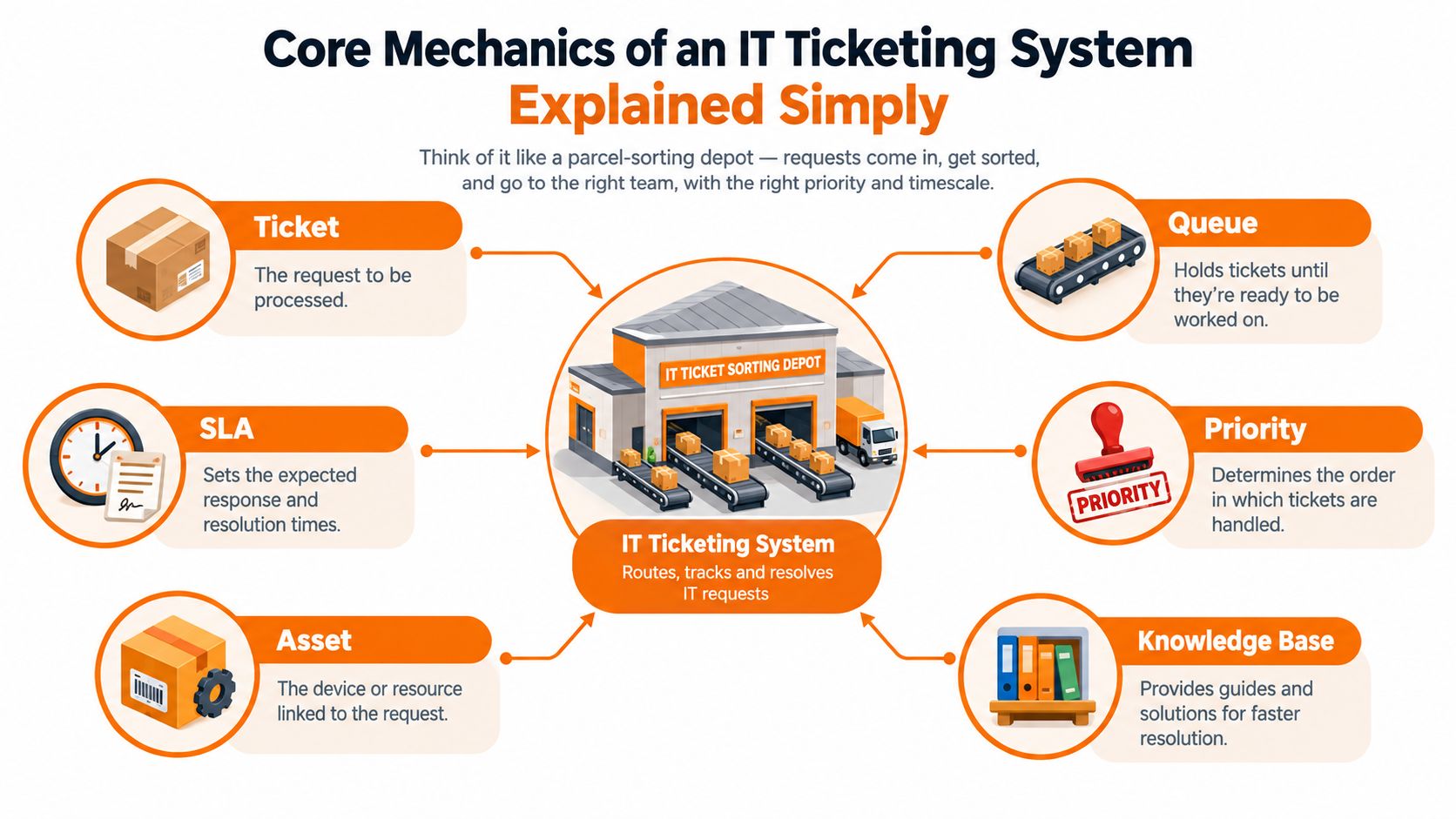
Think of your support operation as a parcel-sorting depot. Every request is a parcel, and the ticketing system determines where it goes, how urgently it moves and whether it arrives at the right destination.
The parcel and its label
A ticket is the parcel itself. It represents an incident, request or question and carries the information needed to process it. A good ticket identifies the user, affected service, description, impact, urgency, time received and actions already taken.
The queue is the conveyor belt. A request about a new starter can move to the access queue, while a laptop fault goes to the endpoint queue. Routing may use the user's department, site, device, service category or engineer skill. Without routing, every parcel lands in one pile and a person must sort it manually.
Priority is the handling label. It should reflect business impact and urgency, not the confidence or seniority of the person who submitted the request. A failed finance system used by many people deserves a different response from an individual's minor display issue.
The promised delivery window
An SLA, or service-level agreement, is the delivery promise. It can define how quickly the team acknowledges a request, how quickly work should begin and when resolution is expected. The platform should start the relevant timer automatically, pause it when the business is waiting for the requester and escalate it before a breach occurs.
An asset record is the delivery address. It connects the ticket to a laptop, user account, mobile, server, application or other service item. Engineers can then see ownership, warranty information, security status and previous issues without searching several systems.
The knowledge base is the printed instruction sheet at the depot entrance. It should answer repeat questions before a ticket is created, or help an engineer resolve a request consistently. Articles need owners, review dates and clear instructions. A search box filled with outdated documents isn't self-service.
The basic workflow is intake, classification, routing, investigation, resolution, verification and closure. The value comes from making each step visible and repeatable.
These mechanics align with the wider ITIL processes used in service management. Without them, requests collide, deadlines disappear and a prolonged outage can be counted as either one incident or a collection of unrelated tickets. That ambiguity prevents a manager from identifying the root cause and defending investment in prevention.
Why the Right Ticketing Setup Matters for SMEs and Regulated Industries
A ticketing platform gives a UK SME accountability with evidence. A manager can see who owns a request, what the engineer did, whether the user confirmed the fix and whether the agreed service target was met. That record remains available when staff change roles or leave.
Choose a system that reduces demand as well as records it. Clear request forms, knowledge articles, remote diagnostics and automated updates prevent avoidable follow-ups. Integrations with Microsoft 365, endpoint detection and response (EDR), backup platforms and VoIP systems let engineers resolve more issues remotely, without waiting for site access or asking users to repeat information.
The ticket record also supports security work. A suspicious sign-in, unexpected mailbox rule, malware alert or unusual access request may first appear as a support ticket. Recording those signals consistently and linking them to users, devices and incidents helps security teams identify patterns earlier. The platform does not replace EDR or identity protection. It gives those controls an operational record and a clear route for investigation.
What regulated organisations need to prove
UK organisations should treat logging as an operational requirement. FCA-regulated firms need reliable records around operational activity and customer-facing issues. Healthcare practices need incident records that support governance obligations. GDPR accountability requires organisations to demonstrate how they handle personal-data requests, access, consent and security events.
A ticketing system does not make a business compliant automatically. It makes evidence easier to retrieve when the organisation configures permissions, retention, categories and approval workflows properly. Internal notes must remain separate from user-visible updates, since sensitive investigation details should not be exposed accidentally.
A UK service-desk benchmark reports 68% first-contact resolution for P3 and P4 tickets, alongside 88% of tickets resolved within the target fix time and fewer than 6% reopened within five working days, as shown in the UK managed-services SLA benchmark. First-contact resolution means the team fixes the issue during the initial interaction, without making the user chase progress, wait for another queue or endure repeated handoffs.
Outcomes from different operating models
| Dimension | Shared Inbox | Ticketing System |
|---|---|---|
| Ownership | Implied by the recipient or latest reply | Assigned to a person or queue |
| Priority | Often judged by message tone | Based on impact, urgency and rules |
| History | Buried in threads and personal mailboxes | Searchable record with actions and timestamps |
| Escalation | Dependent on individual memory | Driven by SLA timers and alerts |
| Security context | Disconnected from device and identity data | Linked to users, assets and incidents |
| Management reporting | Manual counts and anecdotes | Trends by service, category and department |
The operating model must support documented IT policies and procedures. For a legal practice, manufacturer or financial firm, the ticketing system becomes both a service tool and a risk-control system. It provides an auditable record of what happened, who acted and whether the organisation followed its own process. Insist on those records, plus integrations that help the helpdesk diagnose and resolve issues remotely before demand reaches an engineer.
Features and Integrations Worth Paying For
Take this checklist into every vendor demonstration. Don't accept a feature list. Ask the supplier to perform each task using a realistic scenario, then score how much manual work remains.
The platform essentials
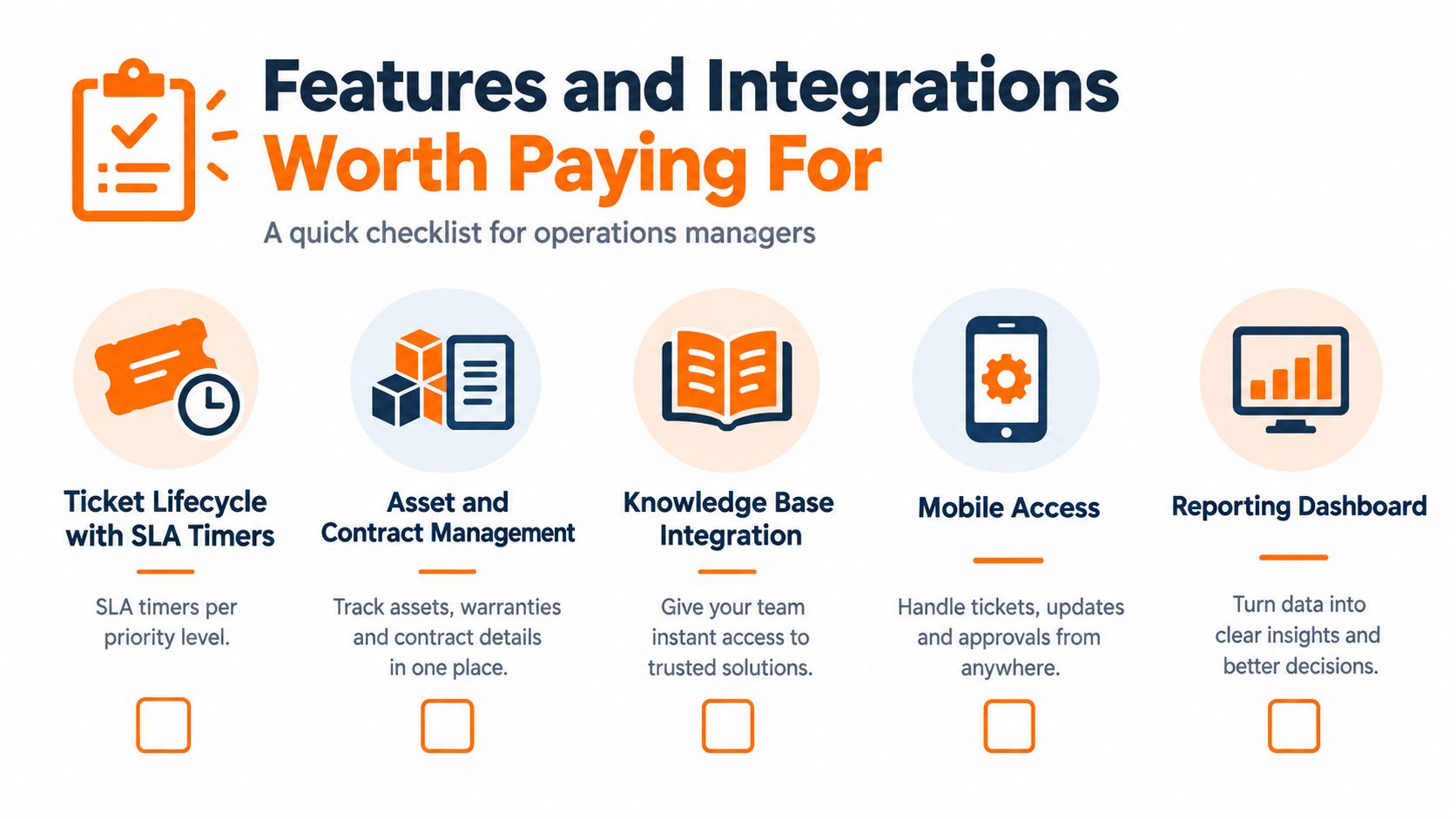
Start with the ticket lifecycle. You need configurable statuses, ownership, internal notes, user updates, closure rules and SLA timers that vary by priority. If the vendor's timer only measures first response while resolution remains informal, you're buying partial control.
Require these capabilities:
- Asset and contract records: Connect users, laptops, applications, suppliers, warranties and service agreements to tickets.
- Knowledge linked to work: Surface approved articles during ticket handling and make useful resolutions easy to turn into new guidance.
- A customer portal: Let employees raise structured requests, check progress and find answers without sending follow-up emails.
- Routing and workload rules: Assign work by skill, location, department, service or current workload.
- Parent and child incidents: Link individual reports to one underlying outage so a Microsoft 365 or telephony fault doesn't create a misleading pile of separate problems.
- Approvals and changes: Record who approved access, software, supplier work or configuration changes before the engineer acts.
The portal must reduce demand, not merely create another submission channel. A useful request form asks for the information an engineer needs, and a knowledge article should appear before the user submits a routine password, MFA or application query.
Integrations that reflect your real estate
For a Microsoft-led UK SME, Microsoft 365 integration should go beyond a logo in a sales slide. Ask whether the system can use Intune device records, synchronise directory users and expose relevant Azure sign-in or Exchange mail-flow context inside the ticket. The fewer screens an engineer must open, the more consistently the team can resolve issues.
RMM integration should expose patch state, agent health and device availability. EDR integration should support a controlled action such as isolating an endpoint from a security ticket, with the action and author recorded. Backup integration should show whether the affected system or Microsoft 365 data is protected and whether recent jobs succeeded. VoIP or Teams telephony integration should create a ticket from a call with caller identity and conversation context attached.
Demo test: Raise a leaver request, an endpoint alert and a telephony fault. If the engineer must copy details manually between five consoles, the integration is cosmetic.
The same principle applies to broader business systems integration. Ignore vanity dashboards, AI assistants that cannot retrieve approved knowledge and social channels your employees don't use for IT support. Artificial intelligence is useful when it classifies a request, finds a trusted article, summarises a thread or starts a controlled workflow. It isn't useful when it produces confident text without access to your actual environment.
In-House Helpdesk Versus MSP-Managed Support and How Pricing Works
An in-house team gives you direct control and named people who understand the building, staff and sensitive conversations. That familiarity can matter in regulated organisations. The trade-off is responsibility for recruitment, training, absence cover, tooling, escalation and out-of-hours support.
An MSP gives you a broader bench and a defined operating model. It can provide extended coverage and specialist escalation without requiring a small internal team to maintain every capability itself. You give up some tribal knowledge, so the contract must require good documentation, named account ownership and proper handovers.
| Criterion | In-House Helpdesk | MSP-Managed Helpdesk |
|---|---|---|
| Local knowledge | Strong when staff remain in post | Built through documentation and account management |
| Cover | Limited by headcount and absence | Drawn from a wider support team |
| Specialist skills | Must be recruited or bought separately | Usually available through escalation |
| Cost control | Payroll and tooling are visible, capacity can be uneven | Monthly fee is predictable, scope must be checked |
| Compliance | Direct control over internal procedures | Requires contractual controls and evidence |
| Scaling | Recruitment-led | Capacity can usually be adjusted through the service |
How suppliers package the bill
The UK market commonly uses three structures:
- Per agent: Suitable when the number of support staff is stable. Check whether administrators, occasional users and reporting access count.
- Per endpoint: Useful when device numbers define workload more closely than employee numbers. Confirm how servers, mobiles, virtual machines and shared devices are counted.
- Per user: Common in all-inclusive MSP bundles and often easier for finance to forecast. Clarify which services are included and which are chargeable projects.
The subscription is rarely the whole bill. Ask specifically about onboarding, migration hours, integrations, after-hours uplift, project work and ticket-volume caps. A low headline price can become expensive when routine requests, security incidents or supplier coordination fall outside the included service.
The honest comparison is not “internal or outsourced” in isolation. It is whether the chosen model provides enough coverage, resilience, governance and technical range for the business. Review the outsourced IT versus in-house support comparison alongside your actual support history, not a generic staffing assumption.
Finally, ask every MSP one uncomfortable question: what does the contract say happens when you miss an SLA? Look for a defined escalation, service review and remedy. “Best efforts” isn't an operating commitment.
Choosing, Implementing and Migrating Without Losing Tickets
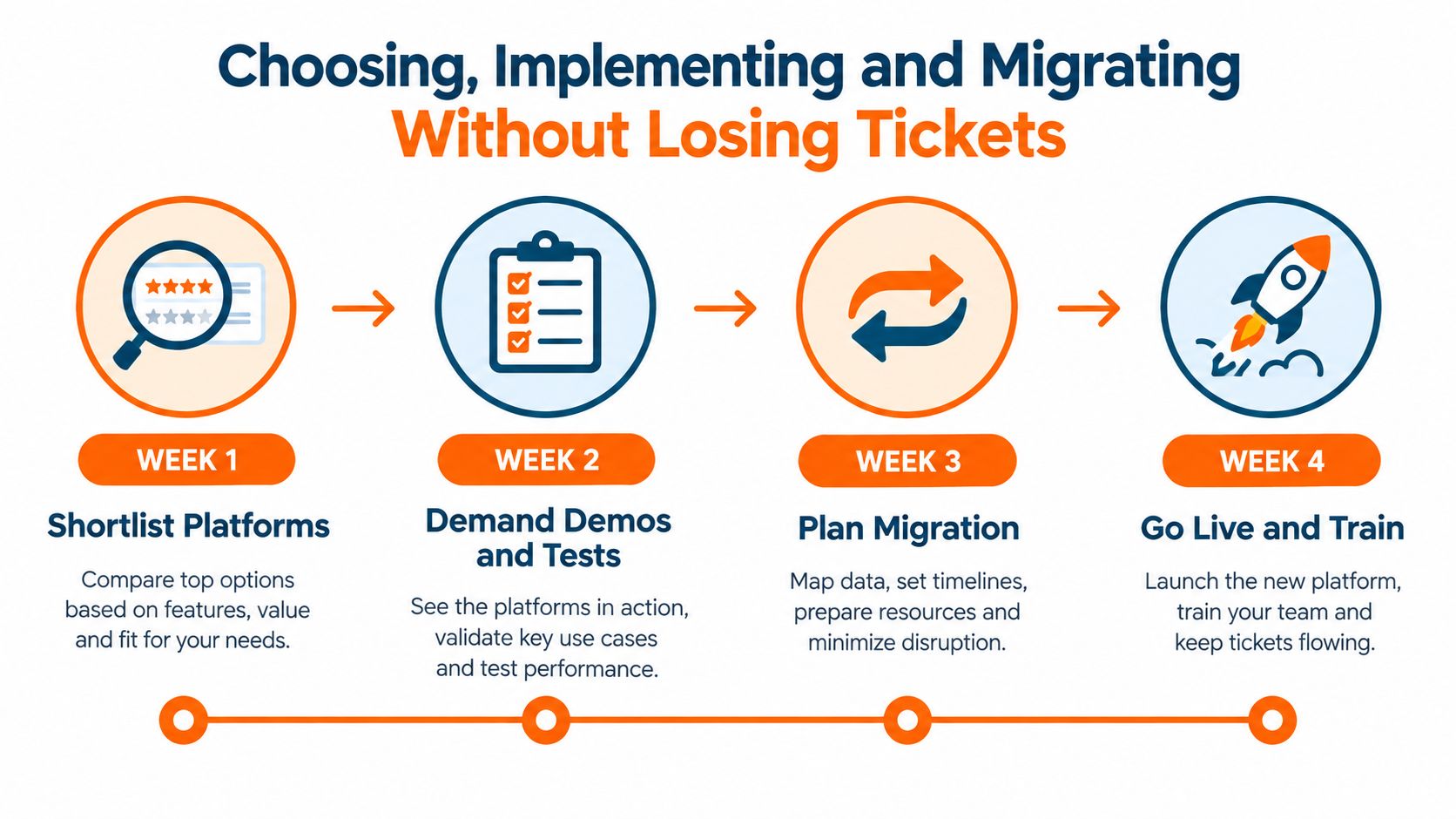
Treat selection as a controlled implementation, not a software purchase. A four-week plan is enough to expose weak platforms before the contract becomes difficult to unwind.
Week one, build a scorecard
Shortlist three or four platforms against written criteria covering ticket lifecycle, SLA logic, integrations, reporting, asset records, permissions and migration. Demand a sandbox tenant loaded with dummy data. A glossy presentation won't show whether an engineer can find a device, link an incident or close a request correctly.
Week two, run your own scenarios
Give each supplier a script based on real work. Start with the broken printer from the Tuesday morning example, then add a Monday morning Exchange outage and a leaver who needs access removed on the same day. Test routing, priority, approval, user communication, audit history and escalation.
Watch the number of manual steps. Also test failure conditions, such as an incomplete request, a duplicate incident, a reassigned ticket and an attachment that must be retained.
Week three, negotiate the exit
Before signing, obtain written answers on:
- Data export: Can you export tickets, comments, attachments, users and asset relationships in a usable format?
- Contract exit: What notice, fees and assistance apply if you move platform?
- Service levels: Are response and resolution targets defined by priority?
- Ownership: Who owns configuration, workflows and knowledge articles?
- Support access: Can your team retrieve records if the supplier relationship ends?
A vendor that avoids export questions is telling you something important.
Week four, cut over safely
Freeze the old support addresses at the agreed point, import open tickets and assets, validate histories and brief staff on the new front door. Run the new system in shadow alongside the old process for two weeks before switching off the legacy route. That period gives you time to catch routing errors and user confusion without losing visibility.
Migration warning: Attachment loss, broken ticket threads, orphaned assets and historic SLA breaches can make the new dashboard look worse on day one. Reconcile the data before you judge performance.
The IT ticketing system migration roadmap should include ownership for each task, a rollback decision and a clear point at which the old inbox stops accepting work. Don't announce go-live until a user can raise a request, an engineer can process it and a manager can report on it end to end.
KPIs and SLA Reporting That Prove the Helpdesk Is Working
Return to the Tuesday morning scene. A board doesn't need to hear that the inbox felt busy. It needs to know how many requests arrived, how quickly the team acknowledged them, how many breached their targets and which recurring demands the business can remove.
Track a small set of measures consistently:
- First-contact resolution: The proportion fixed during the initial interaction. UK benchmark data reports 68% for P3 and P4 tickets, which gives a practical reference point for routine requests, not a universal target for every priority.
- Mean time to acknowledge: How long the requester waits before the team confirms ownership.
- Mean time to resolve: How long the issue remains active, excluding any agreed waiting period.
- SLA breach rate: The share of tickets that miss their response or fix commitment.
- Ticket volume per endpoint: Demand adjusted for the technology estate, useful when device numbers change.
- Repeat-issue ratio: The proportion of work that returns because the underlying problem wasn't removed.
Use tiers that people understand
A workable SME model might classify a business-critical outage as P1, an urgent same-day disruption as P2 and a routine request as P3. The exact times belong in the service agreement, but the principle is fixed. Each tier needs a response target, a resolution target, an escalation owner and rules for pausing the clock.
The platform should alert the assigned engineer before a breach, notify a manager when risk rises and record the reason if the target is missed. A report that only shows closed tickets hides the information you need.
Give the board four useful views
A monthly report should break performance down by category, department, service and priority. For a small business board, keep the dashboard focused:
| KPI | What it measures | Realistic UK SME target |
|---|---|---|
| First-contact resolution | Routine issues fixed without handoff | Compare against the 68% P3/P4 benchmark from UK service-desk benchmark data |
| Response compliance | Requests acknowledged within target | Use agreed P1, P2 and P3 thresholds |
| Resolution compliance | Tickets fixed within target time | Use the contracted fix targets |
| Repeat-issue ratio | Demand returning after closure | Set a baseline, then drive it down |
A strong report also shows demand reduction. If self-service guidance removes password and access requests, or automation prevents duplicate incident tickets, the board can see the operational result rather than a general claim that the helpdesk is “busier”. The UK zero-touch service-desk analysis highlights the shift towards automation, self-service and orchestration, which is the direction SMEs should take rather than just adding analysts to a growing queue.
Blowfish Technology provides managed IT support with a support portal for submitting and managing requests, alongside remote support and integrations across Microsoft 365, security, backup and communications environments. If your North West business needs to turn an overflowing helpdesk into a controlled, measurable service, visit Blowfish Technology to discuss the ticketing and support model that fits your operation.
