
Around 60% of UK SMEs lack formal IT policies and procedures, according to the 2025 NCSC SME Survey summary referenced here. That sounds like an admin problem until you look at what happens next. In regulated sectors, 78% of firms without formal policies experienced a data breach between 2023 and 2024, based on the same source.
For a North West SME owner, that changes the conversation. IT policy and procedures aren't paperwork for auditors. They're the operating system behind access control, incident response, Microsoft 365 governance, backup decisions, remote working rules, and GDPR accountability. We've seen businesses buy decent security tools, then lose the benefit because nobody defined who can approve access, how incidents get escalated, or what staff should do when something looks wrong.
The practical test is simple. If a staff member loses a laptop, a manager approves a new starter, or Microsoft 365 sharing gets opened too widely, can your team follow a clear workflow without guessing? If the answer is no, the gap isn't just technical. It's governance. If you're already tightening your security posture, this small business cyber security guide is a useful companion to the policy work.
Table of Contents
- Why Your SME Needs More Than Just an IT Policy Template
- Laying the Foundation Scope Roles and Standards
- Drafting Your Core IT Policies
- From Policy to Procedure Creating Actionable Workflows
- Implementation Training Enforcement and Communication
- The Final Step is a Loop Review and Continuous Improvement
Why Your SME Needs More Than Just an IT Policy Template
A downloaded template can help you start. It won't run your business.
Most templates fail because they describe good intentions in generic language, then stop short of operational detail. They say employees should use systems appropriately, data should be protected, incidents should be reported, and access should be controlled. All true. None of that tells your team what happens on Monday morning when a leaver still has Microsoft 365 access, a director wants to bypass MFA, or a supplier asks for shared credentials.
That's the difference between a document and a control system. Good IT policy and procedures turn broad rules into repeatable decisions. They define who approves access, what counts as sensitive data, which devices can connect, how backups are tested, and when an issue gets escalated to management. That isn't bureaucracy. It's how you stop avoidable mistakes from becoming expensive incidents.
Templates break when they ignore your business model
A legal practice, engineering firm, manufacturer, and finance business can all use Microsoft 365. They should not all use the same policy wording without changes.
A strong policy set reflects your actual environment:
- Your people: office staff, remote workers, contractors, directors, temporary users
- Your systems: laptops, mobiles, cloud platforms, line-of-business apps, hosted desktops
- Your data: client files, commercial information, HR records, financial data
- Your obligations: GDPR, contractual commitments, insurer requirements, Cyber Essentials controls
Practical rule: If a policy doesn't name the systems, data, and decisions it governs, staff won't know when to apply it.
We've seen SMEs keep a template in a shared folder for years and assume they're covered. They aren't. A policy that no one reads, no one owns, and no one can enforce creates false confidence. In some cases that's worse than having nothing, because leadership thinks the box has been ticked.
What good policy work actually gives you
When IT policy and procedures are done properly, they reduce friction as much as risk. Staff know the right route for requests. Managers know what they can approve. IT teams spend less time arguing over exceptions because the rules already exist.
The business benefits are practical:
| Area | Weak policy setup | Strong policy setup |
|---|---|---|
| Access requests | Ad hoc approvals in email | Defined approval path and least-privilege rules |
| Incidents | Confusion and delay | Named contacts, escalation path, reporting steps |
| Audits | Scramble for evidence | Signed policies, review dates, clear ownership |
| Remote working | Personal judgement | Device, data, and connection rules |
| Leavers | Accounts missed or delayed | Starter, mover, leaver workflow |
The actual value isn't the PDF. It's the consistency. That's what helps SMEs meet compliance duties, support Cyber Essentials, and keep daily operations under control.
Laying the Foundation Scope Roles and Standards
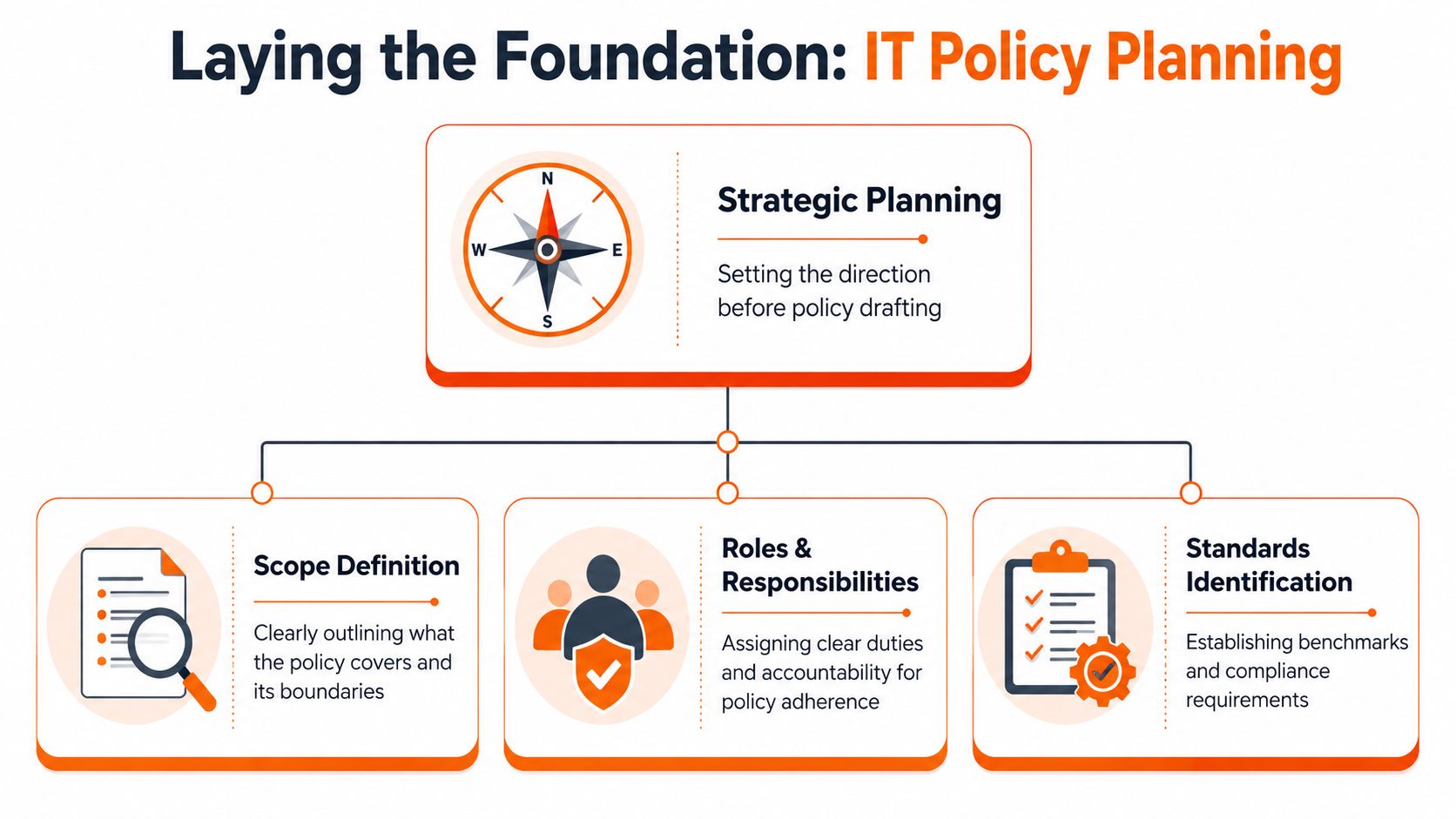
Before you write a single paragraph, decide what your policies are meant to govern and who is accountable for them. This is where most policy projects either become useful or become shelfware.
The ICO reported that 55% of firms fined under the Data Protection Act 2018 failed to maintain mandatory IT policies, while organisations with structured frameworks saw a 47% reduction in breach-related fines, according to the ICO policy and procedures information page. That tells you something important. Structure matters before wording does.
Start with business reality
Scope sounds dry, but it's one of the most commercial decisions you'll make. If the scope is too narrow, risky areas fall outside policy. If it's too broad and vague, nobody knows what applies.
Start by listing what the policy framework covers:
- People: employees, directors, agency workers, contractors, outsourced support
- Assets: company laptops, personal devices used for work, mobile phones, printers, cloud platforms
- Locations: office, home, client sites, shared workspaces
- Data and services: Microsoft 365, file shares, finance systems, CRM, backup platforms, telecoms tools
That exercise usually exposes gaps quickly. For our clients, common examples include unmanaged shared mailboxes, old user accounts, personal phones accessing email, and supplier access that was never documented.
A practical scope statement might say the policies apply to all users accessing company systems, all devices processing company data, and all cloud services approved for business use. That gives you room to govern Microsoft 365, remote access, backup, and line-of-business software without rewriting the whole framework every time you add a tool.
Assign ownership before drafting
Policies fail when everyone thinks someone else owns them. Every policy needs a business owner, not just an IT contact.
Use a simple model:
| Policy area | Business owner | Operational support |
|---|---|---|
| Access control | Senior manager or director | IT provider or internal IT |
| Data protection | Data protection lead | IT and department heads |
| Incident response | Leadership sponsor | IT, security, managers |
| Remote working | Operations or HR lead | IT and team managers |
| Backup and recovery | Operations or service owner | IT provider |
A policy without an owner won't survive its first exception request.
Ownership doesn't mean writing every line personally. It means one named person approves the policy, decides on exceptions, and signs off updates. For SMEs, that's often a director, operations lead, compliance lead, or practice manager, depending on the business.
Map policies to the standards that matter
Don't draft in a vacuum. Write against the external requirements you already need to satisfy.
For most UK SMEs, the practical list usually includes:
- GDPR obligations for lawful handling, retention, access, and breach response.
- Cyber Essentials controls for access, devices, patching, malware protection, and secure configuration.
- Client or insurer requirements that may demand evidence of governance, backups, MFA, or user training.
- Sector expectations in legal, financial, engineering, or other regulated environments.
If Cyber Essentials is on your roadmap, it helps to understand the control areas before writing policy language. This overview of Cyber Essentials certification requirements gives a solid operational context.
The point isn't to cram standard names into the policy. It's to make sure your acceptable use, access control, data handling, incident response, and review processes line up with what you'll later need to evidence. When that mapping is done early, policy writing becomes far simpler and audit prep becomes less painful.
Drafting Your Core IT Policies
Once the groundwork is done, drafting gets easier. You aren't trying to produce a textbook. You're creating working rules that staff, managers, and IT support can apply without interpretation battles.
One issue matters more in regulated sectors than many templates admit. A significant challenge in legal and finance is the clash between client confidentiality practice and security controls such as MFA. Data shows 68% of SMEs in these industries struggle to align Cyber Essentials requirements with legacy client-data-handling policies, as noted in this SCIE evidence page. That tension is real. Policies have to resolve it clearly instead of pretending it doesn't exist.
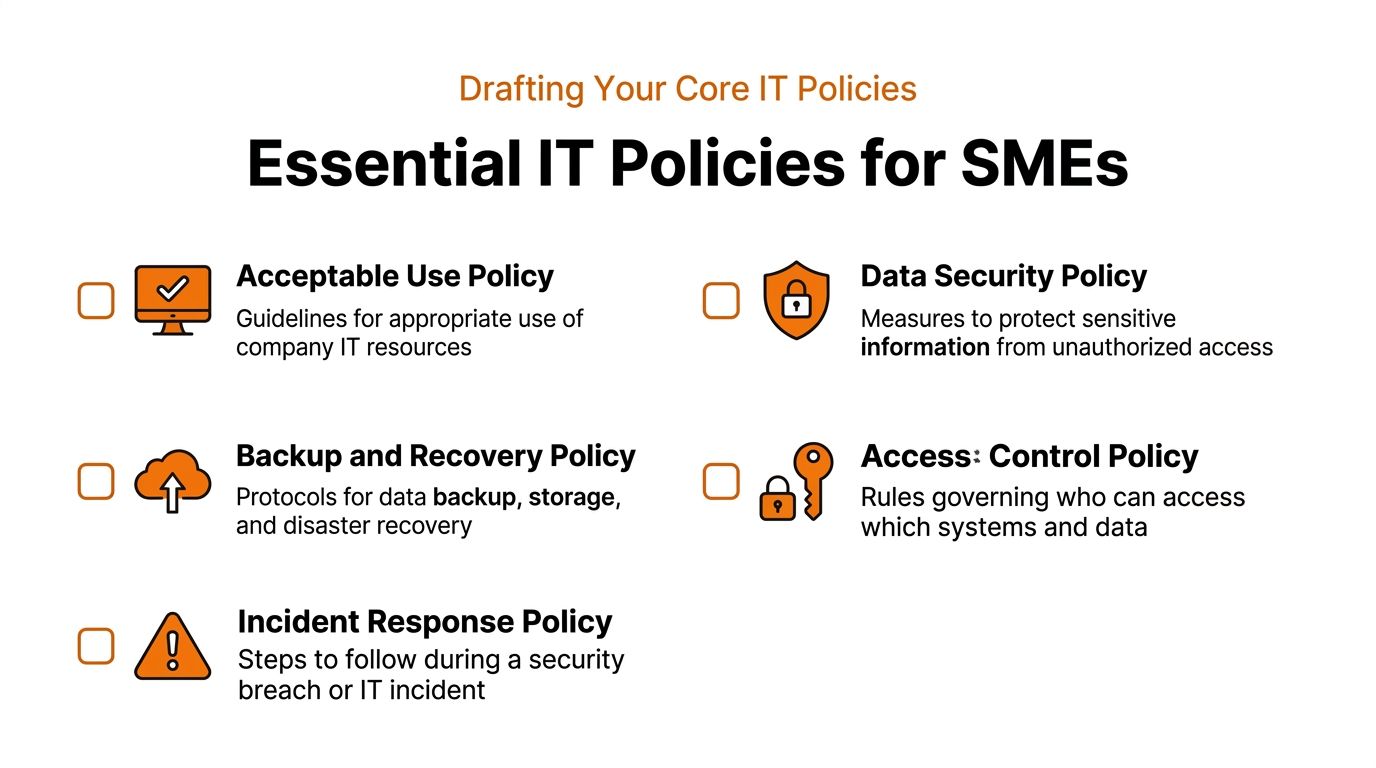
Acceptable use policy
This policy sets the baseline for how staff use company systems, internet access, email, and collaboration tools.
Include points such as:
- Business use first: define whether limited personal use is allowed and where the line is
- Prohibited behaviour: unauthorised software, unsafe downloads, unapproved file sharing, sharing credentials
- Email and messaging rules: handling attachments, external sharing, phishing reporting
- Monitoring notice: explain that business systems may be monitored within lawful and transparent boundaries
- Device expectations: locking screens, reporting loss, keeping devices updated
Keep this one plain. If staff can't understand it quickly, they won't follow it.
Access control policy
Many SMEs reduce risk fastest through access control. Access control should cover more than passwords. It should define how access is granted, reviewed, changed, and removed.
Core content should include:
- Least privilege: users only get access required for their role
- Approval route: managers approve access, not informal requests in chat
- Starter, mover, leaver process: onboarding, role changes, and offboarding must be documented
- MFA requirements: where it's mandatory and who can authorise exceptions
- Privileged access: administrator rights must be restricted and reviewed
- Shared accounts: either prohibit them or define strict controls where unavoidable
For Microsoft 365, spell out who can create Teams, who can share externally, and who can create forwarding rules or mailbox delegations. Those details stop drift.
Incident response policy
This policy tells the business what qualifies as an incident and who needs to know. It isn't the detailed step-by-step playbook yet. It sets the rules for action.
A useful SME incident response policy should define:
- Incident categories: phishing, lost device, suspicious login, malware, data disclosure, service outage
- Reporting requirement: incidents must be reported immediately through a named route
- Escalation thresholds: which events go to leadership, compliance, legal, or clients
- Decision authority: who can isolate devices, disable accounts, engage third parties, or approve notifications
- Evidence handling: preserve logs, messages, screenshots, and timelines
Policies should remove hesitation. If staff still wonder whether to report something, the wording isn't strong enough.
Backup and disaster recovery policy
A backup policy shouldn't just say data is backed up. It should define what gets backed up, how often, where it is stored, who checks it, and how recovery is verified.
Cover these areas:
- Scope: servers, cloud data, Microsoft 365 data, file shares, endpoints if relevant
- Retention: how long backups are kept for operational and compliance needs
- Recovery priorities: which systems come first if there's an outage
- Testing: restore tests, ownership, and evidence of results
- Separation: backup security, access restrictions, and resilience against ransomware
Many SMEs assume Microsoft 365 native retention equals full backup. That's a risky assumption unless you've explicitly decided what protection level you need and documented it.
Remote working policy
Remote work introduces inconsistent environments, which means your policy must be specific. General advice about working securely from home isn't enough.
Write down:
- Approved devices: company-managed devices, approved personal devices, or both
- Connection rules: secure Wi-Fi expectations, use of approved access methods, no public device usage
- Data handling: printing, local storage, use of USB devices, screen privacy
- Physical security: locking devices, storing equipment, reporting theft or loss
- Support boundaries: what IT can support on home setups and what it can't
For firms handling confidential client material, be explicit about conversations in shared spaces, paper records, and personal messaging apps. Those are often bigger policy gaps than malware.
Cloud and Microsoft 365 governance policy
This is now essential for most SMEs. Cloud sprawl happens, especially in Microsoft 365 where users can create Teams, share files, connect apps, and grant permissions without much friction.
Your governance policy should address:
- Tenant administration: who can change security, compliance, and sharing settings
- External sharing: default sharing stance and exception process
- Data locations and retention: what content is stored where and for how long
- Third-party apps: approval and review of connected applications
- Mailbox and file permissions: delegation, guest access, group ownership
- Change control: how major tenant changes are reviewed and documented
For our clients, this policy often becomes the bridge between security and compliance. It gives the business a defensible way to manage collaboration without letting convenience dictate risk.
From Policy to Procedure Creating Actionable Workflows
A policy says what the business expects. A procedure says how someone carries it out. If you stop at policy level, staff will improvise. That's usually where mistakes begin.
According to Virtual College's guidance on what to include in an IT policy, 63% of UK employees misunderstand key policy elements when they aren't written in plain, action-oriented language, leading to a 37% higher rate of accidental policy violations. The same guidance says structured incident procedures can lead to 85% faster breach containment. That lines up with what we've seen. Clear procedures reduce delay, hand-offs, and guesswork.
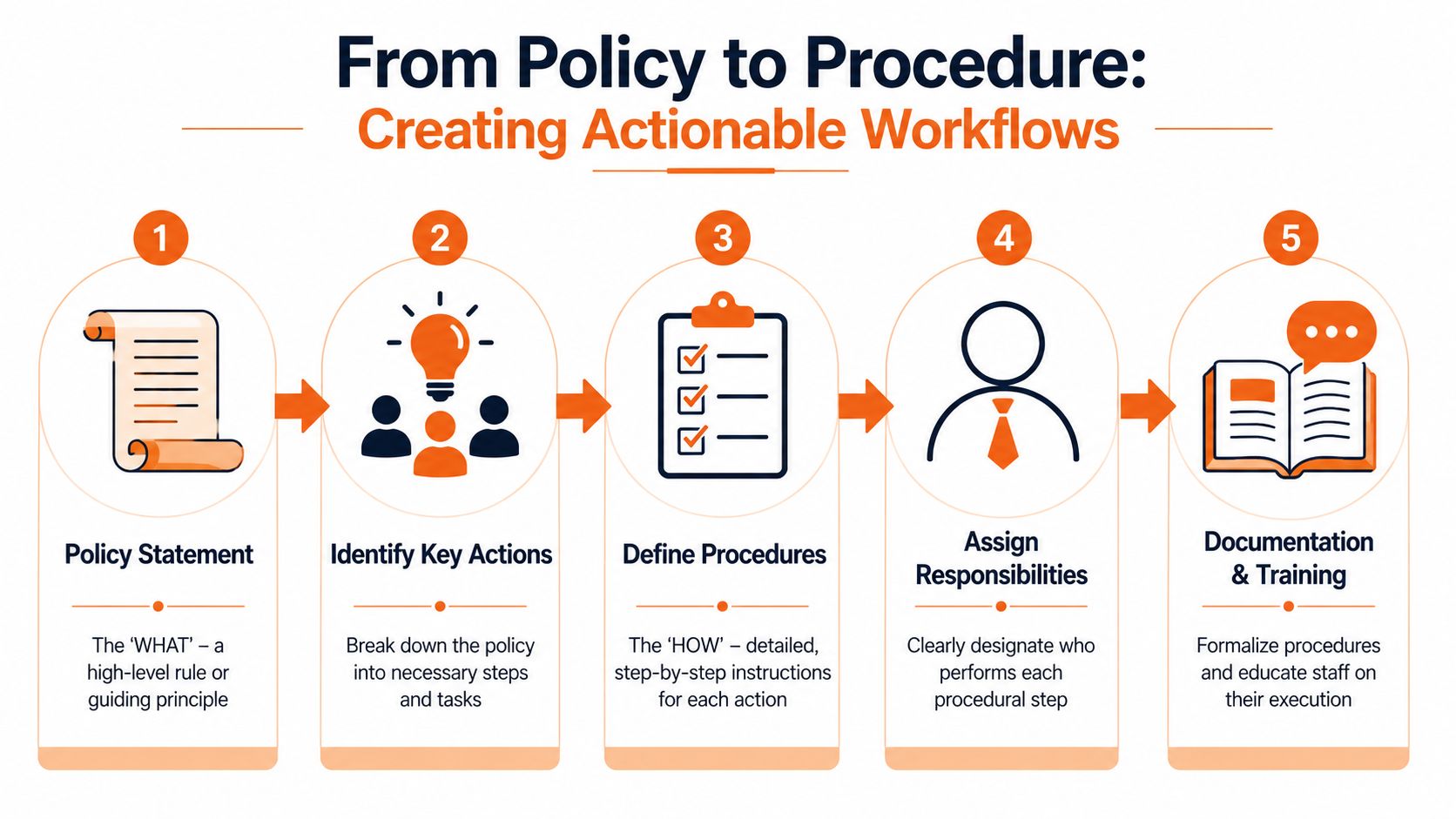
Policy says what procedure says how
Take a simple policy statement: staff must report security incidents immediately.
That isn't enough on its own. A workable procedure answers the questions employees will have in the moment:
- Who do I contact first
- What counts as urgent
- Do I shut the device down or leave it on
- What details should I record
- Who informs management or compliance
- What happens outside office hours
A good procedure is short, sequential, and role-specific. It should be obvious what a receptionist does, what a manager does, and what IT does next.
A simple incident reporting workflow
Here's a practical model many SMEs can use.
Spot and report
The staff member notices a suspicious email, lost device, strange login alert, or unusual system behaviour. They report it using one approved route.Record the basics
Capture who reported it, time noticed, device or system involved, what happened, and whether personal data may be affected.Triage quickly
IT or the designated responder decides whether this is a service issue, security event, or likely data incident.Escalate by threshold
If it affects sensitive data, a key system, or multiple users, leadership and compliance contacts are notified using the escalation list.Contain and recover
Actions are taken under a defined authority model. That may include disabling an account, isolating a laptop, blocking sharing, or restoring data.
Keep the first procedure version simple enough that a non-technical manager can follow it under pressure.
The same principle applies beyond incidents. Access control needs a starter, mover, leaver procedure. Backup policy needs a restore-test procedure. Remote working needs a lost-device procedure. Cloud governance needs a third-party app approval procedure.
If you're formalising identity processes, especially for Microsoft 365 or other cloud platforms, it's worth understanding automated user provisioning properly. Toolradar's comprehensive SCIM overview is useful background when you're designing repeatable joiner and leaver workflows.
Make procedures easy to follow
The fastest way to undermine IT policy and procedures is to write them for auditors instead of employees.
Use these rules:
- Use verbs first: "Report the email to IT" works better than "Suspicious communications should be escalated"
- Keep one procedure to one page where possible: especially for frontline actions
- Add decision points: if yes, do this. If no, do that
- Name roles, not departments only: "Office manager" is clearer than "Operations"
- Attach templates: access request form, incident form, leaver checklist, restore test record
- Store them where people already work: not in an obscure compliance folder
A mature setup often includes a policy, a step-by-step procedure, and a supporting form or checklist. That's where governance becomes operational. If incident handling is a current priority, this guide to incident response planning helps connect policy wording with live response activity.
Implementation Training Enforcement and Communication
Most policy failures happen after approval. The document is signed, uploaded, emailed once, and forgotten. Staff carry on as before.
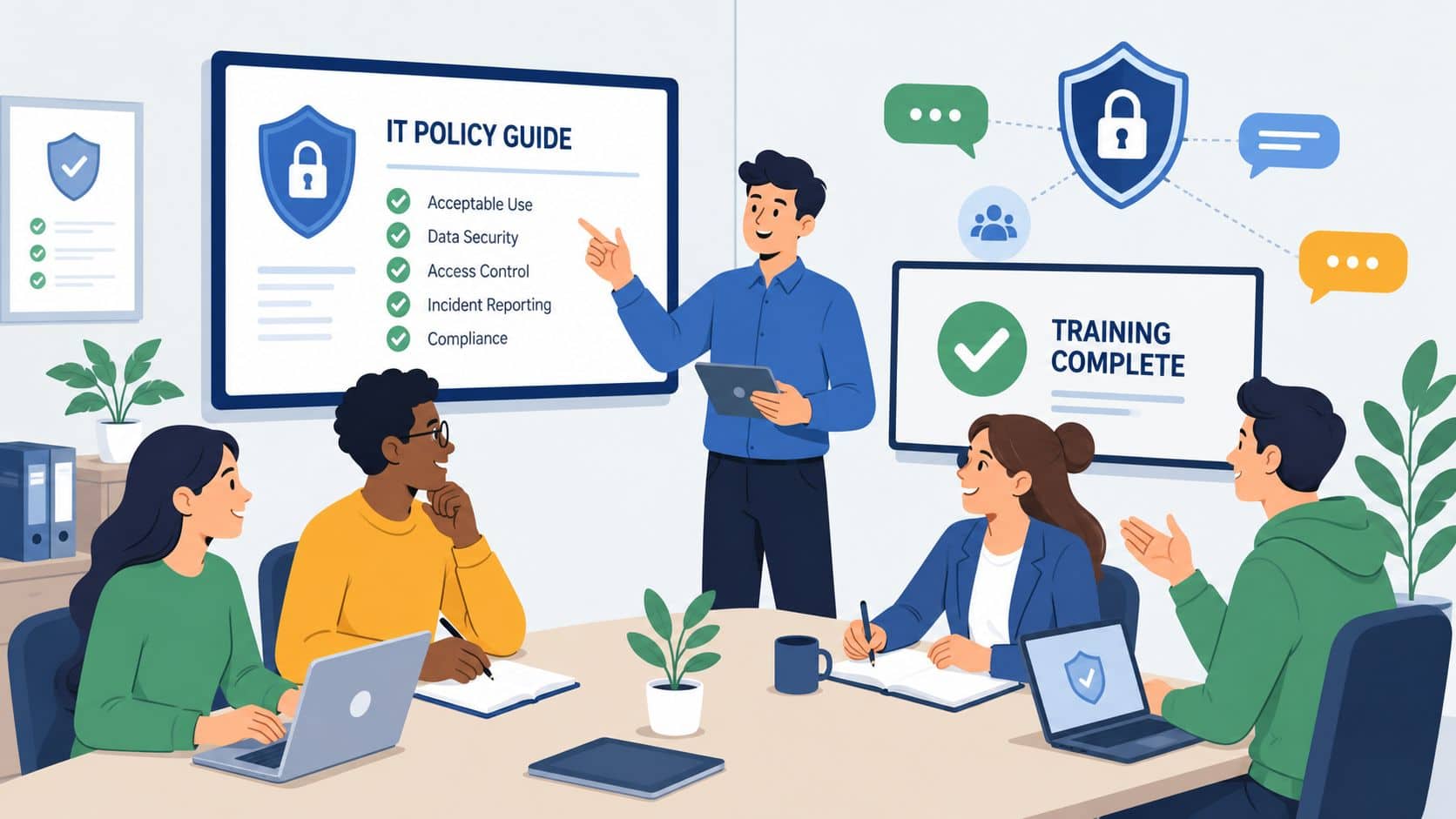
That approach ignores a basic reality. A large group of employees won't absorb policy from a PDF alone. The UK's Digital Inclusion Action Plan highlights a major rollout challenge: 13.7 million UK adults are digitally excluded and 4.4 million workers lack basic digital skills. For SMEs, that means standard policy documents can be unusable unless training and communication are adapted.
Launch policies like an operational change
Treat rollout the same way you'd treat a new finance process or health and safety change. People need to know what changed, why it matters, and what they must do differently.
A practical launch plan usually includes:
- Leadership message: a short explanation of why the business is tightening the rules
- Manager briefing: what line managers must enforce and approve
- Staff summary: plain-English overview of the main changes
- Role-based sessions: separate guidance for general users, managers, and admins
- Acknowledgement process: confirmation that staff have read and understood the rules
We've seen better results when businesses explain the operational reason behind the rules. Staff don't need a lecture on governance. They need to know why MFA is mandatory, why external sharing is restricted, and why reporting quickly protects clients and the business.
Train for real people not ideal users
Not every employee is comfortable with security language, cloud platforms, or policy terminology. If your training assumes everyone understands phrases like conditional access, data retention, or privilege escalation, some people will disengage immediately.
Use layered communication:
| Audience | Format that works | What to cover |
|---|---|---|
| General staff | Short live session and one-page guide | day-to-day rules, reporting, common mistakes |
| Managers | Scenario-based workshop | approvals, exceptions, escalation responsibilities |
| High-risk users | Focused training | client confidentiality, data handling, sharing controls |
| Admin users | Technical runbook | privileged access, change control, evidence logging |
A structured programme of user awareness training can help embed this far more effectively than one-off reminders.
Before the next stage of rollout, this short video is useful for framing security awareness in practical terms.
Enforcement has to be consistent
Enforcement doesn't need to be heavy-handed, but it does need to be predictable. If one employee is challenged for using personal file-sharing and another isn't, the policy loses credibility.
Use a simple ladder:
- First response: coaching and correction for low-risk mistakes
- Repeated issues: manager intervention and retraining
- Serious breaches: formal disciplinary route aligned with HR policy
- Technical controls: where possible, use system settings to enforce the rule instead of relying on memory
Staff follow policies more reliably when the secure option is also the easy option.
That last point matters most. If your process for requesting access is slow, people will share accounts. If external sharing is blocked without an exception route, people will find workarounds. Good enforcement combines communication, management accountability, and sensible technical controls.
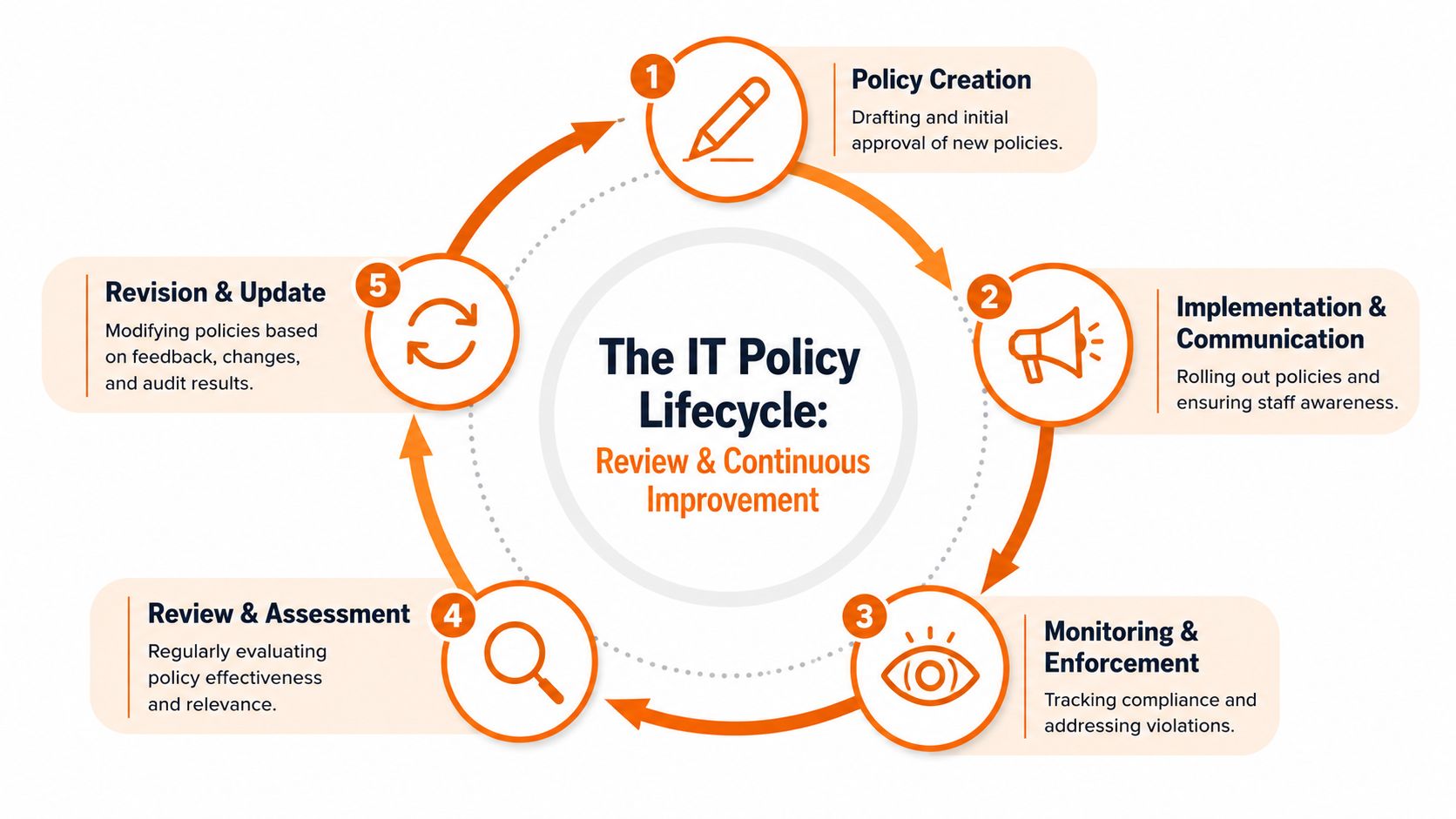
The Final Step is a Loop Review and Continuous Improvement
The biggest mistake SMEs make with IT policy and procedures is treating them as a one-off project. They write them, approve them, save them, and assume the job is done.
It isn't. Systems change. Staff change. Regulations change. Cloud platforms change. Your policy set has to move with them.
For Cyber Essentials Plus and wider compliance, review discipline matters. According to the NCVO guidance on writing data protection policy and procedures, UK organisations with documented policy review schedules achieve a 92% success rate in regulatory audits, compared with 61% for those without. The same guidance says 78% of UK firms achieving Cyber Essentials Plus maintain dynamic review processes.
Set review cadence by risk
Not every policy needs the same frequency.
A sensible SME approach looks like this:
- Quarterly reviews: incident response, access control, data protection, cloud governance
- Annual reviews: acceptable use, general device usage, lower-risk supporting policies
- Ad hoc reviews: after incidents, audits, major system changes, office moves, acquisitions, or supplier changes
Document the owner, last review date, next review date, and approval record. That simple register does a lot of work in audits.
Use triggers not just dates
A review calendar is useful, but real life should drive updates too.
Common triggers include:
- A security incident that exposed confusion or delay
- A Microsoft 365 change such as wider sharing or new workloads
- A business change like hybrid working, multi-site growth, or outsourcing
- A compliance finding from a client, insurer, or external assessor
Review policies when operations change, not only when the calendar says so.
Treat audits as feedback
Audits shouldn't be a panic event. They're one of the quickest ways to see whether your policies still match your operations.
Look for three things:
- Controls that exist in practice but aren't documented
- Policy statements that staff can't follow
- Procedures that no longer match current systems or responsibilities
When SMEs do this well, policy review stops feeling like admin and starts functioning as operational maintenance. That's the right mindset. Your policies are not static documents. They're the engine room for security, compliance, and day-to-day consistency.
If your business needs practical help turning IT policy and procedures into something staff can use, Blowfish Technology works with SMEs across the North West and throughout the UK on managed IT, Cyber Essentials readiness, Microsoft 365 governance, backup, user awareness, and compliance-led security. If you'd like a clear view of where your current policies stand and what needs tightening, they're a sensible place to start.

The Blowfish Technology team. Managed IT, cloud services, software development and connectivity for North West businesses since 1999.