
Most UK SMEs already know they should have an incident response plan. The problem is that many of them have a document, a few named contacts, and no real confidence that any of it will work at 08:47 on a Tuesday when Microsoft 365 accounts start locking out, files go missing, and the person who usually “handles IT” is in a client meeting.
That gap between paperwork and operational readiness is where incidents turn messy. If your business relies on an external IT partner or MSP, the weak point usually isn't intent. It's uncertainty. Who declares the incident? Who can isolate devices? Who speaks to staff? Who preserves evidence? Who decides whether legal counsel needs to be involved? If those answers live only in someone's head, you don't have incident response planning. You have assumptions.
The gap is still wide. According to the UK Government's 2024 Cyber Security Breaches Survey summary referenced here, only 23% of UK businesses currently maintain a formal incident response plan, with the figure dropping to just 22% across all businesses, leaving most SMEs exposed when something serious happens.
Table of Contents
- Laying the Groundwork for Your Response Plan
- Assembling Your Incident Response Team
- Building Your Core Incident Response Playbooks
- Integrating Your Security and Recovery Tooling
- Operationalising Your Plan with Testing and Training
- Managing Communications and Compliance in a Crisis
Laying the Groundwork for Your Response Plan
A workable response plan starts with business priorities, not security tooling. If you begin with a template that lists ransomware, phishing, malware, and insider threats, you'll end up with a generic document that looks complete and fails under pressure.
Start with what the business cannot afford to lose. That usually means a short list. Client communications, document management, finance systems, production scheduling, case files, line-of-business apps, Microsoft 365, remote access, telephony, and backups. Every SME has a different mix, and regulated firms often have one system that matters more than everything else because it carries client data, legal records, or financial information.
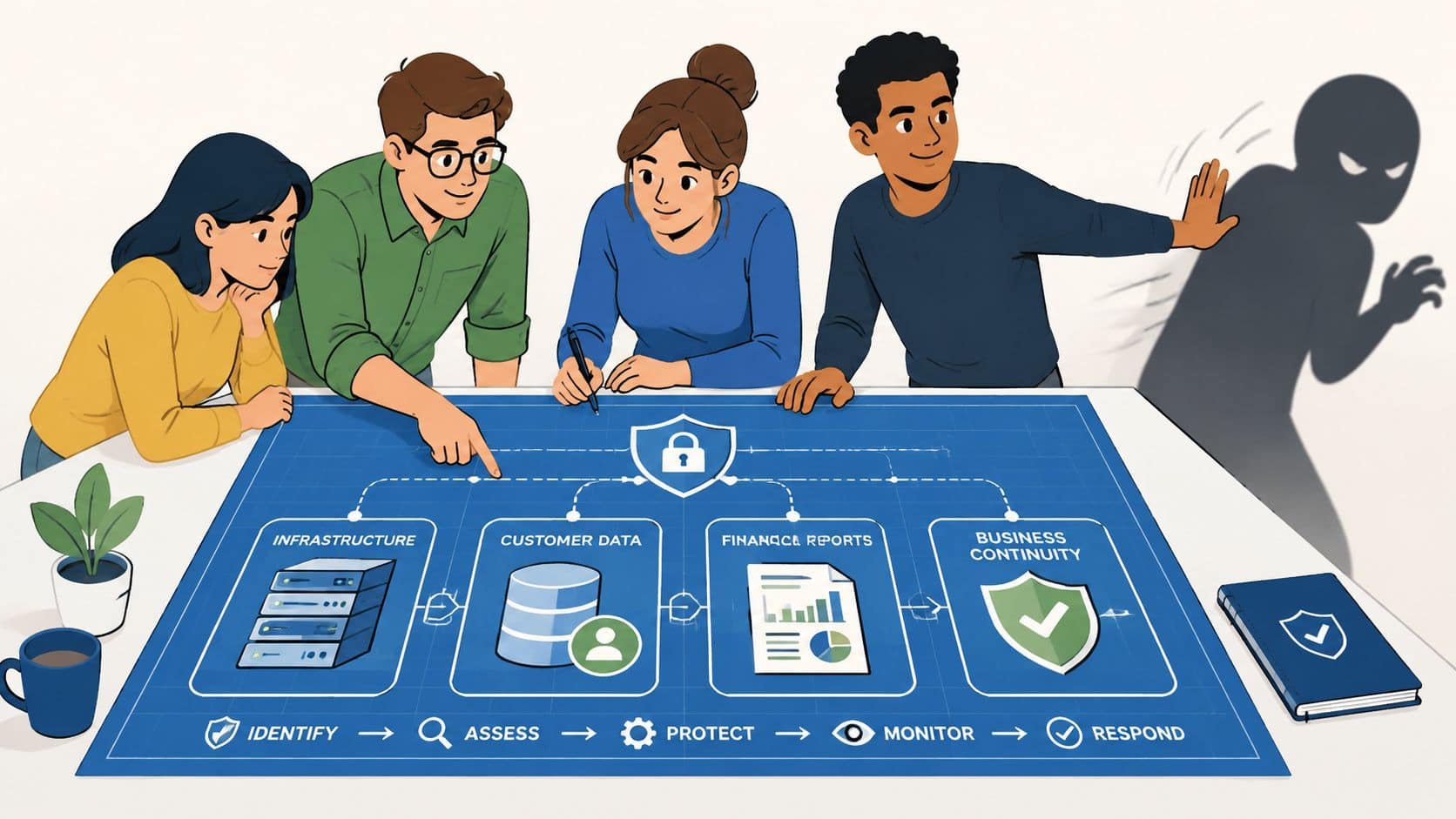
Start with business impact, not threat headlines
Run a simple business impact analysis. Don't overcomplicate it. For each critical system or process, answer five questions:
What does this system enable?
Be precise. “Email” is vague. “Email used for client instructions and supplier approvals” is useful.How long can we operate without it?
Set a real tolerance. Some businesses can absorb a morning outage. Others can't absorb an hour.What data sits inside it?
Personal data, commercial contracts, legal material, design files, payroll, or operational documents all change the response path.Who owns the business decision?
Security teams don't decide business priority on their own. A system owner does.What is the fallback?
Paper process, alternate application, manual approval route, or no fallback at all.
Practical rule: If nobody in the business can clearly say why a system matters, it won't get the right attention during an incident.
A lot of SMEs need outside help with this because internal teams are small and stretched. If you're still tightening the basics around controls, asset visibility, and resilience, this guide to cybersecurity for SMEs is a useful companion to the planning work.
Define what counts as a major incident
Most plans fail at the declaration stage. Staff notice something odd, the MSP sees alerts, management hesitates, and everyone loses time debating whether it's “serious enough”.
Write down your trigger points in plain language. Examples include:
- Operational impact: A core system is unavailable beyond the business's accepted tolerance.
- Identity impact: A privileged account is believed to be compromised.
- Data impact: Sensitive or regulated data may have been accessed, altered, or exfiltrated.
- Customer impact: Clients can't access services, place orders, or receive support.
- Control failure: Security tooling is disabled, bypassed, or no longer trustworthy.
These thresholds should reflect your business, not a sample template. A law firm, engineering company, and manufacturer won't share the same trigger for escalation.
Map the plan to UK compliance obligations
Many SME plans stay too vague because the technical response and the compliance response have to meet in the same document.
For UK businesses, that usually means mapping each critical system and data set to obligations under GDPR, internal contractual duties, and schemes such as Cyber Essentials. If a system contains personal data, your plan should identify who assesses reporting obligations. If a system supports a regulated process, your plan should note what evidence must be preserved and who signs off customer communications.
Use a short compliance register inside the plan. Include:
- Relevant data types
- Responsible decision-maker
- Required internal notifications
- External reporting considerations
- Evidence preservation requirements
This groundwork feels slow when nothing is wrong. It's what prevents chaos when something is.
Assembling Your Incident Response Team
An incident response plan is executed by people making decisions under pressure. The names on the document matter less than the functions they cover. In SMEs, those functions are often split between internal staff, senior management, and an MSP. That's normal. What isn't acceptable is leaving the handoffs vague.
The NCSC position is clear. Exercising procedures with defined roles such as team leader and communications coordinator is as vital as fire drills. The same CREST guidance also notes that 42% of organisations with existing IR plans in the UK do not update them regularly, which is one reason plans go stale and stop matching reality, as outlined in the CREST CSIR procurement guide.
Assign functions, not job titles
A real SME response team usually needs these functions covered:
Incident Lead
Owns coordination, priority, and decision flow. This person keeps the response moving and records major decisions.Technical Lead
Usually your MSP or specialist provider. They validate alerts, scope affected systems, isolate assets, and direct technical containment.Communications Lead
Handles staff messages, customer holding statements, and internal consistency. This role should not be improvised by whoever happens to be free.Senior Management
Approves disruptive business decisions, such as taking systems offline, pausing operations, or engaging legal counsel.Compliance or Legal Contact
May be internal or external. They advise on reporting, privilege, evidence handling, and regulated communications.
The fastest responses happen when technical authority and business authority are both clear before the incident starts.
Build a realistic split between client and MSP
Many plans become unrealistic. SMEs often write plans as if they have an internal SOC, internal forensics, internal legal review, and an always-available IT manager with authority to pull systems offline. They don't.
Build your plan around the operating model you have. If the MSP provides monitoring and triage, say so. If only the client can approve disconnection of a production system, say so. If evidence collection requires a specialist forensic provider, name the trigger for bringing them in.
A useful way to pressure-test this split is to ask awkward questions:
- Who can authorise account suspension for a director's Microsoft 365 account?
- Can the MSP isolate endpoints without verbal approval?
- Who notifies staff if email itself is affected?
- Who speaks to cyber insurance, legal counsel, or law enforcement?
- If the primary IT contact is unavailable, who is next?
If your current staffing model feels thin, it helps to understand the broader challenge of Finding Right Cyber Talent. Most SMEs won't build a full internal incident capability, so role design and provider coordination matter more than ideal headcount.
Many businesses also need a clearer picture of the provider side of the relationship. If the MSP's remit is still loosely defined, it's worth reviewing what a managed service provider does in operational terms before you freeze responsibilities into the plan.
Sample Incident Response RACI Chart for SMEs
| Task | Incident Lead (Internal) | Technical Lead (MSP) | Comms Lead (Internal) | Senior Management |
|---|---|---|---|---|
| Declare incident severity | A | C | I | C |
| Validate alert and assess scope | C | R | I | I |
| Isolate affected endpoint or account | C | R | I | A |
| Approve business-disruptive containment | C | C | I | A |
| Notify staff of operational changes | I | I | R | A |
| Engage legal or compliance advice | C | I | I | A |
| Preserve logs and evidence | I | R | I | A |
| Approve external customer statement | I | I | R | A |
| Close incident and sign off lessons learned | A | C | C | A |
Use this as a working model, not a fixed template. The critical thing is that every line has an owner, and no high-risk action depends on guesswork.
Building Your Core Incident Response Playbooks
One oversized document doesn't help much when users are locked out, emails are being forwarded externally, or files are encrypted. The main plan should set authority, escalation, communication paths, and evidence rules. The operational detail belongs in short playbooks for the incidents you're most likely to face.
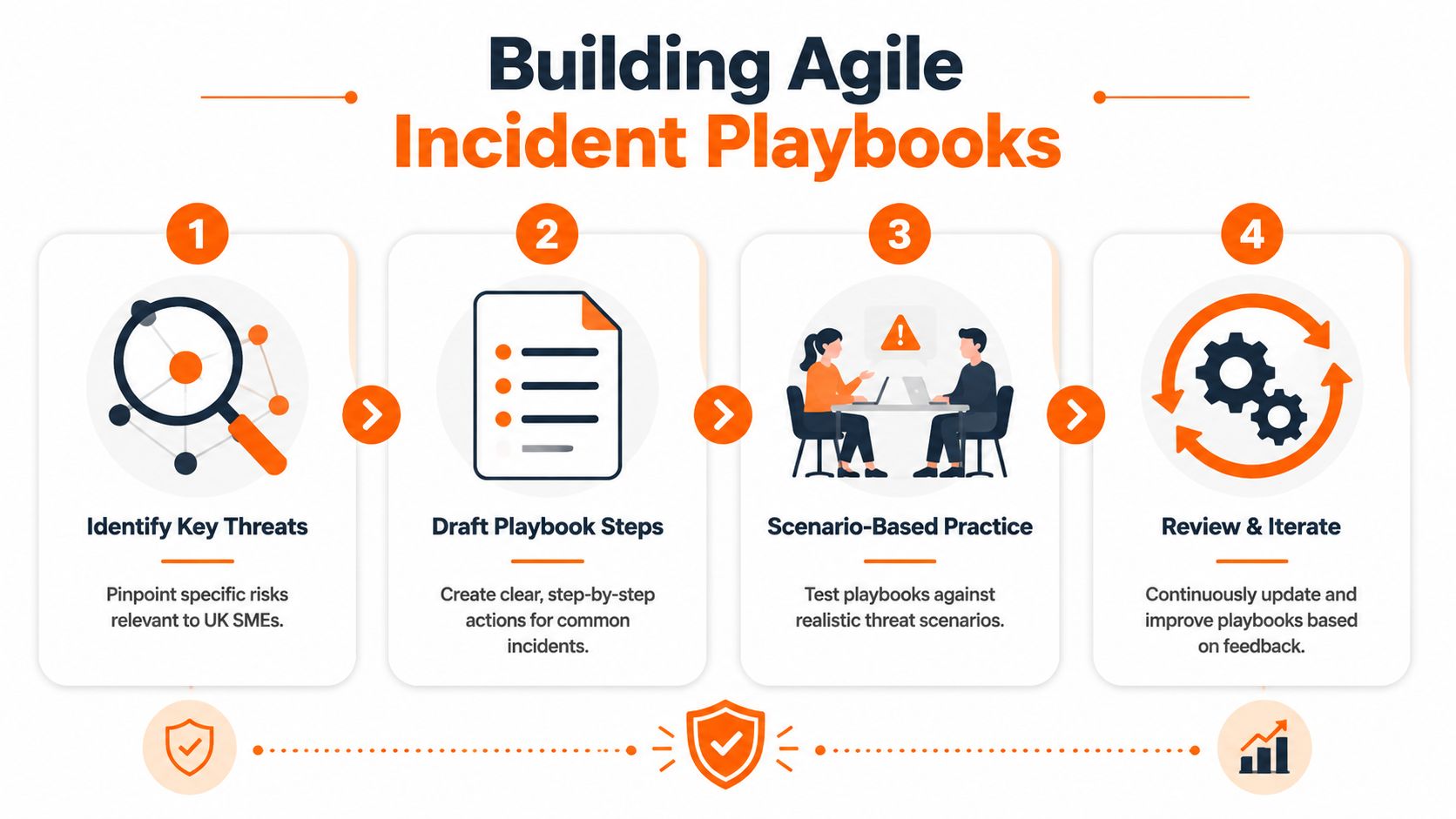
Use one plan and several short playbooks
For SMEs, a good playbook is short enough to use live. Two to four pages is often enough. Each one should follow the same lifecycle:
- Preparation
- Identification
- Containment
- Eradication
- Recovery
- Lessons learned
Keep the structure consistent so the team doesn't need to relearn the format during a stressful event.
Ransomware playbook example
Ransomware isn't just a malware problem. It's a business continuity problem. The first hour is about limiting spread and keeping your evidence intact.
Preparation
List where your endpoint telemetry lives, who can isolate devices, where backups are managed, and how to communicate if Microsoft 365 is impacted.
Identification
Warning signs often include file renaming, ransom notes, users reporting inaccessible files, sudden endpoint alerts, or unusual privilege changes.
Immediate checks should include:
- Affected scope: Which users, endpoints, file shares, or servers show the same pattern.
- Identity review: Whether a compromised account appears to have enabled lateral movement.
- Backup confidence: Whether recoverable copies exist and are isolated from the affected environment.
- Evidence capture: Preserve alerts, timestamps, affected host details, and user reports before cleanup starts.
Containment
Weak plans cause damage during this phase. Teams either move too slowly, or they start rebooting and deleting things.
A practical containment list:
- Isolate endpoints that show active encryption or clear signs of compromise.
- Disable compromised accounts where there is evidence of misuse or privilege abuse.
- Block high-risk sessions such as remote administration paths that appear linked to the incident.
- Pause non-essential changes so the team isn't troubleshooting around live configuration churn.
- Preserve forensic artefacts before reimaging, restoring, or deleting anything.
If the first instinct is “wipe it and rebuild”, stop. Recovery without evidence often means you don't know how the attacker got in, whether they still have access, or what else they touched.
Eradication
Remove persistence, reset credentials, patch the exploited weakness, and confirm that restored systems are clean before returning them to users.
Recovery
Restore services in business order, not technical order. Client-facing and revenue-critical systems may need to come back before less critical internal tools.
Lessons learned
Focus on why the event spread, why detection happened when it did, and what approvals slowed response.
Business email compromise playbook example
Business email compromise looks less dramatic than ransomware, which is why teams often underestimate it. In regulated businesses, it can be more dangerous because it mixes fraud, impersonation, mailbox access, and potential data exposure.
Preparation
Document who can disable accounts, revoke sessions, review mailbox rules, and approve outbound warnings to customers or suppliers.
Identification
Common indicators include unusual invoice requests, users reporting messages they didn't send, suspicious forwarding rules, impossible travel alerts, or MFA fatigue complaints.
The first review should cover:
- Mailbox rules that forward or hide messages
- Recent login activity for suspicious access patterns
- Delegated permissions added without business reason
- Finance process exposure if payment approvals or supplier changes were involved
Containment
Containment often needs to happen quickly and discreetly.
- Disable or restrict the affected account
- Revoke active sessions
- Reset credentials and review MFA posture
- Block malicious forwarding or delegate rules
- Warn internal finance and operational teams before fraudulent requests are actioned
Eradication and recovery
Remove unauthorised changes, confirm control of the identity, review related accounts, and check whether the attacker used the mailbox to pivot into other services.
Lessons learned
Many BEC incidents expose weak approval processes rather than only technical gaps. If finance can act on email alone, the attacker has already found a soft spot.
Integrating Your Security and Recovery Tooling
Plans don't isolate endpoints. People using tools do. If the tooling isn't in place, the plan becomes a list of intentions.
That matters because operational disruption is real. New data from ESET found that 78% of UK manufacturers experienced a cybersecurity incident in the last 12 months, with three out of four enduring between one and seven days of operational downtime, and 95% reporting significant business disruption, according to this Industrial Cyber summary of the ESET findings.
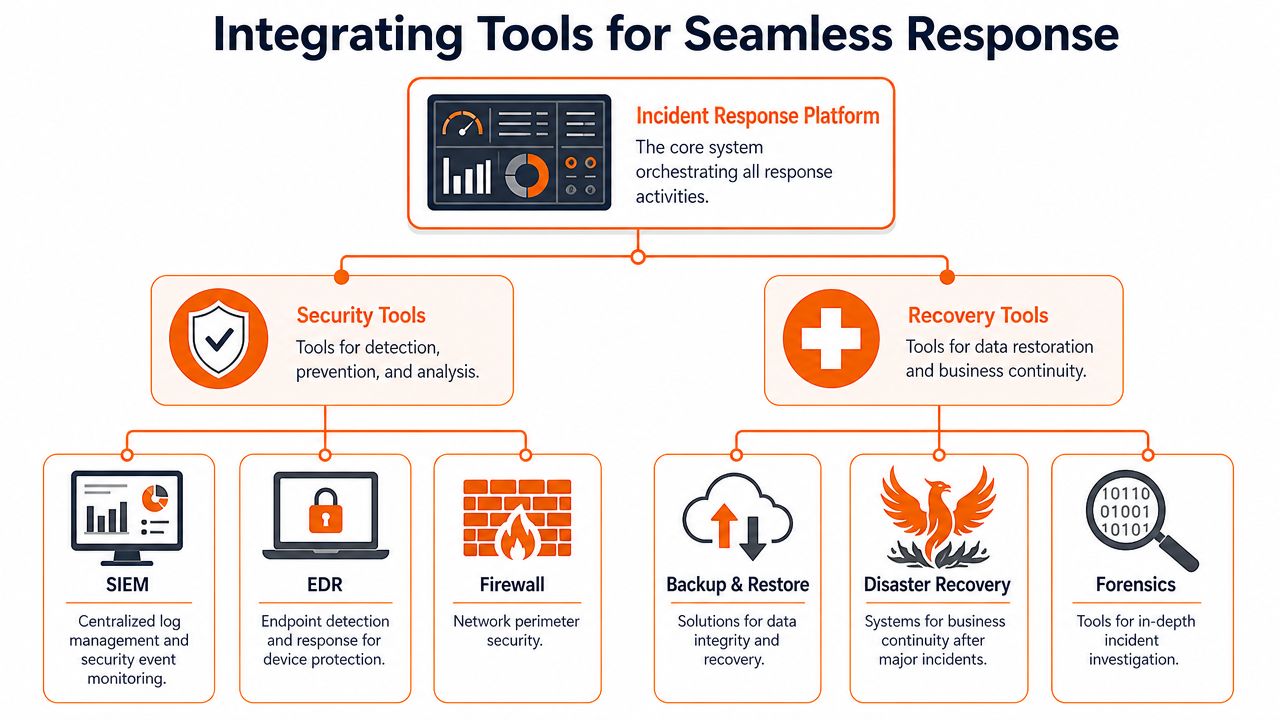
Tools decide whether your plan is executable
For an SME using an MSP, the core toolset usually needs to cover four jobs.
First, you need detection and visibility. That's where managed EDR earns its keep. It gives the technical team a way to see what happened on endpoints, trace suspicious behaviour, and isolate affected devices without waiting for someone to unplug a machine.
Second, you need identity control. A lot of modern incidents spread through accounts, not only endpoints. If a compromised identity stays live, you can clean a laptop and still lose the environment.
Third, you need logging and evidence retention. Without usable records, your team will spend hours reconstructing basic facts.
Fourth, you need recovery tooling. Backups are not a box-ticking exercise. They're the difference between a controlled restore and a prolonged outage.
If you want a practical grounding in the endpoint side of that stack, this explainer on endpoint detection and response is worth reading.
What the stack should do during a live incident
A capable stack should let your team do the following without improvisation:
| Capability | What it needs to enable |
|---|---|
| EDR | Investigate host activity, isolate affected machines, and preserve endpoint context |
| ITDR or identity controls | Disable compromised accounts, revoke risky sessions, and review access misuse |
| Microsoft 365 backup | Restore mailboxes, files, and collaboration data without relying on the live tenant alone |
| Central logging | Reconstruct timelines, verify scope, and support compliance decisions |
| Forensic tooling or specialist access | Preserve artefacts and support legal defensibility where needed |
A mature stack also needs operational discipline around it. One reason ticketing and escalation workflows matter is that response work breaks down when alerts, approvals, and status updates sit in different places. Even outside security, some of the service design principles in these Headset Army support strategies are useful when you're tightening escalation routes and reducing confusion under pressure.
Security tooling should shorten decisions. If it creates more debate, the stack is too fragmented or the workflow around it is weak.
Operationalising Your Plan with Testing and Training
Most plans fail in the exact place their owners assume they're strongest. The document exists. The contacts are listed. The roles look sensible. Then the first live incident exposes the missing access, the stale phone number, the approval bottleneck, and the fact that nobody has rehearsed the chain between the client and the MSP.
Recent NCSC data states that 68% of UK SMEs reported cyber incidents but only 22% had tested their IRP with real-world scenarios, as noted in the NCSC incident management guidance. That's why so many written plans collapse in the first-response window.
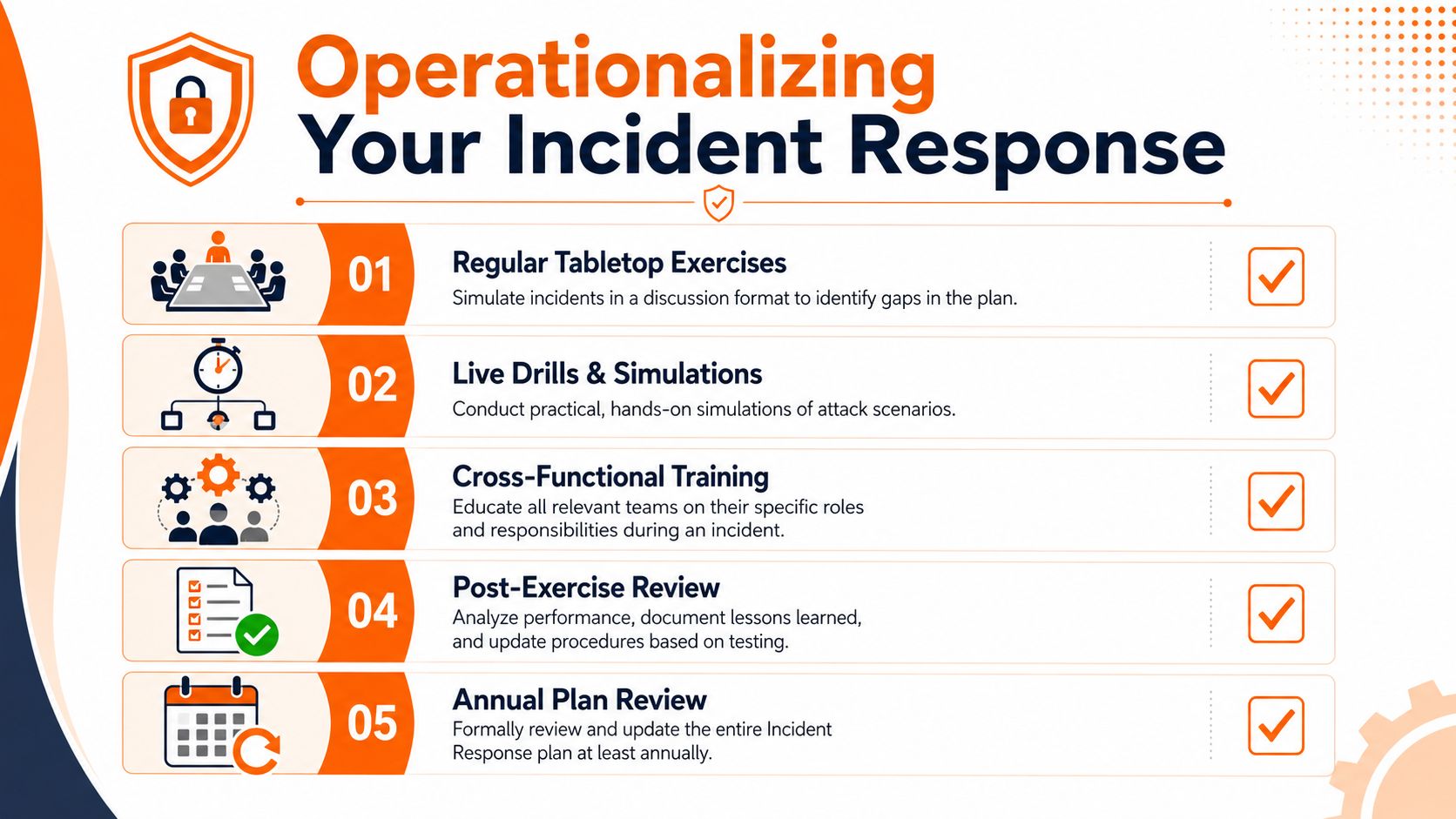
A plan on a shelf is not readiness
Testing doesn't need to mean a full technical simulation every time. For most SMEs, the starting point is a tabletop exercise that forces the right people to make real decisions in sequence.
Pick one of your actual playbooks. Use a realistic scenario. Then walk it through with the internal incident lead, senior management, communications owner, and MSP technical contact. Don't let the group skip over awkward details. Those are the whole point.
A useful companion topic here is recovery planning, because security response and business restoration are tightly linked. If your recovery process is still too abstract, this guide on how to create a disaster recovery plan helps tie incident handling to service restoration.
How to run a tabletop that finds real weaknesses
Keep the exercise short and structured. Ninety minutes is usually enough for SMEs if the scenario is focused.
Use prompts like these:
Inject 1
A user reports files won't open and the MSP sees suspicious endpoint behaviour. Who declares the incident, and on what evidence?Inject 2
The finance director's account shows unusual activity. Who can authorise account lockdown if they are in meetings and unavailable?Inject 3
Email may be compromised. What out-of-band communication method is used for the response team?Inject 4
A client asks whether their data is affected. Who answers, and what are they allowed to say at that stage?Inject 5
The MSP recommends forensic preservation before remediation. Who approves the delay that this may introduce to immediate recovery?
During the exercise, capture every gap in a simple log:
| Gap found | Why it matters | Owner |
|---|---|---|
| Missing backup approver | Delays restore decisions | Senior management |
| Stale contact list | Breaks escalation | Incident Lead |
| No documented out-of-band comms | Response may rely on compromised systems | Comms Lead |
Train the communication chain as well as the technical response
Technical teams often rehearse isolation and recovery but ignore the softer failure points. Those failures are expensive. Staff keep using affected systems. Managers give conflicting instructions. Customers hear inconsistent messages.
Use short drills for communication alone. Examples:
- Internal alert drill to test how staff are told to stop using a platform.
- Executive briefing drill to test what management gets in the first update.
- MSP escalation drill to confirm who answers, who approves, and how handoff works after hours.
A short video can help frame the mindset before you run your own exercises:
The best test outcome isn't a “pass”. It's a list of specific fixes that make the next incident less chaotic.
Managing Communications and Compliance in a Crisis
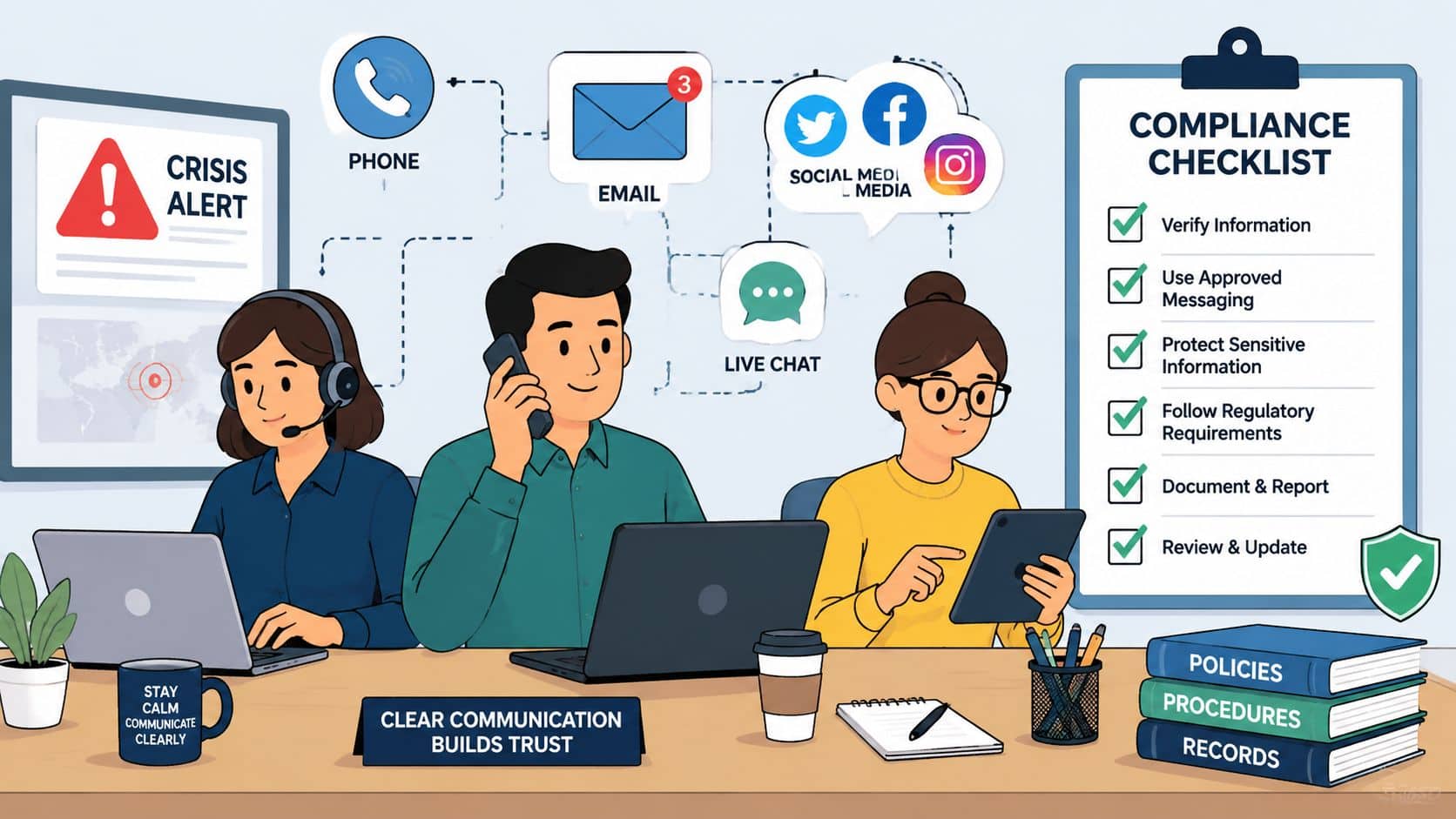
During a live incident, technical action and evidence discipline have to move together. If one races ahead of the other, you create a second problem. Systems come back, but the audit trail is broken. Staff are informed, but the language is inaccurate. The MSP contains the issue, but no one can show who approved what or when.
That gap is common. Emerging NCSC updates highlight that 54% of UK breaches involving SMEs lacked proper evidence retention due to ambiguous roles between client and MSP, creating legal exposure and blocking regulatory reporting under the UK's Data Protection Act 2018, according to the Ministry of Justice incident response guidance.
Control the message early
Most SMEs don't need polished PR during the first hours. They need disciplined, consistent communication.
Use pre-approved templates for three audiences.
Internal staff message
We're investigating a security incident affecting specific systems. Do not delete emails, restart affected devices, or attempt self-remediation unless instructed. Use the approved alternate communication channel for urgent queries.
Customer holding statement
We're investigating a security incident and are assessing the scope and impact. We'll provide further updates as soon as we've verified the facts. We've taken immediate steps to contain the issue.
Executive briefing note
Current status, affected services, actions taken, decisions required, external dependencies, and next update time.
Keep messages factual. Avoid speculation. Don't guess cause, scope, or attribution before the technical team has evidence.
Preserve evidence before people start fixing things
For SMEs relying on an MSP, extra clarity is needed. If the provider handles containment, the client still needs confidence about chain of custody, approvals, and legal defensibility.
A practical evidence checklist should include:
- Decision log recording who approved containment, shutdown, restoration, and external notifications
- System records including alerts, timestamps, host details, user reports, and account actions
- Communication record showing what was said internally and externally, and when
- Forensic trigger stating when specialist investigation is required
- Legal contact path for incidents involving regulated data, dispute risk, or potential enforcement scrutiny
Keep one rule simple. Nobody reimages, deletes, or restores anything significant until the evidence decision has been made.
This matters even more if your business operates across jurisdictions or serves clients with overseas legal exposure. For comparison, businesses dealing with cross-border obligations may find this overview of legal obligations for cyber incidents in Israel useful as a reminder that notification and evidence expectations can vary sharply by market.
A practical crisis checklist for regulated SMEs
When an incident involves personal data, privileged material, financial workflows, or client-confidential records, run through this list immediately:
Confirm who has authority
Name the internal decision-maker, MSP technical lead, legal contact, and communications owner.Preserve before changing
Capture logs, endpoint context, account actions, and key timelines before broad remediation begins.Assess data involvement
Identify what categories of information may be affected and which systems handled them.Separate facts from assumptions
Document confirmed observations separately from working theories.Control outbound messaging
Route staff, client, supplier, and media communications through the same owner.Track every approval
That includes shutdowns, restores, forensic engagement, customer notifications, and regulatory decisions.Record lessons while they're fresh
Don't wait weeks. The details that matter most disappear fast.
A calm crisis response doesn't come from having a longer document. It comes from having fewer unknowns.
If your business needs an incident response plan that works with outsourced IT, regulated data, and small internal teams, Blowfish Technology can help you turn a written document into an operational process. That means clearer client-MSP roles, better testing, stronger recovery alignment, and a plan your team can use when the pressure is on.

The Blowfish Technology team. Managed IT, cloud services, software development and connectivity for North West businesses since 1999.