
You’re probably already using the cloud, even if you wouldn’t describe it that way. Microsoft 365 runs your email, files sit in SharePoint or OneDrive, accounts staff log into from home, and maybe a line-of-business system now lives in a hosted environment rather than a server cupboard.
What usually changes the conversation is friction. A laptop can’t connect. A shared folder sync breaks. A security alert lands in your inbox. A remote user says the system is slow, but only from one site. Instead of running the business, you’re dragged into triage.
That’s where cloud computing management services matter. They’re not just about “moving to the cloud”. They’re about making sure the cloud you already rely on is secure, organised, recoverable, and commercially sensible for the way your business operates, especially if you operate in a regulated sector or across patchy regional connectivity in places such as the North West.
Table of Contents
- Moving Beyond DIY IT Support
- What Are Cloud Management Services
- Key Business Benefits of Managed Cloud Services
- Typical Services Included in a Management Plan
- Cloud Management Use Cases for Regulated Industries
- Choosing a Provider A Checklist for SMEs
- Onboarding and Migrating Your Business
Moving Beyond DIY IT Support
For many SMEs, IT grows by accumulation. One supplier handled broadband. Another set up Microsoft 365. Someone internal knows the passwords. Backups exist, probably. Support happens when something breaks. It works until it doesn’t.
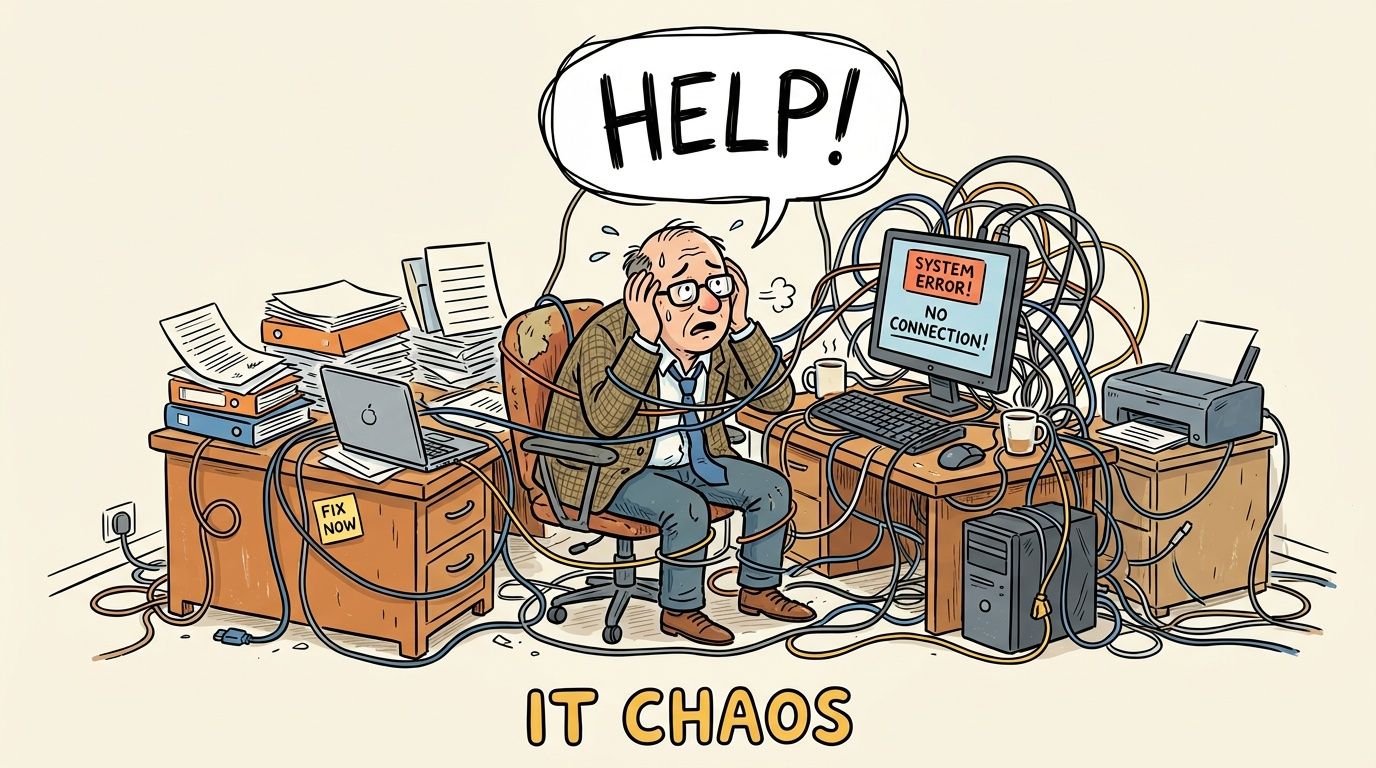
The problem with that model is that modern systems are linked. Your email security affects access to files. Your broadband resilience affects cloud applications. Your user permissions affect compliance. One weak point can create a much bigger operational issue than the old days of a single office server.
Cloud adoption is already firmly mainstream in the UK. In 2023, the SaaS segment represented the largest part of the UK public cloud market at $12.66 billion, and UK companies were expected to spend an average of $565.50 per employee on cloud services that year, according to AAG IT cloud computing statistics. That tells you something important. This isn’t a niche technology choice anymore. It’s part of normal business infrastructure.
Why DIY starts to break down
A business owner or office manager can often keep things together for a while, but the strain shows up in familiar ways:
- Reactive decisions: You renew software, buy storage, or add licences because an issue has surfaced, not because there’s a plan.
- Hidden risk: Nobody has checked whether backup restores work, whether departed staff still have access, or whether your cloud settings still match your security policy.
- Lost management time: Senior people spend hours chasing suppliers, resetting priorities, and translating technical problems into business decisions.
Cloud management is less about fixing isolated faults and more about stopping avoidable faults from becoming business interruptions.
A managed approach changes the question from “Who can sort this out today?” to “Who is watching this every day so it doesn’t derail the week?” If you’re weighing up that shift, it helps to understand the advantages of outsourcing IT support in practical terms rather than theoretical ones.
What Are Cloud Management Services
Cloud computing management services are easiest to understand if you stop thinking about servers and start thinking about premises.
A digital property manager for your business systems
If your company owns or rents a commercial building, you still decide who works there and what business gets done. But you don’t usually want directors handling boiler checks, alarm servicing, maintenance schedules, and contractor coordination themselves. You appoint specialists.
Cloud management works much the same way. Your business still owns the data, chooses the software, approves access, and sets priorities. The provider handles the operational load needed to keep those systems working properly day to day.
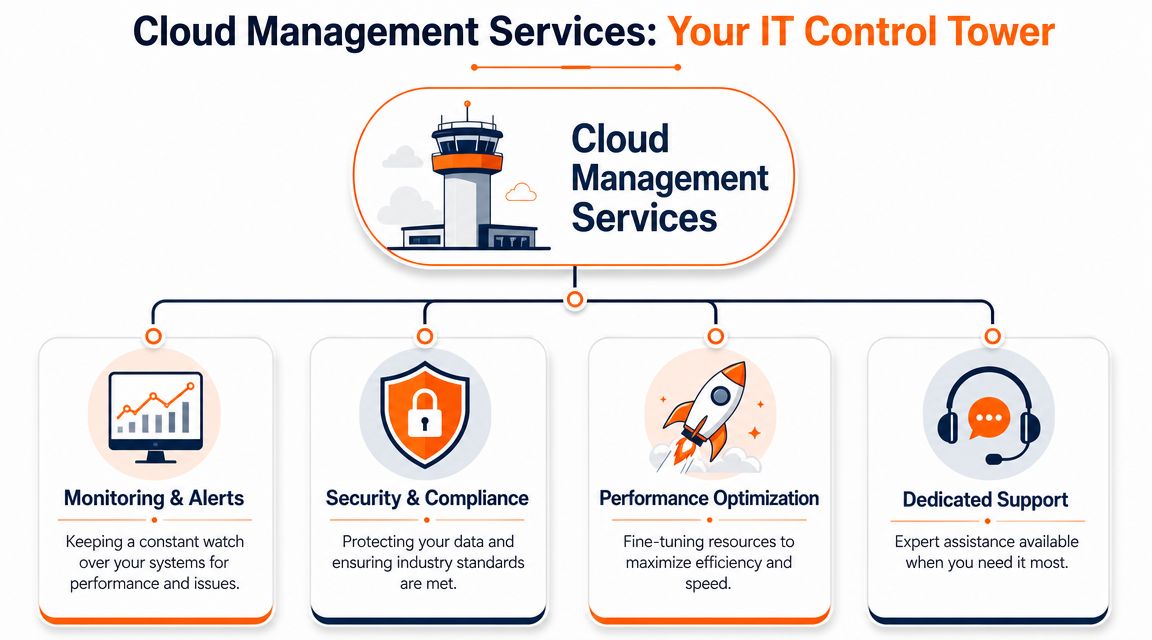
Under that model, a provider typically takes on migration, configuration, optimisation, security, patching, and monitoring through defined service levels. That responsibility-sharing approach is outlined in Netdata’s explanation of managed cloud services.
If your estate includes remote users, multiple offices, or cloud-hosted applications that depend on reliable connectivity, it also helps to understand how flexible cloud networking fits into the picture. Connectivity and cloud performance are closely tied, even though businesses often buy them separately.
What sits with the provider and what stays with you
A good managed service doesn’t remove control. It removes operational clutter.
The provider usually handles:
- Platform upkeep: Monitoring, updates, patching, alerts, backup routines, and routine maintenance.
- Security operations: Access reviews, endpoint controls, suspicious activity response, and alignment with agreed policies.
- Performance management: Right-sizing services, spotting bottlenecks, and improving reliability across systems.
Your business usually keeps responsibility for:
- Commercial priorities: Which applications matter most, what downtime is acceptable, and where budget goes.
- Data ownership: What data you keep, who should access it, and how long it should be retained.
- Policy decisions: Approval of compliance rules, onboarding standards, and risk appetite.
Practical rule: If the provider can’t explain where their responsibility ends and yours begins, the service will create confusion when something goes wrong.
That’s why the SLA matters. It should define response times, coverage, escalation, and what’s included. If you want a clearer picture of how that relationship works in practice, this overview of what a managed service provider does is useful reading.
Key Business Benefits of Managed Cloud Services
Businesses rarely buy cloud computing management services because the terminology sounds attractive. They buy them because unmanaged systems create cost drift, operational drag, and risk.
Cost optimisation
The obvious saving isn’t always lower spend. Often it’s better-controlled spend.
A business with unmanaged cloud services tends to accumulate dormant licences, overpowered resources, duplicate tools, and ad hoc add-ons. Nobody made a bad decision once. Small decisions piled up over time. Managed oversight gives someone the job of checking whether you’re paying for what you use.
For a service-led SME, the same thinking applies beyond infrastructure. If you’re trying to automate workflows for service companies, cloud tools only save time when they’re configured around your process rather than left half-adopted.
Enhanced scalability
Growth exposes weak IT quickly. New starters need secure access on day one. A second site needs consistent systems. Temporary staff need the right permissions, not permanent access by accident.
Managed cloud services make scaling more controlled because someone is already governing user setup, device standards, data access, and workload placement. You can add capability without rebuilding the foundations every quarter.
A simple example is a business opening another office. Without a managed plan, that can mean new kit, workarounds for file access, and inconsistent telephony. With the right cloud setup, the new site plugs into an existing operating model.
Unbreakable resilience
No system is truly unbreakable, and any provider that implies otherwise is overselling. The essential value is recovery.
When an outage, deletion, sync issue, or cyber incident happens, the business question is never “Do we have a backup?” It’s “Can we restore the right data, to the right place, fast enough for the business to keep moving?” Managed services improve resilience because backups, failover planning, and recovery testing become routine tasks rather than assumptions.
Recovery plans fail most often where nobody has tested them against the way the business really works.
That matters for firms with client deadlines, production schedules, or regulatory obligations. Lost access for half a day can be manageable. Unclear recovery ownership rarely is.
Proactive security and compliance
Security controls in cloud platforms are powerful, but they aren’t self-driving. Multifactor authentication, endpoint controls, identity protection, backup retention, and audit trails all need active management.
For regulated SMEs, that management has a compliance dimension as well. You’re not only protecting systems. You’re proving that access is controlled, data handling is sensible, and incidents can be traced. That’s where cloud management becomes part of governance, not just support.
A legal or finance firm, for example, might already use Microsoft 365 and cloud file storage. The operational gap is usually elsewhere. Who reviews privileged accounts? Who checks alerts? Who confirms former users are removed properly? Who documents the controls if an auditor asks? Managed cloud services give those questions an owner.
Typical Services Included in a Management Plan
A management plan should feel like a joined-up service, not a stack of unrelated products. In practice, most SMEs need a mix of productivity, security, backup, connectivity, and support wrapped around the same environment.
Modern cloud management also has to cope with hybrid estates. Some workloads sit in public cloud services, others remain on private infrastructure or specialist platforms. Managing that mix often means using native tools such as AWS CloudWatch and Azure Monitor, along with Infrastructure-as-Code tools like Terraform, as described in this overview of hybrid cloud management approaches.
Microsoft 365 and modern workplace
This usually covers Exchange Online, Teams, SharePoint, OneDrive, identity controls, device management, and user access policies. The business value is consistency. Staff can work from office, home, or client site without inventing their own ways to share files or communicate.
If your team wants a stronger technical grounding in architecture choices behind Azure-based services, this guide to designing Microsoft Azure infrastructure solutions is a useful non-sales resource.
Hosted and remote desktops
Hosted desktops give staff a consistent working environment delivered from a central platform rather than tied to a single physical PC. They’re useful where applications are sensitive, users move between sites, or contractors need controlled access without local data sprawl.
Managed backup and disaster recovery
This is the layer that protects business continuity when deletion, corruption, ransomware, or service failure hits. A proper service includes backup policy design, monitoring, retention management, and tested recovery procedures, not just a storage bucket with a hopeful label.
For businesses comparing providers or trying to tighten their own recovery position, it’s worth looking at how managed backup services are structured around restore capability rather than just backup completion.
Here’s a short explainer that helps demystify where cloud backup and continuity planning fit:
EDR and ITDR security
EDR focuses on what’s happening on endpoints such as laptops and servers. ITDR focuses on identity threats, including compromised accounts and suspicious sign-in behaviour. Together they help detect the kinds of attacks that basic antivirus and password policies often miss.
Business connectivity
Cloud services are only as usable as the connection underneath them. Managed broadband, failover options, firewalling, and site-to-site connectivity become especially important for multi-site businesses and rural locations where a single flaky line can cause widespread complaints that look like “cloud issues” but are really access issues.
VoIP telephone systems
VoIP is often treated as a separate buying decision, but it works best as part of the wider cloud estate. User accounts, call routing, remote work, mobile apps, and business continuity all improve when telephony is managed alongside identity, devices, and connectivity.
A provider such as Blowfish Technology offers these areas as part of a broader managed environment, including Microsoft 365, backup, connectivity, telephony, and security controls. That kind of bundled approach suits SMEs that want one operating model rather than a list of disconnected suppliers.
Cloud Management Use Cases for Regulated Industries
Regulated firms don’t usually struggle because they lack access to cloud tools. They struggle because the operational conditions around those tools are harder. Connectivity can be uneven. Audit expectations are stricter. Data handling mistakes carry more consequence.
Engineering and manufacturing
A manufacturer with office staff, workshop users, and remote locations often has two problems at once. The business needs central visibility and secure access, but some sites don’t have the connectivity quality that cloud vendors take for granted.
That’s not a niche issue. As of 2025, 1.5 million rural premises in the UK lack full fibre broadband, and 22% of UK rural businesses cite connectivity as a primary barrier to cloud adoption, according to this analysis of the digital divide affecting rural businesses and cloud computing. In rural parts of the North West, that pushes many firms toward managed hybrid solutions rather than all-in bets on a single cloud model.
In practice, that might mean core files and collaboration tools live in Microsoft 365, while a specialist production system stays on controlled infrastructure with managed remote access. It isn’t as neat as the sales brochure version of cloud. It is often more workable.
In engineering environments, the right answer is often a stable mixed estate, not a rushed “cloud everything” project.
Legal practices
Law firms tend to feel cloud risk through confidentiality, access control, and auditability. The issue isn’t whether staff can open a document from home. The issue is whether the firm can show that access is limited, monitored, and appropriate if challenged.
A managed service helps by formalising permissions, retention, endpoint protection, secure backup, and reporting. It also gives firms a clearer route to standards and evidence gathering that support compliance work, including Cyber Essentials-aligned controls.
For firms assessing sector-specific support models, this page on IT support for legal firms shows how legal requirements shape service design differently from general SME support.
Financial services
Finance firms face a similar pattern but with even less tolerance for ambiguity. Account access, document security, client communications, and recovery procedures all need to be demonstrably controlled.
The DPDI Act adds another reason not to treat cloud management as a generic IT package. Providers need to understand that convenience settings, broad sharing permissions, and loosely managed mobile access may create governance problems even when the technology technically “works”.
A sensible cloud management model for finance usually includes tighter identity controls, closer monitoring, stricter onboarding and offboarding, and more disciplined documentation. It may feel heavier operationally. For regulated businesses, that’s often the cost of staying usable and defensible at the same time.
Choosing a Provider A Checklist for SMEs
Many SMEs choose a provider after a bad week. Something failed, support was poor, and a decision gets made under pressure. That’s understandable, but it usually leads to buying on personality or headline price.
A better test is operational maturity. More than 50% of UK companies use MSPs to manage some or all public cloud workloads, and cloud budgets are projected to increase by 28% in the next year, according to Pump’s cloud migration statistics. That means plenty of providers are in the market. The difference is in how they run the service after the sale.
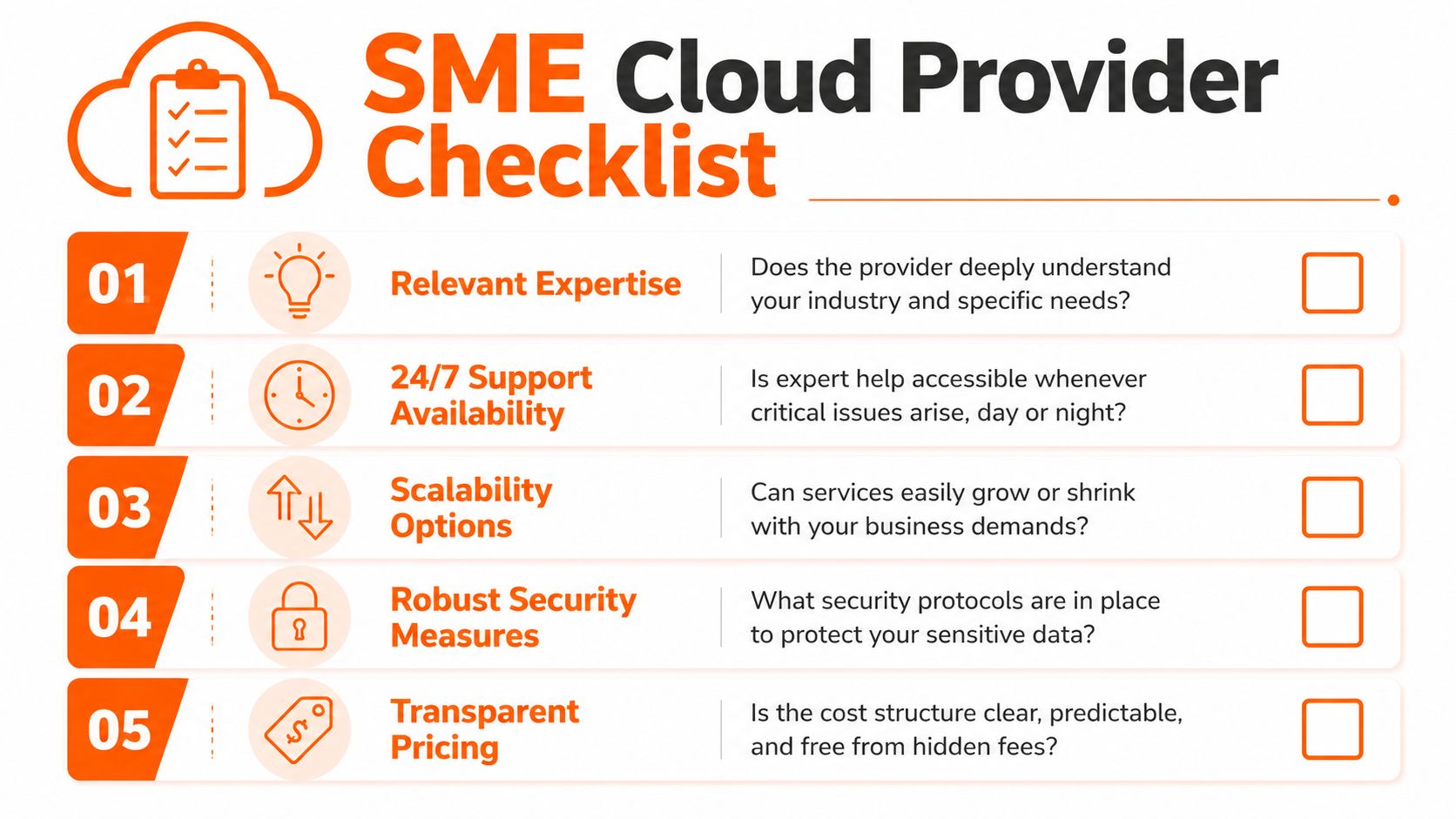
Questions worth asking before you sign
Use these as commercial questions, not just technical ones:
- Who supports us day to day: Ask whether support is engineer-led, scripted through a generic desk, or split across multiple third parties.
- What does the SLA really cover: Response times matter, but so do resolution ownership, escalation routes, and what counts as out of scope.
- How do you handle security operations: Look for a defined roadmap around endpoint protection, identity protection, access reviews, and incident response.
- How do you support compliance work: A useful provider should be comfortable discussing evidence, policies, audit trails, and standards such as Cyber Essentials.
- What happens during change: Ask how they handle onboarding, migration, licence changes, office moves, and leavers. Smooth operations usually show up here.
A quick comparison lens
| Area | Weak answer | Strong answer |
|---|---|---|
| Support | “Log a ticket and we’ll take a look” | Clear service desk process, named escalation path, measurable SLA |
| Security | “We install antivirus” | Defined controls across endpoint, identity, backup, and user access |
| Commercials | Low base price, vague extras | Transparent pricing with clear inclusions and exclusions |
| Strategy | Reactive troubleshooting only | Roadmaps, reviews, and planned improvement work |
| Compliance | General statements | Specific understanding of regulated workflows and evidence needs |
Cheap support is expensive when every unusual issue becomes a project, an exception, or a debate about scope.
It’s also worth checking how the provider talks about your environment. If they jump straight to tools before asking about users, sites, risk, and obligations, they’re probably selling products rather than managing outcomes.
Onboarding and Migrating Your Business
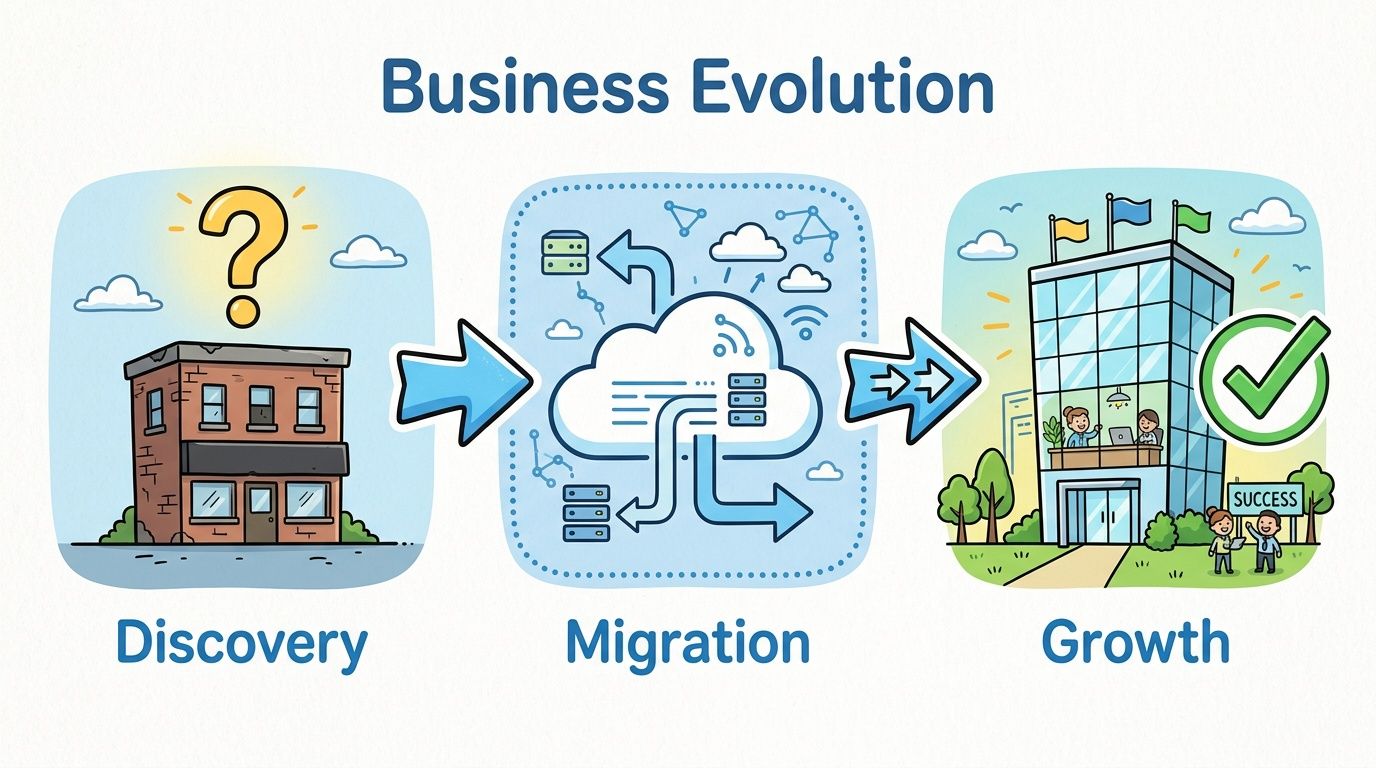
The phrase “migration project” puts a lot of SME owners on edge because it sounds disruptive, expensive, and open-ended. Good onboarding shouldn’t feel like that. It should feel controlled.
A careful provider matters here because poor setup creates long-term weakness. A Thales 2025 report found that 65% of UK firms report cloud security misconfigurations due to MSP gaps, highlighted in this discussion of the current cloud security landscape. That’s a strong reminder that migration isn’t just about moving data. It’s about moving it into a properly governed environment.
Assess
The first job is to understand what you have now. That includes users, devices, licences, line-of-business systems, broadband dependencies, security controls, and pain points. If this stage is rushed, every later decision is based on assumptions.
Plan
Once the picture is clear, the provider should map the order of work. Some systems can move quickly. Others need staged testing, user training, or parallel running. Regulated businesses also need decisions recorded properly, especially around access, retention, and backup.
Migrate
This is the execution stage, but it shouldn’t be a blind switch-over. Good migrations are phased, communicated, and validated. Users need to know what changes, when it changes, and how support works on the day.
Optimise
The job isn’t finished when the new setup goes live. Permissions need tidying. Reports need reviewing. Backup restores need testing. Security baselines need checking against how staff use the system.
A mature managed service keeps tuning the environment after launch instead of treating go-live as the finish line. That’s usually where the long-term value appears.
If your business relies on Microsoft 365, remote access, hosted systems, VoIP, or hybrid infrastructure and you want a clearer, lower-risk way to manage it, speak to Blowfish Technology. A no-obligation consultation can help you map what you already have, identify gaps in resilience or compliance, and build a practical technology roadmap for the next stage of growth.

The Blowfish Technology team. Managed IT, cloud services, software development and connectivity for North West businesses since 1999.