
A former client sends a Subject Access Request to your business. Your owner asks the team to find every email mentioning that person, preserve anything relevant, and delete information that no longer has a lawful reason to remain. Nobody knows whether the messages sit in personal folders, shared mailboxes, an online archive, or an old backup. The business can't confidently retrieve the records, and it can't confidently delete them either.
That situation is common across UK SMEs. Email archiving compliance isn't primarily a storage problem. It's a retention-policy problem. You need clear rules for what counts as a business record, how long each category remains available, who can access it, when legal hold overrides deletion, and how disposal is evidenced.
Keeping too little mail can weaken your response to a complaint, audit, or dispute. Keeping everything forever creates unnecessary personal-data exposure and makes a Subject Access Request harder to manage. An organisation without explicit rules has effectively chosen the riskiest configuration, because inboxes and shared mailboxes become informal archives by default.
Table of Contents
- The Email Problem Most SMEs Don't Realise They Have
- What Email Archiving Compliance Actually Means
- UK Rules That Decide How Long You Keep Mail
- Microsoft 365 Retention Versus a Dedicated Archive
- What to Look for in an Archiving Vendor
- Costs and Storage Planning for UK SMEs
- Monitoring, Auditing, and Handling Requests
- Your First 30 Days of Email Archiving Compliance
The Email Problem Most SMEs Don't Realise They Have
The accountancy firm in Bristol doesn't have an unusual technical problem. It has an ownership problem.
The owner assumed Microsoft 365 would make every message searchable whenever needed. Staff assumed their Outlook folders were private working spaces. The former client assumed the firm could identify and remove personal information within the required process. None of those assumptions defines which emails are records, which copies are authoritative, or which retention rule applies.
The team finds messages in several places:
- Personal folders: Employees have filed correspondence according to their own habits.
- Shared mailboxes: Client-service messages sit alongside newsletters, internal discussions, and duplicate replies.
- Online archives: Older messages may be available, but nobody knows whether the archive follows a formal schedule.
- Backups: Recovery copies may exist without being designed for search, review, or controlled deletion.
The firm now faces two opposing risks. It may fail to retrieve a material email that records a decision or action. It may also retain unnecessary personal data long after the business need has ended, increasing the amount of information that must be reviewed during a request.
Practical rule: If nobody can explain why an email is being retained, where it is held, and when it should be deleted, the business doesn't have an archive policy. It has accumulated data.
The UK Information Commissioner's Office says organisations should define retention periods for archived or backed-up information. Its own staff and internal mailbox guidance gives trivial or internal emails a 12-month retention period before destruction, while recognising that emails recording decisions or actions may need to be preserved for a business purpose. The ICO retention and disposal policy makes the central point clearly: retention should serve a defined need, not continue indefinitely because storage is available.
That principle changes the conversation with your IT provider. The first question isn't, “Which archive product should we buy?” It's, “Which records do we need, what is the retention trigger, and who approves deletion?” Once those answers exist, Microsoft 365 controls or a dedicated archive can enforce them. Without them, either platform can preserve the wrong information for the wrong period.
What Email Archiving Compliance Actually Means
Email archiving compliance means operating a documented system for retaining, protecting, finding, and disposing of email in line with the organisation's legal and business obligations. It covers the policy and the technical controls that enforce it.
An archive is not the same as a backup. A backup is primarily a recovery copy used after accidental deletion, system failure, or an outage. An archive is a governed record repository. It should preserve message content and relevant metadata, apply retention rules, support controlled search, and prevent unauthorised alteration or deletion.
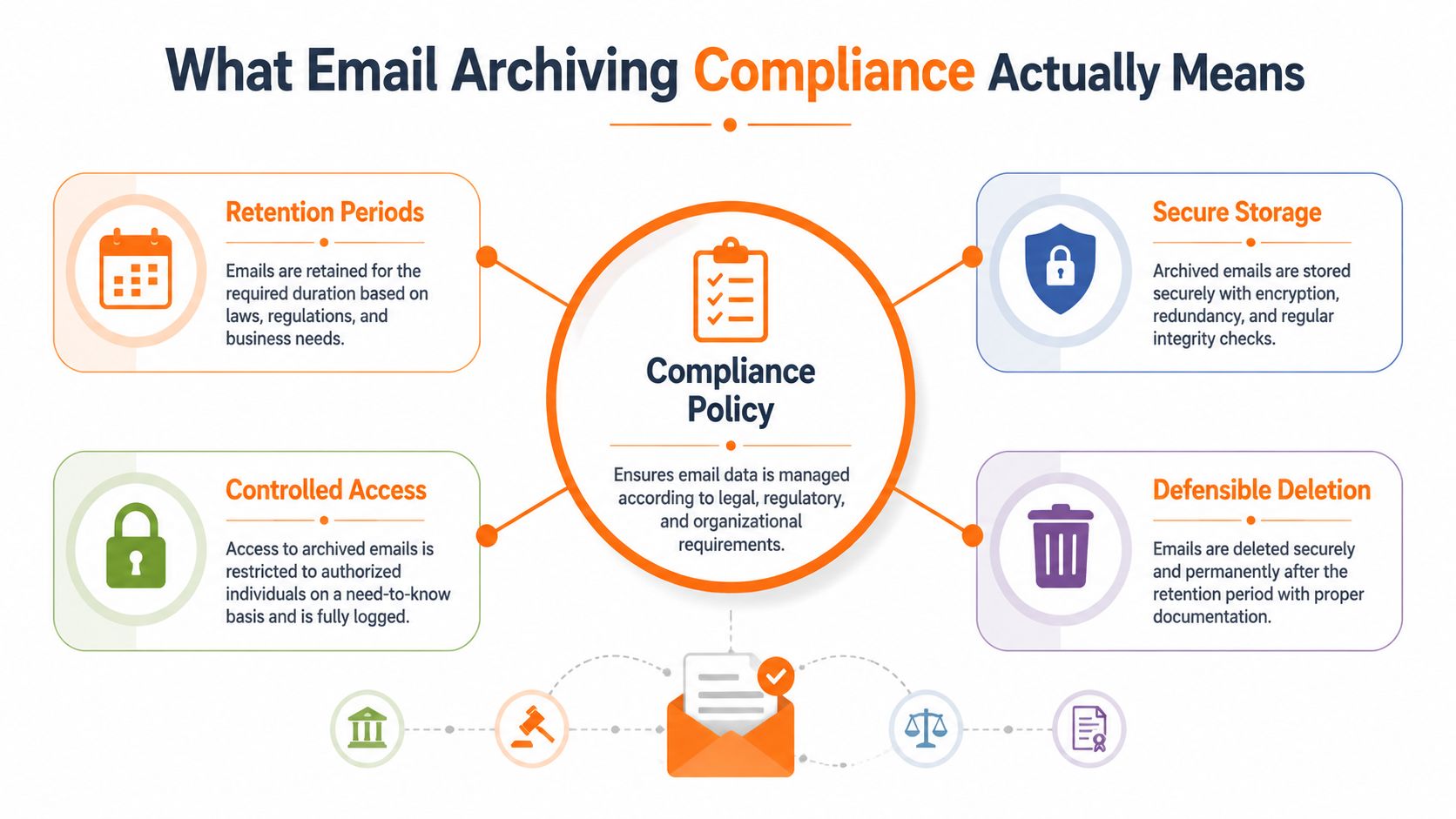
Six controls that make an archive defensible
A compliant design needs more than a large storage allocation.
- Retention rules: Define the record category, retention trigger, review point, and deletion action. “Keep everything” isn't a retention schedule.
- Immutability: Store records so users can't edit or remove them. WORM storage or an equivalent control should be explained in plain language by the supplier.
- Legal hold: Suspend normal deletion for relevant custodians, matters, or date ranges when litigation, an investigation, or a complaint requires preservation.
- Audit trails: Record who accessed, exported, changed, placed, or released a hold on information.
- eDiscovery: Let authorised staff search across the relevant tenant or archive, preserve results, and export them with context intact.
- Encryption: Protect messages during transfer and while stored, with access controls limiting who can decrypt or view them.
The ICO's disposal and deletion guidance says electronic records containing personal information should be permanently deleted in line with the retention schedule. Where deletion isn't technically possible, access should be restricted. Management approval should be obtained and logged before deletion, and organisations should maintain a process for deleting emails according to that schedule.
That is why buying software before writing the policy is backwards. A platform can enforce a retention label, but it can't decide whether a client complaint, an invoice attachment, or a casual internal exchange belongs in a particular record class. Your business must own those decisions.
UK Rules That Decide How Long You Keep Mail
A full inbox is not a retention policy. UK law does not set one universal period for every email. The record type, purpose, sector, and trigger determine the rule. A sales newsletter, signed contract, employee record, and regulated customer communication need separate treatment.
UK GDPR storage limitation requires personal data to remain only as long as necessary for its processing purpose. Deleting everything quickly is not the answer. Write down why each record remains relevant, set a review point, and prevent indefinite accumulation. Over-retention creates unnecessary DSAR exposure because every retained message may need to be found, assessed, and disclosed.
Tax and financial obligations can require longer retention for defined records. HMRC commonly requires business records to be kept for six years, and VAT-relevant correspondence may fall within that requirement. Public-company accounting records can require six years, while private-company records can require three years. FCA-regulated communications can require five years, depending on the applicable rule and record category. These figures are summarised in UK data sovereignty and data security guidance. Do not copy them into a policy without mapping the underlying record type and trigger.
The FCA offers a practical operating model. Emails received after 1 April 2025 are deleted from inboxes after one year, giving staff time to decide whether a message is a record and save it to a central shared drive. The FCA's email-management explanation also states that consumer-credit records, including customer emails and electronic communications, should be retained for as long as relevant to their purpose.
| Record Type | Trigger | Typical Retention | Source |
|---|---|---|---|
| Trivial or internal email | From creation or receipt, where no continuing business need exists | 12 months | ICO retention and disposal policy |
| VAT-relevant business record | End of the relevant accounting or tax period | Six years | HMRC requirements |
| FCA-regulated communication | End of the relevant relationship, matter, or regulatory period | Five years where the applicable FCA rule requires it | FCA email-management model |
| Council or public-sector record | Record-class review or closure | Three years plus the current year for some schedules | UK Digital Records Review |
| Sector-specific property file | Matter or transaction closure | Seven years is commonly associated with conveyancing files | Sector policy and contractual requirements |
Public-sector practice shows why classification and retrieval belong together. A UK government digital records review found that two-thirds of departments couldn't search Outlook emails in email servers or archives, making audits and legal responses harder. It also describes schedules requiring periodic review or longer preservation for particular record classes.
Set an internal schedule with the category, trigger, period, owner, hold exception, and deletion evidence. Regulations define the boundaries. The schedule makes those decisions workable for staff and Microsoft 365 administrators, while limiting both premature deletion and unnecessary retention.
Microsoft 365 Retention Versus a Dedicated Archive
Most SMEs already use Microsoft 365, so the sensible starting point is to assess what the existing tenant can enforce. Microsoft Purview retention policies can retain or delete email according to policy, apply labels, and support litigation hold on individual mailboxes. For a smaller organisation with limited regulatory exposure, that may be sufficient.
The risk is assuming that a retention setting automatically creates an independent, tamper-evident archive. It doesn't answer every question about capture, chain of custody, cross-mailbox search, or what happened before a hold was applied. Granular cross-mailbox eDiscovery may also require the appropriate Purview eDiscovery licensing, while mailbox capacity constraints can push users towards online archiving and create another layer to govern.
A dedicated third-party archive generally adds a separate repository, immutable storage, journal capture before messages reach user mailboxes, broad search, and an independent audit trail. That separation can matter if your archive must remain available when users delete messages or if legal and compliance staff need access without relying on mailbox owners.
| Capability | Microsoft 365 Retention | Dedicated Third-Party Archive |
|---|---|---|
| Policy-based retention | Available through Microsoft Purview configuration | Usually centralised with archive-specific policy controls |
| Mailbox recovery | Useful for restoring tenant data, but backup and archive functions remain distinct | Focused on preserved, searchable records |
| Immutability | Depends on the configured service and control model | Often a core design feature, such as WORM storage |
| Legal hold | Available for relevant Microsoft 365 workloads and mailboxes | Commonly granular by user, matter, or date range |
| Search and export | Available through Microsoft compliance tooling and licensing | Usually designed around rapid archive-wide eDiscovery |
| Independence from Microsoft 365 | No | Yes, subject to supplier architecture and contract |
| Operational complexity | Lower if your team already manages Purview | Higher during selection, deployment, and policy integration |
Don't confuse archive capability with recovery capability. A Microsoft 365 backup service can help recover deleted or changed data, but you still need to decide whether a message is a governed record and how its retention should end. Businesses comparing cloud platforms may also find Action Accountants Limited's cloud accounting guide useful for understanding wider cloud governance considerations.
For an SME with light regulatory exposure, Microsoft 365 retention can be a practical choice if the policy is documented, tested, and audited. Legal, finance, healthcare, and FCA-regulated firms should seriously consider an independent archive where the risks of incomplete capture, weak immutability, or slow discovery would be difficult to defend.
What to Look for in an Archiving Vendor
Treat vendor selection as a scoring exercise, not a brand popularity contest. Give every supplier the same requirements, ask for evidence, and make the vendor explain how its controls work in an actual request.
Start with the repository. UK or EU data residency may be important for your contracts and risk model, but the supplier should also explain replication, support access, subcontractors, and deletion. Immutable storage is essential for a compliance archive. Ask whether the platform uses WORM or an equivalent mechanism, who can change the policy, and whether administrators can bypass it.
Score the controls that affect an investigation
A credible shortlist should demonstrate:
- Granular legal hold: Apply a hold to specific custodians, matters, and date ranges instead of freezing the entire organisation.
- Tenant-wide eDiscovery: Search across relevant mailboxes quickly, preserve metadata, and export results in a usable format.
- Strong encryption: Protect information in transit and at rest. Ask whether customer-managed keys are available.
- Microsoft 365 integration: Confirm whether capture uses journalling, APIs, or another method, and how failed capture is detected.
- Access governance: Give HR, legal, and compliance controlled search access without granting unnecessary administrator rights.
- Assurance evidence: Look for ISO 27001 or SOC 2 Type II certification, Cyber Essentials Plus, penetration-testing information, and a UK GDPR-aligned data processing agreement.
The ICO records-management requirements should shape your questions about deletion logs, exceptions, access restriction, and management approval. If a supplier can't explain its immutability model in one sentence, refuses to provide a DPA, or charges extra for basic legal hold, remove it from the shortlist.
You should also test the interface with the people who'll use it. Ask an HR manager to find a message, a legal lead to place a matter hold, and an IT administrator to produce an audit report. If every routine request requires a specialist consultant, the archive will become a bottleneck.
A cheap archive that fails an ICO audit is the most expensive system you can buy.
For related protection against accidental disclosure and inappropriate movement of sensitive information, review data leakage prevention solutions alongside the archive shortlist. Archiving preserves records. It doesn't replace broader information-security controls.
Costs and Storage Planning for UK SMEs
Budget for policy and administration, not just storage. Dedicated archiving services commonly price the core service at £3 to £8 per user per month, with premium eDiscovery or analytics added separately. Microsoft 365 retention may be included in E3 or E5 licensing, but the cost can appear through extra Purview licensing, storage, configuration work, testing, and staff time.
Typical office email adds around 1 to 3GB per user each year. For a firm with 50 users, that means roughly 50 to 150GB of additional data annually. These planning figures come from the supplied brief, not a universal rule. Attachments, shared mailboxes, retention categories, collaboration habits, and journalling configuration can move the result substantially.
| Item | Typical Range | Notes |
|---|---|---|
| Dedicated archive core service | £3 to £8 per user per month | Premium discovery and analytics may cost extra |
| Email added per user each year | 1 to 3GB | Actual volume depends heavily on attachments and usage |
| Annual growth planning | 10% to 20% | Use as a budgeting assumption, then replace it with measured tenant data |
| Fifty-user annual email growth | 50 to 150GB | Based on the stated per-user growth range |
The hidden cost is poor retention design. A blanket seven-year hold on every message can preserve information beyond the period needed for a particular tax or contractual purpose, increase archive consumption, and make SAR review more burdensome. Over-retention also expands the amount of personal data your team must locate, assess, redact, and potentially delete.
Use a fixed per-user archive budget where possible, then review the policy annually. Measure actual capture volume, identify categories producing unnecessary growth, and check whether users are filing records in the governed system. The cheapest storage plan isn't the best plan if it preserves irrelevant personal data and leaves the business unable to explain its deletion decisions.
Monitoring, Auditing, and Handling Requests
An archive becomes defensible through routine governance, not at the moment an investigator asks for evidence. Assign an owner who reviews capture, retention, access, holds, and deletion activity. That owner should produce a regular compliance summary that management can understand without opening a technical dashboard.
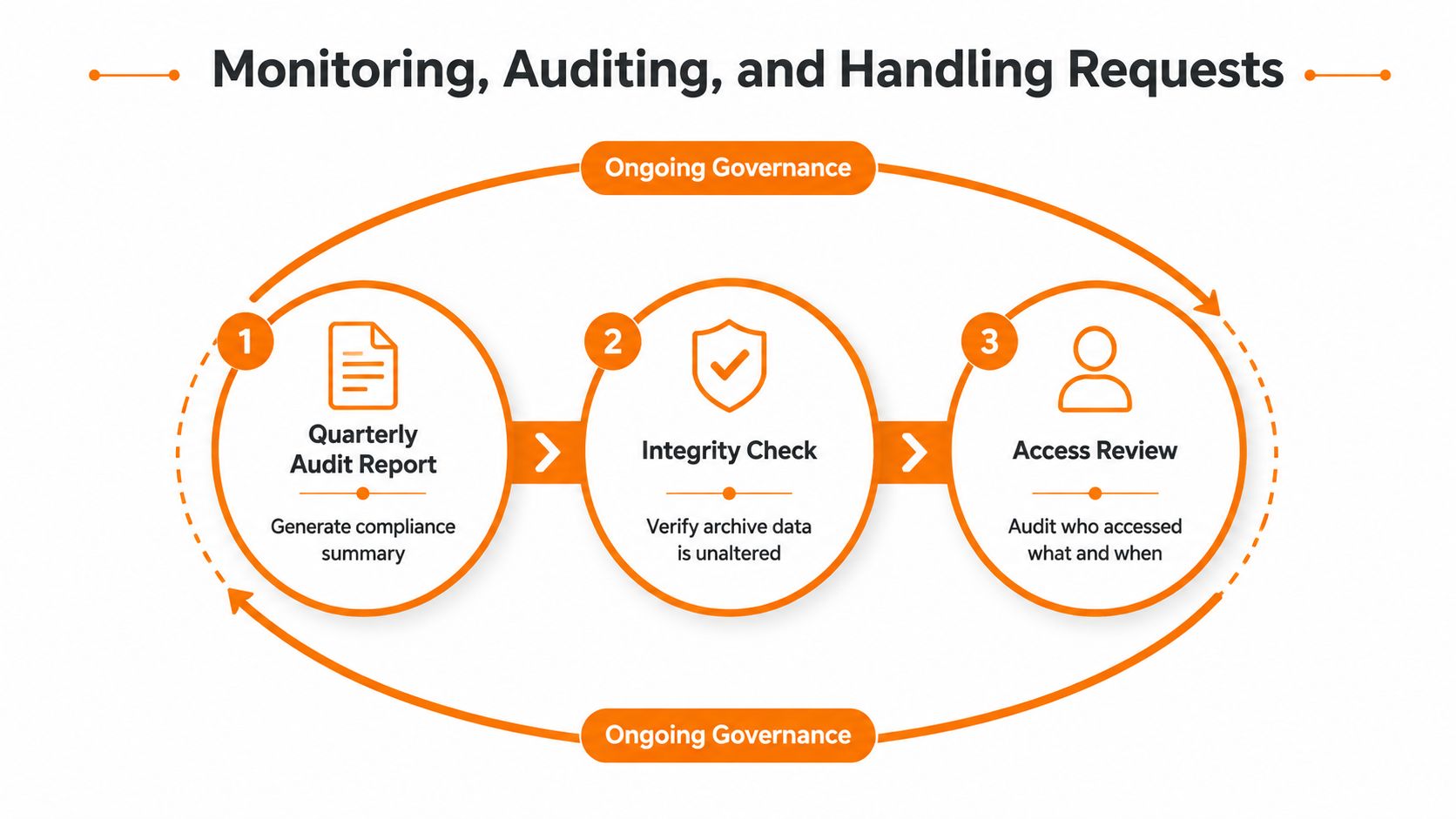
Run the checks that expose silent failure
A practical review should include:
- Capture integrity: Check that active mailboxes and shared mailboxes are feeding the archive, and investigate gaps or failed ingestion.
- Policy application: Confirm that messages are receiving the intended retention category and that exceptions have an accountable owner.
- Access review: Examine who searched, exported, or viewed records, then remove access that no longer has a business reason.
- Deletion evidence: Verify that expired records were deleted according to policy, with approvals and exceptions logged.
- Hold register: Record the matter, custodians, date range, start date, owner, and release decision for every legal hold.
A Subject Access Request should use targeted search terms, custodians, and date ranges. Exporting an entire mailbox creates a second privacy problem because the result may contain unrelated personal data, confidential information, or third-party details. Review and redact the output before disclosure, and preserve an audit trail showing who performed each action.
Legal hold should be equally precise. Freeze the relevant people and matter, not the whole tenant. When the matter closes, the responsible owner should document the release decision so normal retention and defensible deletion can resume.
Governance test: You should be able to show what the archive captured, which rule applied, who accessed the result, and why a record was retained or deleted.
Staff behaviour still matters. A short, practical GDPR training programme for staff should explain where business records belong, how to recognise a hold notice, and why personal folders aren't a substitute for the corporate information system.
Your First 30 Days of Email Archiving Compliance
Don't start by migrating every historical mailbox. Start by removing uncertainty.
Week one, map the estate
List active mailboxes, shared mailboxes, delegated accounts, existing online archives, and backup repositories. Identify record types that need separate treatment, such as customer correspondence, contracts, finance records, HR messages, regulated advice, and routine internal mail.
Interview the people who own those records. An IT lead can identify where data sits, but finance, HR, legal, and operational managers must explain why it needs to remain available and when the business purpose ends.
Week two, write the policy
Keep the first version to one usable page. It should specify:
- Email categories: Define what counts as a business record and what is routine or transitory.
- Retention triggers: Use events such as contract closure, customer relationship end, accounting period end, or employee departure.
- Retention periods: Map each category to the applicable legal, regulatory, contractual, and business requirement.
- Deletion controls: State who approves exceptions, how deletion is logged, and what happens when technical deletion isn't possible.
- Request handling: Name the owner for SARs, complaints, investigations, and legal holds.
Week three, choose and pilot
Test Microsoft Purview against your policy before buying another platform. If the tenant can't provide the independence, immutable storage, capture assurance, or search workflow your sector requires, score dedicated vendors against the criteria above.
Pilot with representative mailboxes and a shared mailbox. Test ordinary search, date filtering, export, hold placement, deletion expiry, access logging, and recovery from a failed capture scenario. Don't accept a supplier demonstration as proof until your own team can complete the workflow.
Week four, enforce and review
Place holds on active matters, run a test SAR, train users, and schedule the first governance review. Record the baseline mailbox and archive state so future audits can identify changes.
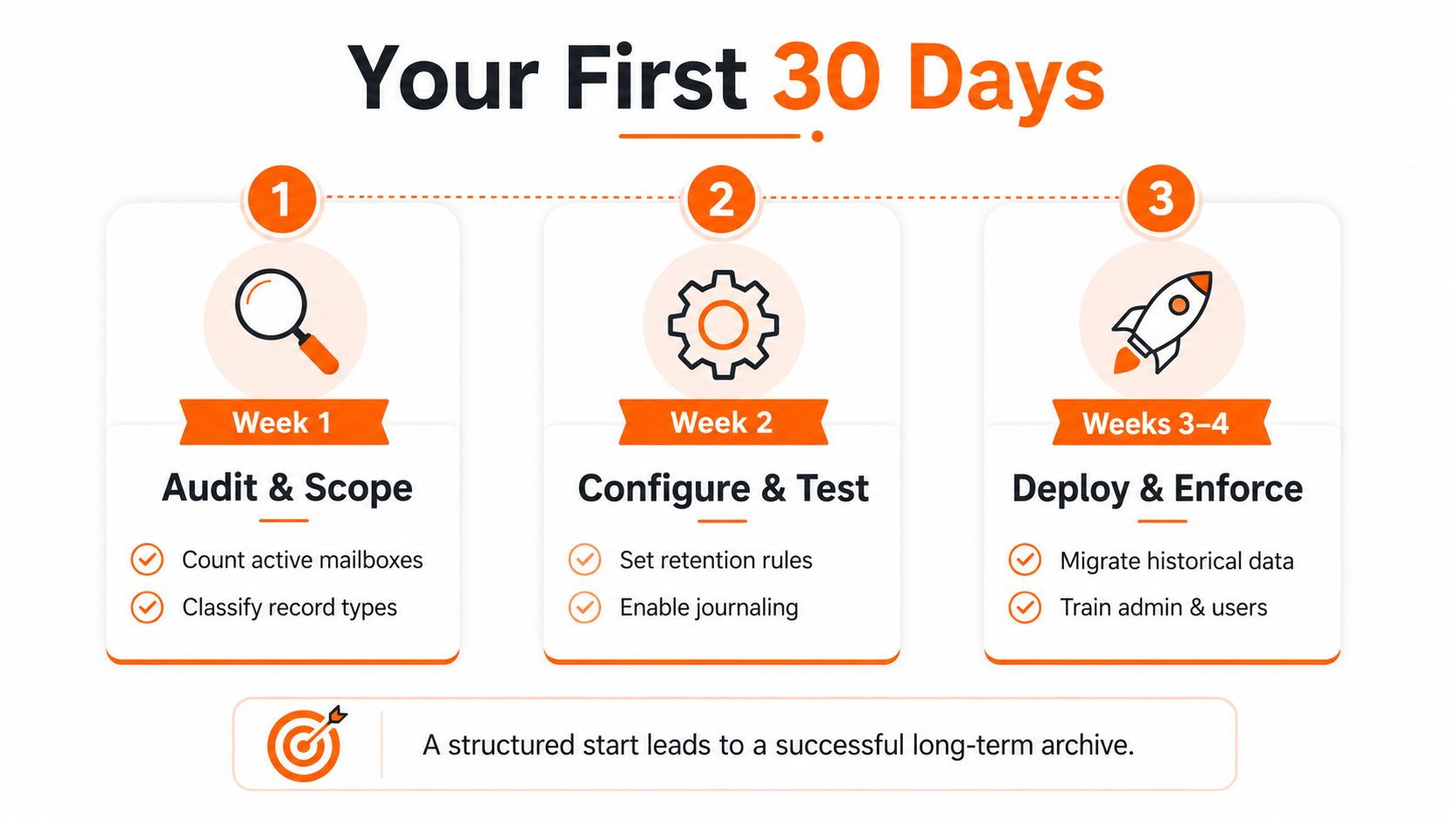
Use the final week to confirm ownership rather than just switching on settings. The policy owner should know how to approve a hold, answer a deletion exception, request an audit report, and escalate a missing message.
Blowfish Technology can help UK SMEs assess Microsoft 365 retention, backup, eDiscovery, access controls, and dedicated archiving requirements as one practical governance plan. Visit Blowfish Technology to discuss your mailbox estate and build an email archiving compliance approach that supports retrieval, defensible deletion, and day-to-day management.

The Blowfish Technology team. Managed IT, cloud services, software development and connectivity for North West businesses since 1999.