
You're probably in one of two positions right now. Either Microsoft 365 is already central to how your business works, and the cracks are starting to show, or you know your current support model is too reactive and you're trying to fix it before the next outage, security scare, or licensing mess lands on your desk.
That's common in UK SMEs. Microsoft 365 starts as a sensible move: email in Exchange Online, files in SharePoint and OneDrive, collaboration in Teams, device management, security controls, and identity through Microsoft's cloud stack. Then the operational complexities begin. Staff can't sign in. A mailbox permission change breaks a workflow. Someone leaves, and access isn't cleaned up properly. Teams calls are poor in one office but fine elsewhere. A licensed user sees “unlicensed product” after a device change. None of that gets solved by having the apps installed.
Proper Microsoft 365 IT support is what turns the platform from a source of friction into a controlled business system.
Table of Contents
- The Microsoft 365 Paradox Why More Power Creates New Problems
- What Fully Managed Microsoft 365 Support Includes
- The Business Benefits of Proactive Management
- Defining Service Scope and Measuring Success with SLAs
- Your Migration and Onboarding Roadmap
- How Managed Support Works for Your Industry
- Frequently Asked Questions About Microsoft 365 Support
The Microsoft 365 Paradox Why More Power Creates New Problems
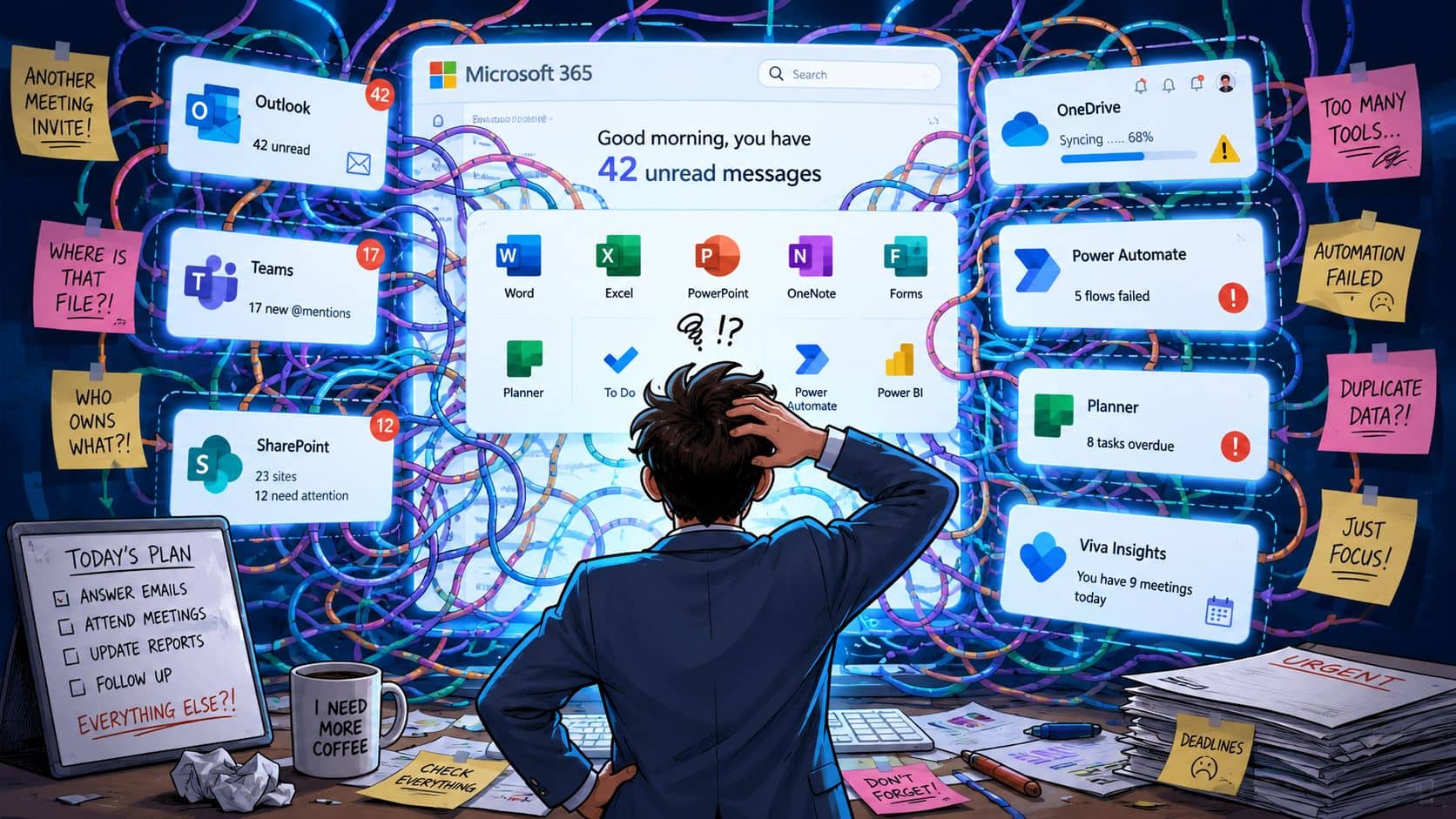
Microsoft 365 gives SMEs enterprise-grade tools. That's the attraction. It also creates enterprise-grade complexity, and that's where many businesses get caught.
You buy the platform to simplify collaboration, secure remote access, and reduce reliance on old on-premises systems. Instead, you inherit a stack that spans identity, conditional access, email flow, mobile devices, file permissions, retention settings, and user lifecycle management. The tools are powerful, but they only work well when someone is actively governing them.
Why the pressure builds so quickly
This isn't a niche issue. In the UK Government's 2024 survey of businesses with 10+ employees, 69% had adopted at least one cloud computing service, up from 44% in 2020, and adoption reached 96% for businesses with 250+ employees, according to Microsoft's commissioned summary of the UK survey findings. That matters because Microsoft 365 support now sits inside a mature, cloud-dependent environment, not an experimental one.
For a business owner, that changes the standard. Email downtime is no longer “an IT issue”. It stops orders, delays legal work, interrupts client communication, and creates unnecessary operational risk.
A lot of SMEs also fall into fragmented support habits. One person handles user issues. Another deals with licences. Security settings are changed only after an incident. Teams problems are treated as user complaints instead of service quality signals. If your users are already struggling with search, structure, and everyday collaboration in Teams, this practical guide on finding what you need in Teams usually points to a bigger governance problem, not just a training gap.
Proper support starts when you stop treating Microsoft 365 as a bundle of apps and start treating it as business infrastructure.
What proper support changes
The paradox is simple. The more capability Microsoft 365 gives you, the more support discipline you need around it.
Good Microsoft 365 IT support doesn't just fix Outlook when it breaks. It controls how users are provisioned, how access is reviewed, how data is protected, and how small technical issues are stopped before they become workflow failures. That's what reduces cost over time. That's what improves security. And that's what keeps the platform useful instead of burdensome.
What Fully Managed Microsoft 365 Support Includes
A lot of providers say they offer Microsoft 365 support when they really mean “we'll help if someone logs a ticket”. That isn't fully managed support. That's basic assistance wrapped in a cloud label.
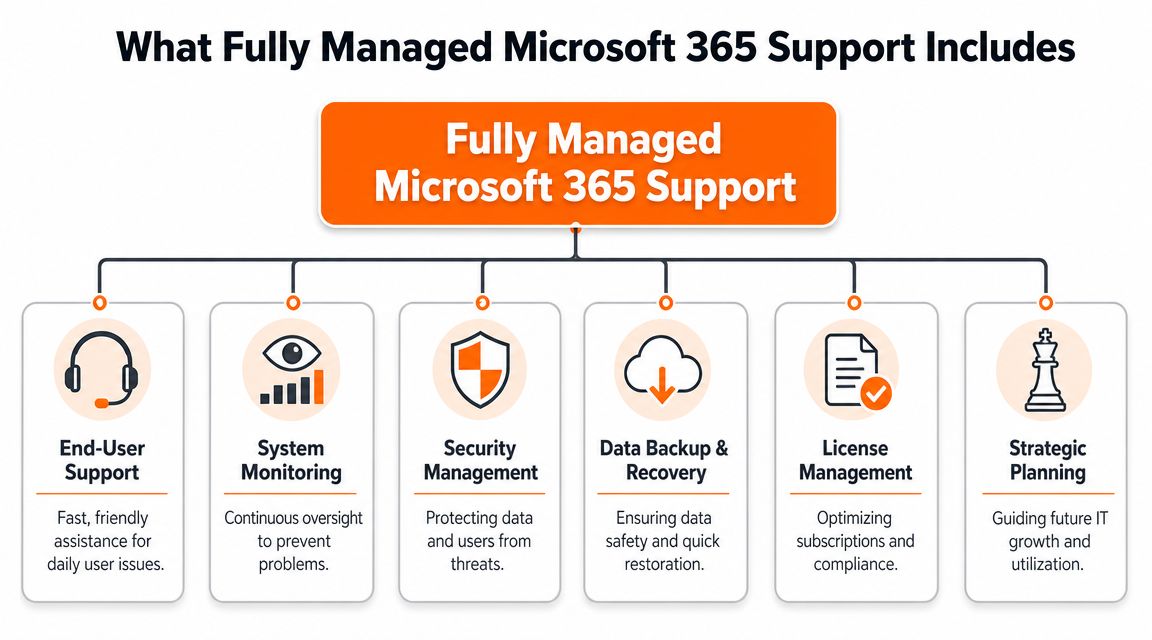
Fully managed Microsoft 365 IT support has breadth and depth. It covers the user-facing problems people notice immediately, and the tenant-level administration that prevents those problems from repeating.
The six areas that matter
End-user helpdesk
Staff still need fast help with Outlook, Teams, OneDrive sync, mobile setup, mailbox access, shared calendars, and password or sign-in issues. A proper helpdesk should resolve common faults without bouncing users between Microsoft articles and internal guesswork.
Tenant administration
Control over user creation, leaver processes, group membership, mailbox permissions, SharePoint access, security baselines, and admin policy changes is centralized here. If no one owns the tenant properly, drift sets in fast.
Secure migration
Moving from old systems, another provider, or a poorly configured tenant needs planning. Mail, files, identities, shared data, and device settings all need a controlled migration path. Rushed migrations create permission problems and hidden data loss risks.
Backup and recovery
Cloud doesn't remove the need for recovery planning. You still need a clear answer to deleted mail, overwritten files, accidental changes, and post-incident restoration.
Security and compliance management
This includes access controls, MFA enforcement, conditional access decisions, secure configuration, and visibility over suspicious behaviour. In regulated sectors, it also includes proving that controls are applied consistently.
Licensing optimisation
Licences affect cost, access, and functionality. The wrong licence mix leaves users under-provisioned or over-provisioned. Both are expensive in different ways.
What basic support misses
One of the biggest gaps in the market is licensing and identity-related support. Public help content often centres on generic user fixes, while deeper admin causes such as licence assignment, authentication, and related checks are less clearly explained for SMEs, as discussed in this troubleshooting overview of common Microsoft 365 issues.
That gap shows up in predictable ways:
- A user is licensed but blocked: The issue may be stale authentication, an incomplete account change, or a tenancy-related mismatch rather than a missing subscription.
- Teams works on one device but not another: That can point to identity state, device registration, or policy application.
- Mail access breaks after role changes: Often the problem sits with permissions, shared mailbox configuration, or inherited access that was never documented.
- A business pays for tools nobody governs: The platform exists, but adoption, security controls, and support ownership don't.
A capable managed provider should also help you understand what a managed service provider actually does in operational terms, not sales terms. If the service description is vague, the support will be vague too.
Practical rule: If a provider only talks about fixing tickets and never talks about identity, licensing, configuration control, and recovery, you're not looking at proper Microsoft 365 support.
The Business Benefits of Proactive Management
A finance director approves a month-end report, then finds the shared workbook locked, Teams calls breaking up, and two new starters unable to access the right files. None of those issues looks catastrophic on its own. Together, they slow billing, frustrate staff, and create avoidable risk.
That is why proper Microsoft 365 support is judged by business outcomes, not by how quickly someone answers after a failure.
Reactive support often looks cheaper because the actual cost is spread across the business. People wait to sign in. Departments work around mailbox and permission problems. Managers spend time chasing access, licences, and user setup instead of running their teams. In UK SMEs, especially in engineering, legal, and financial firms, that wasted time quickly turns into missed deadlines, poor document control, and compliance exposure.

Reactive support costs more than it looks
Microsoft 365 issues rarely stay neatly inside a single app. A SharePoint sync complaint may start with device posture or identity policy. A mailbox access problem may be tied to undocumented role changes. A Teams complaint may be a wider service issue, not a user error.
If support only starts when a user logs a ticket, the business is already behind.
Proactive management reduces that drag by checking the platform before small faults become service problems. That includes service health, licence use, account changes, access reviews, backup status, policy drift, and recurring failure patterns. For regulated UK SMEs, it also means keeping a closer eye on who can reach sensitive data, how changes are approved, and whether the tenant still matches the way the business operates.
What a proactive model does
A good provider watches for trends across the tenant, then fixes root causes. That is the difference between closing tickets and improving service.
In practice, the gains are clear:
- Less disruption to billable work: Issues are caught earlier, so engineers, fee earners, and finance teams lose fewer hours to avoidable admin friction.
- Stronger security control: Repeated sign-in failures, poor joiner and leaver processes, and access sprawl are picked up before they become incidents.
- Lower support overhead inside the business: Department heads stop acting as part-time IT coordinators.
- Better cost control: Licence waste, duplicated tools, and repeated remedial work become easier to spot and reduce.
- More predictable operations: Staff trust the platform because file access, communication, and collaboration work consistently.
This is also where service discipline matters. Clear ownership, response targets, and escalation rules decide whether a provider is managing risk or just processing requests. A useful benchmark is understanding how IT support SLA response times should be defined and measured against the impact on your business, not just the time taken to acknowledge a ticket.
Blowfish Technology is one example of a managed provider offering Microsoft 365 support as part of a wider service. The important test is whether the provider keeps improving the tenant over time. For firms handling client confidentiality, project documentation, or regulated financial data, that approach protects productivity and reduces the chance of expensive mistakes.
The businesses that get the most from Microsoft 365 are usually not the ones using the most features. They are the ones with clear controls, steady oversight, and support that prevents repeat problems.
Defining Service Scope and Measuring Success with SLAs
Support agreements often fail for a simple reason. They describe activity, not accountability.
If you're buying managed Microsoft 365 support, you need a clear service scope and clear service levels. Otherwise, every difficult issue turns into a debate about whether it's included, how urgent it is, and who owns the next step.
What should be in scope
A sensible agreement separates routine managed service work from project work. That protects both sides.
| Service Area | Typically Included in Managed Support | Typically Out of Scope (Project Work) |
|---|---|---|
| User administration | New users, leavers, password resets, group changes, mailbox permissions | Large-scale restructuring of departments or tenant redesign |
| Microsoft 365 troubleshooting | Outlook, Teams, OneDrive, SharePoint access, sign-in issues | Major remediation after inherited platform misconfiguration |
| Licensing administration | Assignments, changes, renewals coordination, usage reviews | Full licensing transformation tied to merger or acquisition activity |
| Security operations | MFA support, policy checks, access reviews, alert triage | Major security redesign or formal compliance consultancy |
| Backup and recovery operations | Routine restore requests and recovery assistance | Disaster recovery redesign or migration to a new backup platform |
| Reporting and service review | Ticket trends, recurring issues, improvement planning | Large strategic transformation programmes |
That's why it helps to read a provider's explanation of IT support SLA response times before you sign. You want to know how they define urgency, response, escalation, and closure.
Why SLAs matter
An SLA should tell you four things quickly:
- How fast they respond
- How they prioritise incidents
- What resolution ownership looks like
- How performance is reported
Blowfish publishes measurable service levels including sub-20-second average call waits, 75% same-day ticket resolution, and 98% within SLA, which is useful because it gives buyers a benchmark for what a confident managed service relationship can look like. Even if you choose another provider, measured performance is a good sign. Vague reassurance usually isn't.
Microsoft's own support model also has practical limits. Technical support is available 24 hours a day, seven days a week in English, but billing support is limited to 9:00 AM to 5:00 PM Monday to Friday, according to Microsoft 365 business support options. That split matters. An overnight technical incident can be raised quickly, but a licensing or billing problem may still wait for business hours.
Don't accept “we support Microsoft 365” as enough. Ask what happens when a user can't work, when a licence is wrong, when a mailbox needs recovering, and when Microsoft itself is part of the issue.
A managed provider earns its place by bridging those gaps, coordinating the issue end to end, and giving you one accountable support path.
Your Migration and Onboarding Roadmap
Switching support providers or tidying up a poorly managed Microsoft 365 tenant shouldn't feel like a leap in the dark. If it does, the process probably isn't mature enough.
A proper onboarding starts with evidence. Not assumptions, not a sales checklist, and not a rush to “take over support” before anyone understands how the tenant is built.
Start with discovery not assumptions
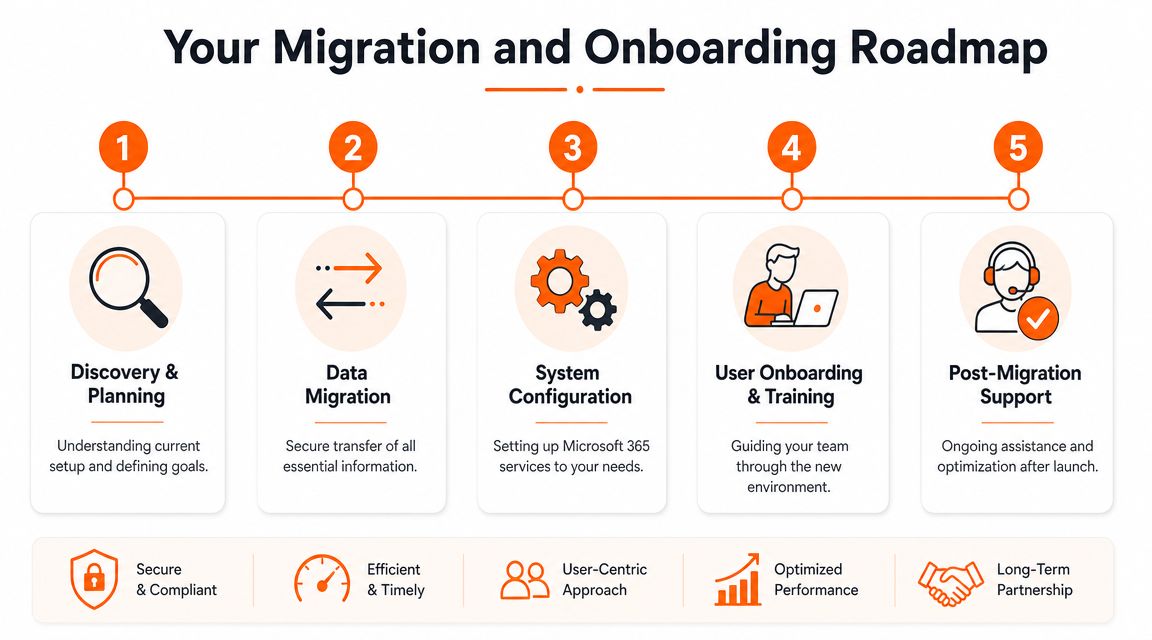
The first phase should review users, licences, admin roles, devices, mail flow, SharePoint structure, backup arrangements, security settings, and any line-of-business dependencies. This is also where inherited risk usually appears. Shared accounts, excess admin rights, inconsistent MFA, legacy mail permissions, and undocumented workarounds are all common findings.
A clean roadmap usually follows this order:
Discovery and audit
Understand what exists now, including weak points and hidden dependencies.Planning and design
Decide what stays, what changes, and what needs to happen first to reduce risk.Phased migration or handover
Move services carefully. Don't change everything at once unless there's a compelling reason.User onboarding and communication
Tell staff what's changing, when it's changing, and how they'll get help.Go-live support and optimisation
Expect noise after launch. Good support teams stay close to the business and tidy the loose ends quickly.
For businesses planning a wider move, these business cloud migration services are a useful reference point for what a structured transition should include.
A clean handover is part of the service
The best migrations aren't the ones with no issues. They're the ones where issues are anticipated, prioritised, and resolved without chaos.
That means documenting admin access properly, confirming recovery processes, validating user access after changes, and making sure responsibility is clear from day one. If your provider can't explain the handover model in plain English, expect confusion later when users need support and nobody knows who owns what.
How Managed Support Works for Your Industry
The right Microsoft 365 support model depends on the work your business does. Engineering, legal, and financial firms all use the same core platform, but the risk profile is different in each case.
Engineering and manufacturing
An engineering business usually cares about continuity, controlled access to project information, and protection of commercially sensitive documents. Drawings, tenders, supplier communication, and project records can end up scattered across Teams, SharePoint, email, and local devices if no one governs the setup properly.
Managed support helps by tightening access, structuring collaboration spaces, and making sure leavers don't retain access to historic material. It also helps operations teams distinguish between a local connectivity issue in one site and a wider service problem affecting multiple users.
Legal practices
A law firm has a different pressure. Client confidentiality, matter-based access control, retention expectations, and evidence of controlled working matter every day, not just during an audit.
Microsoft 365 usage analytics can help here because it provides a prebuilt dashboard with a cross-product view of the last 12 months and allows analysis by region and department, according to this summary of Microsoft 365 usage analytics capabilities. In a legal setting, that helps support teams show how secure tools are being used, spot weak adoption, and support compliance-focused decisions with actual usage evidence rather than guesswork.
Financial services
Financial firms usually need stronger control over identity, auditability, and user behaviour around sensitive information. Sign-in problems, mailbox access anomalies, and unmanaged sharing are not minor irritations in that environment. They can become regulatory and reputational issues quickly.
Good managed support in financial services means tighter joiner-mover-leaver processes, closer oversight of permissions, and regular review of where business-critical communication and documents live.
In regulated sectors, support quality isn't just measured by whether the issue was fixed. It's measured by whether the business can show control afterwards.
Frequently Asked Questions About Microsoft 365 Support
The questions get sharper after the first licence purchase, the first failed restore, or the first account compromise. That is usually when business owners stop asking what Microsoft 365 can do and start asking how it will be supported properly.

Do Microsoft back up my data by default
Microsoft gives you service resilience, retention features, and versioning. That does not give your business a defined recovery plan.
If a director deletes the wrong mailbox, a fee earner needs a file version from months ago, or ransomware encrypts synced data, the question is simple. What can be restored, how quickly, and who is responsible for doing it? For UK SMEs in legal, engineering, and financial firms, that answer needs to match client obligations, audit expectations, and downtime tolerance, not just Microsoft's default settings.
What is the difference between Business Premium and E3
The practical difference is about security controls, device management, compliance needs, and how far your business has to go beyond standard productivity tools. Price matters, but licence fit matters more.
Business Premium is often a strong fit for SMEs that need solid security and management without enterprise complexity. E3 starts to make more sense where data governance, retention, larger user estates, or stricter compliance requirements justify it. Copying another firm's licence stack is a common mistake. A legal practice, engineering company, and financial services business can all have the same headcount and completely different risk profiles.
How is managed support priced
Managed support is usually priced by user count, device count, and service scope. The gap between a low-cost contract and a useful one often comes down to what is excluded.
Some providers cover tickets and basic administration. Others include security monitoring, licensing control, backup oversight, policy management, onboarding, offboarding, and regular tenant reviews. That difference affects cost, but it also affects risk. Cheap support often looks expensive after a security incident, failed recovery, or licensing mess.
Do I still need a managed provider if Microsoft offers support
Yes, if you want accountability for your environment rather than support for Microsoft's platform alone.
Microsoft can help with platform issues. A managed provider should know your users, your security baseline, your licence position, your devices, and the operational pressures in your sector. In regulated businesses, that matters. The support team should not just close tickets. They should help prevent avoidable outages, reduce security exposure, and keep the environment aligned with how the business works.
If your current setup feels harder to manage than it should, or you are not confident your support covers identity, licensing, security, recovery, and day-to-day administration properly, speak to Blowfish Technology about a specific review of your Microsoft 365 environment and what a managed support model should include for your business.

The Blowfish Technology team. Managed IT, cloud services, software development and connectivity for North West businesses since 1999.