
Monday morning starts the same way for too many SMEs. One person can't connect from home, another has forgotten a password again, and someone in finance is asking whether the laptop sitting on a kitchen table is really safe enough for client data. The business keeps moving, but the remote access setup is becoming a support burden and a security risk.
A smart VPN client is not just another app in that picture. Used properly, it becomes part of a managed access strategy, one that gives staff a reliable way in while giving IT and directors more control over how that access works, who gets it, and what happens when the network or the user behaves badly.
Table of Contents
- The Modern Challenge of Secure Remote Access
- What Is a Smart VPN Client
- Key Features That Define a Smart VPN
- Why Smart VPNs Are a Strategic Advantage for UK SMEs
- Integrating a Smart VPN into Your Security Stack
- Deployment Management and Compliance Considerations
- Choosing the Right Solution and Managed Partner
The Modern Challenge of Secure Remote Access
A lot of SME directors still assume remote access problems mean the VPN client has failed. In practice, the fault usually sits elsewhere. A staff member's home router may conflict with the office subnet, two laptops may use different profile settings, or the remote gateway may have gone unpatched long enough to attract attention.
That is why remote access has become an operations issue as much as a connectivity issue. Verizon's 2025 Data Breach Investigations Report found that 22% of vulnerability-exploitation breaches in 2024 targeted edge devices including VPN concentrators, up from 3% the year before, and it also reports that only 54% of vulnerable edge devices were fully patched during the observation period, with a median time to remediate of 32 days. For a gateway exposed to the internet, that leaves a wide window for abuse (Verizon DBIR 2025 coverage).
For UK SMEs, the lesson is straightforward. A remote access tool is only as reliable as the configuration, patching, and access policy around it. A smart VPN client can standardise the user side of that process, but it cannot make up for poor gateway maintenance or weak endpoint controls.
Practical rule: treat remote access as a managed service, not a one-off install. If the connection path is unreliable, users create workarounds, and workarounds are where control gets lost.
DrayTek's Smart VPN Client sits in that gap between user friction and network discipline. Its cross-platform design matters because SME teams rarely work on one device type now, and its profile-based setup helps reduce the one-off misconfiguration that leads to support calls and insecure shortcuts. For teams planning a more orderly remote access rollout, this remote working setup guide is a useful companion piece.
What Is a Smart VPN Client
A smart VPN client is the endpoint component of a centrally managed remote access system. It is different from a consumer VPN app that one person installs for private browsing, because it is designed to be configured, distributed, and governed as part of a business policy.
The difference is like that between a single house key and a managed keycard system. A key gets one person through one door. A keycard system can define who gets in, when they get in, which doors they can use, and what gets logged. That's the “smart” part.
DrayTek's Smart VPN Client is a good practical example because it is a free, cross-platform client for Windows, macOS, iOS, and Android, and it supports IPsec Tunnel and L2TP over IPsec profiles with settings such as AES256 encryption and pre-shared key authentication (DrayTek Smart VPN Client). In business terms, that means the client is built to fit into a repeatable security model, rather than asking each user to figure things out individually.
The business difference
A basic VPN app asks the user to make too many decisions. Which server? Which protocol? Which credentials? What if the tunnel drops? In a small company, those decisions get repeated across dozens of employees, and every repeated decision creates room for error.
A smart VPN client reduces that risk by making the connection behave like a policy, not a personal preference. DrayTek's setup guidance also shows a profile-based workflow and a PING to keep alive setting, which helps keep longer sessions steady. That matters when remote staff need access that feels consistent, not improvised.
A smart VPN client should make correct behaviour easier than incorrect behaviour.
That is the core value. It's not just encrypted traffic. It's a more controlled remote access experience that can be rolled out, supported, and audited without turning every connection into a special case.
Key Features That Define a Smart VPN
A smart VPN earns that name through how it is controlled, supported, and kept consistent across users. The useful features are the ones that cut user friction while giving IT clearer oversight of access. For an SME, that usually means fewer support calls, fewer manual fixes, and fewer exceptions to manage later.
What matters in practice
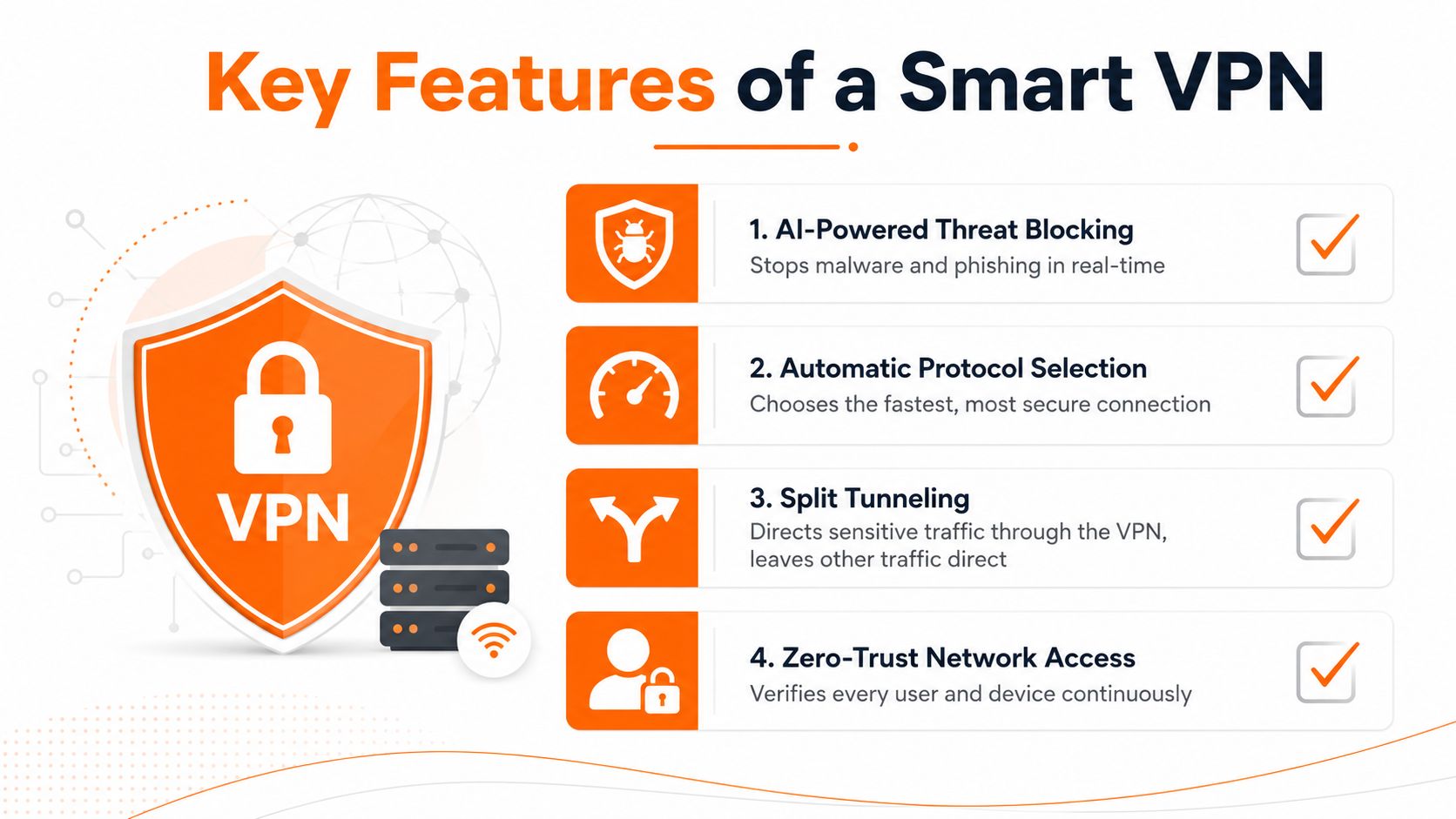
Profile-based setup is one of the most useful features because it removes guesswork from the user's side. Administrators can predefine the server, username, and shared secret, so staff are not typing tunnel details from scratch every time they connect. That also gives IT a repeatable configuration to support, which matters when remote access needs to work the same way across the business.
Protocol choice matters because different organisations need different levels of control and compatibility. DrayTek supports IPsec Tunnel and L2TP over IPsec profiles, which gives administrators a familiar structure for remote access. For an SME, that helps keep remote access aligned with the rest of the security stack instead of turning every connection into a one-off setup.
Split tunnelling design also affects how the VPN behaves in daily use. In a business setting, it decides whether sensitive traffic passes through the tunnel while routine local traffic stays direct. Used well, it reduces unnecessary load and makes access easier for staff. Used badly, it leaves people unsure about where their traffic is going.
Connection persistence is another feature that has a direct operational impact. The PING to keep alive option helps longer sessions stay stable, which is useful for staff who remain connected for long periods rather than reconnecting often. That stability reduces disruption and lowers the number of avoidable support calls.
Operational insight: the best remote access setup is the one users barely notice, because IT has already removed the awkward decisions from the experience.
For broader identity control, it makes sense to pair VPN access with stronger authentication. A practical reference point is two-factor authentication guidance, because remote access should not rely on a password alone. When a VPN sits inside a managed security strategy, the goal is not just encrypted traffic, it is controlled access that is easier to support, audit, and trust.
Why Smart VPNs Are a Strategic Advantage for UK SMEs
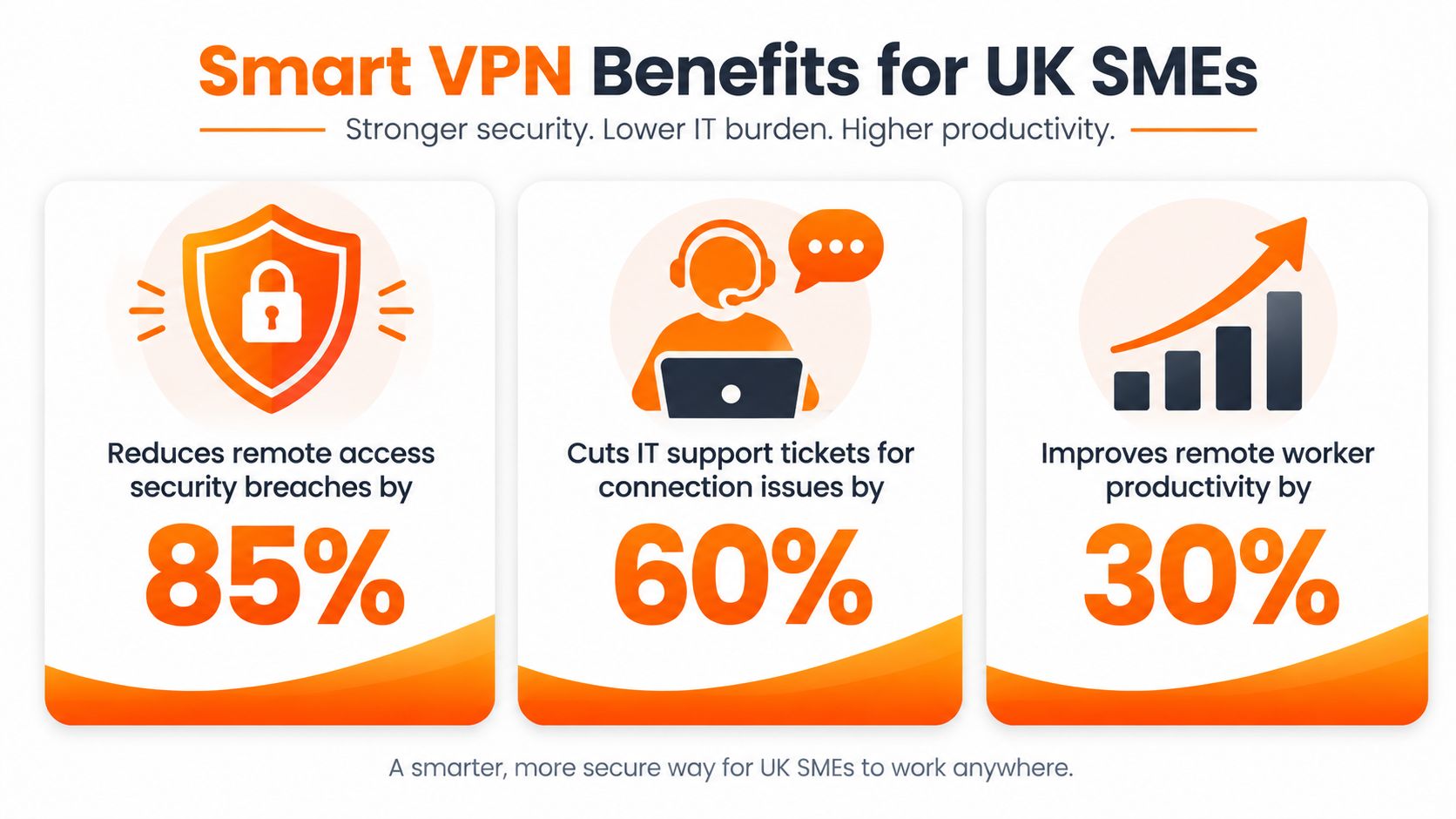
UK SMEs do not choose remote access tools for technical polish. They choose them because people need to work from different places without creating extra risk or extra admin. A smart VPN client helps because it turns remote access into something the business can standardise, rather than something IT has to patch together each time a new employee starts or a laptop is replaced.
That standardisation matters most where the company has a mixed device estate. DrayTek's client supports Windows, macOS, iOS, and Android, so one approach can cover a typical SME mix without forcing the team to manage separate tools for every platform (DrayTek Smart VPN Client). In practice, that reduces support friction because the policy is clearer, the setup is more repeatable, and staff are less likely to get stuck on device-specific workarounds.
The security case is stronger now that edge devices are under more pressure. Verizon's DBIR coverage for 2025 shows that a notable share of vulnerability-exploitation breaches involved edge devices, including VPN concentrators, and that many vulnerable edge devices were still not fully patched during the observation period (Verizon DBIR 2025 coverage). For a UK director, the practical takeaway is simple, remote access is part of the attack surface, so it needs to be managed like one, not treated as background infrastructure.
Remote work also sits inside a wider breach environment. The UK Government's cyber survey found that a large share of businesses and charities experienced a cyber breach or attack in the previous 12 months (UK Government cyber survey). That does not mean a VPN alone solves the problem. It does mean secure access, consistent authentication, and supportable remote working belong in the same management conversation, because the business cost of an access failure is rarely just technical.
A smart VPN is most useful when it sits inside a broader security plan. For a plain-English business case for resilience and access control, this cybersecurity guide for SMEs is a strong starting point.
Integrating a Smart VPN into Your Security Stack
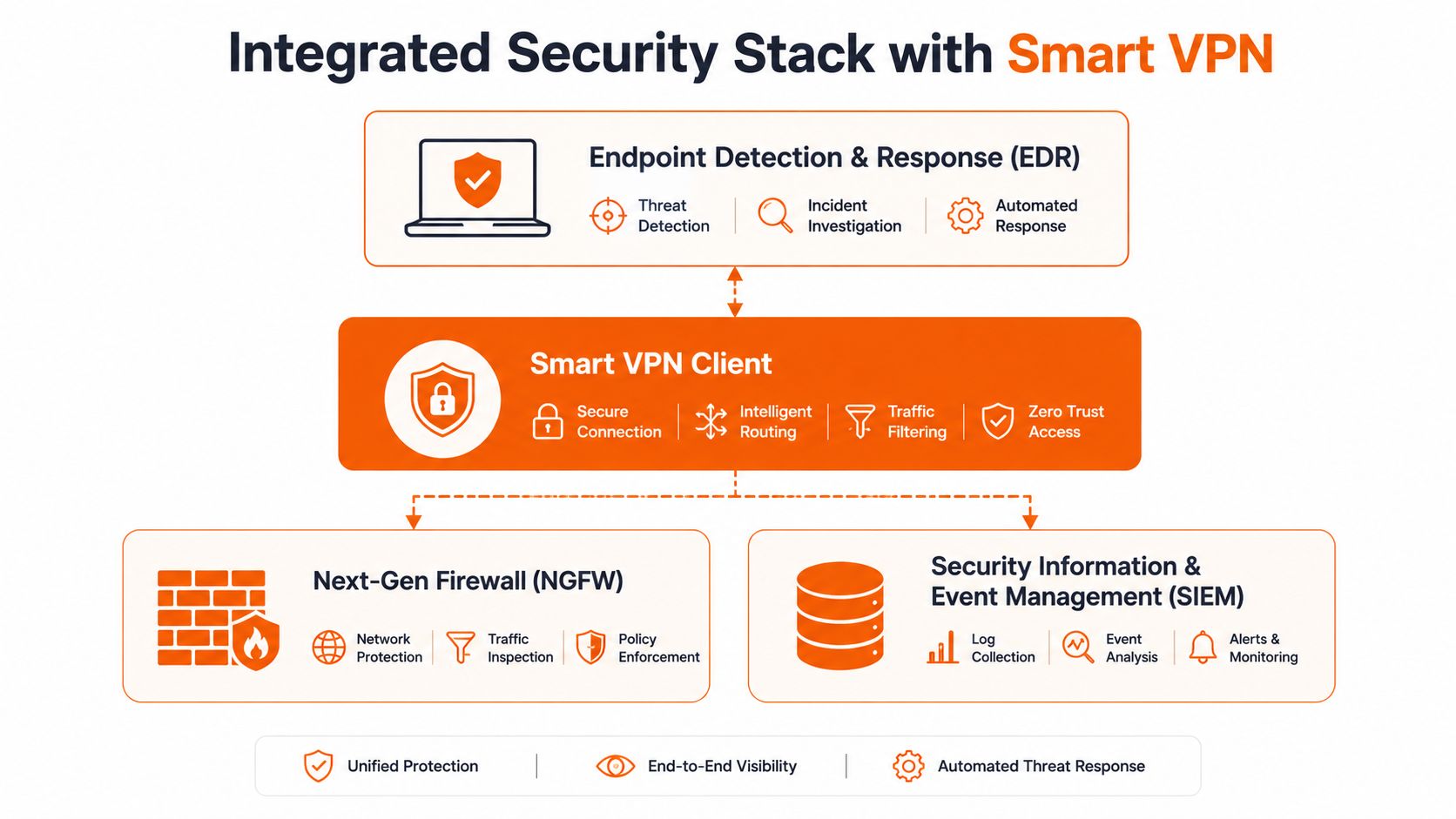
A smart VPN client works best when it is treated as one layer in a broader security stack, not as the whole answer. The tunnel encrypts traffic, but it doesn't tell you whether the endpoint is healthy, whether the account is authorised, or whether the user's access should change based on risk.
That is why integration matters. Remote access should sit alongside endpoint protection, identity controls, and monitoring so that the connection is visible, policy-driven, and accountable. A VPN session that cannot be seen by the rest of the security stack is just an encrypted blind spot.
Where the client fits
One useful way to think about the client is as a control point. It can help standardise how users connect, which makes it easier to align remote access with the rest of the company's rules for password hygiene, device trust, and account governance. That is especially relevant where staff move between office, home, and client site, because the same policy should follow them rather than being rebuilt each time.
The operational value shows up in the logs and the support process. If the VPN profile is consistent, IT can isolate whether a problem is caused by the endpoint, the user account, the gateway, or the network path much faster. That reduces the tendency to blame the laptop when the underlying issue is elsewhere.
A smart VPN also complements other security measures by tightening the entry point. It does not replace managed EDR, DNS filtering, or MFA, but it does give those tools a cleaner access context to work with. That is important because stronger remote access is most effective when it is part of a layered design rather than a standalone promise.
The goal is not just to encrypt traffic. The goal is to make remote access observable, controlled, and easy to support when something goes wrong.
For teams building that layered model, the main benefit is coherence. Users get one way in. IT gets one place to enforce policy. Leadership gets fewer surprises when remote working becomes the default instead of the exception.
Deployment Management and Compliance Considerations
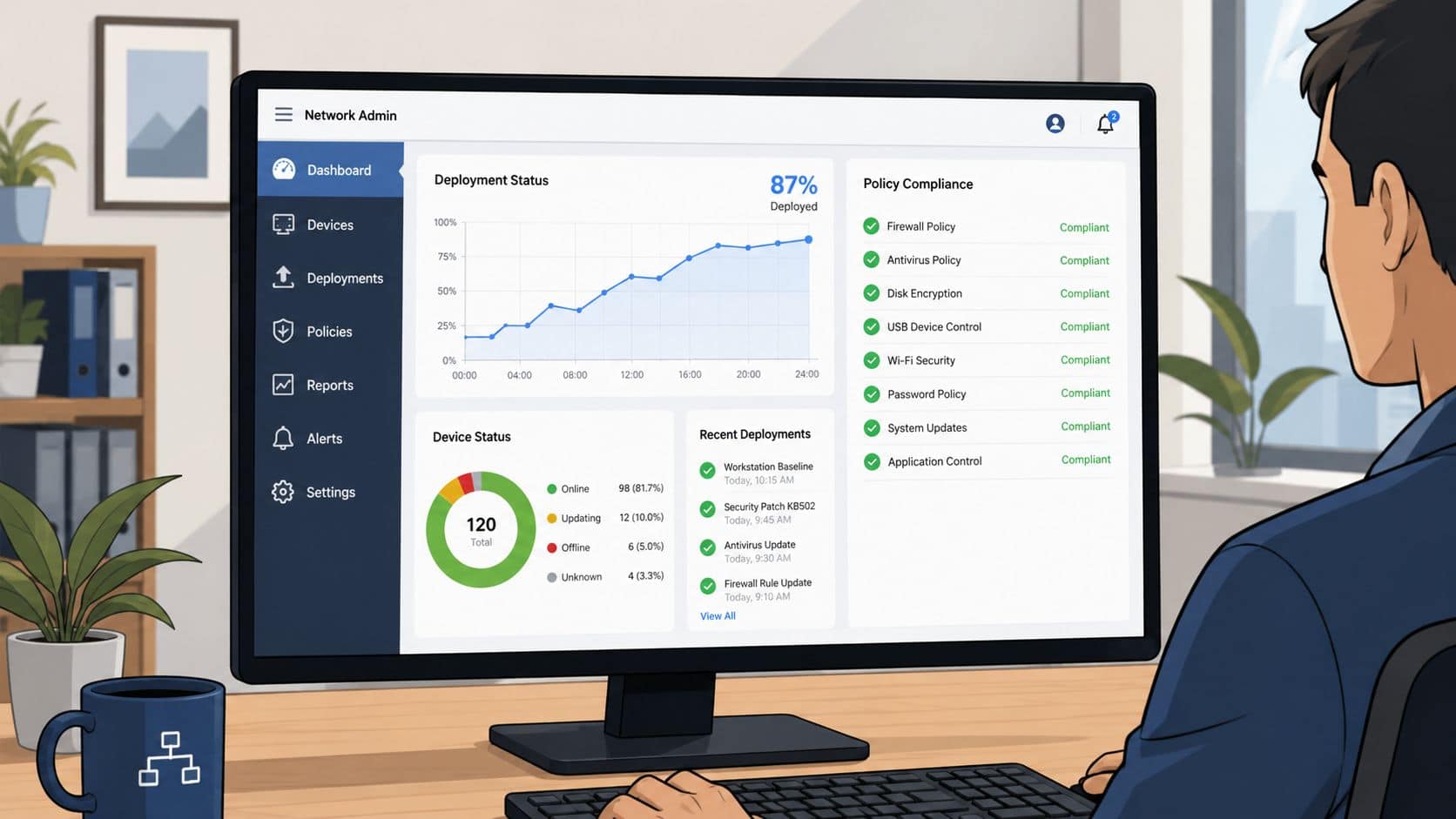
Deployment is where a remote access decision becomes an operating model. The software may install easily enough, but the primary work involves profile design, user onboarding, gateway alignment, and ongoing maintenance. If those pieces are not handled properly, the business ends up with a tool that looks ready on paper but creates friction for users and support teams.
The issues that trip people up
One recurring problem is IP range conflict. If a home network overlaps with the business subnet, the client can seem broken even though the underlying issue is routing design. Community guidance on Smart VPN setup points to host-specific routing and avoiding common home-style ranges such as 192.168.0.0/24 in business networks (Spiceworks discussion on Smart VPN routing issues). That is a planning issue, not a user mistake.
Another common fault line is authentication and protocol mismatch. The practical checks are straightforward, matching the SSL VPN port, testing by IP rather than hostname, confirming DNS resolution, and verifying passwords and pre-shared keys. Those steps do not sound dramatic, but they are the difference between a controlled rollout and a steady stream of support tickets.
Compliance depends on the same discipline. Centralised configuration, repeatable access policy, and traceable admin decisions all help build the evidence trail SMEs need when they are working toward better security governance. For directors who want a broader view of control expectations, enterprise software security compliance 2026 offers a useful external lens on how software controls and audit requirements are converging.
The practical lesson is simple. A VPN deployment is really a decision about how access will be governed, monitored, and supported. If that governance is weak, the client only exposes the weakness faster. For many SMEs, managed IT security services are the cleanest way to keep remote access under control without leaving the internal team to carry every maintenance task alone.
Choosing the Right Solution and Managed Partner
A sensible buying process starts with questions, not product names. Can the solution standardise profiles across your device mix? Can it be aligned with your authentication policy? Can you see what users are doing without drowning in logs? And can you support it without creating a permanent burden for your internal team?
Ask one more question too. Who owns the ongoing management after setup? Remote access falls apart quickly when nobody is accountable for version checks, gateway maintenance, policy review, and user support. That is why many SMEs are better off choosing a managed partner instead of trying to make remote access a side task for someone already busy with everything else.
The trade-off is clear. A self-managed VPN can look cheaper at the start, but hidden complexity usually shows up later in support time, inconsistent configuration, and avoidable risk. For businesses comparing remote access approaches with other connectivity decisions, such as the benefits of virtual SIM for rural users, the lesson is the same: the cost is rarely just the monthly licence.
If your team wants remote access that is secure, supportable, and documented properly, managed IT security services are usually the right place to start. The value is not just in the software you choose, but in the discipline that keeps it working.
Blowfish Technology helps SMEs design and manage remote access properly, so the VPN becomes part of a wider security strategy instead of a standalone burden. If you want a practical review of your current setup, visit Blowfish Technology and ask about managed remote access, security controls, and ongoing support that fits how your business works.

The Blowfish Technology team. Managed IT, cloud services, software development and connectivity for North West businesses since 1999.