
A solicitor emails a client file to the wrong external contact. A finance manager stores payroll records in a broadly shared folder. An engineer uploads a design pack to a collaboration site so a supplier can review it, then nobody remembers to remove access. In each case, the business may have sensible security tools, but staff still lack a shared answer to a basic question: what protection does this information need?
A data classification policy provides that answer. It turns vague instructions such as “handle sensitive data carefully” into practical decisions about access, sharing, storage, printing, retention and disposal. For an SME, that means fewer judgement calls under pressure, clearer evidence for clients and auditors, and a better chance of containing the impact of a mistake. The real cost of a data breach for SMEs is broader than the technical recovery work, because disruption, lost trust and management time can affect the whole business.
A useful policy doesn't need to create a bureaucracy-heavy approval process. It needs a small set of understandable levels, clear owners, handling rules people can follow, and technical controls that reinforce the decisions. Microsoft 365 sensitivity labels, Data Loss Prevention, retention policies and backup controls can then make the policy visible in daily work rather than leaving it as a document in an intranet folder.
Table of Contents
- Introduction Why Your SME Needs a Data Classification Policy Now
- Choosing Classification Levels and Handling Rules That Fit Your Business
- Who Owns What Roles Responsibilities and Governance
- Building and Approving Your Policy Document From Template to Sign Off
- Putting Policy Into Practice With Microsoft 365 Labels DLP and Retention
- Making It Stick Training Enforcement and Audit Checks
Introduction Why Your SME Needs a Data Classification Policy Now
Most growing businesses already hold information with very different consequences if it is exposed, altered or lost. A public brochure, a supplier invoice, a client contract, an employee medical record and an unreleased product design shouldn't all receive the same treatment. Yet many SMEs still rely on folder names, individual judgement and informal messages such as “don't forward this”.
That approach works until someone is busy, working remotely or using a personal device. It also fails when a new employee joins, when teams share a Microsoft Teams site, or when an external partner needs temporary access. The problem isn't that staff don't care. The problem is that the business hasn't defined the decision they're expected to make.
A practical data classification policy gives every important information asset a risk-based identity. It answers questions such as:
- Who may access it? Everyone in the organisation, a department, a project group or named individuals?
- Where may it be stored? A standard SharePoint site, a restricted library, an encrypted location or an approved backup platform?
- How may it be shared? Internally, with named suppliers, through an encrypted channel or not at all?
- What happens after use? Is the information retained for business reasons, reviewed, archived or securely disposed of?
The UK Government Security Classifications Policy offers a useful baseline because it uses exactly three tiers, OFFICIAL, SECRET and TOP SECRET, and says that OFFICIAL covers the majority of information created, processed, sent or received across the public sector and partner organisations. SECRET and TOP SECRET apply to progressively more sensitive information requiring stronger controls, with protection selected according to the impact of compromise, accidental loss or incorrect disclosure. The framework was formally introduced in April 2014, replacing the older Government Protective Marking Scheme with a simpler model (UK Government Security Classifications Policy quick read).
An SME doesn't need to copy government terminology blindly. It does need the underlying discipline. A commercial organisation might use Public, Internal and Confidential, or map its own labels to OFFICIAL, SECRET and TOP SECRET where public-sector contracts make that useful. The important point is that every label must trigger a handling decision.
Good outcomes are practical:
- Reduced uncertainty: Staff know whether they can forward, download or print a document.
- More targeted controls: Security teams can apply stronger restrictions to sensitive information without blocking ordinary work.
- Better incident response: A labelled file gives responders context when an account, device or mailbox is compromised.
- Clearer supplier conversations: Contracts and onboarding can specify how each information category must be handled.
- Stronger governance: Owners can review whether a label still reflects business risk instead of allowing old assumptions to persist.
The journey starts with defining levels and rules, then assigning ownership, writing the policy, configuring Microsoft 365 and checking whether behaviour matches the intended controls. Classification becomes valuable when it changes what systems allow people to do.
Choosing Classification Levels and Handling Rules That Fit Your Business
Begin by assessing the impact of exposure, alteration, loss or delivery to the wrong recipient. Then assign labels that reflect that risk. Review the conditions around the information as well, including external sharing, supplier access, remote work, privileged administrators and the systems that store or process it.
As outlined above, the three-tier model provides the structure. The next step is adapting it to commercial context. An SME can retain government-aligned names where contracts require them, or use plain-English labels such as Public, Internal and Confidential. Either approach works only when each label leads to a clear handling decision.
Use a small number of meaningful levels
Too many categories make staff hesitate and label inconsistently. Too few conceal differences that affect access, sharing and retention. A three-level structure gives many SMEs a workable starting point:
| Classification Level | Typical SME Examples | Handling and Control Rules |
|---|---|---|
| OFFICIAL | Routine internal correspondence, standard procedures, ordinary project documents and information intended for normal business use | Store in approved Microsoft 365 locations, apply ordinary access controls, share only with authorised business contacts, and dispose of copies through approved processes |
| SECRET | Client contracts, detailed financial information, employee records, commercially sensitive quotations, production documentation and non-public intellectual property | Restrict access by role or project, apply a Microsoft 365 sensitivity label, use DLP rules for external sharing, protect downloads and printing where appropriate, and apply controlled retention and backup settings |
| TOP SECRET | Information where incorrect disclosure could cause the most serious business, contractual or operational harm, such as highly sensitive strategic material or critical security information | Use named or tightly controlled access, strong authentication, encryption, enhanced monitoring, restricted sharing and explicit approval for exceptions. Keep handling instructions specific to the information and its risk |
These examples guide decisions rather than replace them. A routine document can become more sensitive when combined with other material. A file may also change classification as a project moves from public development to confidential negotiation.
Attach rules to every label
A label without a handling rule is decoration. For each level, document the minimum requirements for:
- Marking: Where the label appears in Word, Excel, PowerPoint, email and exported PDFs.
- Access: Which roles or groups may open, edit, download or share the information.
- Storage: Which SharePoint sites, Teams locations, file shares and backup repositories are approved.
- Transmission: Whether external sharing is permitted, and which recipients or channels are allowed.
- Physical handling: Whether staff may print, leave documents unattended or take them off-site.
- Disposal: How paper, local copies, temporary exports and obsolete media are removed.
- Review: Who can lower, raise or confirm the classification when circumstances change.
Map these requirements to controls the business already owns. A SECRET label might limit external sharing through Microsoft 365, trigger DLP inspection, restrict downloads, and connect the file to defined retention and backup settings. A label should influence what users and systems can do, not merely add coloured text to a document.
Security classification and privacy classification answer related questions. Personal data and special category data may require additional treatment, while supplier arrangements and storage locations can affect the control set. For UK-facing organisations, this practical guide to data sovereignty and data security in the UK helps frame those decisions alongside contractual and operational requirements.
Write examples around real workflows. Finance may classify payroll exports differently from a published invoice template. Legal may apply tighter controls to draft agreements than to signed documents shared with an approved client. Manufacturing may need separate rules for production specifications, supplier drawings and information sent to the shop floor.
Practical rule: If staff cannot choose a label quickly from the examples and impact criteria, simplify the policy or make the examples more specific.
Who Owns What Roles Responsibilities and Governance
A classification scheme fails when everyone is responsible for it in theory and nobody is accountable for a decision in practice. SMEs don't need a large committee. They need named people who can approve the policy, understand the information, configure the systems and correct day-to-day mistakes.
Give each role a clear decision
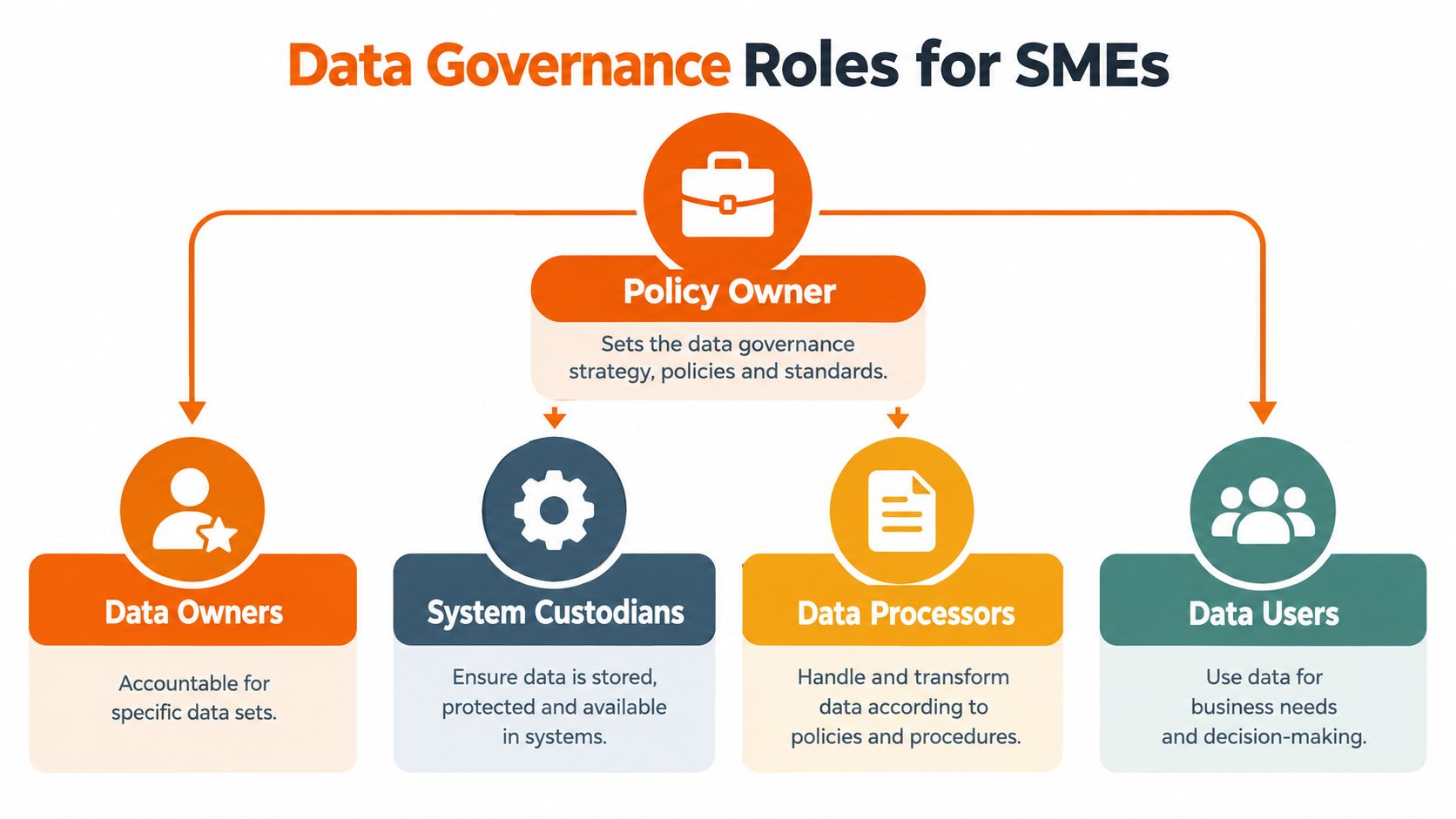
The policy owner is accountable for the data classification policy itself. In a smaller business, this may be the IT lead, information security lead or a director with authority across departments. They maintain the document, coordinate reviews and decide where disputes go.
Data owners understand why particular information exists and what harm could result from misuse. A finance director may own management accounts and payroll data. A practice manager may own client matter records. An engineering director may own product designs and manufacturing specifications. Data owners approve classifications, access requirements and justified exceptions.
System custodians operate the platforms that store or process the information. This includes Microsoft 365 administrators, backup administrators, application owners and managed service providers. They don't decide the business value of a dataset, but they must translate the approved rules into permissions, labels, DLP, retention and recovery settings.
Data users are the people who create, receive, edit and share information. They need concise guidance at the point of work, not a policy written solely for security professionals. Their responsibility is to apply labels, follow handling rules and report uncertainty or accidental disclosure quickly.
Prevent taxonomy drift
Labels become unreliable when legal calls a dataset “confidential”, finance calls it “restricted” and Microsoft 365 contains a third label with a similar meaning. Keep one approved glossary, record equivalent terms and use the same definitions in supplier contracts, onboarding material, system designs and reporting.
The Office for National Statistics classifications and standards guidance reinforces the value of systematic classifications, regular review and harmonised taxonomies. The ONS describes classifications as ways to organise and present statistics in a meaningful, standard format, and highlights the importance of reviews that reflect economic and social change. The operational lesson for an SME is direct: inconsistent labels damage reporting and decision-making as well as security.
Set a governance route that staff can use:
- Raise a question: The user flags uncertain or apparently misclassified information.
- Ask the data owner: The owner assesses purpose, exposure and likely impact.
- Record the decision: The policy owner or delegated administrator updates the classification register.
- Change the control: The system custodian adjusts the label, group, DLP rule or storage location.
- Communicate the outcome: The relevant team receives a short explanation and updated example.
Review should happen after material business change, such as a new client service, acquisition, supplier arrangement or system migration. The UK public-sector standard also demonstrates the value of recording critical data and, where relevant, tagging an Essential Shared Data Asset, or ESDA. For an SME, the equivalent is a maintained inventory showing which datasets are operationally critical and who can approve changes.
Governance should support work, not slow it. A two-person approval route for every ordinary document will create workarounds. Reserve formal approval for new data types, higher classifications, external sharing exceptions and changes to the taxonomy.
For organisations tracking sector-specific issues, a resource on banking industry trends 2025 can provide useful context when reviewing how financial services expectations and operating models may affect information governance.
Building and Approving Your Policy Document From Template to Sign Off
A policy earns adoption when it answers operational questions quickly. A user should know whether a document can be sent externally, where it may be stored and which label to apply without interpreting abstract principles or searching through legal wording.
Use a consistent structure so reviewers can find gaps and technical teams can translate each requirement into a control.
Use a policy structure people can apply
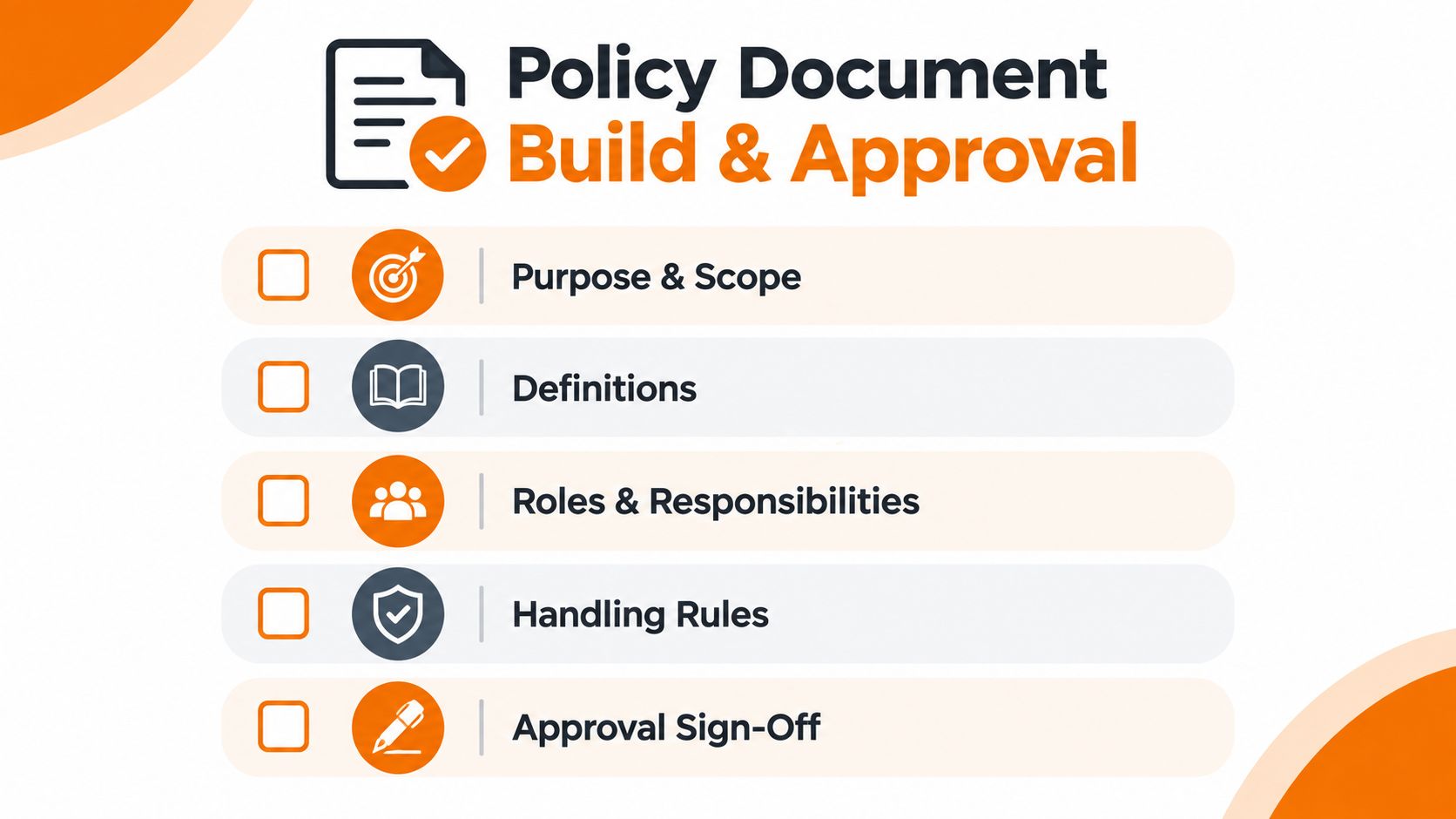
Purpose and scope should explain why the policy exists and which information, systems, employees, contractors and suppliers it covers. Include information created, processed, stored or managed for the organisation, whether it resides in Microsoft 365, a line-of-business application, a file server, a laptop or a third-party service.
Definitions should explain terms such as information asset, data owner, personal data, special category data, sensitivity label, DLP and exception. Reserve “confidential” for the classification label if the policy gives it a specific meaning.
Classification matrix should list every tier, its impact criteria and realistic examples from legal, finance, sales, HR, manufacturing and operations. Add borderline cases. Those examples expose ambiguity before users build inconsistent habits.
Handling rules should cover access, storage, sharing, transmission, printing, local copies, disposal, backup and retention. Separate Microsoft 365 enforcement from actions users must complete themselves. For example, a sensitivity label may apply encryption or restrict sharing, while staff may still need to verify recipients and remove local copies.
Roles and responsibilities should name accountable functions rather than relying on generic job titles. Define who owns the policy, who configures labels and DLP, who manages backup and retention settings, and who handles disputes, incidents and requests to change a classification.
Exceptions and breaches should state who can approve an exception, what justification is required, how long it remains valid and how suspected breaches are reported. Record exceptions in an accessible register with an expiry date. An agreement in a chat message is difficult to audit and easy to forget.
Review and version control should identify the policy owner, approval authority, effective date, review triggers and change record. Public-sector guidance offers a useful example of scheduled review alongside updates after relevant changes to governing requirements (data classification standard).
Move from draft to approval
Write the first draft with data owners rather than in isolation. Ask legal, finance, HR, operations and IT to test each example against real workflows. Legal may need to share matter files with external counsel. Manufacturing may need controlled supplier access to drawings. Those requirements should shape the wording before anyone configures technology.
Use a short approval cycle:
- Draft: The policy owner records the proposed levels, examples and controls.
- Challenge: Data owners identify impractical rules, missing datasets and ambiguous terms.
- Technical validation: System custodians confirm that Microsoft 365 labels, DLP, backup and retention settings can support the wording.
- Approval: A director or designated governance authority signs off the risk decisions and exceptions process.
- Publication: Publish the approved version where users work, with a short summary and practical examples.
- Evidence: Retain the signed approval, version history, review comments and communication record.
Test every promised control before sign-off. If the policy says external sharing is blocked for a category, test the sensitivity label, DLP policy, guest access path and relevant Microsoft 365 applications with real user scenarios. Check backup and retention behaviour too, because a document can remain recoverable or retained after a user believes it has been deleted.
If the platform only warns users, write the policy as a warning and escalation control. Do not describe that configuration as prevention. This distinction matters during an incident and gives auditors an accurate account of the organisation's safeguards.
Use direct instructions. “Users must apply appropriate safeguards” leaves too much room for interpretation. “Apply the SECRET label before sending client contracts outside the organisation. External sharing requires an approved recipient and must use the organisation's Microsoft 365 account” gives staff a clear action.
A credible policy works during a busy afternoon. It also leaves an audit trail showing who approved the rules, which systems enforce them and how exceptions are controlled.
Putting Policy Into Practice With Microsoft 365 Labels DLP and Retention
The technical rollout should follow the business decision, not replace it. Microsoft 365 can enforce a classification policy through sensitivity labels, encryption, access conditions, DLP policies and retention controls, but those settings only work well when the organisation has defined what each tier means.
Map labels to decisions
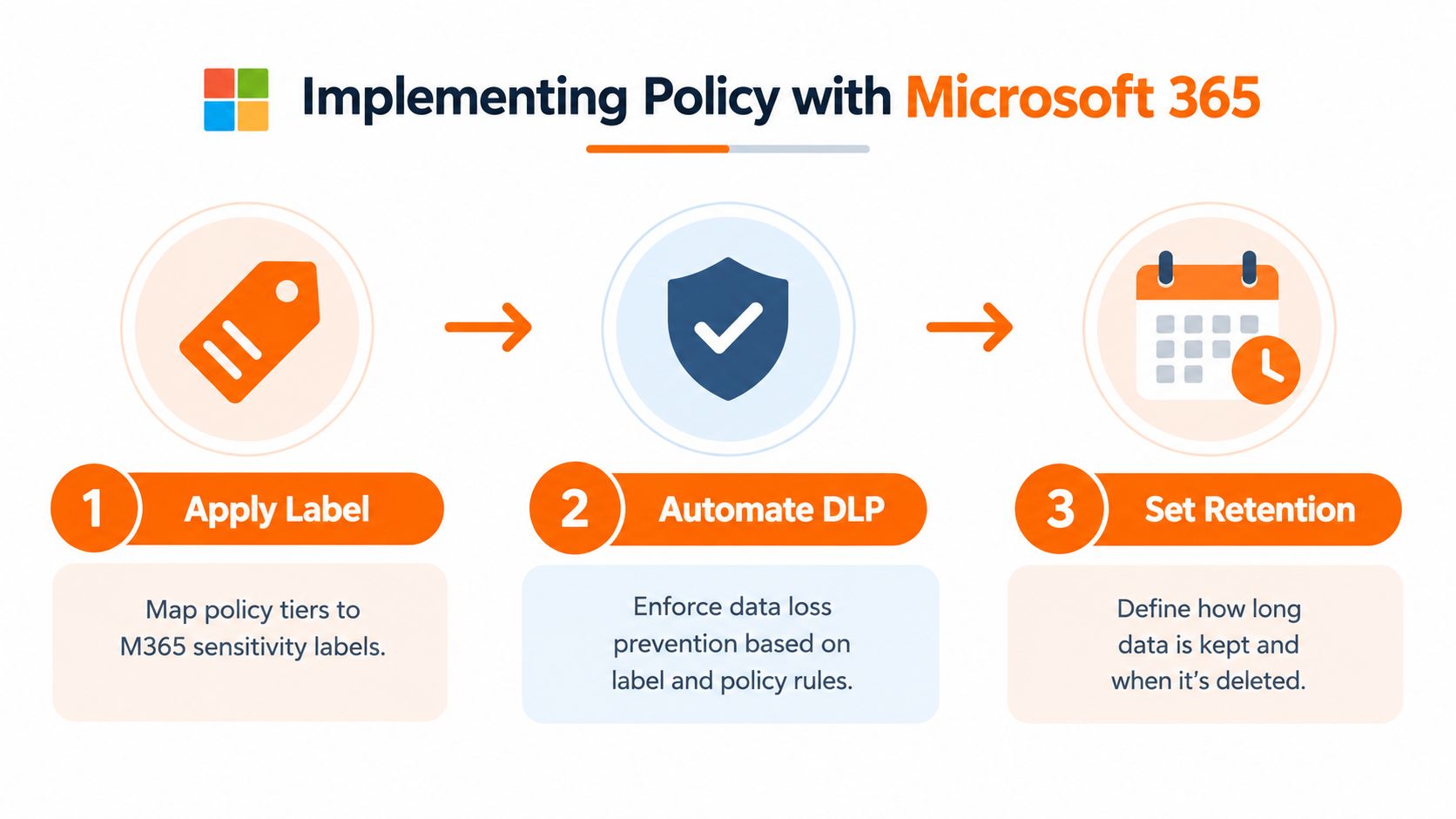
Create a small label set in Microsoft Purview that mirrors the approved business language. If the policy uses OFFICIAL, SECRET and TOP SECRET, use those names consistently. If the business uses Public, Internal and Confidential, define the relationship in the policy and avoid presenting Microsoft 365 labels as a separate taxonomy.
For each sensitivity label, decide:
- Whether users can apply it manually.
- Whether the label is recommended or required.
- Whether Microsoft 365 can detect content and suggest or apply it.
- Whether encryption is applied.
- Which users, groups or external recipients may access the content.
- Whether copying, downloading, printing or forwarding should be restricted.
- Which alerts and audit events are generated.
Automatic labelling can reduce reliance on memory, especially for documents containing recognisable personal or financial information. It shouldn't be treated as infallible. Data owners need to test false positives, missed matches and mixed-content documents before enabling enforcement broadly.
Make DLP a control trigger
DLP should use the classification label as one signal, alongside content types, users, locations and sharing destinations. A labelled SECRET document sent to an approved client domain may be acceptable, while the same document sent to a personal mailbox should generate a block, warning or escalation according to the policy.
Start in report-only or alerting mode where practical. Review incidents with representatives from the affected department, then tune the rule. Immediate blocking can protect high-risk information, but it can also interrupt legitimate work if the organisation hasn't documented approved sharing routes.
A properly designed data leakage prevention solution connects identification, labelling and policy enforcement rather than treating each capability as a standalone product.
Align retention and backup without confusing their purposes
Retention answers how long information should be kept and what happens at the end of its approved period. Backup answers how the organisation recovers data after deletion, corruption, ransomware or service disruption. They overlap operationally, but they aren't interchangeable.
Map each classification to the relevant retention owner and backup requirement. A critical manufacturing dataset may need resilient recovery even when it isn't the most sensitive information. Conversely, a sensitive record may require restricted backup access and controlled restoration because recovered copies can contain the same information as the original.
Keep backup administrators within the governance model. A sensitivity label on a document won't automatically make every backup copy harmless. Confirm where backups are stored, who can restore them, how restored data is protected and how retention or deletion requests are handled.
A sensible sequence is:
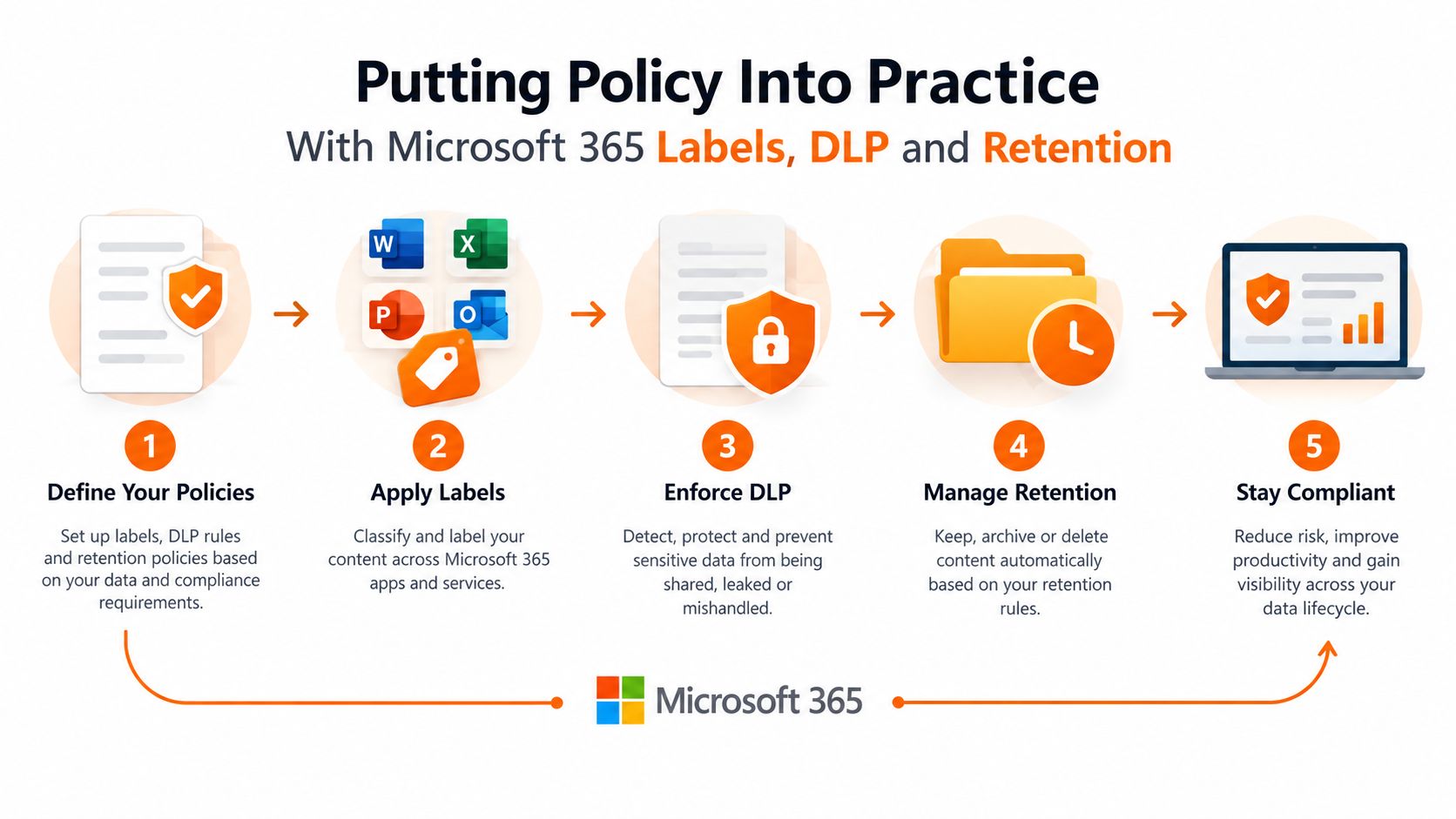
- Inventory: Identify important SharePoint sites, Teams, mailboxes, file shares, business applications and backup repositories.
- Pilot: Test labels with a small group from different roles, including people who share information externally.
- Tune: Adjust label names, prompts, auto-labelling conditions and permissions based on actual work.
- Enforce: Introduce DLP rules in stages, with clear user messages and an escalation route.
- Recover and retain: Validate retention settings, backup coverage and restoration handling for each important category.
The following video can help teams visualise how Microsoft 365 controls fit into a broader policy approach:
Don't configure labels in isolation from permissions. A file can carry the correct classification and still sit in a broadly accessible site. Review group membership, guest access, anonymous links, shared mailboxes and administrator privileges as part of the same implementation.
Making It Stick Training Enforcement and Audit Checks
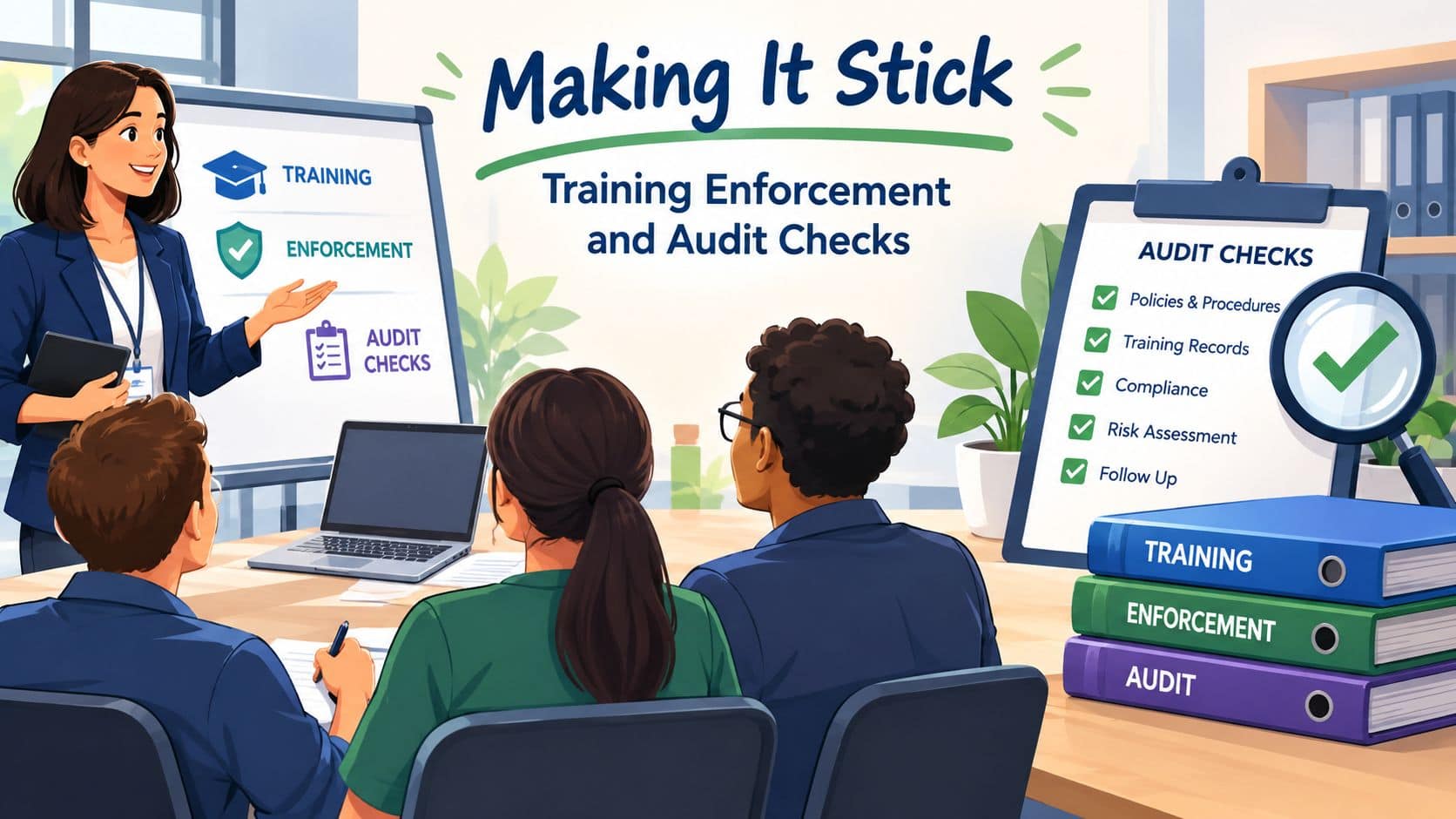
Classification becomes normal behaviour when the business reinforces it at the moment a decision is made. A policy launch email won't change habits if Outlook, Teams and SharePoint continue to make unrestricted sharing easier than the approved route.
Train around decisions, not definitions
Give staff short scenarios from their own work. Ask what label applies to a client contract, a draft quotation, a payroll export, an engineering drawing and an incident report. Then show the action the label triggers in Microsoft 365.
Training should cover:
- Creation: Choose a label when starting a document, email or project.
- Sharing: Check recipients, links and guest access before sending.
- Storage: Use approved sites and avoid unmanaged local copies.
- Escalation: Ask the data owner when impact or ownership is unclear.
- Incident response: Report misdirected email, lost devices and accidental sharing promptly.
Include the policy in onboarding and refresh it after material changes. GDPR training for staff can complement classification training where personal data handling is part of the organisation's responsibilities, but staff still need examples tied to their specific systems and services.
Measure coverage and investigate exceptions
Audit the controls rather than just asking whether people have read the policy. Useful checks include:
- Label coverage: Review whether important document libraries, mailboxes and collaboration sites contain classified information with appropriate labels.
- DLP incidents: Examine blocked transfers, warnings, overrides and repeated recipients. A pattern may indicate poor training, an overly broad rule or an unmanaged business process.
- Access reviews: Check whether former staff, suppliers, guests and dormant accounts still have access to sensitive locations.
- Spot checks: Select representative documents and compare their labels with their content, location and sharing permissions.
- Recovery checks: Confirm that backup and restore processes preserve appropriate access restrictions and auditability.
Treat misclassification as a process signal, not a user failure. If many people label the same document differently, improve the example or decision tree. If users repeatedly override a DLP rule, investigate whether the approved workflow is missing.
The UK framework makes classification a control trigger, and the public-sector standards approach shows why labels need review as data, business circumstances and taxonomies change. Set a formal review route, but also allow immediate reassessment after a new service, major incident, regulatory change or significant supplier change.
A policy is working when users can make consistent decisions, technical controls respond to those decisions, owners can explain exceptions and management can evidence improvement. It doesn't need to eliminate every mistake. It needs to make mistakes less likely, less damaging and easier to detect.
Blowfish Technology can help SMEs map business information to Microsoft 365 sensitivity labels, DLP, retention and managed backup controls, then support the training and review process needed to keep the policy usable. Visit Blowfish Technology to discuss an engineer-led data classification and Microsoft 365 security programme for your organisation.
