
The average cost of a significant cyber attack on a UK business was estimated at almost £195,000 in the UK Government's summary of independent research on cyber-attack impacts. That's a better starting point for choosing a managed IT services company than a cheap monthly price or a promise to answer the phone quickly.
You're buying the ability to keep working and recover when something fails. Start with what an unavailable production line, fee earner, depot or phone system costs your business, then ask providers to demonstrate how their service protects those operations.
Table of Contents
- What a Managed IT Services Company Actually Covers
- How to Choose a Provider in Seven Steps
- SLA and Pricing Terms to Check Before You Sign
- Security and Compliance Requirements to Insist On
- Support Model, Local Presence and Technical Fit
- Sector Requirements for Engineering, Legal and Financial Firms
- Shortlist and Test a Provider Before You Commit
What a Managed IT Services Company Actually Covers
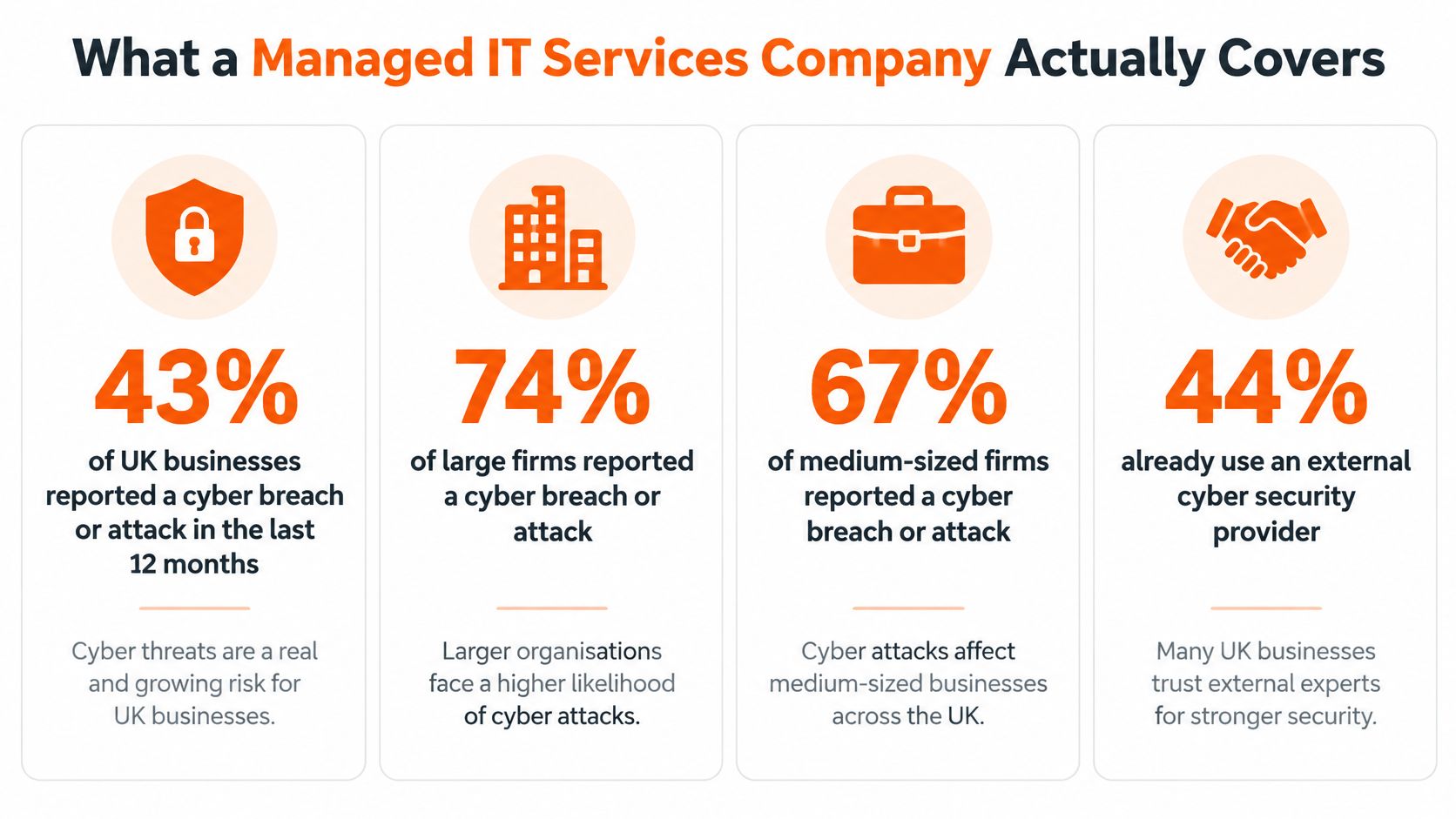
In the UK Government's Cyber Security Breaches Survey 2025, 43% of UK businesses reported a cyber breach or attack during the previous twelve months, while 44% used an external cyber security provider. External expertise is already an established part of business security, but security outsourcing alone isn't the same as a complete managed IT service.
A managed IT services company takes ongoing responsibility for agreed parts of your technology under a recurring contract. Providers commonly price by user, device or service bundle, replacing isolated break-fix callouts with planned maintenance, monitoring and support.
The visual below summarises the survey's business-security picture.
Core managed IT services and who needs them most
| Service | What It Typically Covers | Who Benefits Most |
|---|---|---|
| Proactive monitoring and helpdesk | Device monitoring, patching, ticket handling, remote fixes | Office-based SMEs with no in-house IT |
| Microsoft 365 and cloud administration | Tenant setup, licences, mailboxes, Modern Workplace tools | Growing firms moving off on-premises servers |
| Backup and disaster recovery | Scheduled backups, Microsoft 365 backup, restore testing | Firms where a day offline stops billing or production |
| Managed security | EDR, ITDR, DNS filtering, MFA, awareness training, Cyber Essentials support | Legal and financial practices handling client data |
| Hardware and software procurement | Sourcing, configuring and lifecycle tracking of devices and licences | Multi-site businesses refreshing equipment |
| Connectivity and telephony | Business broadband, managed VoIP, business mobiles | Organisations consolidating suppliers |
The contract, not the service label, determines what you receive. A provider might administer Microsoft 365 without including licences, or monitor backups without paying for recovery infrastructure. Ask which table entries are included, optional or excluded.
Helpdesk cover isn't full management
A helpdesk-only agreement gives staff somewhere to report faults. Unless the scope says otherwise, it doesn't establish responsibility for replacing unsupported equipment, improving identity controls or investigating recurring failures.
A full managed service should identify deterioration before staff report it and assign someone to correct it. That might mean removing an obsolete application, resolving a failing backup or planning a server replacement rather than repeatedly restarting it.
Practical rule: Every important system needs a named owner, an agreed maintenance responsibility and a clear route for resolving faults.
A healthy relationship also has a management rhythm: a monthly report, a quarterly review and a named account contact. Reports should lead to decisions about unresolved risks, spending and service improvements, rather than just listing completed tickets.
How to Choose a Provider in Seven Steps
Write your requirements before inviting sales presentations. Otherwise, each provider will describe a different service and you'll struggle to tell whether a lower quote represents efficiency or missing work.
Use this process to organise the procurement conversation.
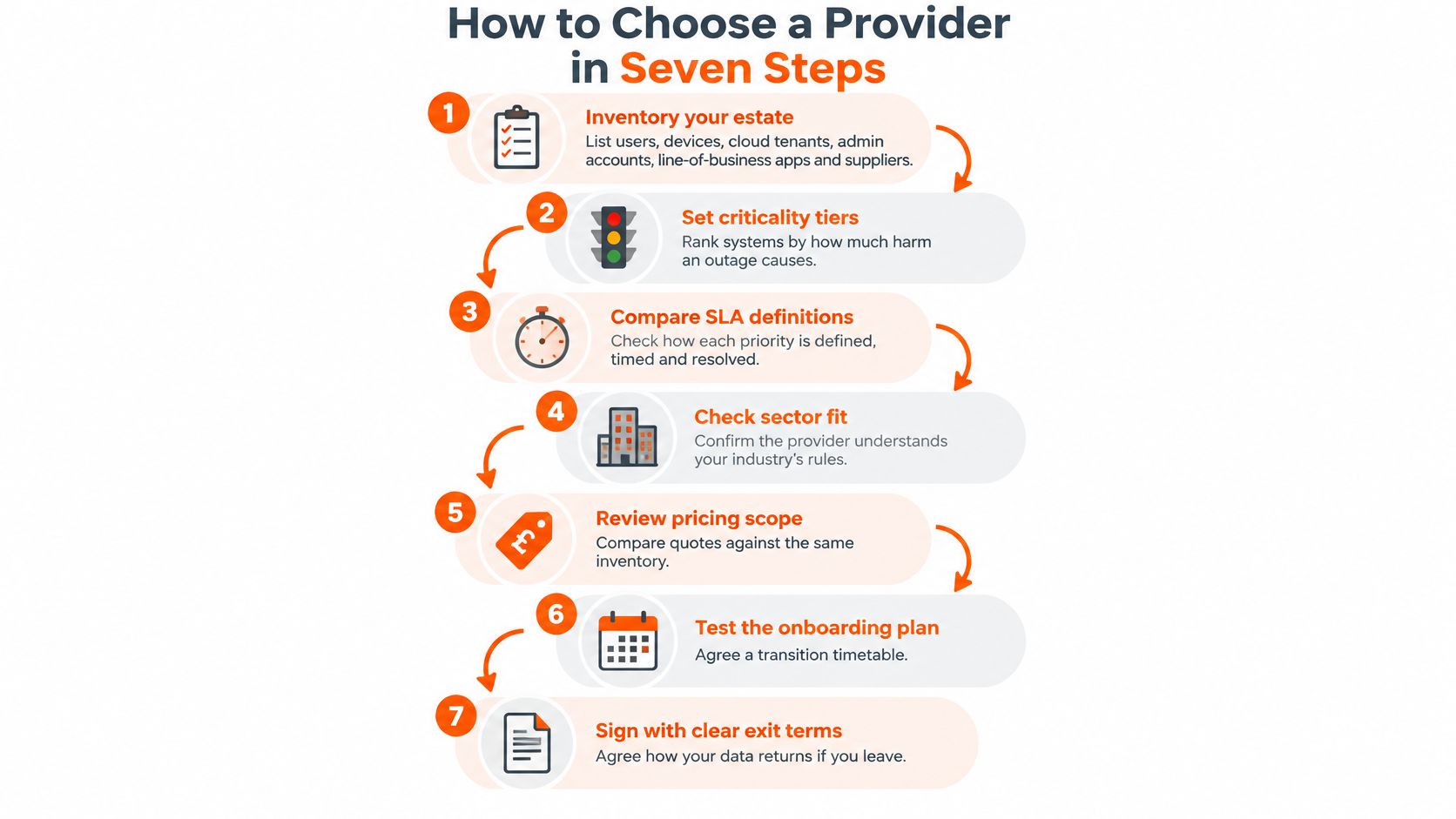
Build a comparable brief
Inventory your estate. List users, laptops, servers, network equipment, cloud tenants, privileged accounts, applications and suppliers, including equipment outside the main office. Skipping shared workstations, remote devices or specialist systems creates exclusions later, so this inventory must become the quotation's scope.
Set criticality tiers and recovery targets. Rank systems by the harm their loss causes, then define the recovery time objective, how quickly service must return, and recovery point objective, how much recent data you can afford to lose. Treating everything as equally urgent makes recovery expensive and unfocused, so prioritisation matters.
Create a credible shortlist. Include providers capable of reaching your premises, check their Companies House records and request evidence of their claimed Cyber Essentials status. Don't confuse a polished website with delivery capacity, because you need to establish who will actually fulfil the agreement.
Send a written questionnaire. Request the service catalogue, escalation arrangements, sample reports, staffing coverage, data locations and exit terms, with explicit answers about exclusions. Accepting verbal reassurance leaves both parties interpreting the service differently, so keep the responses with the procurement record.
Run a technical fit review. Ask an engineer to explain support for your Microsoft 365 configuration, identity platform, line-of-business applications, VoIP and any CAD or shopfloor systems. A sales-led demonstration can miss dependencies, whereas a technical review establishes where the provider needs help from application vendors.
Compare total ownership cost. Use the same multi-year evaluation period for every bidder and include internal effort, equipment replacement and chargeable work alongside recurring fees. Comparing only the headline subscription rewards incomplete quotations, so normalise the scope before judging value.
Agree onboarding and exit acceptance. Set milestones for access transfer, monitoring deployment, documentation, initial remediation and handover, with a remedy if essential acceptance conditions aren't met. An open-ended promise to take over leaves gaps between suppliers, so establish who owns each transition task.
Make the answers usable
Keep a simple decision sheet with columns for included, excluded, evidence received and action outstanding. Send clarification questions in writing and require revised quotations where answers change the scope.
Don't demand a free redesign of your entire infrastructure during procurement. Ask instead for enough technical detail to expose assumptions, then commission a defined assessment where the estate needs deeper investigation.
Use the accompanying video as a discussion aid, while keeping the written requirements as your decision record.
SLA and Pricing Terms to Check Before You Sign
A fast helpdesk response is a ticket metric, not a recovery outcome. An engineer can acknowledge a failed production system promptly while the business remains unable to manufacture anything.
The business case needs both service definitions and an honest assessment of disruption. CIR Magazine's report on UK and Ireland research states that 26% of respondents experienced high-impact outages at least weekly. That finding isn't a forecast for your company, but it reinforces why your own interruption costs belong in the comparison.
Contract wording determines whether a reassuring headline survives a difficult incident.
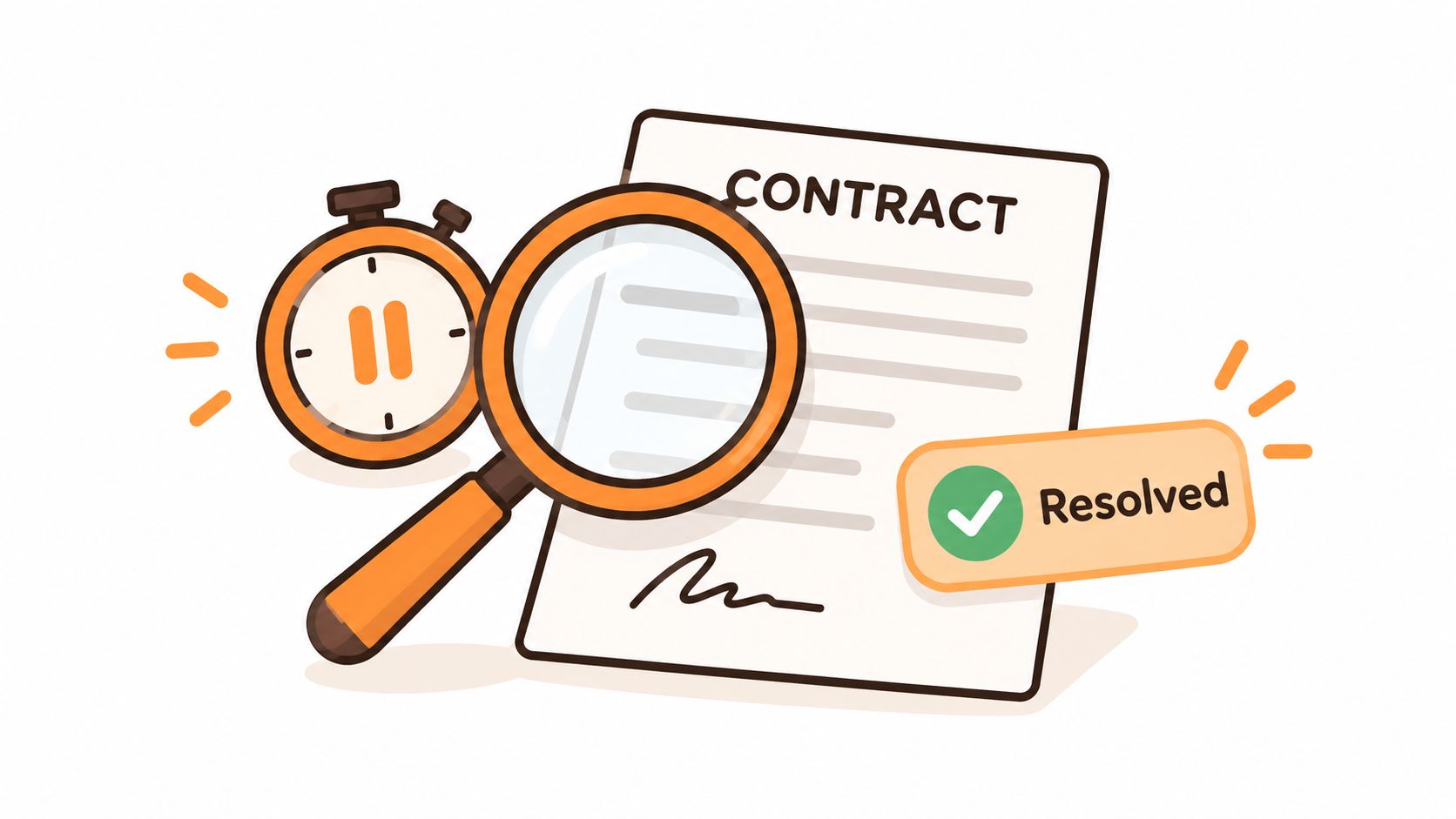
SLA metrics, what to ask and red flags
| SLA Term | Question to Ask | Red Flag |
|---|---|---|
| Response time by priority | How long until an engineer responds to a priority-one fault, and does the clock run out of hours? | Response defined as an automated acknowledgement |
| Resolution time | What counts as resolved, and who confirms it? | Tickets closed without user confirmation |
| Same-day resolution rate | What percentage of tickets, measured over which period? | Headline figure with no period or method |
| Percentage within SLA | Over what period, and how are paused clocks handled? | Single high figure with no breakdown |
| Critical system recovery | What recovery time is committed for the systems we rank as critical? | No recovery commitment, only backup job success |
| Service credits | What do we get when targets are missed, and how are credits claimed? | Credits capped at a token amount |
| Exclusions | Which faults, hardware or applications sit outside the SLA? | Long exclusions list covering core applications |
| Exit terms | How is data returned, in what format, and within how many days? | Data return charged at a premium or not defined |
Use a service-level agreement checklist to interrogate the definitions, particularly clock pauses, supplier dependencies and out-of-hours escalation. Service credits provide a contractual remedy; they don't reimburse every consequence of lost trading.
Build a total-cost worksheet
Per-user pricing can suit staff with several devices. Per-device pricing can suit shared workstations, but servers and network equipment may attract separate charges; tiered bundles need careful comparison of security and recovery inclusions.
Create worksheet rows for:
- Recurring commitments: Service fees, licences, telecoms and agreed price-review mechanisms.
- Lifecycle spending: Hardware replacement, onboarding, migrations and other project work.
- Business effort: Internal staff time, insurance-related technical requirements and supplier coordination.
- Resilience and departure: Downtime, recovery exercises, emergency uplifts and exit assistance.
Calculate outage exposure using unavailable operating time multiplied by the contribution or billable capacity genuinely lost, then add recovery labour and unavoidable disruption costs. Don't count the same loss twice as both revenue and profit.
What does an unavailable production line, fee-earning desk, depot or phone system cost, and what recovery certainty are you willing to fund?
At quarterly reviews, request ticket trends, patch compliance, restore-test results and the unresolved-risk register. Those records show whether the fee buys improvement or merely continued activity.
Security and Compliance Requirements to Insist On
Having a control isn't the same as proving that it works. A backup setting doesn't demonstrate that a usable system can be restored, and an authentication feature doesn't show that every relevant account is protected.
Most UK businesses now use backups and two-factor authentication, so the useful procurement questions are configuration, coverage and testing. Judge bidders on recovery outcomes and exception handling rather than response-time headlines: a fast ticket acknowledgement matters far less than whether a workstation can be isolated quickly and a file, mailbox or application comes back usable inside the agreed RTO and RPO.
Security controls and the evidence to request
| Control | What Good Looks Like | Evidence to Request |
|---|---|---|
| Multi-factor authentication | Every user and every admin account covered, with conditional-access rules and controlled exceptions | Coverage report and list of exceptions with owners |
| Privileged-access separation | Separate admin accounts, used only for admin tasks | Admin account count and review date |
| Endpoint detection and response | Managed EDR with alerts handled around the clock under the agreed service | Alert response log and time to contain |
| Patching | Critical patches applied within your agreed window | Patch-age report by device |
| Email security and DNS filtering | Policy-based filtering for phishing and malicious sites | Policy export and blocked-threat summary |
| Backup and restore | Immutable or offline copies, Microsoft 365 backup included | Restore-test record against your RTO and RPO |
| Cyber Essentials | Certified, or a dated plan to certify | Current certificate number and scope |
| Staff awareness training | Regular training with recorded completion | Completion rate by team |
Begin with identity coverage. Ask the provider to reconcile its MFA report against your user directory, then review service accounts, emergency-access accounts and exceptions separately. Privileged-account reviews should identify the person responsible for each account, not merely count administrators.
For endpoint protection, establish who investigates alerts and who can authorise isolation of a workstation. Patching reports need to identify unmanaged and unsupported devices, because a healthy-looking dashboard can omit equipment that never reports to it.
Test the awkward cases
Ask to see an email-filtering policy and how staff release legitimate messages. Treat DNS filtering as one layer alongside endpoint and identity protection.
For recovery, select a business-relevant restore sample and check permissions, application access and data usability. A payroll database, case-management export or CAD folder is a better test than a tidy demo file. Microsoft 365 retention settings shouldn't be accepted as an unexplained substitute for the separately agreed backup service.
Use this explanation of Cyber Essentials certification to frame questions about certificate scope, especially whether it covers every site, device group and tenant included in the service. For awareness training, ask how starters, temporary staff and people who miss sessions enter the completion record.
Wireless access deserves its own check, particularly where visitors, office devices and production equipment share premises. Purple's WiFi security guidance for IT teams provides useful context for discussing authentication, segmentation and wireless monitoring with bidders.
Finally, separate preventive indicators, such as patch age and MFA exceptions, from outcome indicators, such as incident recurrence and time to contain. Give every material gap a remediation owner and deadline, with data location, retention and supplier dependencies recorded alongside the technical controls.
Support Model, Local Presence and Technical Fit
Your business still needs someone to make technology decisions, even when another company performs the work. The right support model depends on whether that person sits inside your organisation and how much operational responsibility they can carry.
Decide who owns what
| Model | Your Responsibility | Provider Responsibility | Main Trade-off |
|---|---|---|---|
| Fully managed | Business priorities, approvals and supplier oversight | Day-to-day management of the contracted estate | Less internal administration, but greater dependence on provider documentation |
| Co-managed | Internal technology ownership and agreed operational tasks | Defined specialist services and additional capacity | More control, but handoffs need explicit ownership |
| Project or break-fix | Routine operations, maintenance and continuity | Specified projects or individual fault resolution | Flexible purchasing, without ongoing assurance unless separately contracted |
Fully managed works when you don't have an internal IT team, but it doesn't transfer your spending decisions or risk acceptance. Nominate a business owner who can approve changes and challenge unresolved issues.
Co-managed can suit a growing multi-site firm whose internal technology owner understands operational priorities but needs specialist security, monitoring or recovery support. Document permissions and change responsibilities so your employee and the provider don't work against each other.
Project support remains useful for migrations, office moves and defined upgrades. It isn't a substitute for maintaining the systems afterwards.
Check whether local means available
Ask where the engineers who would attend your sites are based, whether they're employees or subcontractors, and how travel affects charges. A nearby office doesn't guarantee that someone is available when hardware fails.
Test the support line at different working periods and ask for call-wait reporting, including how abandoned calls are treated. Also establish who handles account questions when your usual contact is absent.
Technical fit needs a demonstration, not a list of vendor logos. Ask an engineer to explain support boundaries for Microsoft 365, hybrid identity, hosted desktops, VoIP and site-to-site connectivity.
A cloud-based legal practice and an engineering business with machine-control networks need different skills. Where an application vendor retains responsibility, require a clear handoff process so staff don't become messengers between suppliers.
Local presence helps with physical faults. Relevant technical knowledge determines whether the attending engineer can resolve them.
Sector Requirements for Engineering, Legal and Financial Firms
Sector experience matters when it changes the proposed service. Ask providers to explain which systems need different maintenance windows, access restrictions and recovery procedures, rather than accepting a sector logo on a sales presentation.
Engineering and manufacturing
A shopfloor computer may control equipment that can't tolerate an untested operating-system update. Require the provider to identify those constraints, coordinate changes with the machinery supplier and document any compensating protections for systems that can't be patched normally.
CAD and product lifecycle management recovery needs more than a folder of drawings. Check assemblies, references, permissions, application versions and licensing dependencies so restored files can actually support work.
This illustration highlights the production, design and supplier-transfer systems that need to sit within the scope discussion.
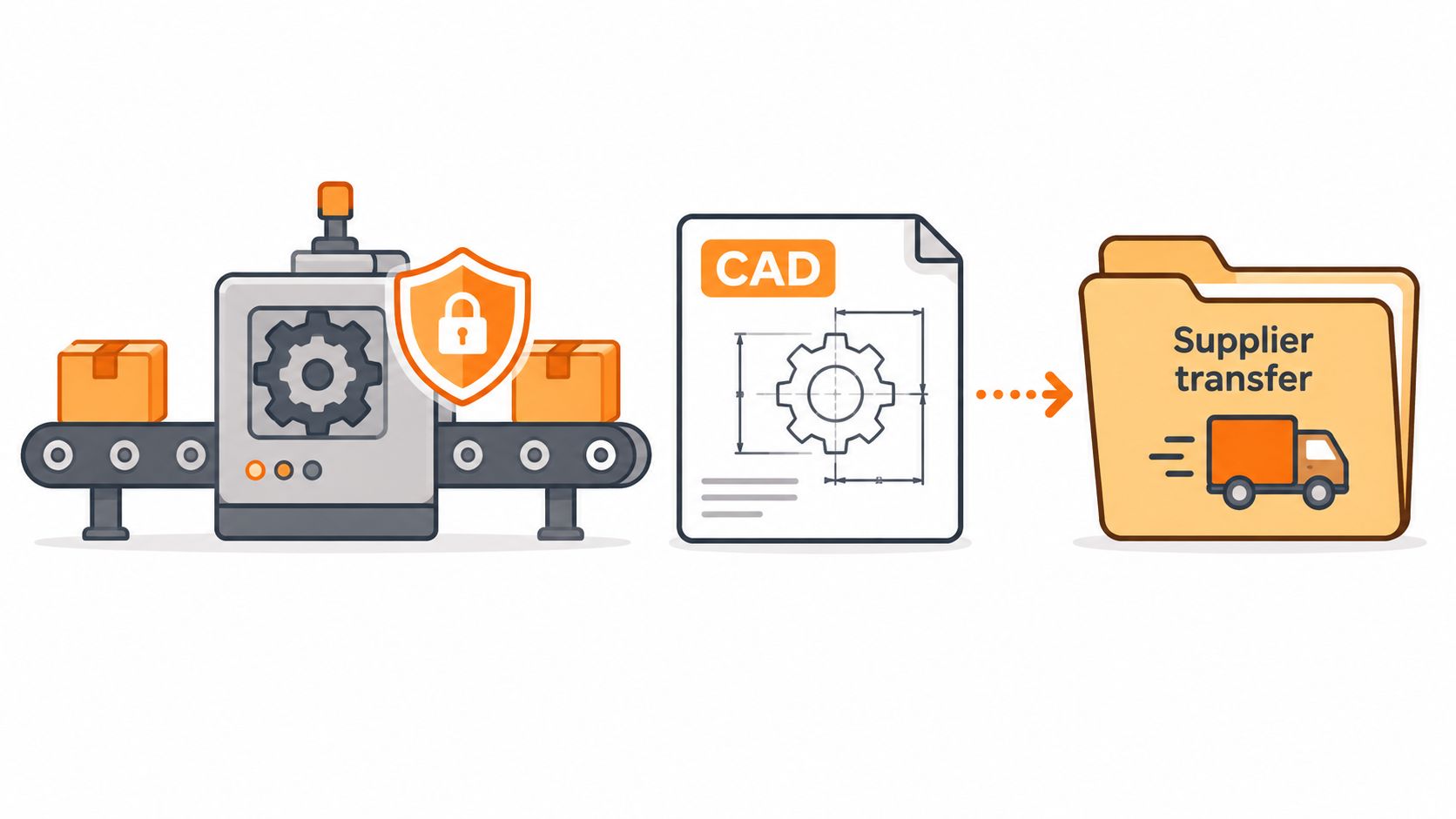
Use an engineering IT support scope as a starting point for questions about production dependencies, specialist workstations and supplier access. Write the agreed shopfloor boundary into the contract.
Legal and financial practices
For a legal practice, follow a matter through document storage, email, case management and billing. Ask who can access each system, how permissions change when staff move roles, and how the provider would preserve records during an incident.
If UK data location is a firm requirement, specify whether it applies to primary storage, backup copies, support access and subprocessors. Don't assume a UK supplier means every service component remains in the UK.
Financial practices should involve their compliance owner when defining supplier oversight and resilience requirements. Ask the provider to accept the audit access, incident notification and dependency-disclosure terms your firm needs, rather than assuming its standard contract satisfies every regulatory situation.
Sector risks and contract requirements
| Sector | Main IT Risk | Requirement to Write In |
|---|---|---|
| Engineering and manufacturing | Downtime on production or CAD systems | Recovery targets for production-critical systems, tested restores and shopfloor network scope |
| Legal | Client confidentiality and lost case records | UK data location, retention periods, access logging and case-system backup |
| Financial services | Outsourcing and resilience failures | Audit and access rights, incident reporting timelines and named supplier dependencies |
Across these sectors, ask whether certification covers the provider's own environment, your environment or a separately purchased assessment. A certificate doesn't replace an application-specific service commitment, and compliance support doesn't remove your organisation's responsibility for deciding what it needs.
Shortlist and Test a Provider Before You Commit
Choose the provider whose evidence matches your critical operations, not the provider with the most confident presentation. Score every bidder against the same criteria: control evidence, SLA wording, total cost, support model and sector fit.
The government-published summary of the cyber security labour market survey and sectoral analysis provides wider context for assessing the specialist capability behind a service. Your procurement decision still needs evidence about the particular people and processes assigned to your business.
Make acceptance operational
Ask references from a comparable sector about difficult incidents: who took charge, how clearly the provider communicated and whether corrective actions were completed. General satisfaction tells you less than a clear account of how an interruption was handled.
Before committing, require:
- A tested escalation tree: Named decision-makers, deputies and supplier contacts.
- Usable communications: Incident templates and an agreed route for updating staff.
- Operational acceptance: Evidence that a restored system supports priority work, not merely that files exist.
- A controlled transition: Access ownership, documentation delivery and outstanding risks recorded in an IT onboarding checklist.
Treat published response and resolution targets as claims to verify, not reasons to bypass these checks. This week, list your most critical systems, estimate their hourly outage cost and send that list with your written questionnaire to the shortlisted providers.
Blowfish Technology offers managed IT support, Microsoft 365 administration, security, backup and disaster recovery for SMEs. Visit Blowfish Technology with your critical-system list and ask for a scoped proposal that makes exclusions, recovery responsibilities and service evidence clear.
