
A 150-user UK organisation could pay roughly £2,700 to £11,700 a year before VAT for Microsoft 365 backup on a common per-user model. With VAT at 20%, that becomes about £3,240 to £14,040. Compare the Cloud's UK backup comparison reports a commercial range of £1.50–£6.50 per user per month excluding VAT. Annual or multi-year commitments can lower the effective rate, while some offers have a 12-month minimum term. At the same headcount, the upper estimate is more than four times the lower one.
That gap makes the seat price a poor budget on its own. The Microsoft 365 user licence, any consumption charge for protected data, and the provider's service fee are separate cost layers. A quote should identify each one and state what restore support includes. Without that breakdown, two prices described as “per user” may cover different products and services.
Table of Contents
- Typical Microsoft 365 Backup Costs in the UK
- Three Cost Layers and Which Pricing Model Fits
- What Drives Your Backup Bill and How Retention Changes It
- Example Costs for Small, Growing and Multi-Site SMEs
- How to Judge Vendor Value and Hidden Costs
- Cut Costs and Request a Like-for-Like Quote
Typical Microsoft 365 Backup Costs in the UK
Start with the published and typical figures, then decide what each one is allowed to mean.
| Pricing model | Published or typical figure | Basis of charge | Excluded by default |
|---|---|---|---|
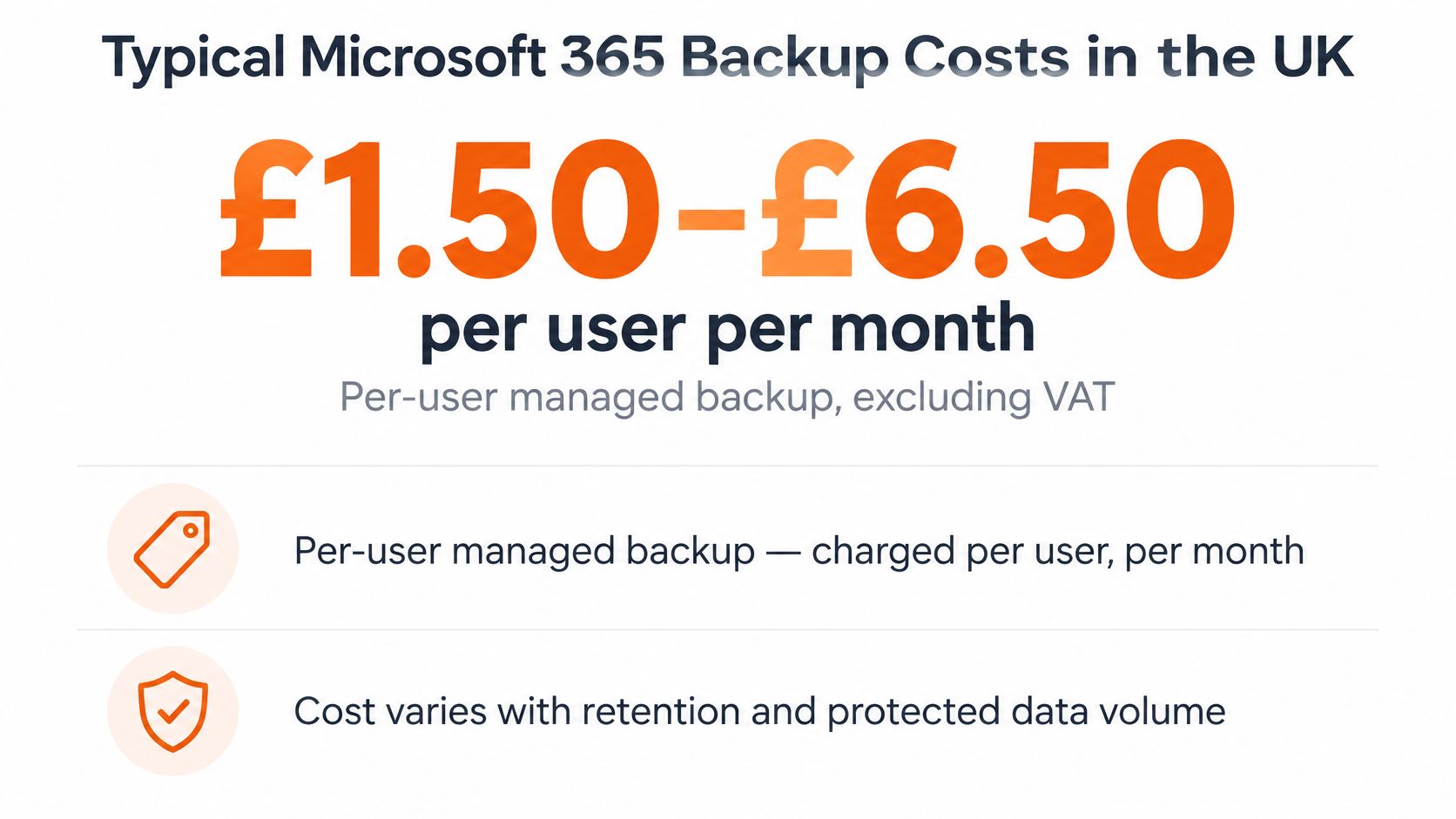
| Per-user managed backup | £1.50–£6.50 per user per month, excluding VAT | Covered user identities | Storage overage, retention and restore support: confirm in the quote |
| Entry-level UK per-user offers | £2.50–£4.50 per user per month, typical 2025 pricing | Covered user identities | Workloads covered: confirm in the quote |
| Native Microsoft 365 Backup | US$0.15 per GiB of protected content per month, list price | Protected data volume | Azure billing, VAT, currency conversion and support |
| Microsoft 365 Business Basic licence | £5.40 per user per month, paid annually, excluding VAT | User licence, not backup | Does not include Microsoft 365 Backup |
| Microsoft 365 Business Standard licence | £9.60 per user per month, excluding VAT | User licence, not backup | Does not include Microsoft 365 Backup |
| Microsoft 365 Business Premium licence | £19.10 per user per month, excluding VAT | User licence, not backup | Does not include Microsoft 365 Backup |
What each row is actually selling
The wide per-user band is a commercial range, not a single product. Retention, storage architecture, features, contract term and volume all sit inside it, so the cheap end often stops before long retention or hands-on restore help. A low base price understates the total when storage and restore operations are billed on top.
Narrower entry-level UK offers cluster tighter. A 2026 pricing guide from Orange Penguin estimates standard Microsoft 365 backup at £2.50–£4.50 per user per month, based on typical UK pricing in 2025. That is a useful sense-check for a straightforward mailbox estate. It is still a headline until the quote lists Exchange, OneDrive, SharePoint, Teams, shared mailboxes and inactive accounts.
Microsoft's own backup service is not in that per-user family at all. The native row is a list price per unit of protected content, and reseller or managed pricing can sit either side of it. The three licence rows underneath are the productivity subscription, paid annually and stated by Microsoft as excluding VAT. None of them is a backup line. Putting them on the same sheet stops a board pack from treating the Microsoft 365 renewal as if recoverability were already bought.
A first budget anchor
Take the live user count, multiply by the low per-user rate and by the high rate, turn both into a year, then add VAT at the standard rate. For 150 people that is the annual span already set out above. Keep that pair of numbers as the anchor until someone measures protected data.
Before you treat either end as a forecast, ask the supplier whether inactive accounts, shared mailboxes, Teams data, Entra ID configuration, storage overages and long-term retention are inside the seat price. If any of those are extra, the low end of the anchor is a floor you will not pay.
Practical rule: Multiply users by £1.50 and by £6.50, annualise, add VAT, and do not let a salesperson replace that range with a single seat price until the data volume is written down.
Three Cost Layers and Which Pricing Model Fits
A backup quote can contain three different costs: the Microsoft 365 user licence, Microsoft's charge for protected content and the provider's service fee. They use different billing units, so comparing headline prices alone can produce a poor estimate of the monthly total. Microsoft 365 backup pricing makes sense only when each layer is shown separately.

Layer one, the user licence
Microsoft's UK plan comparison lists Business Basic at £5.40, Business Standard at £9.60 and Business Premium at £19.10 per user per month when paid annually, excluding VAT. These are Microsoft 365 plan prices, not backup charges. A productivity licence gives a user access to Microsoft services, but does not by itself provide a separate recovery copy.
Microsoft 365 Backup is a standalone, consumption-based service, charged according to the content protected. It also requires an Azure subscription and a qualifying licence for the source data. Microsoft's adoption guidance describes its list price as US$0.15 per GiB per month. At that rate, 1,000 GiB costs US$150 per month, before tax, currency conversion, Azure-related billing or service-management fees.
The Microsoft 365 licence still determines which source data is available to protect. For example, Business Basic includes 1 TB of OneDrive storage per user, but that storage allowance is not an independent backup copy with its own recovery objectives. Reviewing licences alongside backup helps distinguish what the organisation already pays Microsoft for from the extra cost of recoverability. Blowfish's Office 365 licence management service can help clarify which licences are in place.
Layer two, protected gigabytes
Microsoft's consumption charge is based on protected content, including Exchange Online, OneDrive and SharePoint data, rather than employee headcount. A reseller or managed service may price differently from Microsoft's list rate. The charge moves as the protected estate changes, so a stable staff count does not guarantee a stable bill.
Confirm the measurement unit before comparing estimates. The Microsoft list price is stated per GiB, while quotes may express data volume differently. Ask the provider to show the measured amount, the unit used and the applicable rate, so the arithmetic can be checked rather than inferred.
Layer three, the service around the copy
A provider's service fee may cover implementation, monitoring, recovery testing, support and account management. Those items are separate from Microsoft's consumption charge and the user's Microsoft 365 licence. A per-user quote can look straightforward while omitting these services, or including them without stating the assumptions.
For a fair comparison, require each quote to state its data volume, retention policy, included workloads, service activities and VAT treatment. The calculation is:
Covered identities × Microsoft 365 licence price, plus protected GiB × consumption price, plus provider service fees, then VAT.
Which model suits the estate
| Pricing model | How the bill grows | Forecastability | Best fit |
|---|---|---|---|
| Native Microsoft 365 Backup | With protected GiB at US$0.15 list price | Moves with data growth | Many users with a small data footprint |
| Per-user managed backup | With covered user identities and plan tier | Stable once headcount is fixed | Large or fast-growing mailboxes and libraries |
| Combined quote (users plus data) | With both headcount and protected data | Depends on the measured GiB figure | Mixed estates with heavy project libraries |
Native consumption can suit a firm with many users and modest data volumes, because the charge follows protected content rather than multiplying with every seat. A fixed per-user managed service can be easier to forecast where mailboxes and SharePoint libraries are large or growing quickly. A combined quote may better represent an estate where both user numbers and data volume affect the cost, but its forecast depends on a sound data estimate.
Headcount is a weak proxy for protected data in engineering, manufacturing, legal and financial firms. A small group may hold years of drawings or matter files, while staff numbers remain unchanged. A seat-only estimate can therefore misstate the cost when the amount of content, rather than the number of employees, drives the Microsoft charge.
Divide protected data by covered users. A lower amount per person may favour native consumption; a higher amount may favour a fixed per-user term. Compare both models using the same data estimate.
Ask each provider for a tenant-level GiB estimate, a clear breakdown of storage and service charges, and the total converted into sterling. Those details make it possible to compare like with like, rather than treating a user price as the whole backup bill.
What Drives Your Backup Bill and How Retention Changes It
Four drivers set the bill, and they do not move together.
- Users, including people who have left: Leavers, inactive accounts and shared mailboxes can be covered without being active staff. If the quote counts only people on payroll, the invoice will not match it.
- Data volume: SharePoint, OneDrive, Exchange and Teams files accumulate. A quiet year for hiring can still be a busy year for the backup bill.
- Retention period: A longer window keeps more restore points, and on a consumption model that is more protected content on the invoice.
- Feature set: Item-level restore, immutable copies and a human who runs the recovery sit on different price tiers from a storage-only policy.
Retention is not one dial
Treat retention as tiers you choose on purpose, not as a slider you push to the right because it sounds safer.
- Native restore points, up to 180 days. That is the window described for Microsoft's own backup offering. It is a recovery tool for recent mistakes and recent attacks, not a records store.
- A longer operational window. Contract disputes and employment queries often surface after six months. If you need that, buy it as a stated retention, and expect the storage charge to follow.
- Long-lived records. Financial records, employment files, contracts and legal holds usually belong in an archive, priced apart from backup, with Microsoft Purview retention considered as its own control rather than as "more backup".
Microsoft 365 backup licensing commentary describes the native service as retaining restore points for up to 180 days, and notes that Teams chat messages and some Power Platform or Dynamics data may not be covered in the same way as Exchange, OneDrive and SharePoint. The question that matters is whether a six-month window meets the legal, contractual or regulatory duty for that data class. The licence price does not answer it.
UK GDPR Article 32 requires the ability to restore the availability of, and access to, personal data in a timely manner. The storage-limitation principle pulls the other way. Personal data should not be kept indefinitely without a justification. Longer retention can raise the storage charge and leave personal data exposed for no operational reason. Extending the window is not automatically the compliant choice.
A six-month backup window is not a compliance strategy. It is one recovery setting, and it fails the moment the record you need is older than the points you kept.
Map each class before you sign. Operational mail, project libraries, financial records, employment records, contracts and anything under legal hold each get a period, an owner and a price. Price backup and archive separately. Ask whether shared or unlicensed mailboxes are covered, how granular a restore is, and whether data can be deleted when an erasure request applies. Workload gaps belong in that same note. A policy that skips Teams chat is fine if you have decided chat is not a record. It is a hole if a dispute will turn on what was said there.
Where the data sits is part of the same governance question. Blowfish Technology's cloud infrastructure is UK-hosted and GDPR-aligned, and all cloud data is stored in UK-based data centres. That answers location. It does not replace the retention map. The practical version of that map, including what to test and what to leave out of scope, sits in our Microsoft 365 backup best practices.
The shift worth making is away from a headline seat price and toward workload-level control. "Backup included" does not mean the recovery is complete, and it does not mean the retention matches the record.
Example Costs for Small, Growing and Multi-Site SMEs
These annual totals use the per-user band and the native list rate as budgeting anchors for the whole organisation, not as a price per person and not as a quote.
| Scenario | Users | Protected data | Per-user estimate per year (excl. VAT) | Native list estimate per year |
|---|---|---|---|---|
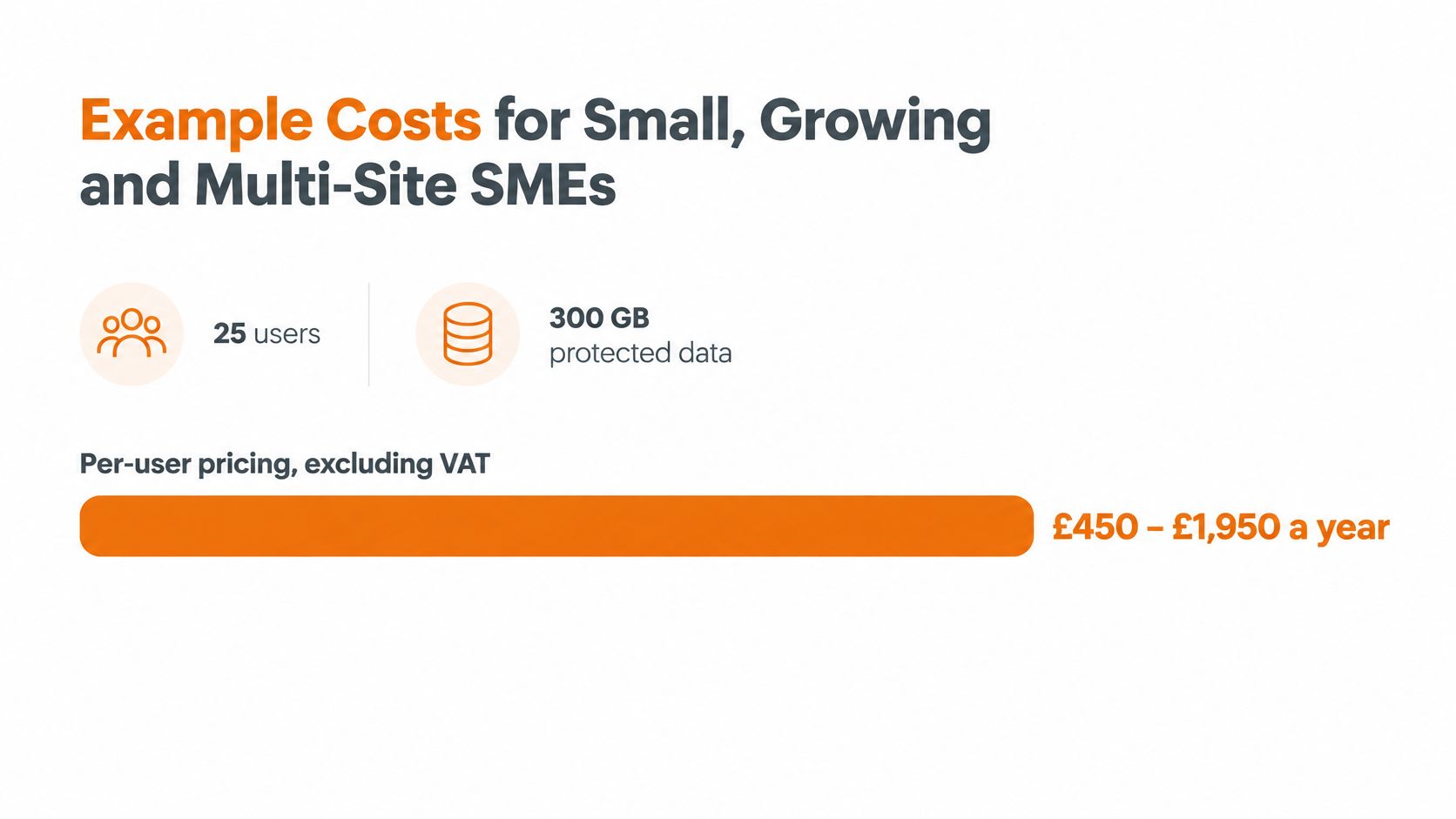
| Small office | 25 | 300 GB | £450–£1,950 | US$540 |
| Growing SME | 75 | 1,500 GB | £1,350–£5,850 | US$2,700 |
| Multi-site firm | 150 | 5,000 GB | £2,700–£11,700 | US$9,000 |
How to read one row, then swap in your own
Take the small office. Twenty-five people and 300 GB of protected data. At the low end of a per-user managed service the year is £450 before VAT. At the high end it is £1,950 before VAT. Add 20% VAT and the cash range becomes £540 to £2,340. The native list estimate is US$540 for the year, which is the protected volume times the list rate, times twelve. Convert dollars at the rate your finance team pays, not at a rate from last spring's board pack.
Two adjustments stop this row being treated as an invoice. First, the native figure excludes Azure billing and any provider service fee, so the amount you pay to run native backup is higher than the storage line alone. Second, a gibibyte and a gigabyte are not identical, but for a budget at this size the gap is small next to VAT, currency and the service fee. Do not let a unit quibble hide a missing line.
The growing firm shows the same shape at a larger volume. Seventy-five users and 1,500 GB produce a per-user year of £1,350–£5,850 before VAT, against a native list year of US$2,700. The multi-site firm, 150 users and 5,000 GB, is £2,700–£11,700 before VAT on seats, and about US$9,000 a year on the native list rate. At the top of the per-user range, native consumption can look cheaper for that 150-user firm. It only looks cheaper before service fees, monitoring and restore testing are added. A cheap storage line plus an unpriced recovery is not a saving.
If you do not yet know the protected volume, measure it before you argue about the model. Our note on how much storage you need is the right prelude to that measurement, because a guess based on mailbox count will miss the SharePoint libraries that dominate these scenarios.
Substitute your own user count and your own measured protected data. Keep the per-user figures excluding VAT until you add it yourself, keep the native figures in dollars until you convert them, and label the result as an anchor. A supplier who cannot reprice these rows against your tenant has not quoted you. They have quoted a brochure.
How to Judge Vendor Value and Hidden Costs
The assumption that the lowest seat price is the best buy fails as soon as two quotes count different things. A mailbox-only price and a price that includes SharePoint, shared mailboxes and a tested restore are not rivals. They are different scopes wearing the same label.
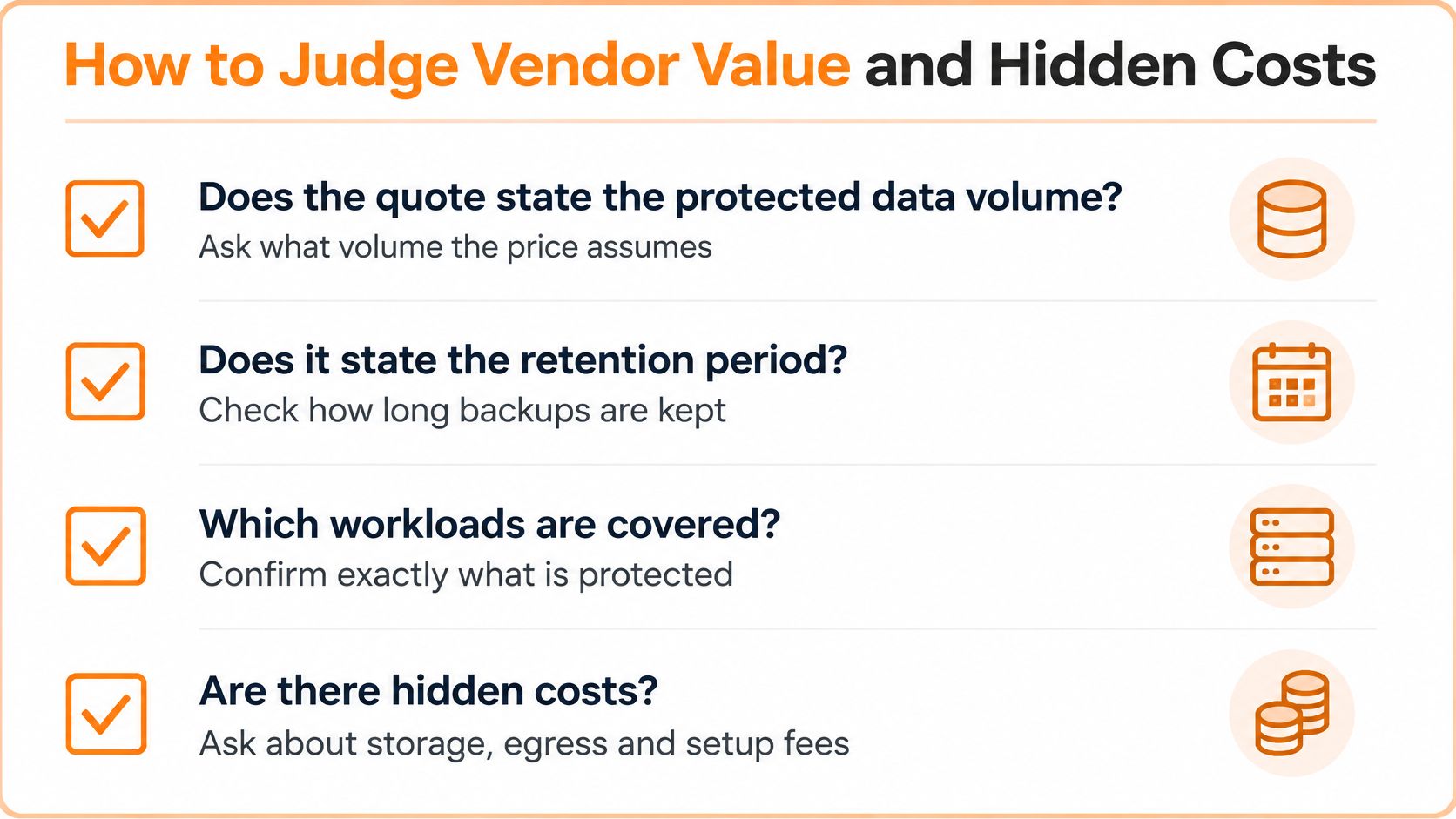
Put the same questions to every provider, in writing.
- Protected volume: Does the quote state the gigabytes it assumes, or does the price float until the first invoice?
- Retention: Is the window the one you mapped to each data class, or a default the product happens to ship with?
- Workloads: Are Exchange, OneDrive, SharePoint and Teams all named, or only mail?
- Tax and platform charges: Is VAT in or out, is Azure billing included, and what happens on a storage overage?
- Restore reality: How often are restores tested, and can you recover an item, a mailbox or only a whole site?
- Term: Is there a minimum contract, and does an annual or multi-year commitment lower the rate, or only lock it?
Thresholds change the unit price even inside one product. Black Swan Cyber published 2026 pricing of £2.50 per licensed mailbox per month for Axcient x360Cloud when an organisation has 21 or more mailboxes. Under that threshold the same brand is a different conversation. Ask where the price steps, and whether shared mailboxes count toward the step.
A short walkthrough of what those questions look like in practice is worth ten minutes before you book the calls.
Apply the checklist to us the same way you apply it to anyone else. Microsoft 365 Backup protects email, SharePoint and OneDrive. Managed Backup is automated, monitored and tested, and it sits inside managed IT alongside the wider support around it. Blowfish Technology gives a personalised quote with an exact monthly cost after reviewing your current licences, before you commit to anything. That sequence matters. The licence review stops you paying a backup seat for an account that should have been removed, and the monthly figure arrives only after the data and the retention are known.
If you want a wider view of how managed backup sits next to other options SMEs buy, our comparison of business backup solutions for SMEs keeps the same questions in play. A provider who will not answer volume, retention, workloads, VAT, overage, restore testing and minimum term on one page has not given you a price. They have given you a rate card.
Cut Costs and Request a Like-for-Like Quote
You cut this bill by shrinking what is counted, not by hunting a lower sticker.
- Remove leavers and inactive accounts before anyone prices the estate. A seat model bills identities. An identity that no longer works for you is a voluntary extra.
- Set retention to the obligation, not to the longest slider. Six months where six months is enough. A longer window only where a contract, an employment claim or a regulator requires it.
- Move old project data to an archive when the obligation allows. Backup then protects the live estate. The archive carries the long record at its own price, instead of every restore point inheriting a decade of drawings.
- Ask what an annual or multi-year commitment does to the rate. Sometimes it lowers the effective per-user figure. Sometimes it only removes your right to leave. Get the discount and the lock-in as separate lines.
- Check whether the number is Microsoft's list price or a reseller price. A consumption quote that copies the list rate without saying so can be undercut, or it can hide a margin. Either way you should see which it is.
- Put restore tests on the calendar. An untested copy is a hope. A tested restore is the thing you are paying the third layer for.
Then make the quotes comparable. Send every provider the same user list, the same protected-data estimate, the same retention period and the same workload list. Require each of them to state VAT, Azure billing, overage and minimum term in writing, using the questions above. Reject any proposal that substitutes its own assumptions.
Blowfish Technology is a Microsoft Solutions Partner that manages Microsoft 365 for businesses across the North West, and we can price against those same data and licence inputs rather than against a generic seat. The point of that is not a preferred brand. It is a second and third line you can read against the first without translating units.
This month, request two or three quotes built on one data estimate and compare them line by line. If a line exists on one quote and not on another, that line is the decision, not the total at the bottom.
Blowfish Technology prices Microsoft 365 backup against your licences, your protected data and the retention you need, and gives you an exact monthly cost before you commit. If you want that figure set beside the other quotes on the same inputs, visit Blowfish Technology and ask for a like-for-like review.
