
The most popular advice on Microsoft 365 is also the most dangerous. You're told to set long retention, trust the recycle bin, and relax because Microsoft has your data. That thinking fails in the first hour of a real incident, when a compromised administrator account can delete production data, alter retention, and reach the very controls you planned to restore from. Good Microsoft 365 Backup best practices aren't about how long you keep things. They're about tenant independence, whether your copy survives when your tenant doesn't.
Table of Contents
- Why Microsoft 365 Backup Is Your Responsibility, Not Microsoft's
- Defining Your Microsoft 365 Backup Scope
- Retention and Versioning That Survives an Audit
- Securing the Backup Itself
- Recovery Objectives, Testing, and Runbooks
- Choosing the Right Tooling and Service Model
- Automation, Monitoring, and SLAs You Can Hold Someone To
- Compliance, Cyber Essentials, and a 30-Day First-Step Plan
Why Microsoft 365 Backup Is Your Responsibility, Not Microsoft's
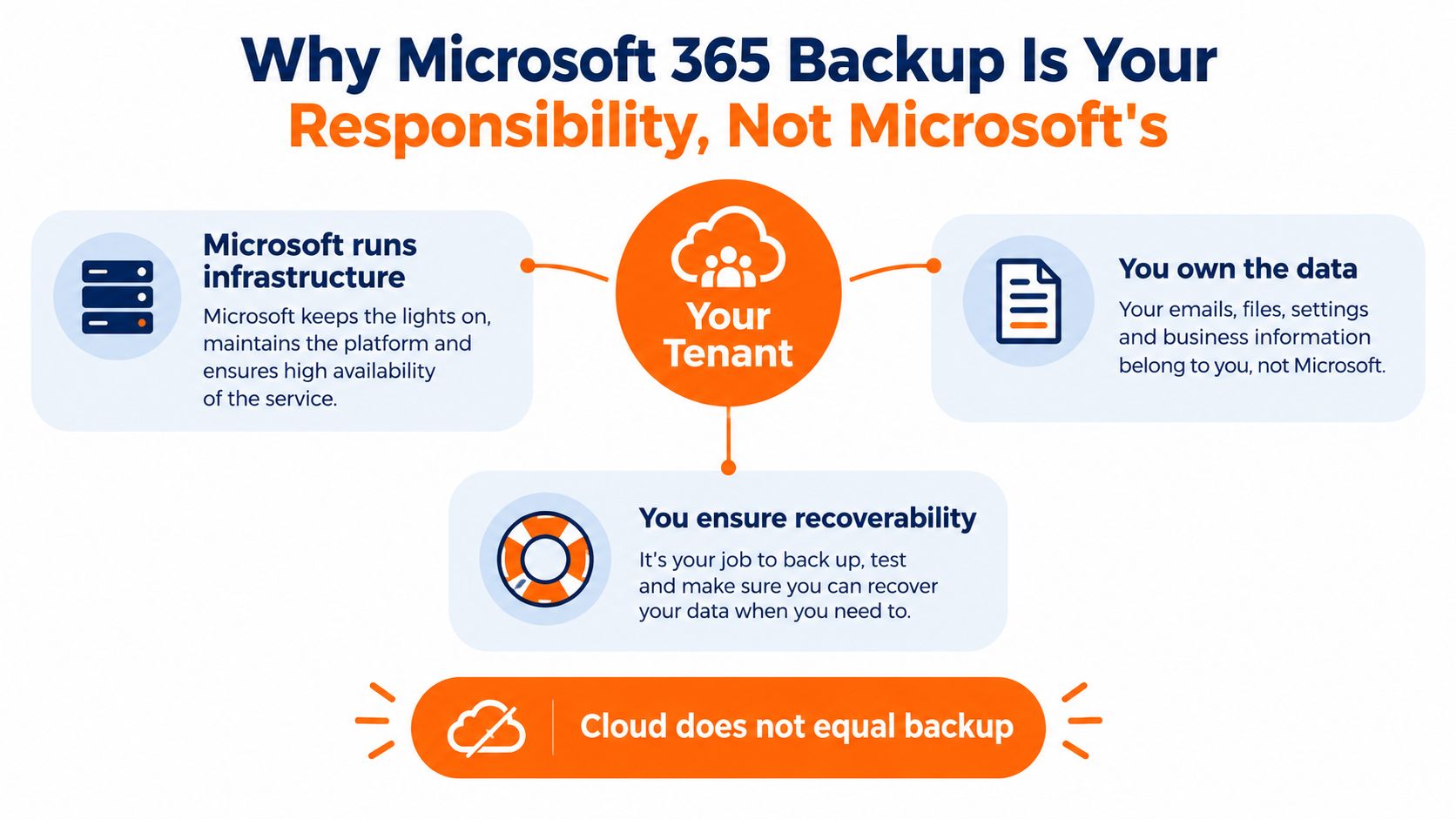
Microsoft keeps Exchange Online, SharePoint, OneDrive, and Teams running. That's infrastructure availability, not recoverability for your business. If your finance director's account is taken over, if a disgruntled administrator deletes a library, or if ransomware encrypts synced OneDrive files, Microsoft's service can be perfectly healthy while your data is gone.
The shared responsibility split is simple. Microsoft protects the platform. You own the data, the identities that access it, and the ability to get it back to a clean point in time.
What Actually Fails in an Incident
I've recovered tenants where the attacker didn't start with encryption. They started with housekeeping. They created hidden mailbox forwarding rules, shortened retention, emptied recycle bins, and removed users. Legal hold and retention labels didn't save those clients because the same compromised Global Administrator rights that controlled production also controlled the safety net.
Recycle bins are a convenience for accidental deletion. They're not a defence against malicious deletion, account takeover, or tampering with settings. Legal hold preserves data for discovery. It doesn't give you a fast, granular, point in time restore to a clean state before the compromise began.
Cloud does not equal backup. If one identity can delete both the data and its recovery path, you don't have backup. You have a longer deletion window.
The scale makes this a board issue, not an IT preference. The UK Government's Cyber Security Breaches Survey 2025 found 43% of UK businesses, roughly 612,000 organisations, reported a breach or attack in the previous 12 months, with 52% of those affected experiencing incidents at least monthly and 29% at least weekly.
Treat backup as a resilience control this quarter. Define what's critical, keep an independent copy outside the production tenant, and prove you can restore it without relying on the identities that may have been compromised.
Defining Your Microsoft 365 Backup Scope
Back up all four workloads unless you can explain, in writing, why losing one wouldn't hurt. Most SMEs can't. Email carries contracts and approvals, SharePoint holds project and client records, OneDrive holds the working files people use, and Teams holds decisions, files, and channel history that never made it into email.
Start by sorting each workload into business critical, operationally painful, or tolerable to lose. That decision drives frequency, retention, and restore priority. It also stops you paying to protect noise while missing the shared mailbox that receives purchase orders.
The Native Windows Are Shorter Than You Think
Microsoft's published guidance states Microsoft 365 Backup recovery windows are governed by the configured backup policy and default to one year, while native OneDrive and SharePoint recycle bins typically allow only around 93 days and Exchange Online permanently deleted items default to 14 days. Those native windows look generous until you discover a compromise weeks after it started, which is common with silent mailbox rules.
Use this practical scope check:
- Exchange Online: Include user, shared, and inactive mailboxes, plus calendars and contacts. Shared mailboxes are missed most often and complained about first.
- SharePoint Online: Include client, project, finance, and HR sites, with lists and permissions, not just document libraries.
- OneDrive for Business: Include leavers' accounts until your retention process formally closes them. Deleting the licence early creates gaps.
- Teams: Protect channel files through SharePoint and chat files through OneDrive, then confirm how your tool handles chat and channel history itself.
Coverage gaps usually come from process, not technology. New sites, new starters, and project sites created outside IT don't add themselves unless your policy uses dynamic groups or automatic discovery. Review what business cloud backup should protect against your live tenant inventory, not against the list you built when you first bought licences.
Don't leave a workload to native controls to save a small per user cost. If you'd escalate its loss to a director, it belongs in the independent backup scope.
Retention and Versioning That Survives an Audit
Retention answers how long you must keep a record. Backup answers whether you can recover it after deletion or compromise. Confusing the two is how firms pass a policy review and fail a restore.
The UK Information Commissioner's Office advises organisations to take backup copies, ideally store them off-site, match frequency to sensitivity, restrict access to authorised personnel, and regularly test backup and recovery processes. That also implies balance. UK GDPR expects you to restore availability after an incident, but it also expects storage limitation. Keeping everything forever isn't defensible either.
A Retention Matrix You Can Defend
Adapt the periods to your regulator, contracts, and legal advice, then document the driver for each row. Auditors don't just ask how long. They ask why.
| Workload | Typical retention | Primary driver | Independent backup? |
|---|---|---|---|
| Exchange mailboxes and shared mailboxes | Operational recovery plus longer archive for regulated correspondence | Client matters, financial records, disputes | Yes |
| SharePoint client and project sites | Life of project plus contractual retention | Contracts, engineering and case records | Yes |
| OneDrive working files | Shorter operational window, longer for named roles | Day to day recovery, leaver process | Yes, for active users |
| Teams chat and channels | Short operational period unless regulated | Conduct, project decisions, HR | Yes, where decisions are recorded |
| HR and finance libraries | Extended retention per policy | Employment, tax, and audit obligations | Yes, with restricted restore rights |
Retention labels live inside the tenant and can be changed by someone with sufficient rights. Versioning helps with accidental overwrite, but versions also live with the file and consume your storage. Neither gives you an immutable copy an attacker can't shorten or purge.
Set versioning sensibly so staff can undo mistakes without retaining endless copies of large design or media files. Then let backup, not version history, carry your point in time recovery. Record who can change retention, who approves deletion, and how erasure requests are handled in backup copies. That paper trail is what survives an audit.
Securing the Backup Itself
Attackers target backups early because it removes your exit. Securing Microsoft 365 while leaving the backup console on the same administrator account, same conditional access gaps, and same device is theatre.
This checklist shows the controls that should surround the repository itself.
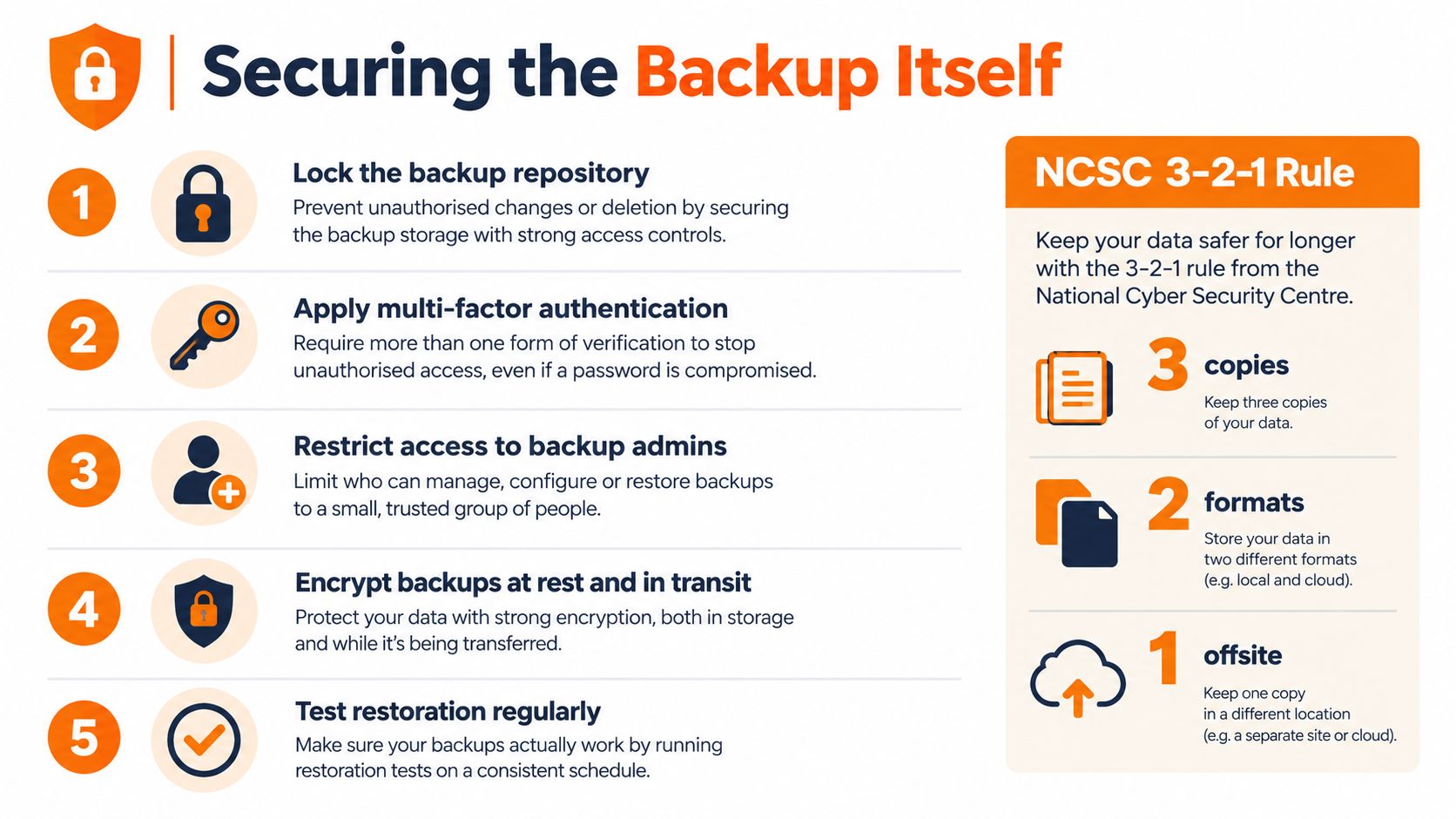
The NCSC offline backups guidance emphasises the 3-2-1 model, at least three copies on two devices or media types with one off-site, and advises two-step verification for online backup accounts, with immutable or segregated storage as a defence against attackers deleting or encrypting backups. For Microsoft 365, translate that into an independent repository, separate identity controls, encrypted storage, and no standing backup administration from ordinary user devices.
Separate the Keys From the Tenant
- Dedicated backup identities: Use separate administrator accounts for backup, never daily Global Administrator accounts, and require phishing resistant multi-factor authentication where possible.
- Least privilege: Grant restore rights narrowly. Most helpdesk staff need to restore a file, not delete a repository or shorten immutability.
- Immutable or append only storage: Prevent modification and deletion for a defined period, even by a backup administrator.
- Encryption: Encrypt in transit and at rest, and ask who holds the keys and how they're rotated.
- Deletion monitoring: Alert on policy changes, mass deletion, disabled jobs, and offboarding of protected mailboxes or sites.
The video below reinforces why the backup environment needs its own hardening, rather than inheriting every weakness from production.
Ask one blunt question of any design. If your tenant administrator is compromised tonight, can that account also purge the backup? If the answer is yes, redesign it.
Recovery Objectives, Testing, and Runbooks
A finance user's mailbox is hijacked on a Monday. Nobody notices. A rule forwards invoices externally, OneDrive files sync encrypted versions, and a SharePoint library for a live project is emptied. By the time someone reports missing files, your problem isn't backup storage. It's choosing a clean restore point and proving the restored data isn't already tampered with.
That's why recovery point objective and recovery time objective must be honest. Your recovery point is how much work you can afford to lose. Your recovery time is how long the business can wait. Tight targets cost more and need more frequent backups, faster restore paths, and staff who've practised. There's no value in promising rapid recovery if nobody knows who approves a full mailbox rollback.
Read the definitions behind a recovery time objective and then set different targets by workload. A single email for a solicitor may be urgent. A full SharePoint site for a manufacturer may matter more than individual OneDrive files. A tenant wide recovery is a different operation entirely.
Test the Restores You'll Actually Need
- Granular restore: Recover one email, one file version, and one Teams related file to an alternate location.
- User restore: Rebuild a leaver's mailbox and OneDrive for a manager review.
- Site restore: Roll back a SharePoint library to before a simulated mass deletion.
- Clean point selection: Practise choosing a restore point before the first malicious rule or encryption event.
A backup you haven't restored is a hope, not a control. The test result, timing, and operator name belong in your governance record.
Your runbook should name the incident lead, backup operator, approver for destructive restores, and the order of recovery. Include how you'll reset compromised identities before restoring, or you'll put clean data back into a dirty tenant. Test quarterly at minimum, keep evidence, and fix failures while they're still embarrassing rather than catastrophic.
Choosing the Right Tooling and Service Model
There are three realistic routes, and the right one depends on who will own it on a wet Tuesday when a job fails. Features matter, but ownership matters more.
The comparison below sets out the trade offs between first party, third party, and more hands on models.
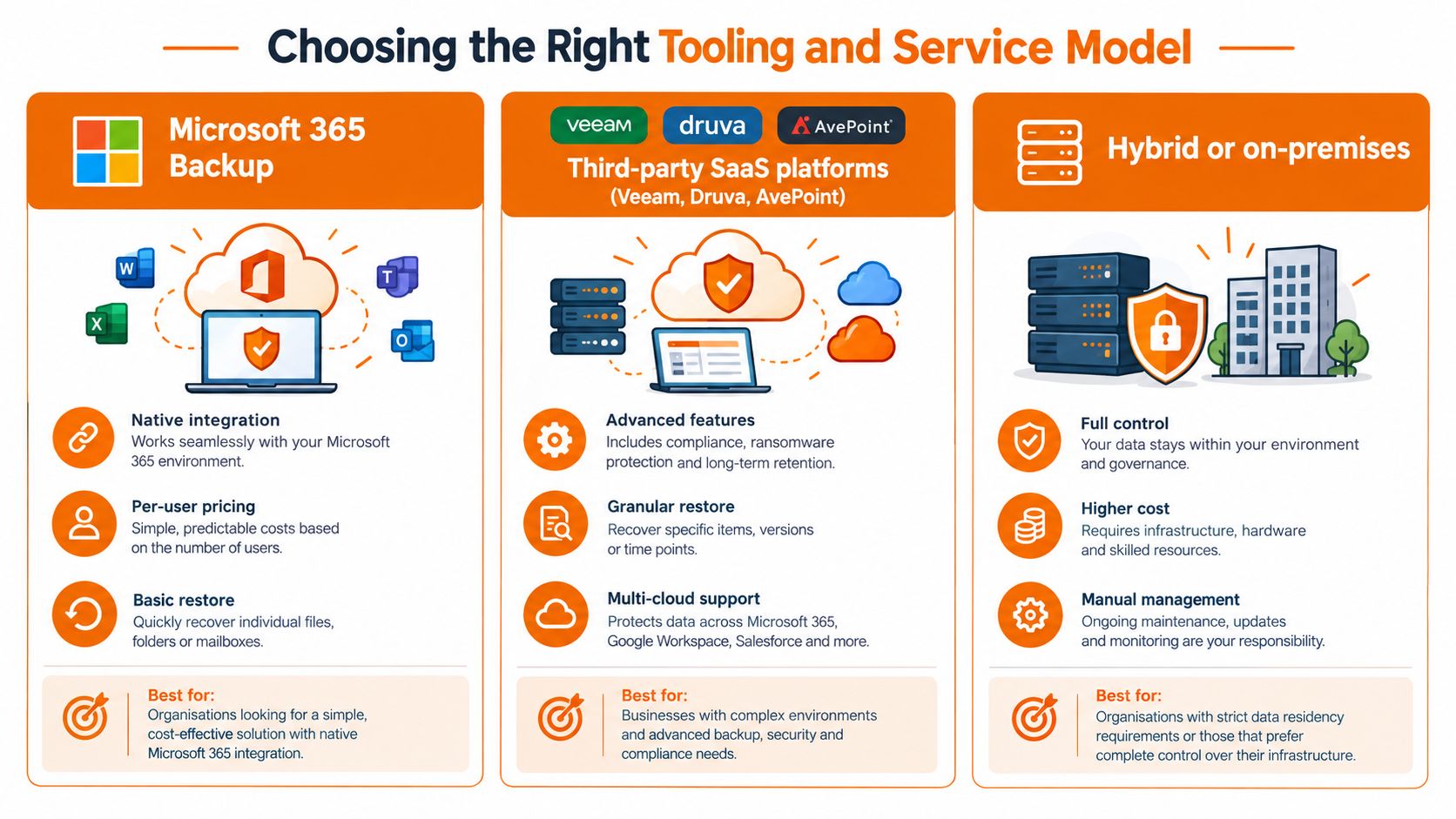
Microsoft 365 Backup is integrated, keeps data within Microsoft's trust boundary, and suits organisations that want native administration and fast bulk rollback. Check its workload coverage, especially for Teams requirements, its recovery window, and how identity separation works in your tenant. Native doesn't automatically mean independent.
Third party SaaS platforms such as Veeam, Druva, and AvePoint often offer broader granular restore, flexible retention, and storage outside Microsoft 365. That independence is valuable. You're then responsible for configuration, monitoring, licence coverage, data residency checks, and testing, unless you buy those as a service.
A fully managed backup service puts configuration, daily checks, restore testing, and incident recovery with a provider. For a typical SME without a dedicated backup engineer, that's usually the safer choice. Larger IT teams with a named owner and time to run drills can operate tooling in house successfully.
Questions to Put to Every Provider
- Coverage: Which Exchange, SharePoint, OneDrive, and Teams data is included, and what's excluded?
- Independence: Where does the copy live, and can a compromised tenant administrator delete it?
- Immutability: How long is it locked, and who can shorten that period?
- Residency: Is backup data stored in the UK or EU, and who are the sub processors?
- Restore proof: When was the last test, how long did it take, and can I see the record?
- Entra ID recovery: How do restores handle deleted users, permissions, and sharing links?
Don't buy on retention length alone. A long window inside a compromised control plane is weaker than a shorter, immutable, independently administered copy you test.
Automation, Monitoring, and SLAs You Can Hold Someone To
Backup fails without warning. Jobs miss new sites, licences lapse for leavers who still need coverage, tokens expire, and nobody reads a success email that arrives every day. Automation must therefore watch for absence and drift, not just red errors.
These five practices turn backup from a setting into a daily operational control.
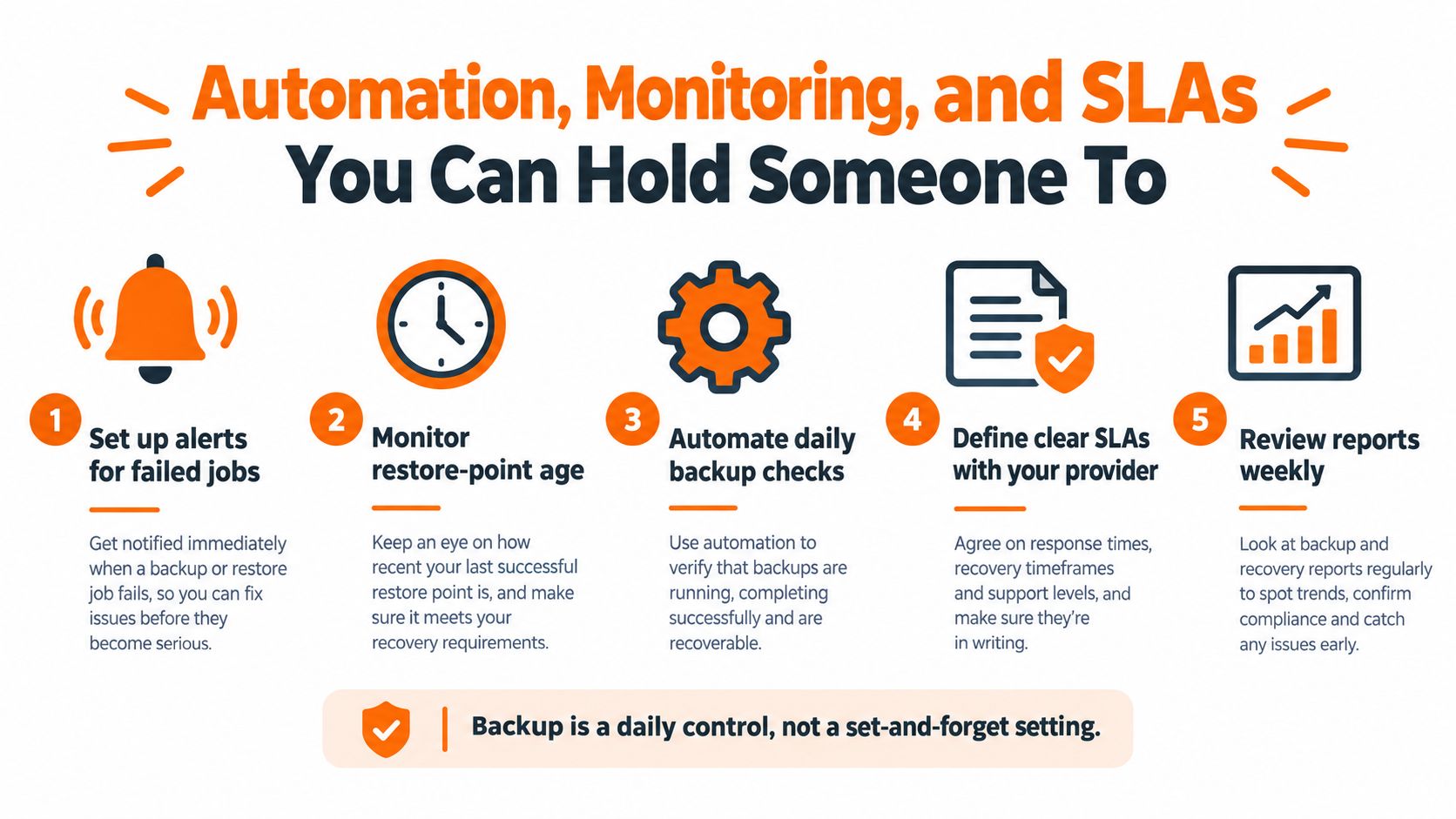
Alert on failed or partial jobs, restore points older than policy, newly created SharePoint sites without protection, mailboxes removed from scope, and any attempt to delete or shorten backup retention. Route those alerts to a queue a human owns, with escalation if they're not acknowledged. An alert sent to a shared mailbox nobody checks is decoration.
Your weekly report should fit on one page. Show protected users and sites against total users and sites, latest successful restore point by workload, failed jobs and their age, immutable retention status, and the date and result of the last restore test. Directors don't need job logs. They need to know whether recovery would work today.
Write SLAs That Mean Something
Distinguish a routine file restore from a critical mailbox or site recovery during an incident. Name response and restore targets, support hours, escalation contacts, and what the provider needs from you, such as identity reset approval. Use clear service level agreement language, then measure against it monthly.
Avoid vague promises about best efforts. If a provider won't commit to reporting coverage gaps and test outcomes, they're selling storage, not recoverability. Price should reflect that difference, because the work is in monitoring, testing, and being answerable when recovery is urgent.
Compliance, Cyber Essentials, and a 30-Day First-Step Plan
UK GDPR requires you to restore availability and access to personal data in a timely manner after a physical or technical incident. Regulators and clients increasingly want evidence, not assurances. Understanding what Cyber Essentials certification involves helps frame backup as part of a wider control set covering access, patching, malware protection, and secure configuration, rather than a standalone purchase.
Legal, financial, engineering, and manufacturing firms face the same practical test from clients and auditors. Can you show what's protected, how long it's kept, who can delete it, and when you last restored it successfully?
Your First 30 Days
- Week one: Inventory mailboxes, sites, OneDrive accounts, and Teams use. Assign one named owner for Microsoft 365 backup.
- Week two: Agree recovery point and recovery time targets by workload, plus retention drivers for regulated records.
- Week three: Select tooling or a managed partner using independence, immutability, residency, and restore proof as deciding criteria.
- Week four: Run and document granular and site level restore tests, fix gaps, and report the result to leadership.
Start there. You'll have a defensible position for a board, auditor, or client within a month, and a recovery capability that's based on evidence rather than confidence.
If you want that evidence without building a backup operation in house, Blowfish Technology provides managed Microsoft 365 backup and disaster recovery covering Exchange, SharePoint, OneDrive, and Teams, with configuration, monitoring, and restore support handled for UK SMEs. Talk to the team about an independent, tested backup design for your tenant at Blowfish Technology.
