
Your office manager can't print a client pack. One fee-earner can't open a shared matter folder in Microsoft 365. A director gets a phishing warning and forwards it to whoever “does the IT stuff”. Then the phones start dropping calls in your second site.
That's how IT usually shows up in a small or mid-sized UK business. Not as strategy. As interruption.
For regulated firms, that's expensive in ways most owners underestimate. The obvious cost is lost time. The bigger cost is distraction. Senior people end up making operational decisions around broken laptops, patchy Wi-Fi, poor user access, backup worries, and cybersecurity anxiety instead of billing clients, delivering projects, or managing staff. Engineering firms see it in delayed drawings, inaccessible project files, and unsupported site connectivity. Legal and financial practices see it in data handling risk, access control failures, and audit headaches.
Reactive IT keeps a business trapped in short-term thinking. You replace a failed machine, reset a password, chase a software licence, and hope nothing serious happens next week. That isn't management. It's firefighting.
Benefits of managed IT services start when you stop treating IT as an occasional repair job and start treating it as operational infrastructure. A good managed service provider doesn't just answer support tickets. They standardise devices, secure endpoints, manage Microsoft 365 properly, control backups, document recovery steps, improve reporting, and give the business a clear baseline for security and compliance.
That matters most in firms where trust, uptime, and recoverability are commercial issues, not just technical ones. If your business handles sensitive client data, depends on uninterrupted access to systems, or needs to show insurers, clients, and auditors that controls are in place, managed IT isn't a nice extra. It's part of running the company properly.
Table of Contents
- Beyond the IT Headache Introduction
- From Firefighting to Future-Proofing The MSP Model
- Fortify Your Defences with Enhanced Security and Compliance
- Guarantee Business Continuity with Robust Disaster Recovery
- Unlock Productivity with a Modern Workplace
- The Financial Case for Managed IT Services
- Finding Your Strategic IT Partner
- Frequently Asked Questions About Managed IT
- Will we lose control if we outsource IT
- Can an MSP work with our existing internal staff
- How disruptive is onboarding
- Can they support industry-specific software
- What happens to our current IT supplier or ad hoc support arrangement
- How quickly should we expect to see value
- Is managed IT only for larger businesses
Beyond the IT Headache Introduction
A lot of owners think they've got an IT problem when they've got a management problem around technology. The symptoms are familiar. Password resets pile up. Machines aren't patched consistently. Nobody is sure whether Microsoft 365 data is fully protected. New starters wait too long for laptops and permissions. When something serious happens, the business relies on memory and goodwill.
That setup survives for a while because people work around it. Your practice manager keeps a list. Your finance lead knows who still has access. Your CAD manager becomes the unofficial helpdesk. A director chases suppliers when the internet drops. It works until the business grows, adds a second site, takes on more remote staff, or faces a client security questionnaire that nobody can answer confidently.
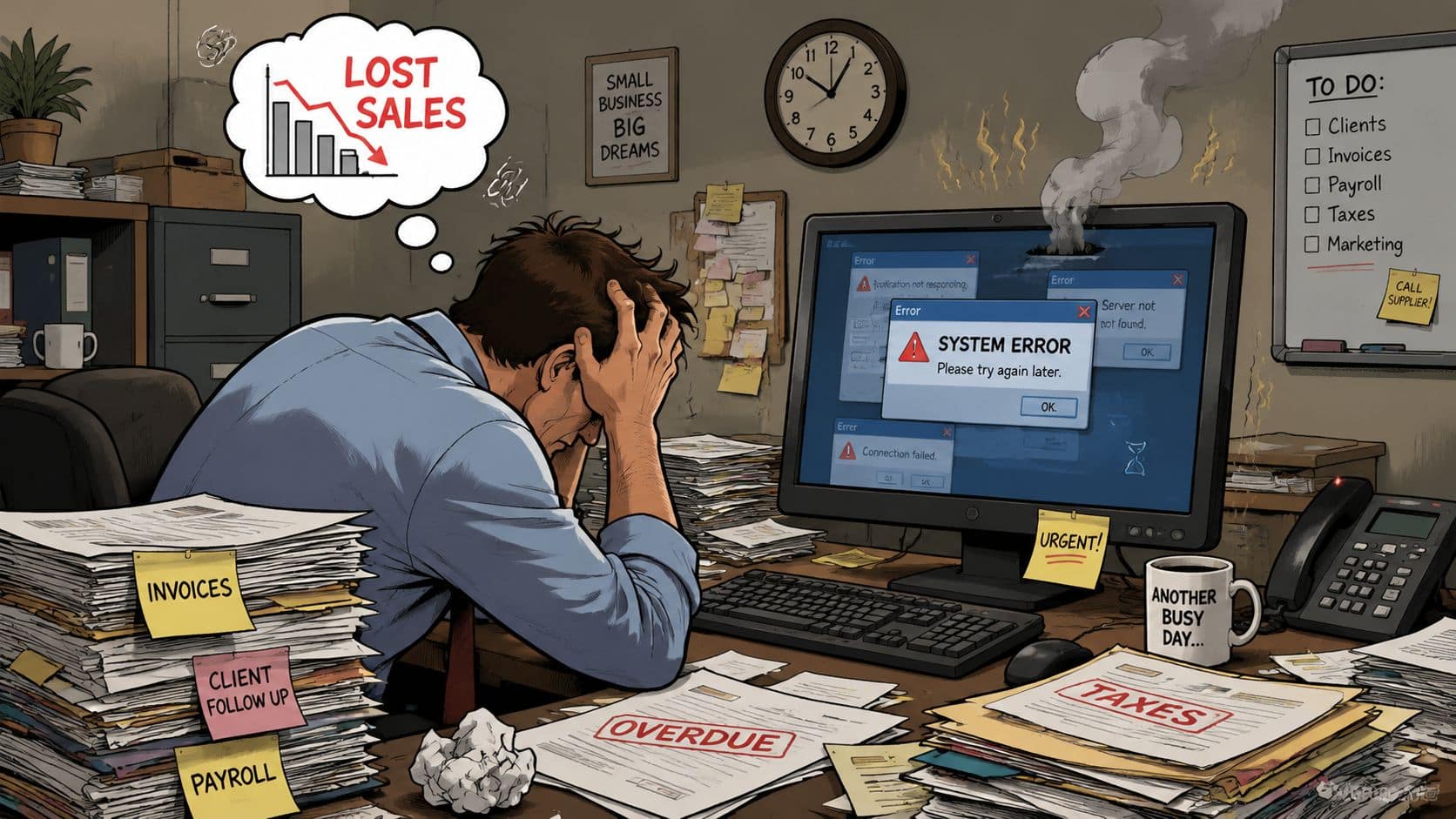
What changes with managed services is simple. Responsibility becomes explicit. Systems are monitored. Devices are maintained. Security controls are applied consistently. Support is structured. Recovery planning becomes testable rather than assumed.
The hidden cost is leadership time
The worst IT environments aren't always the ones with the oldest servers or weakest Wi-Fi. They're the ones that keep pulling senior staff into low-value decisions. Every hour a partner, operations director, or engineering manager spends untangling user issues is time taken from billable work, delivery, or growth.
Practical rule: If key people in the business still solve routine IT issues by chasing suppliers, forwarding emails, and approving ad hoc fixes, your IT model is already too expensive.
Managed IT shifts that burden away from the business. Instead of reacting to incidents one by one, you get a service built around prevention, standards, and accountability. That's why the strongest benefits of managed IT services are rarely “tech benefits” in isolation. They show up in cleaner onboarding, fewer interruptions, better reporting, tighter compliance, and fewer nasty surprises.
What regulated SMEs should care about
If you run a legal practice, engineering business, financial firm, or any company with client-sensitive data, don't buy managed IT because it sounds modern. Buy it because you need evidence that systems are supported, secured, recoverable, and governed.
You need to know who patches endpoints. Who reviews alerts. Who checks failed backups. Who supports leavers and joiners. Who can prove that access controls are working. Who helps you answer insurer questions and client due diligence requests. Without clear answers, you're relying on luck.
From Firefighting to Future-Proofing The MSP Model
The old break-fix model is straightforward. Something fails. You call someone. They repair it. You pay the invoice. Then you wait for the next problem.
That model is still common in small firms, and it's a poor fit for any business that depends on continuity, compliance, or remote access. You're paying after the damage is done. The provider has no strong incentive to reduce incidents because incidents generate work. The relationship stays tactical.
Managed services flip that around. You're paying for ongoing performance, not sporadic rescue. The provider monitors systems, applies updates, manages security tools, supports users, documents assets, and reports on service. If you want a plain-English explanation of the model, this overview of what a managed service provider does covers the core responsibilities well.
What managed IT actually changes
The biggest operational shift is from event-based support to continuous management. That sounds like marketing language until you see what it means in practice.
A managed service provider usually takes ownership of routine but critical tasks that internal teams often struggle to do consistently. That includes patch management, endpoint protection, Microsoft 365 administration, backup oversight, user onboarding and offboarding, device standards, asset visibility, and service desk support. In a regulated SME, those aren't background chores. They're basic controls.
It also changes the way decisions get made. Instead of asking, “Who can fix this today?”, you start asking, “Why did this happen, and how do we stop it recurring?” That's a much healthier operating model.
In-House IT vs Managed IT Services at a Glance
| Aspect | In-House IT Team | Managed IT Services |
|---|---|---|
| Cost structure | Fixed employment costs, recruitment pressure, training overhead, tool spend | Recurring service fee with defined scope |
| Coverage | Often limited by holidays, sickness, and team size | Broader service coverage with shared engineering resources |
| Skill breadth | Depends heavily on a few individuals | Access to multiple disciplines such as Microsoft 365, security, backup, and telecoms |
| Support model | Can become reactive if the team is stretched | Built around monitoring, maintenance, and prevention |
| Compliance support | Varies by internal expertise | Usually stronger where the provider supports audits, policies, and certification work |
| Strategic planning | Often postponed because day-to-day tickets consume time | More likely to include roadmap discussions, standards, and lifecycle planning |
| Scalability | Hiring takes time | Easier to support new users, locations, and cloud adoption |
Good managed IT should not feel like outsourcing responsibility. It should feel like gaining a disciplined operating layer your business didn't have before.
For some firms, the right answer is co-managed support rather than full outsourcing. Internal staff keep ownership of business systems and supplier relationships, while the MSP handles monitoring, patching, frontline support, and security tooling. That can work very well if you've got one capable internal person who is currently overloaded.
Fortify Your Defences with Enhanced Security and Compliance
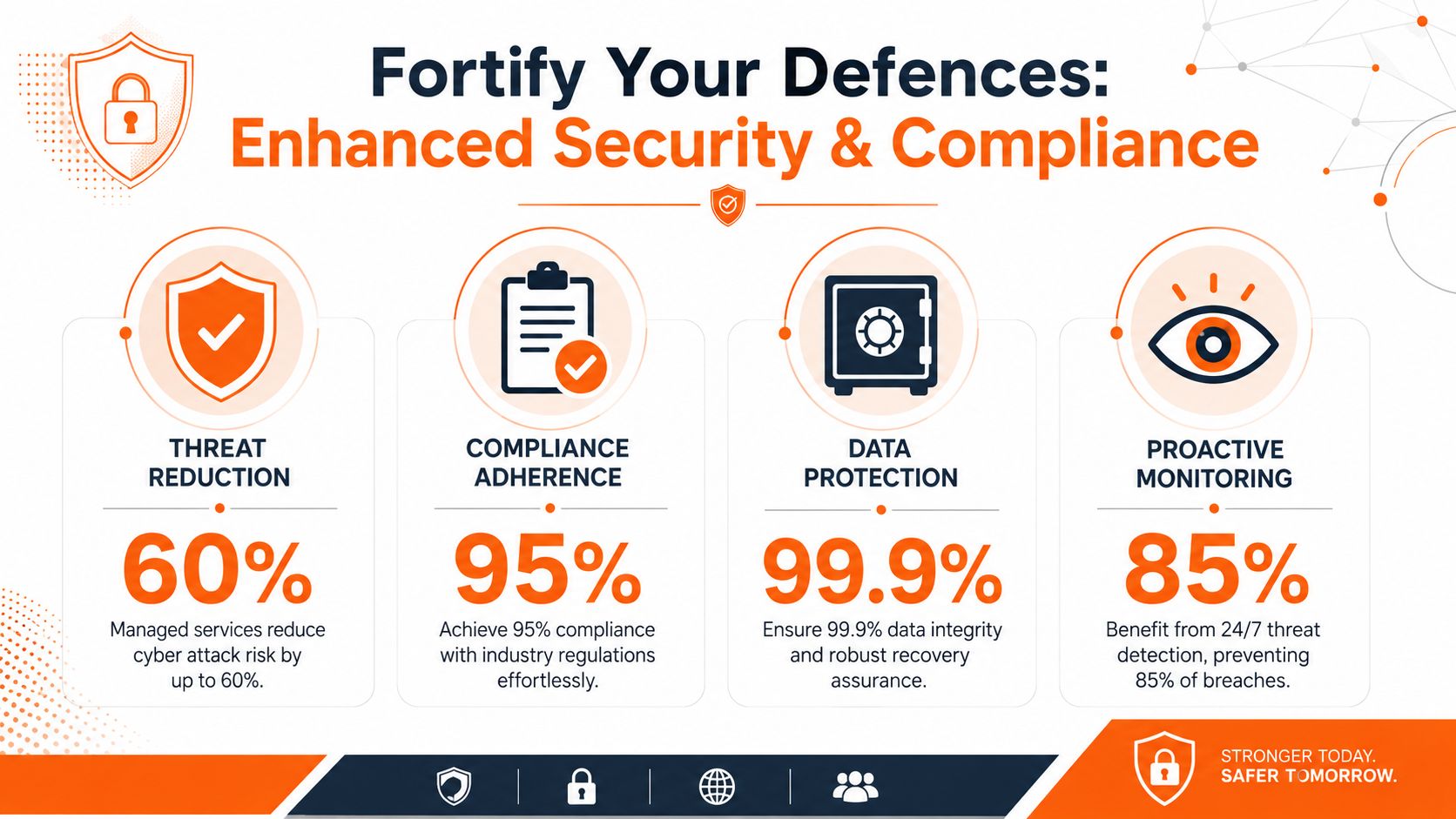
Cybersecurity is no longer a specialist concern you can park with “the IT person”. It is an everyday business risk. The UK picture is clear. The Cyber Security Breaches Survey 2024 summary cited here reports that 50% of UK businesses experienced a cyber breach or attack in the previous year, rising to 74% of businesses among larger organisations. The same source notes that 70% of businesses that identified a breach said it involved phishing.
For a regulated SME, those numbers should end the debate. The most common threat isn't exotic. It's routine. Email deception, account compromise, malicious links, credential theft, and user error. That's exactly why managed security matters. It deals with the repeatable weaknesses that attackers exploit every day.
Security is now an operations issue
Many firms still treat cybersecurity as a one-off purchase. They buy antivirus, turn on multi-factor authentication for some users, and assume they're covered. They aren't.
Real protection comes from discipline. Endpoints need patching. Alerts need review. Leavers need access removed quickly. Email filtering needs tuning. Staff need awareness training that's relevant and repeated. Microsoft 365 policies need proper configuration. DNS filtering, password management, endpoint detection and response, and identity controls need oversight, not just installation.
A managed provider gives structure to all of that. If you're comparing providers, look closely at their managed IT security services. You want layered controls, not a single product badge.
What a managed security approach looks like
A credible setup usually includes several moving parts working together:
- Endpoint security that's actively managed. Not just software installed once, but alerts reviewed, devices checked, and risky behaviour investigated.
- Patch and vulnerability discipline. Laptops, desktops, and servers need regular updates across the estate.
- Email and identity protection. This matters because phishing remains the most common pattern in the UK data above.
- User awareness and policy support. Staff are part of the control environment, whether you like it or not.
- Evidence for compliance. You need logs, reports, documented controls, and recoverable records.
For legal and financial firms, this is also a reputation issue. Clients increasingly ask how data is protected, how remote access is controlled, whether backups are managed, and whether incident handling is documented. Engineering and manufacturing firms get similar scrutiny through supply chain questionnaires and customer assurance processes.
If your security posture depends on one person remembering to “check things”, you don't have a security posture. You have a single point of failure.
The best benefits of managed IT services in this area aren't flashy. They're boring in the right way. Standardised devices. Controlled permissions. Reviewed alerts. Consistent patching. Better user behaviour. Evidence you can show to insurers, auditors, and clients.
Guarantee Business Continuity with Robust Disaster Recovery
Security reduces the chance of a serious incident. Disaster recovery decides what happens after one.
That distinction matters because many businesses still confuse backup with continuity. A backup file sitting somewhere is not a recovery plan. It doesn't tell you who makes the decision to restore, how long systems will be unavailable, whether Microsoft 365 data is included, whether backups are protected from ransomware, or whether anyone has tested restoration recently.
The resilience gap in UK business is hard to ignore. The Cyber Security Breaches Survey 2025 figures referenced here report that only 30% of UK businesses had a formal incident response plan and only 23% had tested backup restoration in the last year. The same source notes that average annual cybercrime losses for medium firms were estimated at £10,830.
Backup is not recovery
A proper disaster recovery service answers practical questions.
If a ransomware event locks user devices, can you isolate affected systems quickly? If a server fails, do you know what gets restored first? If a member of staff deletes critical files in Microsoft 365, how do you recover them without guesswork? If a site loses connectivity, what happens to phones, remote access, and line-of-business systems?
Those answers should be written down, assigned, and tested. If they aren't, your “plan” is just confidence.
What a credible recovery service includes
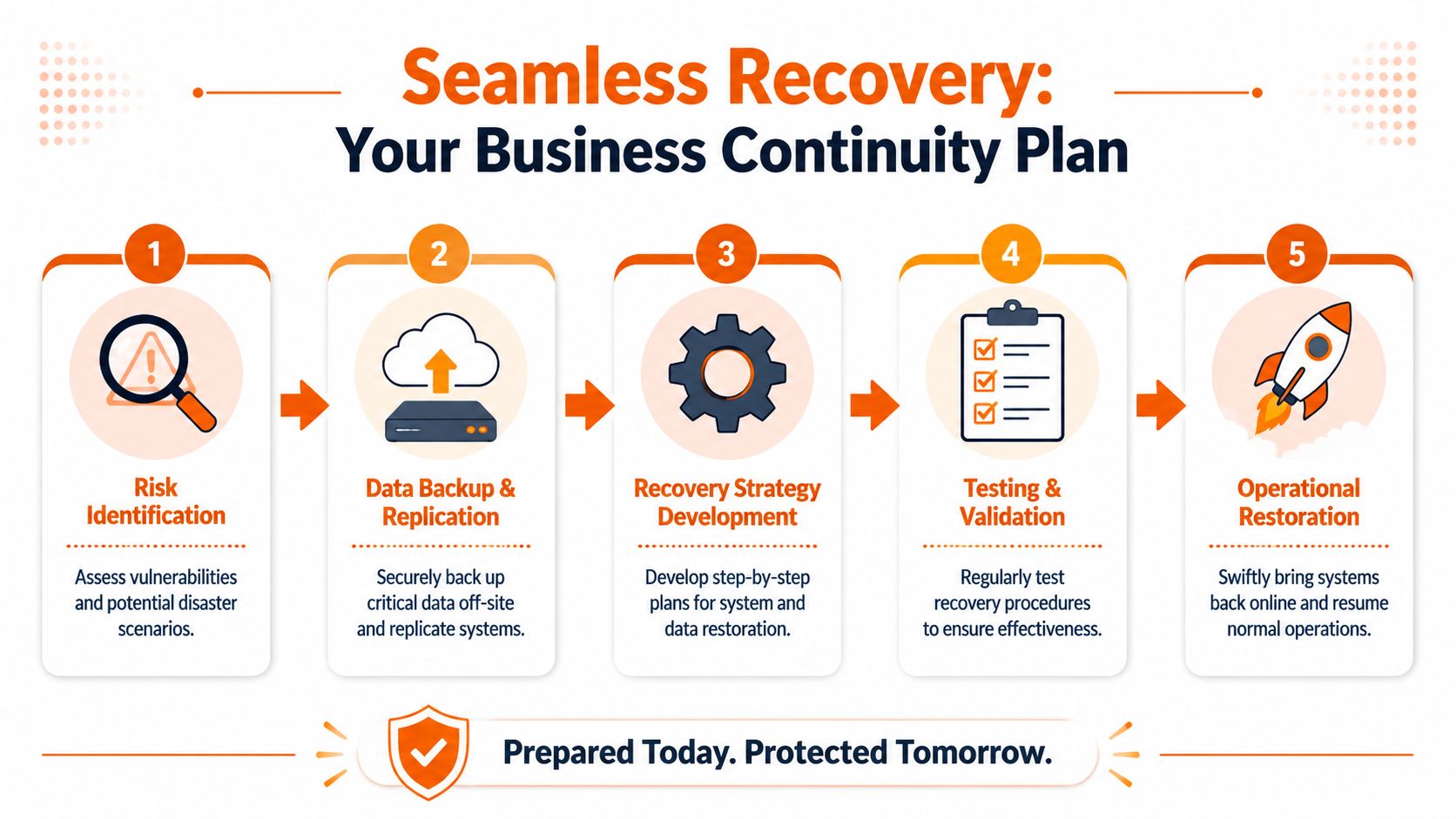
A managed disaster recovery service should cover more than storage. At minimum, expect these elements:
- Documented incident response steps so people know who acts, who approves, and who communicates.
- Protected backups with attention to ransomware resilience and Microsoft 365 data coverage.
- Regular restoration testing because recovery that hasn't been tested is only theoretical.
- Priority-based restoration so critical systems come back first.
- Review after incidents or tests so the process improves over time.
If you need a practical framework, this guide on how to create a disaster recovery plan is a useful starting point.
For regulated SMEs, recovery capability often matters as much as prevention. Clients want to know whether you can keep operating. Insurers want evidence that your controls are real. Auditors want documented process, not verbal reassurance. Managed IT gives you a way to turn continuity from assumption into a managed service.
Unlock Productivity with a Modern Workplace
Most business owners hear “managed IT” and think support desk. That's too narrow. A good provider should also improve how your team works every day.
The biggest gains usually come from getting the basics right across Microsoft 365, user devices, identity, file access, collaboration tools, connectivity, and telephony. When those systems are joined up, people stop wasting time chasing files, juggling passwords, wrestling with permissions, or working around poor call quality.

Productivity improves when tools are managed properly
Microsoft 365 is a good example. Many SMEs pay for it, few use it well. Shared mailboxes are messy, permissions sprawl, Teams grows without standards, and OneDrive or SharePoint gets deployed unevenly. Staff then create their own workarounds, which usually means duplicated files, version confusion, and risky data handling.
A managed service provider can impose order. They can standardise user setup, secure access, support remote and hybrid working, manage mobile devices, and make collaboration tools usable rather than chaotic. That's where productivity gains come from. Not from adding more software, but from governing what you already have.
This matters even more in multi-site businesses. If your engineers, fee-earners, or managers move between office, home, and client sites, they need consistent access to files, communications, and support. Otherwise every workday includes friction.
The modern workplace also depends on physical setup
Digital tools don't solve everything. Workspace design still affects focus, collaboration, and noise levels, especially in growing offices. If you're reviewing how environment and layout affect output, these Cubicle By Design solutions are a useful reference point for thinking about productivity beyond software alone.
Video can also help teams understand what a more connected workplace should look like in practice:
A modern workplace also relies on stable broadband, sensible Wi-Fi design, reliable VoIP, and mobile connectivity that works across locations. If calls drop, remote users struggle, or site offices can't connect reliably, your technology stack is undermining service delivery. Managed IT should bring those threads together so the business operates as one system, not a collection of disconnected fixes.
Staff rarely complain that systems are “insufficiently innovative”. They complain that they're slow, awkward, inconsistent, and unreliable. Solve that first.
The Financial Case for Managed IT Services
The financial argument for managed services is often presented badly. Providers talk about “predictable monthly costs” and stop there. That's lazy. Buyers don't just want a smoother invoice. They want to know whether the service improves performance, reduces disruption, and lowers risk enough to justify the spend.
That question matters because UK SMEs are under pressure. The UK cost and benchmarking figures referenced here state that 57% of small businesses reported higher operating costs in 2024. The same source says only 22% of businesses conducted a cyber risk assessment in the previous year. That tells you two things. Cost pressure is real, and many firms still lack the internal discipline to measure whether IT controls are improving.
Why monthly spend is only part of the ROI
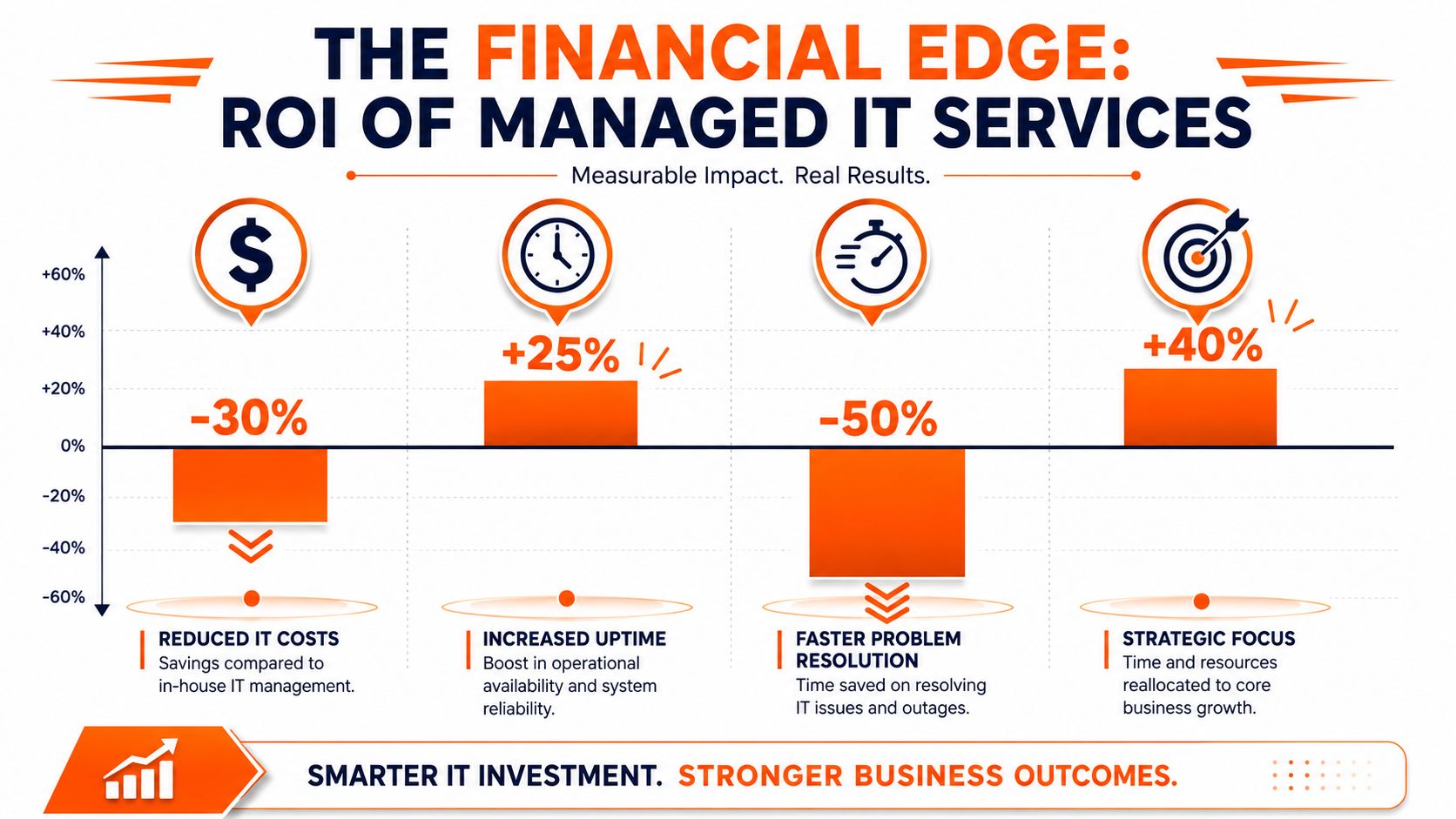
The visible cost of IT is the contract, hardware purchases, licences, and perhaps one or two salaries. The hidden cost is larger. It sits in downtime, staff interruption, delayed onboarding, poor device lifecycle management, weak reporting, security gaps, duplicated tools, and managers spending time arbitrating operational noise.
Managed services improve the numbers when they remove friction from the business. That may mean fewer recurring support issues, better user setup for joiners and movers, tighter licence control, reduced supplier sprawl, stronger backup oversight, and clearer standards for hardware refresh. It can also reduce the need to make panicked purchases after failures.
If you're weighing cost, this guide on how much outsourced IT costs is worth reading, but don't evaluate price in isolation. Cheap support that fails under pressure is expensive.
How to benchmark an MSP in year one
Many firms make a common error. They buy the service and then judge it purely on whether users are polite about the helpdesk. That's not enough.
Track outcomes in the first three to twelve months using a practical scorecard:
- Service responsiveness. Are tickets being acknowledged and closed in line with agreed service levels?
- User disruption. Are recurring issues falling, or are the same problems resurfacing?
- Security maturity. Are patching, endpoint controls, access management, and reporting becoming more consistent?
- Recovery confidence. Are backups reviewed and restores tested?
- Onboarding quality. Do new starters receive correctly configured devices and access on time?
- Management visibility. Are you getting reporting that helps decisions, not just technical noise?
A good MSP should help you define these measures early. If they can't explain how success will be tracked, the service is likely to drift into vague promises and ticket-count vanity.
Finding Your Strategic IT Partner
Choosing a managed service provider isn't mainly about buying support hours. It's about deciding who you trust to shape operational resilience in your business. That's why price-only buying usually ends badly.
You want a provider that can support users, yes. But you also want one that can impose standards, document the environment, advise on risk, and speak credibly to directors about business impact. In regulated sectors, that means understanding client confidentiality, access control, audit pressure, and recovery requirements. Generic support isn't enough.
What to check before you sign
Start with evidence, not promises.
A provider should be able to explain their service levels, escalation path, reporting cadence, onboarding process, security tooling, and approach to lifecycle management. They should also be comfortable discussing Cyber Essentials, Microsoft 365 governance, backup testing, user awareness training, and how they handle leavers and privileged access.
Certification support matters here. Since its introduction in 2014, the UK's Cyber Essentials scheme has become an important benchmark, and the government position summarised here states that certified organisations are around 80% less likely to make a cyber insurance claim. If an MSP can help you achieve and maintain that standard, they're doing something tangible, not cosmetic.
Questions worth asking every provider
Ask direct questions and expect direct answers:
- How do you report on service quality beyond ticket volume?
- What security controls do you manage across endpoints, Microsoft 365, and user access?
- How do you support Cyber Essentials or Cyber Essentials Plus in practice?
- What does onboarding look like for our users, devices, and third-party systems?
- How do you handle backup testing and recovery validation?
- What experience do you have in our sector with legal, engineering, finance, or manufacturing workflows?
- Who owns documentation and how is it maintained?
- How do you support multi-site or hybrid teams?
The right provider should make your environment more standardised, more visible, and easier to govern. If their proposal mainly talks about being friendly and responsive, keep looking.
A strategic IT partner should reduce uncertainty. You should know what they manage, how they measure it, and what they recommend next.
Frequently Asked Questions About Managed IT
Will we lose control if we outsource IT
Not if the service is structured properly. You should gain control, not lose it.
A good MSP documents systems, standardises support, improves reporting, and makes responsibilities clearer. Your business should still approve major changes, budget decisions, security priorities, and supplier direction. The provider handles the operational load within that framework.
Can an MSP work with our existing internal staff
Yes, and that's often the best model for growing firms.
Internal people usually know your applications, workflows, and political realities of the business better than any external partner. The MSP can take over monitoring, patching, frontline support, Microsoft 365 administration, backup oversight, and security operations. That frees internal staff to focus on projects, process improvement, and business systems.
How disruptive is onboarding
It shouldn't be chaotic, but it does require effort.
Expect an initial discovery phase covering users, devices, licences, internet links, security tools, backups, Microsoft 365 setup, third-party suppliers, and key applications. A competent provider will sequence changes, communicate with users, and avoid changing everything at once. If a provider wants to “rip and replace” immediately without understanding the estate, be cautious.
Can they support industry-specific software
Usually yes, but ask for specifics before signing.
An MSP doesn't need to write your legal case management platform or engineering CAD package to support it effectively. They do need to understand hosting requirements, user provisioning, access controls, backup dependencies, vendor escalation paths, and how outages affect the business. Ask how they've handled bespoke or specialist systems before.
What happens to our current IT supplier or ad hoc support arrangement
That depends on how fragmented your current setup is.
A strong provider will usually rationalise suppliers where it makes sense. They may keep certain specialist vendors in place, particularly for niche applications, while taking over core infrastructure, user support, Microsoft 365, security, backup, connectivity, and telephony management. The key is clear ownership. Every service should have a named responsible party.
How quickly should we expect to see value
You should see early improvements in support structure, visibility, onboarding consistency, and security housekeeping fairly quickly. Bigger gains usually show up after standards are implemented properly.
Look for practical signs such as cleaner asset records, clearer permissions, better ticket handling, fewer repeat issues, stronger reporting, and more confidence around backup and recovery. If nothing feels more organised after the first phase, the provider is probably just acting as a remote repair desk.
Is managed IT only for larger businesses
No. Smaller firms often need it more because they have less room for error.
If you've got regulated data, remote workers, multiple suppliers, Microsoft 365, line-of-business software, or any dependency on uptime, you already have enough complexity to justify managed support. You don't need to be large. You need to be exposed.
If your business is stuck in reactive IT, now is the time to fix the operating model, not just the next incident. Blowfish Technology works with SMEs across the North West and the wider UK to improve resilience, security, productivity, and compliance through managed IT, cloud, telecoms, backup, and modern workplace services. If you want an honest review of where your current setup is weak and what good looks like in the first year, speak to their team.

The Blowfish Technology team. Managed IT, cloud services, software development and connectivity for North West businesses since 1999.