
69% of UK firms used cloud-based computing systems and applications in 2023, according to the Office for National Statistics. Cloud is already an everyday business purchase. The harder question is whether your company can keep working when the service, connection or administrator it depends on becomes unavailable.
Choosing between cloud service companies therefore needs more than a licence comparison. You need to know who operates each layer, how you recover, and how you leave without losing control of the business.
Table of Contents
- What UK Firms Buy from Cloud Service Companies
- How IaaS PaaS SaaS and Managed Services Differ
- Security and Compliance Duties That Stay With You
- When the Cloud Is Down Recovery That Still Works
- A Scorecard for Shortlisting Cloud Service Companies
- Contract and SLA Points to Settle Before You Sign
- Brief a Provider Around the Work You Cannot Lose
What UK Firms Buy from Cloud Service Companies
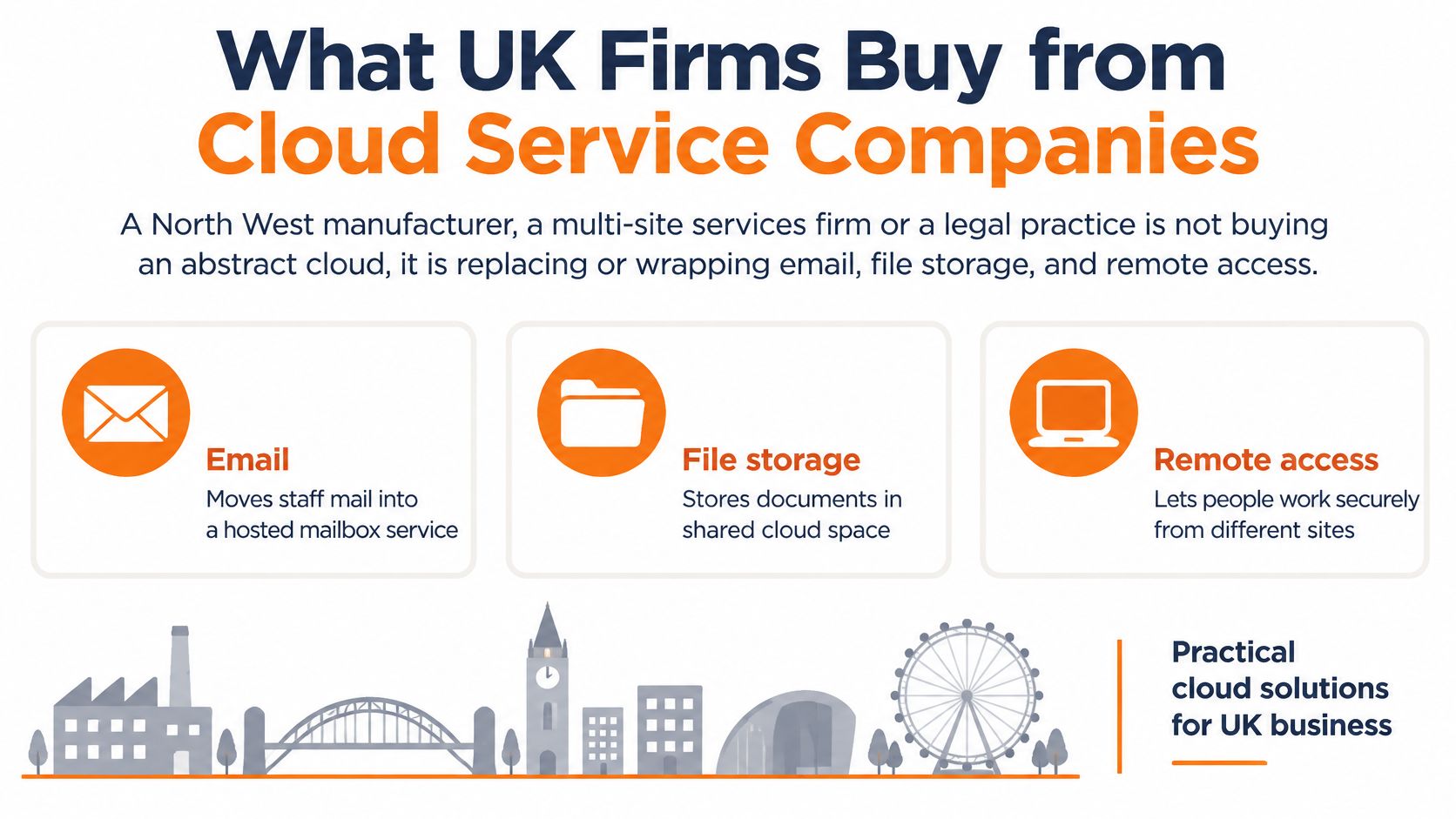
A North West manufacturer isn't buying an abstract cloud. It's replacing or supporting email, drawings, remote access, accounts software and the server that used to sit in a cupboard. A legal practice makes similar purchases, but its priorities might centre on matter files, confidential correspondence and access from court or home.
Say a manufacturer moves staff email to Microsoft 365 and gives its estimators hosted desktops. Its production application still runs locally, while a separate service stores backup copies. That's a hybrid environment, even if the supplier describes the whole package as cloud IT.
These everyday functions are a useful starting point for understanding the purchase.
Types of cloud service companies
| Provider type | Examples | Typical offer |
|---|---|---|
| Hyperscale cloud provider | AWS, Microsoft Azure, Google Cloud | IaaS and PaaS, including compute, storage and databases |
| Software vendor | Microsoft 365, accounting and CRM suppliers | SaaS applications hosted by the vendor |
| Managed IT provider | UK managed service firms | Monitoring, helpdesk, security, procurement and roadmap |
| Reseller or broker | Software licensing partners and hosting resellers | Licences and hosting bought through a partner |
The distinction matters because selling a service isn't the same as operating your IT. A reseller may supply licences without managing users, investigating alerts or restoring deleted documents. A managed provider should define which of those jobs it accepts.
A typical SME package can combine hosted desktops, Microsoft 365, backup, business broadband, VoIP and a helpdesk. Integrations need attention too. If staff use Zoho alongside communications services, a resource such as Premier Broadband's Zoho integration gives you something concrete to discuss: which systems connect, which permissions they need, and who supports the connection.
Start with a map of applications, devices and dependencies, not a price list. Otherwise, you risk comparing a licence-only quote with a fully managed service and treating them as equivalent.
How IaaS PaaS SaaS and Managed Services Differ
Think of a rented building. IaaS is the shell and utilities, PaaS is a fitted floor with shared services, and SaaS is a serviced office with the furniture already installed. A managed service is the facilities team, potentially holding keys across all those arrangements.
The analogy explains the buying choice, but the contract must identify the actual jobs. The word managed doesn't tell you whether someone patches a server, reviews suspicious logins or tests a recovery.
IaaS, PaaS, SaaS and managed services compared
| Model | Provider runs | You or your partner still run | Typical SME use | Main watch-out |
|---|---|---|---|---|
| IaaS | Data centres, virtualisation, storage and underlying networks | Guest operating system, apps, patching, backup and identity | Migrated servers, hosted desktops and file storage | Egress fees, configuration and skills gaps |
| PaaS | Platform runtime, managed database infrastructure and scaling facilities | Application code, data model and access design | Customer portals and line-of-business apps | Dependence on platform-specific services |
| SaaS | The application and its hosting | Users, licences, configuration and data-export plan | Microsoft 365, accounts, CRM and collaboration | Tenant ownership and application availability |
| Managed services | Agreed monitoring, helpdesk, procurement, security operations and roadmap | Business decisions, budget and a named internal owner | Operational IT for firms without a cloud team | Unclear boundaries between included work and extras |
With IaaS, renting a virtual machine doesn't remove server administration. Someone still needs to maintain the guest operating system, check capacity and protect the application. Moving an old server unchanged can preserve its existing weaknesses while adding cloud billing and connectivity dependencies.
PaaS removes more infrastructure work. A developer can use a managed database rather than maintain its underlying server, for example. The trade-off is portability: moving the application might require changes to code, database features or authentication.
SaaS puts the application itself in the supplier's hands. Your organisation still needs control of its tenant, administrator access and subscription records. Ask whether you can export usable information, including attachments and relationships between records, rather than merely download a spreadsheet.
Concentration makes exit planning important
The Competition and Markets Authority's final decision summary estimated that Microsoft and AWS each held 30–40% of UK IaaS supply in 2024, and found that fewer than 1% of customers switched between cloud providers. That makes procurement a long-term operating decision, not an exercise in finding a cheaper server.
A managed service can sit over any model. The useful question is whether the provider has the access, skills and contractual responsibility to fix problems across the whole chain, rather than refer you elsewhere.
Buying rule: A service model describes what you're renting. A responsibility schedule tells you who must act when it fails.
For workloads that might remain local, use an on-premise versus cloud comparison to examine control, connectivity and maintenance requirements. Mark each workload against its service model before scoring suppliers, including applications that won't move.
Security and Compliance Duties That Stay With You
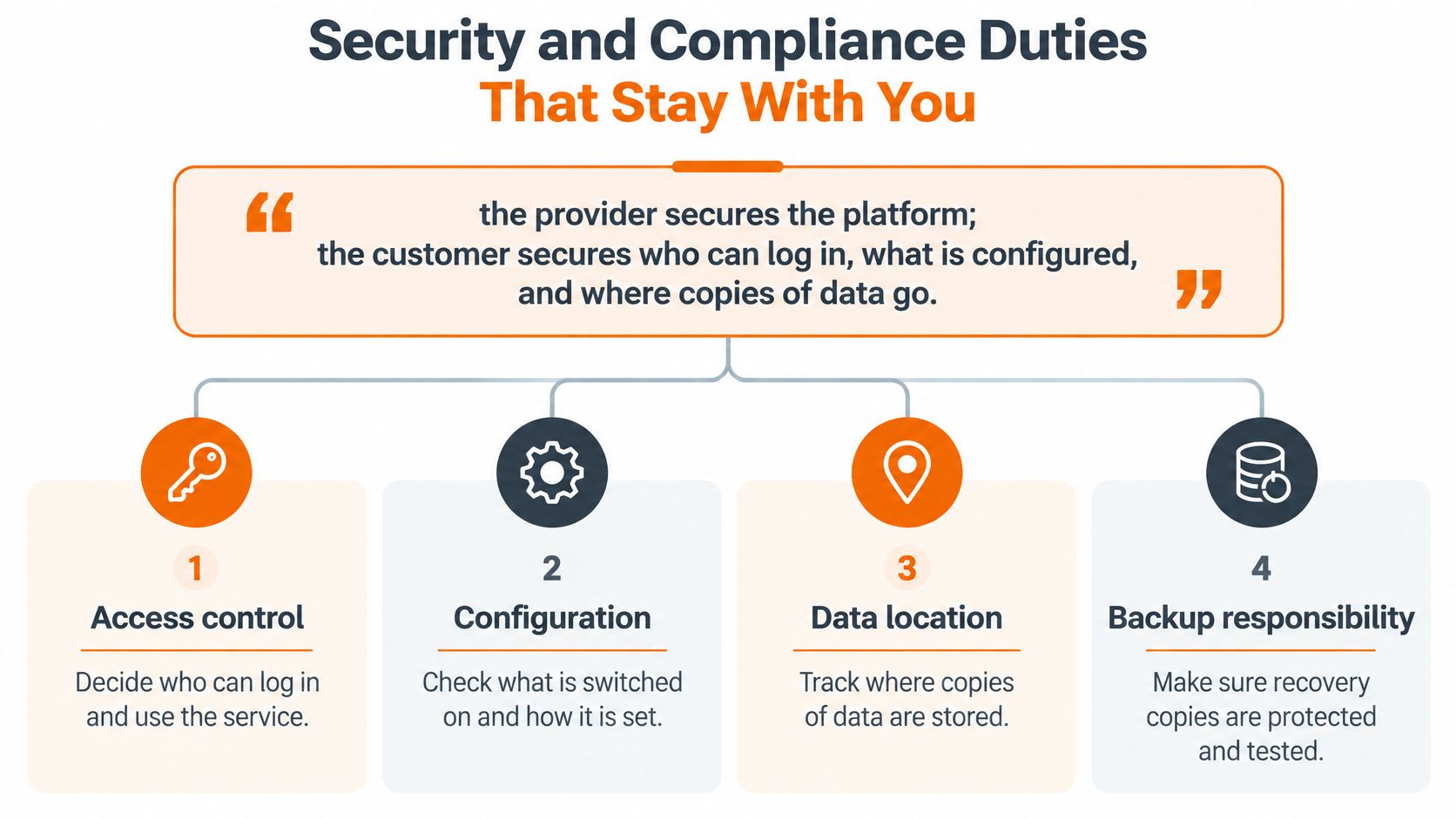
The provider secures the platform; the customer must govern who can log in, what is configured, and where copies of data go.
That's the starting point for shared responsibility, not a universal division of every task. A managed provider can perform customer-side controls, but you still need an accountable person inside the business who approves access and accepts risk.
Use the following diagram to organise the handover discussion.
Start with access and devices
Require named administrator accounts, multi-factor authentication, a password manager and a process for removing leavers promptly. Ask who investigates compromised-account alerts and who can disable access outside normal support hours. A secure data centre won't protect you from an attacker using an authorised login.
Endpoints and email need their own operating arrangements. Specify managed endpoint detection and response, DNS filtering and user awareness training, with an agreed Cyber Essentials or Cyber Essentials Plus path where customers or insurers request it. A list of installed tools isn't evidence that anyone reviews their alerts.
ThreatExploit AI's guide to security controls for cloud environments can help frame that conversation. Ask the supplier to translate each relevant control into an owner, an action and evidence you can inspect.
Establish where information goes
Clarify controller and processor roles, obtain the sub-processor list, and record locations for live data, backups and support access. For regulated work, involve your data protection adviser rather than assuming a UK billing address proves UK-only processing.
The UK government's 2025 AI sector study found that 63% of surveyed AI businesses used non-UK cloud services, while 52% used UK-based cloud services, with overlapping categories. These aren't SME adoption figures; they demonstrate why a service's location needs checking rather than guessing.
Compare agreed-region hosting, contractual access controls and the cost of transferring data out. For a structured procurement discussion, use this guide to choosing cloud security and compliance solutions in the UK.
Use the video alongside your supplier discussion, then ask for documentary evidence.
Request the following evidence now:
- Access register: Administrators, their privileges and the process for emergency access.
- Control ownership: Who monitors alerts, patches devices and approves exceptions.
- Data map: Primary locations, recovery locations and sub-processors.
- Recovery permissions: Who can delete backups, change retention or initiate restoration.
When the Cloud Is Down Recovery That Still Works
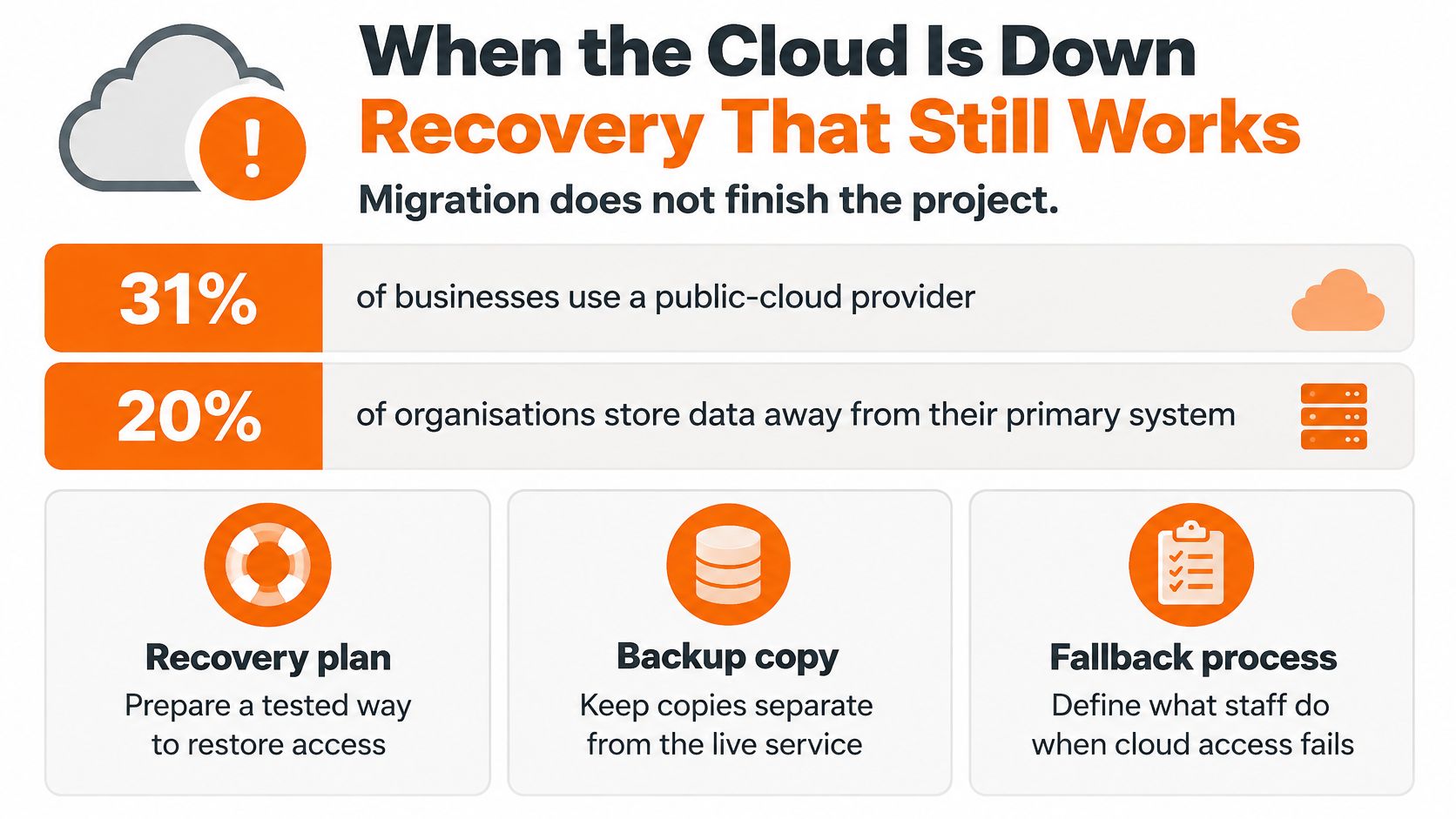
20% of organisations storing data away from their premises experienced a server or cloud outage in the previous twelve months, according to the 2025–26 UK Business Data Survey. Cloud adoption does not guarantee resilience. A recovery plan needs to cover disruption to the service and the systems, people and processes your staff rely on to use it.
A provider's service may be available while your business still cannot work. For example, an application is no use if your identity service is down, your broadband has failed or the only administrator is unreachable. Recovery needs to account for the whole chain, much like checking every link in a supply route rather than only the final delivery.
Test the business process, not just the server
A fabrication shop that loses hosted desktops and CAD licensing cannot restart production by restoring a desktop alone. Staff also need approved drawings and a way to validate licences. A fallback might include controlled local copies of released drawings and a documented method for recording work until systems return.
A law firm dealing with a Microsoft 365 outage needs to identify urgent matters, contact clients and retrieve documents without depending entirely on the unavailable service. An independent backup can protect information, but ask the supplier to demonstrate that it can restore a deleted mailbox with its contents and permissions intact.
For a finance team using accounts SaaS, the question is how much transaction history can be reconstructed. Exported records may support a temporary process, but someone must reconcile invoices and payments when normal access returns. Agree who does this before staff begin keeping separate versions of the accounts.
Turn recovery into an acceptance test
Recovery time objective, or RTO, is the target time for restoring an agreed business service. Recovery point objective, or RPO, sets how far back recovered data may go, indicating how much recent work might need to be reconstructed. Together, they make the trade-off clear: faster restoration and less lost work need to be defined for the business service, not just the server.
- Specify the recovery outcome: Name the application, users, data and dependencies that must work together.
- Separate recovery copies: Consider geographic separation and an offline or appropriately isolated secondary copy.
- Exercise the fallback: Test staff instructions, alternate connectivity and emergency administrator access.
- Record restoration results: Capture elapsed time, missing items, permission problems and corrective actions.
Use a disaster recovery planning guide to turn these requirements into an executable runbook. Agree regular restoration exercises and repeat them after material system changes. A successful backup notification confirms that a job ran, not that staff can restore the service and resume work.
A backup job that has never been restored isn't proof of resilience.
A Scorecard for Shortlisting Cloud Service Companies
Cloud service company scorecard for UK SMEs
| Criterion | Good evidence | Red flag | Suggested weight |
|---|---|---|---|
| Support model | Named engineers, published response and resolution targets, severity clock | Ticket portal only, no severity clock | High |
| Scope fit | Microsoft 365, desktops, backup, security and procurement in one roadmap | Cloud resale with no operations | High |
| Security | MFA, EDR, DNS filtering, awareness training and Cyber Essentials or Plus path | Tools named but not managed | High for legal and finance |
| Recovery | Written RTO and RPO plus a dated restore test | Backup job with no restore proof | High for production firms |
| Data location | Stated UK or agreed region, sub-processors listed | Region unknown, egress ignored | Medium to high |
| Exit | Data-export steps, notice period and handover cost in writing | No exit plan, proprietary-only tooling | Medium |
| Commercial clarity | Included versus chargeable items on one price sheet | Low headline price, long extras list | Medium |
Send the same scorecard to each shortlisted supplier. Weight the criteria before seeing the sales presentations, so an attractive demonstration doesn't change what matters to your business.
A professional practice might prioritise responsive support, Microsoft 365 administration and confidentiality. A manufacturer running a production application should place greater emphasis on recovery evidence and an independent connectivity path. Neither needs to buy complex multi-region infrastructure merely because a supplier can demonstrate it.
Score evidence rather than assurances
Use a consistent scale from weak to strong, recording the evidence behind each judgement. Apply your agreed weighting and compare the results, but retain mandatory pass conditions for risks the business can't accept. A production supplier shouldn't qualify through a strong overall total if it can't demonstrate a workable recovery.
Ask for recent call-answer records, ticket outcomes and SLA attainment, with the measurement period stated. Require the supplier to show its severity definitions, clock rules and exclusions alongside those results. Otherwise, a fast average response may conceal poor handling of the incidents that matter most.
- Meet the delivery team: Establish who supports your systems, who deputises and who manages the account.
- Check operational scope: Ask whether procurement, device changes and application coordination are included.
- Inspect the roadmap: Look for dependencies across desktops, applications, security and communications.
- Challenge missing costs: Identify charges for backup, security tooling, project work and out-of-hours attendance.
A supplier's willingness to discuss a failed exercise can be more useful than a polished dashboard. Ask what didn't restore, how the engineer diagnosed it and what changed afterwards. You're assessing whether the team can explain a problem clearly enough for your operations director to make a decision.
Keep the supplier that can discuss your most important workload in those terms, rather than the one that offers the longest product list.
Contract and SLA Points to Settle Before You Sign
The contract turns a promising proposal into obligations you can enforce. Attach the agreed service scope and responsibility schedule, rather than accepting a general promise to manage your cloud.
Use a service level agreement guide to distinguish measurable commitments from statements of intent. Have a solicitor review liability, data protection and termination wording, particularly where downtime could interrupt production or client work.
Negotiate around failures your firm would feel
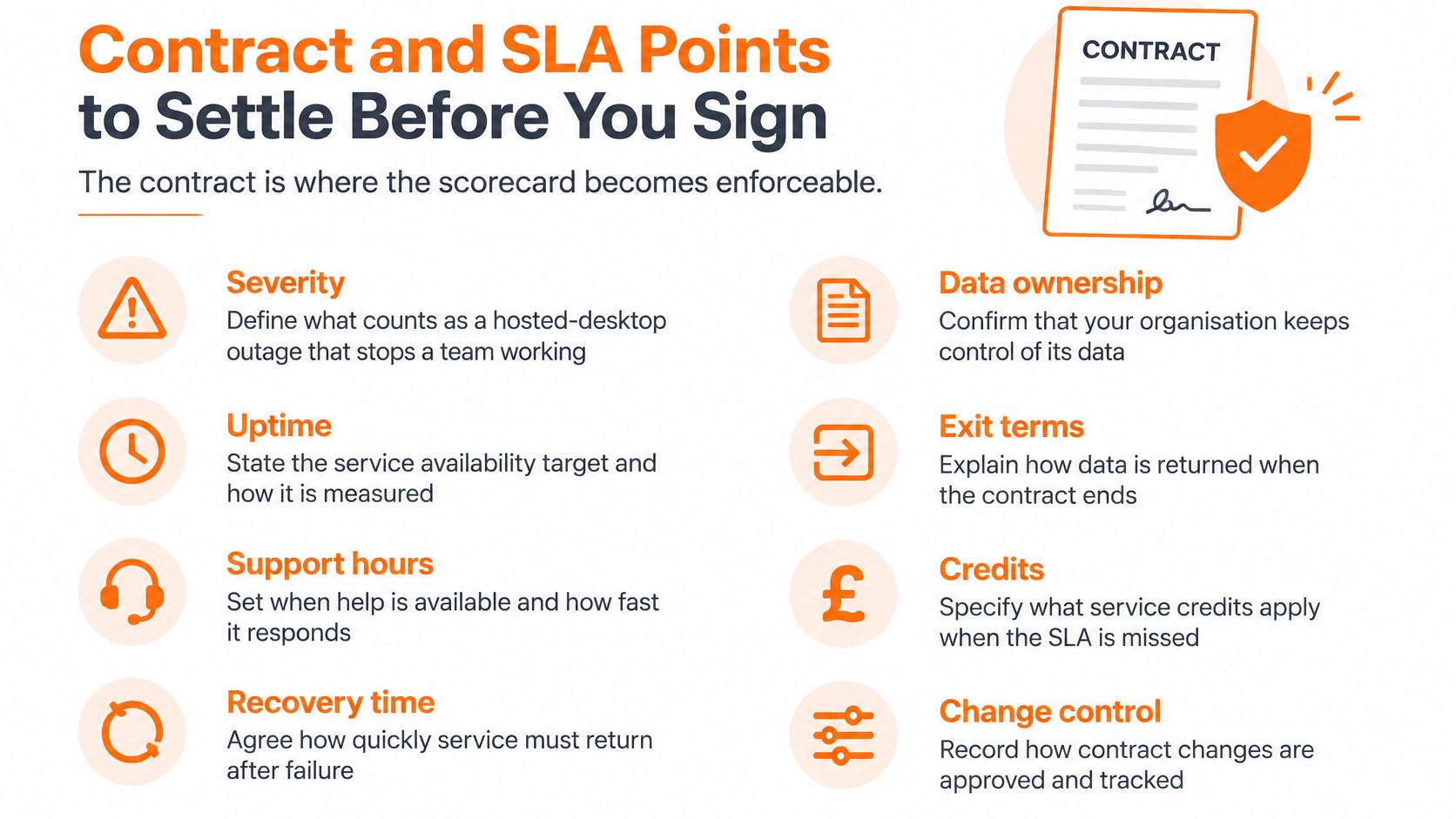
- 1. Define severity and support coverage. A hosted-desktop failure stopping a workshop shouldn't enter the same queue as a cosmetic mailbox issue. State when the incident clock starts, which reporting channels count and whether coverage matches your operating hours.
- 2. Separate acknowledgement, workaround and restoration. A quick callback isn't a recovered service. Give each milestone its own target and explain who communicates progress while engineers investigate.
- 3. Clarify uptime exclusions and remedies. Record how availability is measured and how scheduled maintenance affects it. Don't assume service credits compensate for business interruption; ask your solicitor how credits interact with liability limits and other remedies.
- 4. Attach data-processing terms. Where your organisation determines the purposes of processing, reflect its controller role appropriately. Agree processor obligations, a breach-notification timeframe and how sub-processor changes are communicated.
- 5. Control price changes. Separate supplier charges from third-party licensing and consumption costs. Agree notice, approval rules and a practical right to leave if material increases make the service unsuitable.
- 6. Make recovery and exit deliverables explicit. Set a restore-testing schedule and require a written exit pack covering usable formats, credentials, notice, assistance and handover charges.
- 7. Check insurance and subcontracting. Establish which legal entity accepts responsibility, what insurance it carries and whether subcontractors or overseas personnel can access your environment.
- 8. Include a scope review and break mechanism. If your production systems, staffing or sites change materially, you need a route to revise the service rather than remain tied to an unsuitable package.
Use this checklist to organise the marked-up agreement.
Negotiation test: If a commitment matters to your buying decision, identify where it's written and how you'll establish whether it was met.
Return the marked-up terms with your completed scorecard. That gives the supplier concrete issues to resolve and keeps commercial negotiation tied to operational needs, rather than a blank contract template.
Brief a Provider Around the Work You Cannot Lose
A useful provider brief describes business consequences before technology preferences. Write that estimators must retrieve approved drawings, or that solicitors must access matter correspondence, rather than asking for cloud storage.
Keep the first version short enough for your operations and finance leads to review together. Their agreement matters because recovery choices affect spending, staffing and the amount of disruption the business is prepared to accept.
Prepare a workload-led brief
- List the work that stops the business. Include critical applications and supporting services such as telephony, identity and connectivity. Name a business owner for each.
- Map the operating model. Identify whether each workload uses IaaS, PaaS, SaaS or a managed-service arrangement. Record the organisation that currently controls its administration.
- Agree recovery requirements. Write the RTO and RPO for each workload, then have the business owner confirm the consequences are tolerable. Don't let a supplier choose those consequences for you.
- Request comparable proposals. Give shortlisted providers the same workload list and scorecard. Ask for relevant restoration evidence and an exit note that explains the practical handover.
- Arrange a scoping conversation. Look for a provider willing to own the agreed operational work, not merely supply subscriptions. Invite the person responsible for delivery, alongside the commercial contact.
Make the first meeting an operational discussion
Bring an example of a difficult working day: a connection failure during production, an inaccessible matter file before a deadline, or an accounts system unavailable during payment processing. Ask the provider to explain the sequence of actions, the people involved and the decisions it would need from you.
That conversation should expose gaps before anyone proposes a migration. You may discover that a local application should remain where it is, that your backup design needs changing, or that unclear administration rights are the immediate risk.
The right cloud purchase makes accountability easier to see. You should leave procurement knowing what you've bought, who operates it, how your staff continue working and what happens when the relationship ends.
Blowfish Technology offers managed IT, Microsoft 365, hosted desktops, backup and disaster recovery, security support and business connectivity for SMEs. Visit Blowfish Technology to request a scoping conversation, and bring your critical-workload list so the discussion starts with recovery, responsibility and exit requirements rather than a product demonstration.
