
It's 8:15 on a Monday. People are logging on from the Leeds office and from home, the shared files are crawling, one inbox won't open, and the office manager is already on the phone. You don't employ an IT team. You ring an engineer when something breaks and pay the invoice afterwards. That worked when the firm ran a handful of PCs. It gets shaky once mail, files and the accounts package sit online, staff split across two sites, and a locked account can land at 6pm.
Managed IT support in Leeds is the fixed monthly alternative to that call-out habit. The useful question isn't which logo is on the proposal. It's what the contract covers, what it leaves out, and whether anyone can show recovery and response evidence rather than a feature list.
Table of Contents
- What Managed IT Support Covers for Leeds Businesses
- Pricing Models and What Drives Your Monthly Fee
- Business Benefits Beyond Faster Helpdesk Replies
- Security and Compliance Requirements for Leeds Firms
- Backup and Recovery You Can Prove Under Test
- Response Times, SLAs and Proof of Performance
- Where Managed IT Pays Off
- Choose a Provider and Confirm Your Next Step
What Managed IT Support Covers for Leeds Businesses
Managed IT means an outside team takes responsibility for keeping your systems running for a fixed monthly fee, instead of paying an engineer each time something breaks. Think of a building's facilities contract. You don't ring a plumber every time a pipe drips. You pay for someone to watch the plant, fix faults, and tell you what needs replacing next year.
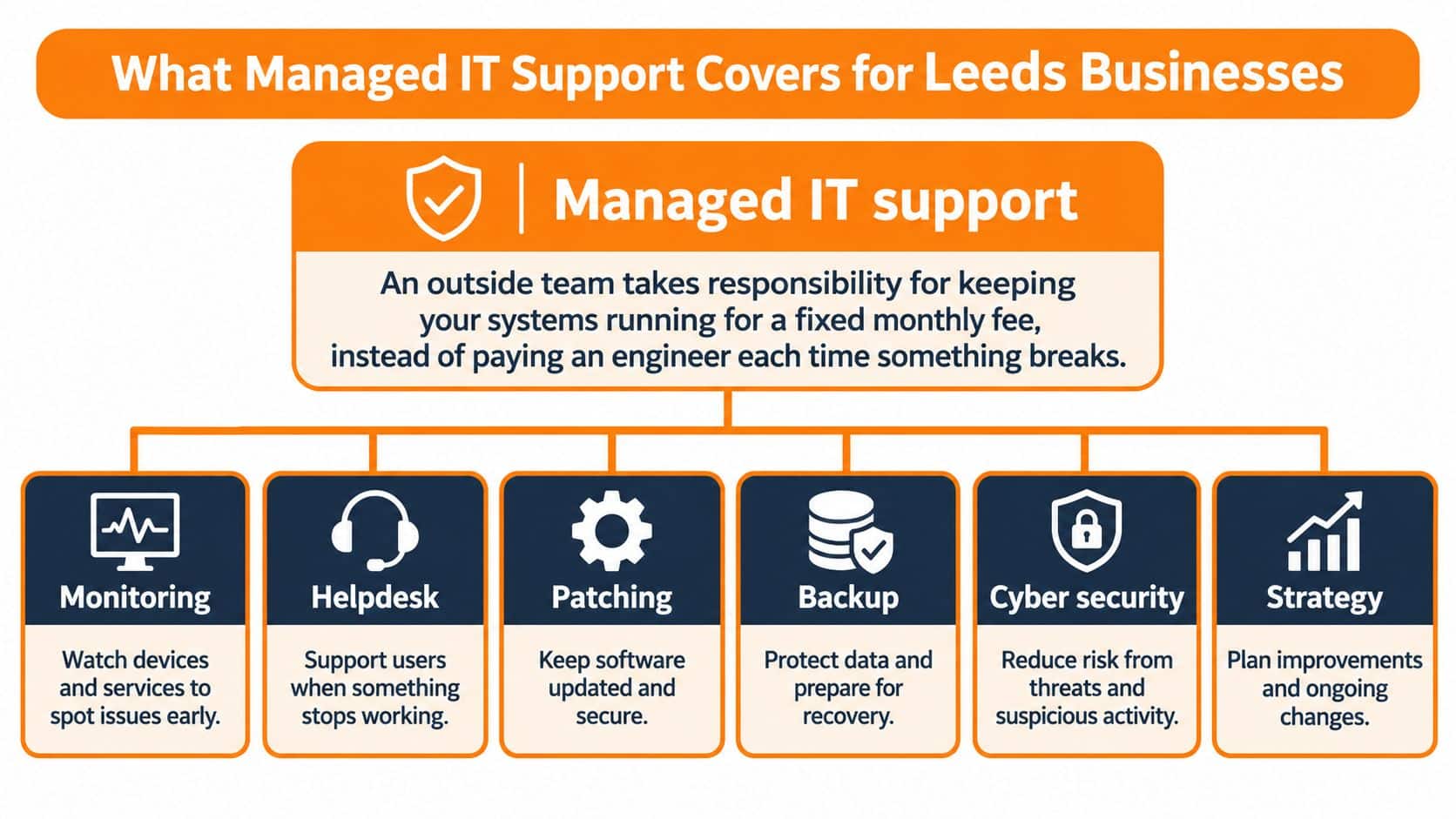
The work sits in three layers, and a complete service has all three.
Day-to-day fixes are the service desk. Staff log a ticket or call, someone works the problem remotely, and you can see what was raised and how long it took. Background prevention is monitoring and patching before anyone notices. Servers, laptops, the network and the backup jobs are watched, and updates go on a schedule. Planning is the part owners skip until renewal. Someone reviews licences, kit that's ageing, and the next twelve months, then writes it down.
Break-fix is only the first layer, billed per visit. Gaps usually hide in the exclusions: on-site visits, cover after 5:30pm, or Microsoft licences passed through on top. Read the schedule of what's out before you compare monthly fees.
| Service area | What it includes | What you should see |
|---|---|---|
| Service desk | Tickets, calls and remote fixes for staff | Logged, categorised tickets with resolution times |
| Proactive monitoring | Servers, endpoints, network and backups watched continuously | Alerts handled before users notice |
| Patch and update management | Operating system, application and firmware updates on a schedule | Monthly patch compliance report |
| Security services | Endpoint detection, DNS filtering, MFA, staff awareness training | Incident records and alert summaries |
| Microsoft 365 administration | Mail, Teams, SharePoint, OneDrive, identity and licences | Licence and user access reviews |
| Backup and disaster recovery | Scheduled backups, restore tests, recovery runbooks | Restore test results |
| Hardware and software supply | Procurement, setup, licensing and lifecycle replacement | Up-to-date asset register |
| Connectivity and telephony | Business broadband, VoIP phone systems, business mobiles | One named route for faults |
| Account management | Regular reviews, renewals and planning | Scheduled review meetings and a written roadmap |
A complete service lets you list those nine areas and point to evidence for each. If a proposal names "proactive support" but can't show a patch report or a restore test, you're buying a helpdesk with a nicer label. Our managed service is built around proactive monitoring, patch management, Microsoft 365, supply of hardware and software, managed backup and a named account manager, because those pieces only work as one operating rhythm.
Pricing Models and What Drives Your Monthly Fee
Headline prices are a poor way to choose. Two quotes at a similar monthly figure can hide completely different scopes. Compare the billing model first, then the extras.
| Pricing model | How it is billed | Best suited to | Watch out for |
|---|---|---|---|
| Per user per month | Fixed fee for each staff member covered | Offices with stable headcount | Servers, devices and licences may sit outside the fee |
| Per device per month | Fixed fee per laptop, desktop or server | Firms with shared or kiosk devices | Remote staff with two or more devices |
| Tiered bundle | Set packages such as essentials, standard and premium | Firms wanting predictable scope | Security tools often appear only in the top tier |
| Base fee plus block hours | Monthly base fee plus pre-bought project hours | Firms with regular projects or changes | Unused hours expire and out-of-hours rates apply |
| Break-fix or pay as you go | Charged per call or per job | Very small firms with few incidents | Unbudgeted costs during a serious incident |
| Full machine maintenance | Servicing bundled with parts and labour | Firms with ageing equipment | Replacement hardware is not always covered |
Per user suits a stable office, but a server in the comms cupboard and every Microsoft licence can sit outside the fee. Per device looks fair until a home worker has a laptop and a desktop, and you pay twice. Tiered bundles make scope easy to read, yet endpoint detection and proper backup often appear only in the top package. Block hours help if you run projects every quarter. Unused hours that expire in month three are a quiet tax, and evening work is usually a different rate. Break-fix keeps the standing cost low and then produces the worst invoice of the year when ransomware or a dead server arrives. Full machine maintenance covers servicing, parts and labour on kit you already own. A replacement PC is often a separate purchase.
What moves the fee:
- Headcount and devices: Each extra user or laptop changes a per-user or per-device bill immediately.
- Sites: A second workshop or branch adds monitoring, connectivity and travel.
- Microsoft 365 licences: Some fees include them. Many pass them through at cost, which is fine if the quote says so.
- Hours of cover: Office hours only is cheaper than evenings, weekends and bank holidays.
- Backup volume: Mail, SharePoint and large design files grow the storage line.
- Security tier: Detection tools, filtering and training are often optional add-ons.
A low base fee costs more in practice when those lines are billed separately. On a like-for-like comparison, ask every supplier for three things in writing: an itemised scope, the licence pass-through policy, and the out-of-hours rate card. Our guide on what outsourced IT tends to cost walks through how those lines add up, so you can line quotes up before you argue about the monthly number.
Business Benefits Beyond Faster Helpdesk Replies
Quicker ticket replies are the part staff notice. The business case is what stops landing on the owner's desk.
An OECD analysis citing a 2024 survey of 373 UK firms found that more than 60% reported investing in cloud computing, while over 40% invested in data analytics. UK firms sit above EU and OECD averages on mature tools such as cloud and analytics. The same analysis notes SMEs were less likely than large firms to invest in software during 2020–2022, at about 17.5% against 24.5%. Plenty of Leeds firms have bought the platform and still lack the people to run identity, licences and recovery properly.
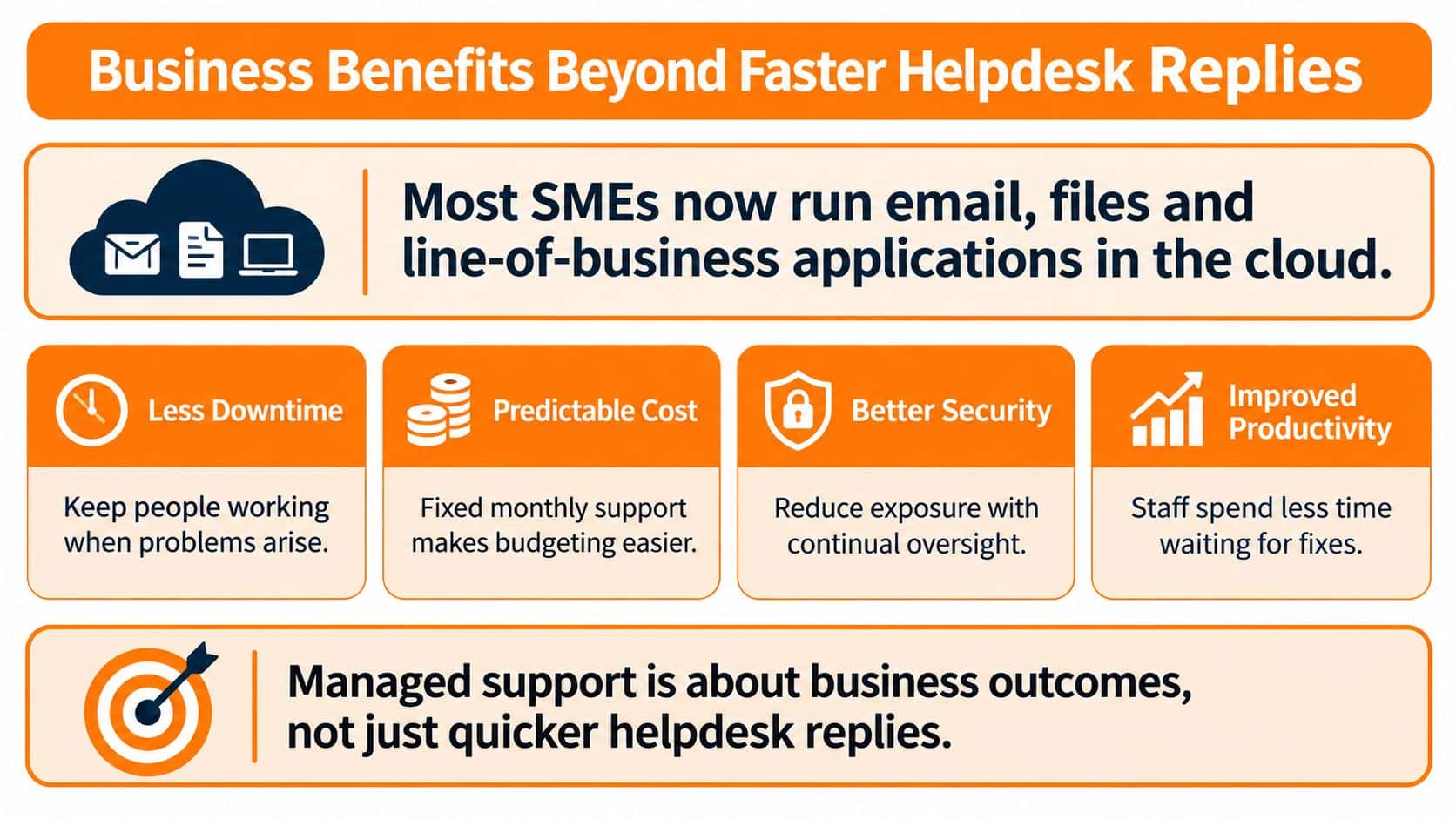
Five outcomes matter more than a faster phone answer.
A predictable monthly budget replaces surprise engineer invoices. Say a fabrication shop used to spend almost nothing for three months, then £2,000 in a bad week. A fixed fee is dull, and dull is what a cash-flow forecast wants.
Specialists you can't hire come with the contract. A six-person practice will not employ a security engineer and a backup specialist. A shared team is closer to a facilities crew for a whole estate than to one employee who must know every system.
Faster help for office and remote staff follows from someone already watching the tenant and the laptops, not from a colder call queue. A home worker locked out at 7am gets a path that doesn't start with the owner.
Scaling is adding a second site or ten starters without rebuilding support from scratch. Licences, laptops and access reviews move with the headcount.
Owner time comes back. The office manager stops being the unofficial IT desk.
A shared specialist bench beats one generalist who is expected to know security, telephony and the ERP on the same afternoon.
The trade-offs are real. You give up direct control. You depend on the contract and on how quickly that team answers. You need one named account manager for reviews and renewals, or the relationship becomes a ticket queue with nobody owning next quarter. Payback shows up as hours people keep working, not as a slogan about productivity.
If you want a short walk-through of how a managed desk is meant to feel day to day, this overview is a fair starting point.
Security and Compliance Requirements for Leeds Firms
Most Leeds SMEs don't have a security lead. The owner or the office manager inherits it by default, usually after something has already gone wrong.
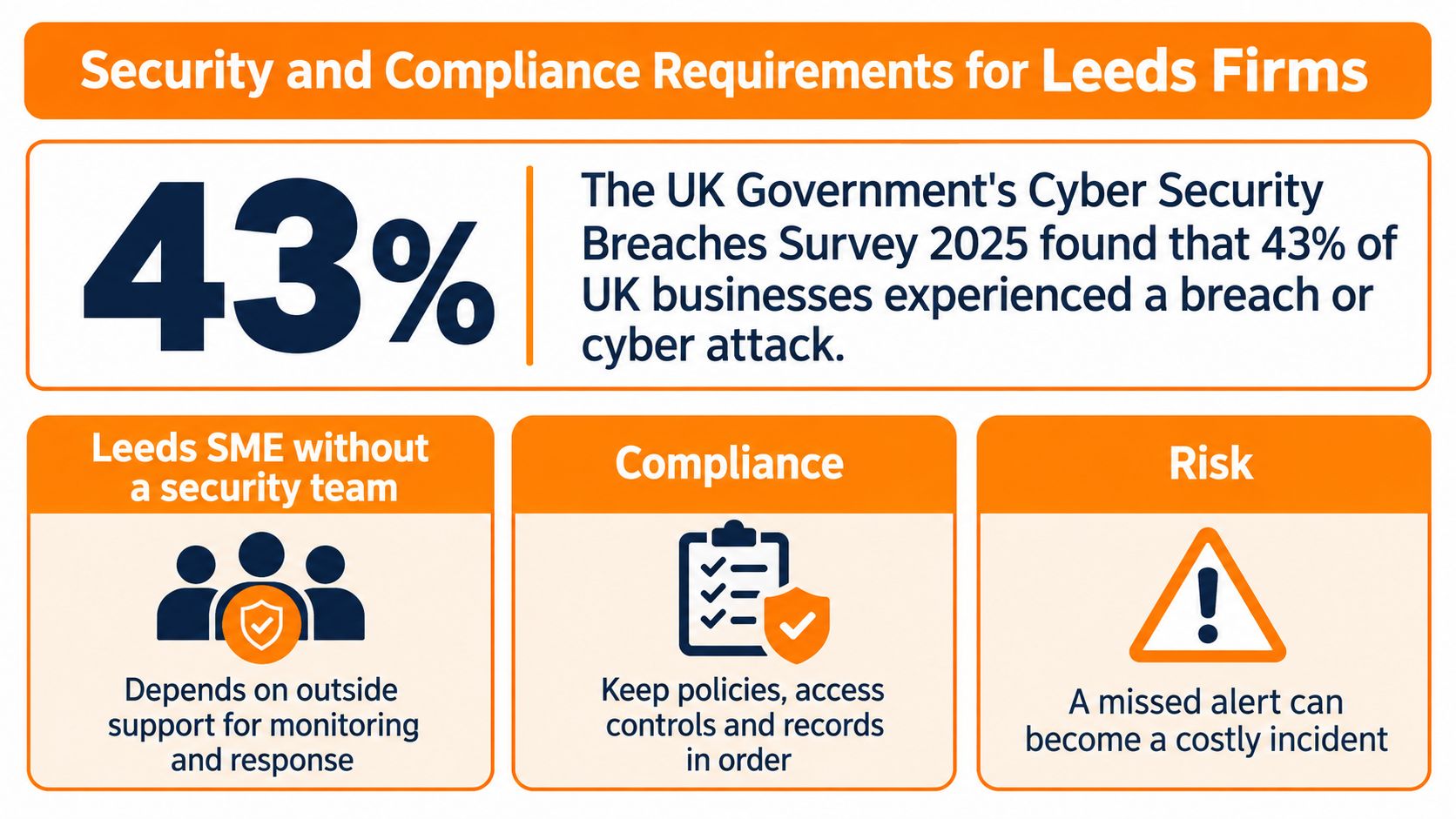
The UK Government's Cyber Security Breaches Survey 2025 found that 43% of UK businesses reported a cyber security breach or attack in the previous 12 months, about 612,000 businesses. Sixteen percent experienced a negative outcome. Only around 27% of businesses had board-level responsibility for cyber security, against 66% of large businesses. For a manufacturing, engineering, legal or financial firm in Leeds, that gap is the job description nobody wrote down.
Controls worth putting in the contract
A security-capable service should name these, not bury them in "antivirus included":
- Managed endpoint detection and response, so a suspect laptop is investigated, not just scanned.
- Identity protection with phishing-resistant multi-factor authentication, especially on admin accounts.
- DNS filtering, to cut off known bad sites before a click completes.
- Patch and vulnerability management on a schedule you can see.
- Staff awareness training, because the phish still arrives in a normal inbox.
- Incident escalation outside office hours, with a named route, not a voicemail.
Schemes, duties and where the data sits
Cyber Essentials and Cyber Essentials Plus are the baseline many public-sector and supply-chain buyers ask for. Our note on what Cyber Essentials certification involves sets out the difference between the questionnaire and the audited Plus test. Alongside that sit UK GDPR duties for personal data, plus the conduct rules that apply to regulated legal and financial practices. Old laptops and servers leaving the building need the same paperwork discipline. Audit-ready device disposal documentation from Reworx Recycling is a useful checklist when kit is wiped, collected and written off.
Ask where backup and hosting live, which certifications cover that site, and how power, connectivity and access are protected. We hold infrastructure in a Tier 4 datacentre in Milton Keynes and a second facility at Bletchley Park, with dual power, dual air conditioning, dual 10Gb internet and ISO 27001 certification. Put any provider's answers in a simple side-by-side so "UK hosting" isn't just a sentence on a slide.
Practical rule: If nobody at board or owner level owns cyber security, the managed contract has to name who does, in writing.
Backup and Recovery You Can Prove Under Test
A backup you have never restored is a spare key you have never tried in the lock. The tag on the keyring is not proof it turns.
Microsoft 365 synchronisation is not that key. The NCSC small business guide recommends regular backups, offline or otherwise separate copies, more than one storage location, multi-factor authentication on backup administration, and routine restoration testing, because ransomware goes after connected backup systems on purpose. Accidental deletion, malicious encryption and unwanted edits copy across Exchange Online, SharePoint, OneDrive and Teams. Native sync follows the damage. It doesn't undo it. Separate protection is also needed for endpoints, line-of-business apps, and any website or hosted desktop.
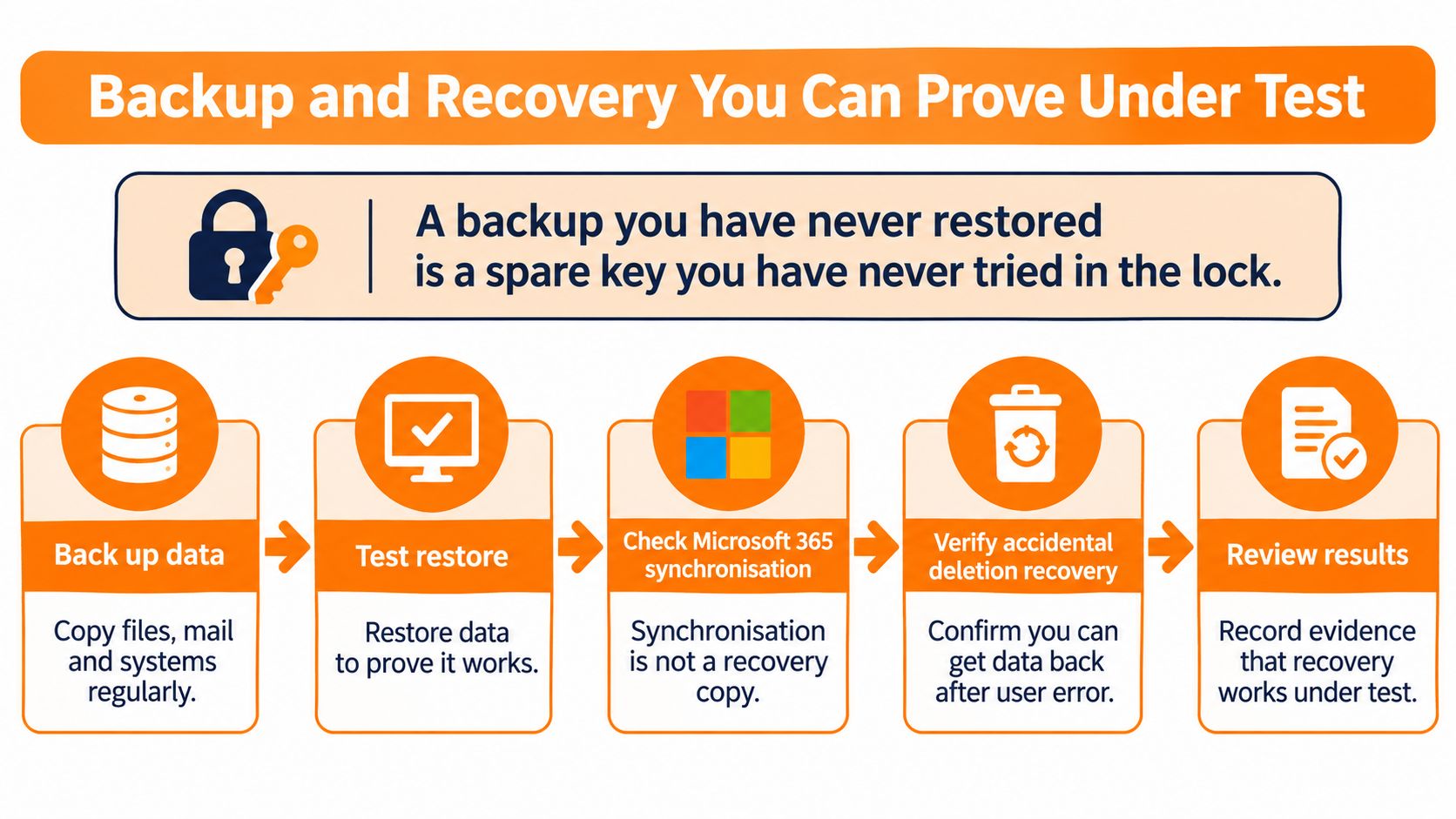
A cycle you can audit
- Rank systems by how badly the business stops if each one is gone. The ERP and the matter files outrank the marketing archive.
- Set a recovery-point objective. That is how much recent work you can afford to lose. Four hours is a sensible mark for active operational data. Twenty-four hours is enough for lower-priority archives.
- Set a recovery-time objective and test the dependencies. That is how long you can wait to be working again. Identity, DNS, internet, licensing and the application database all have to come back, not just the files.
- Keep backups separate from production and put MFA on the backup admin accounts. A copy that an attacker can delete is not a copy.
- Run a documented sample restore each quarter. Record how long it took, whether the data was complete, and what failed.
- Run a scenario exercise at least once a year. Losing the Microsoft tenant, or a dead internet line into the Leeds office, is a better script than a tidy demo.
For regulated or contract-sensitive firms, also keep immutable or logically isolated backup status, failed-job escalation, retention rules, and a recovery runbook that business owners have read. Our Microsoft 365 backup practices spell out why the tenant's own recycle bin is not that runbook.
When the usual path is simply unavailable
Continuity is the awkward afternoon when Microsoft, a line-of-business supplier, the internet circuit or the office itself is down. Alternative connectivity and a hosted desktop give people a second way in. An annual tabletop with the people who would make the calls is what proves the plan, not a PDF saved in SharePoint that nobody opened. The 2025/26 Cyber Security Breaches Survey reports that smaller businesses saw declines in formal security policies, risk assessments and business-continuity plans. A provider that only emails "backup completed" is matching that decline, not fixing it.
Response Times, SLAs and Proof of Performance
A headline SLA percentage doesn't prove the service is any good. It proves tickets were closed against whatever clock the contract defined. If that clock is generous, 98% can still mean a team sat idle all morning.
Response is how fast someone starts. Resolution or restore is how fast the business can work again. A 15-minute response on a dead site is worthless if restore is "best endeavours". Treat the figures below as examples to confirm in the contract, not as a universal standard.
| Priority | Typical example | Example response target | Example restore target |
|---|---|---|---|
| P1 Critical | Whole site down or suspected ransomware | Within 15 minutes | Within 4 hours |
| P2 High | Key system or team unable to work | Within 1 business hour | Within 8 business hours |
| P3 Medium | Single user or device fault | Within 4 business hours | Within 2 business days |
| P4 Low | Routine request or question | Within 1 business day | Within 5 business days |
We resolved 98% of issues within agreed SLA timescales. That figure only helps a buyer who can see which timescales applied and how breaches were reported. Our service level agreement is the document those clocks should live in. Customers reach the desk by phone or ticket, and the average call response is under 15 seconds. Speed to answer is not the same thing as speed to restore a production system.
Security needs its own clocks
Helpdesk SLAs don't show whether a compromised account was contained. The latest UK Government Cyber Security Breaches Survey, as set out in the DSIT newsletter for May 2026, found that 29% of businesses experienced incidents at least weekly, rising to 69% among large businesses. Smaller organisations value MSP access outside normal working hours because internal teams can't watch the estate continuously. For an engineering, manufacturing, legal or financial firm around Leeds, the live question is what happens at 2am, how fast a suspect account is isolated, and whether recovery has been proved.
Each month, ask for:
- Unresolved critical alerts: Anything still open, with the age of the oldest.
- Patch compliance: Devices missing updates, not a green dashboard with no numbers.
- Restore test results: Date, duration, completeness, exceptions.
- Privileged-account reviews: Who holds admin rights, and why.
- Mean time to contain: How long a suspect account or device stayed active.
- Security roadmap progress: What moved this month, and what slipped.
Who is on call at 2am, and what are they allowed to do without waiting for you to wake up?
Where Managed IT Pays Off
These three pictures are composites, not named clients. Each one shows a contract change and a measure you can copy into your own review.
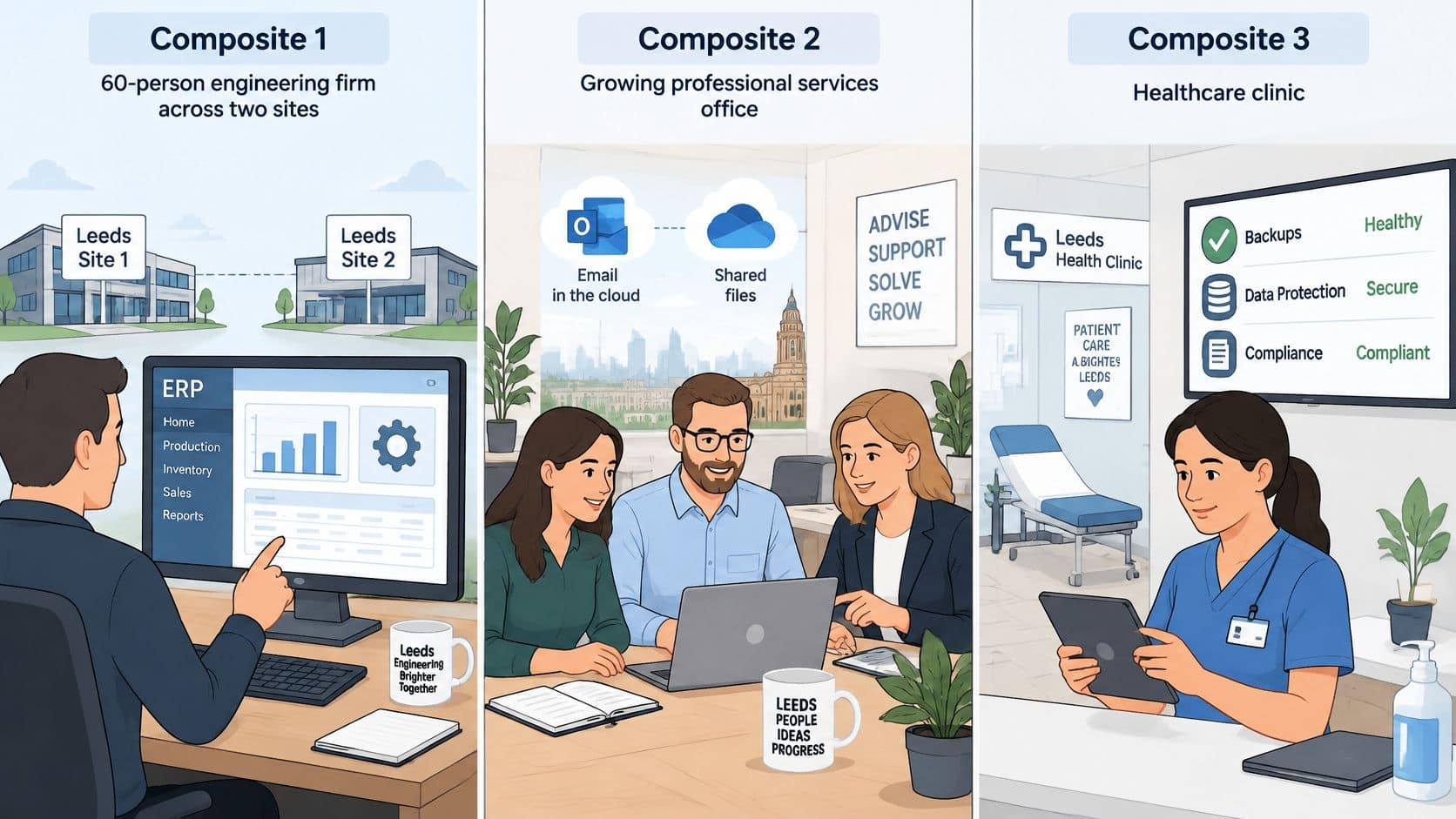
Two-site engineering firm
A 60-person engineering firm runs an ERP across a Leeds unit and a second workshop. A buyer clicks a phishing link just after lunch. Monitoring isolates the laptop within minutes, before the user has finished the second email. The last quarterly restore test already showed the ERP database could be recovered inside the agreed window, so nobody is inventing a plan while production waits.
The contract change wasn't a new "cyber bundle" slogan. It was endpoint detection in scope, plus a written quarterly restore with duration and exceptions. Copy the measure: time to isolate a suspect device, and the date of the last successful ERP restore.
Six-partner legal practice
Client files live in SharePoint. The helpdesk is fine. The hole is unprotected admin accounts and no rehearsed path if the Microsoft tenant is lost or locked. After the review, admin sign-in moves to phishing-resistant MFA and a recovery drill is booked with the partners, not only the IT contact.
The cost sits in scope, not in a mystery uplift: identity protection on every admin account, and a yearly scenario hour in the diary. Copy the measure: a list of admin accounts with MFA status, and a drill date in the next 12 months.
Financial adviser with remote staff
Advice staff work from home and from client meetings. The risk isn't a slow Monday ticket. It's access and reporting after hours, when a compromised mailbox could sit until morning. The fix is a contracted out-of-hours escalation path and an incident log the compliance file can use.
You're paying for cover outside the working day and for a record, not for more remote-control software. Copy the measure: who is called out of hours, and whether last month's incident log exists.
Choose a Provider and Confirm Your Next Step
Shortlist on evidence, then on geography. A polished portal doesn't replace a restore report.
- Named account manager: Each customer of ours has an account manager as the regular contact for reviews, renewals and what comes next. Ask for the meeting rhythm in the contract.
- Onboarding that writes the estate down: An onboarding engineer should take you from day one to fully supported and document the setup so nothing is left in someone's head.
- Transparent pricing: Licence pass-through stated, not discovered on invoice two.
- Response and restore targets: Written into the contract at the priorities you care about.
- Backup restore evidence: A recent test, not a success email.
- Security tools and certifications: Named products and any Cyber Essentials path you need for bids.
- Out-of-hours escalation: A phone path, not an email queue.
- Exit terms: Your data, admin access and documentation come back if you leave.
Be straight about location. We're an owner-managed team based in Ormskirk. Our primary coverage is Merseyside, Greater Manchester, Lancashire and Cheshire. A Leeds business can still be supported, but you should confirm remote support, site-visit terms and travel costs before you sign. Don't assume a North West provider treats West Yorkshire as a home patch.
Three actions this week
Call 01695 351778. The first conversation is there to map how you work before anyone proposes a package. Ask two or three providers for a scope review and for their last three monthly service reports, then score them against the list above. Before you sign, confirm the contract term, the notice period, the onboarding timeline, and whether the first 30 days include a documented audit of your systems. Those terms decide how easily you leave a provider that underdelivers.
Blowfish Technology provides managed IT support with monitoring, backup and security oversight for firms that want a fixed monthly service instead of break-fix call-outs. If you're weighing managed IT support in Leeds and need the scope, the SLA clocks and the recovery evidence set out properly, start with a conversation that maps your setup first. Visit Blowfish Technology to see how the service is structured and arrange that first call.
